GoldBalance
- By
Where your gold comes from and where it goes, for every character on the account: every movement logged by category, a daily bar, sessions, statistics and charts.
Character.png
account.png
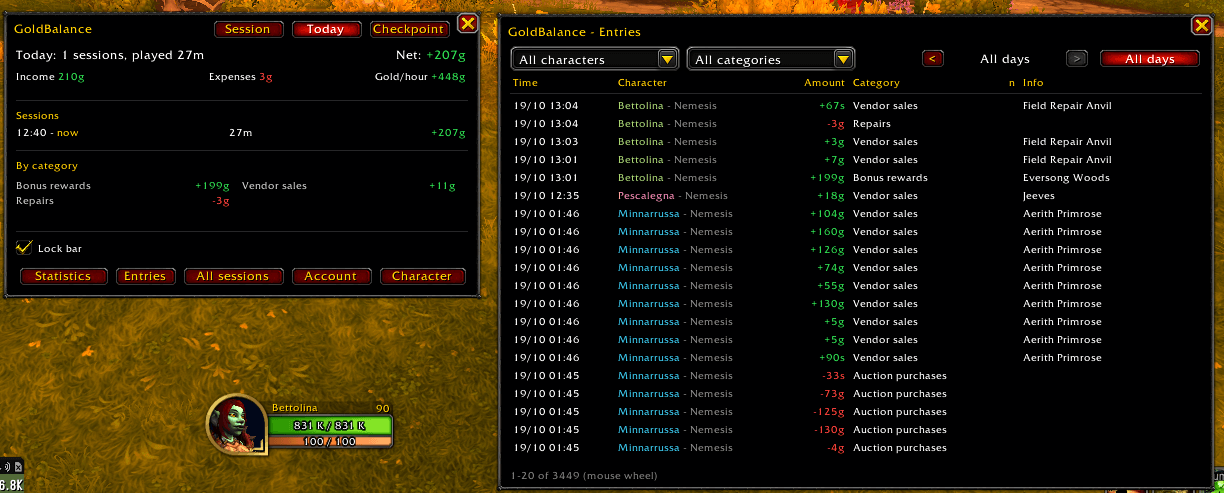
entries.png
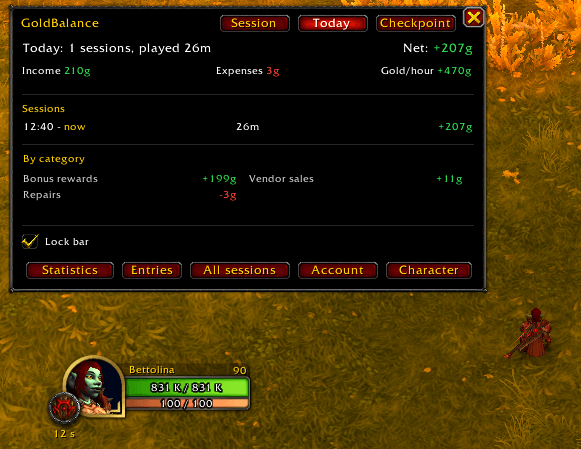
MainWindow.png
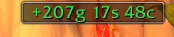
goldbar.png
Description
GoldBalance keeps the books of your gold, for every character on your account.
Every time your gold changes, GoldBalance records the amount and works out why: quest reward, vendor sale or purchase, auction sale, purchase or deposit, mail, trade, repairs, flight paths, trainers, transmog, item upgrades, guild bank, loot, Warband bank and more. Moves between your own characters (Warband bank, mail and trade between alts) are recognized as internal transfers, so they do not look like income on one character and an expense on another.
Always in sight
- A small bar with today's net gold for the character you are playing. Its tooltip shows the week since the reset, day by day, for the character and for the whole account.
- A minimap button with today's net in its tooltip.
The window
Click the bar, the minimap button, or type /goldbalance:
- Session / Today: income, expenses, net and gold per hour of the current session or of the whole day, split by category.
- Checkpoint: start it before a farm or a shopping round, stop it after, and see exactly what that stretch earned or cost.
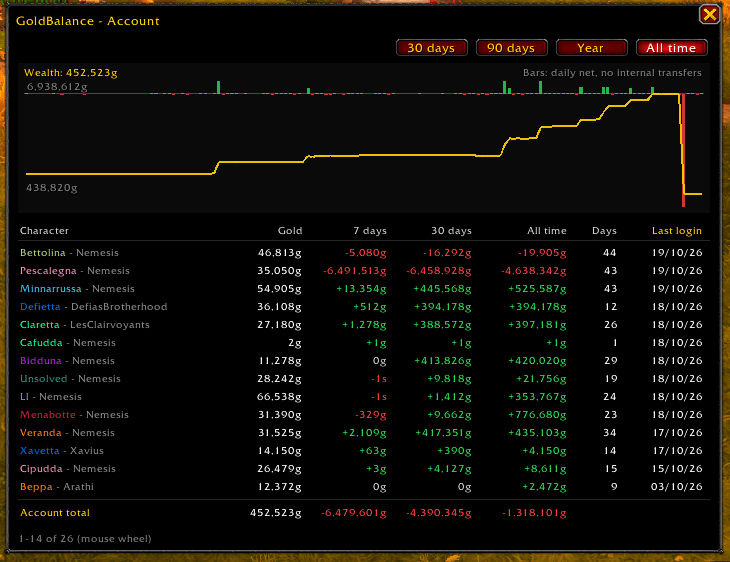
- Account: every character with current gold, net over 7 days, 30 days and all time, days played and last login, plus the Warband bank and the account total.
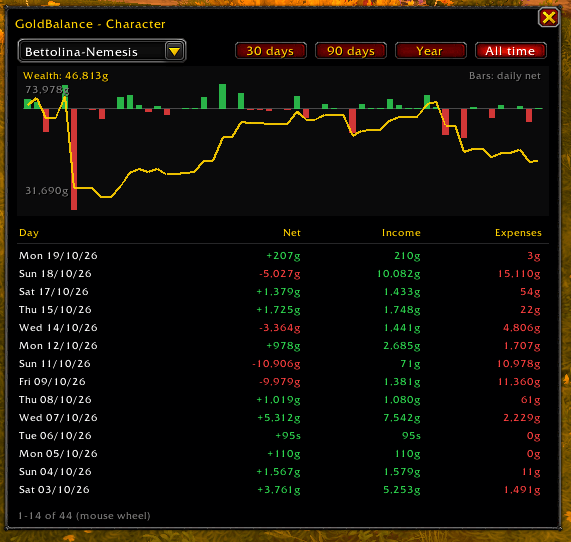
- Character: one character day by day, with a chart of wealth and daily net.
- All sessions: every session of a day, with its result.
- Statistics: over 7 days, 30 days, 90 days, a year or all time: net, active days, average per day and per month, best and worst day, gold from world quests, income and expenses by category, the most profitable characters.
- Entries: the single gold movements, filtered by character, category and day.
A character is added the first time you log in with GoldBalance installed. The longer you use it, the more the history has to show: it starts empty.
Commands
| Command | What it does |
|---|---|
/goldbalance |
Opens or closes the window |
/goldbalance stats |
Statistics |
/goldbalance entries |
Entries |
/goldbalance checkpoint |
Starts or stops a checkpoint (checkpoint new restarts it from now) |
/goldbalance retention [days] |
How long single entries are kept (0 = forever) |
/goldbalance forget Name-Realm |
Deletes a character |
/goldbalance reset |
Puts the bar and the minimap button back in their default position |
/goldbalance debug |
Prints every gold change in chat with its category |
Options
In Options > AddOns > [Bettolina] GoldBalance:
- Show bar, Show minimap icon, bar font size. (The bar is locked or unlocked from a checkbox at the bottom of the window.)
- Gain/loss: count everything, or leave out the Warband bank, or leave out every internal transfer; or show both side by side.
- Gold detail: gold only, gold and silver, or gold, silver and copper, separately for the windows and for the bar.
- Keep entries for: how long single entries, sessions and checkpoints are kept (90 days by default). Daily totals are never deleted.
- Language / Lingua: the addon's interface in English (default) or Italian.
English game client only, like the rest of the suite.
Lightweight
No libraries, no dependencies. GoldBalance works only when your gold changes; it keeps daily totals forever and trims old single entries at login, so its saved data stays small.
Part of the Bettolina suite
GoldBalance is one of a small set of independent addons by Dockinoke, all with the Bettolina_ folder prefix. Each one stands alone: install only the ones you want. For the gold still waiting in world quests, see GoldFromWorldQuest.
Feedback and bug reports: please use the comments on this page.
GoldBalance Team