CharacterReactions
- By
Every emote in the game in three clickable windows: animated, voiced and chat-only, with a search box.
SecondaryMenus.png
MainMenu.png
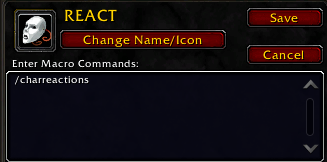
Macro.png
Description
CharacterReactions turns the game's emotes into buttons, so you can find the right reaction without remembering its slash command.
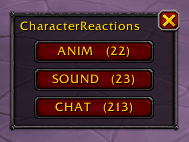
Type /charreactions and a small hub opens with three buttons, one per window:
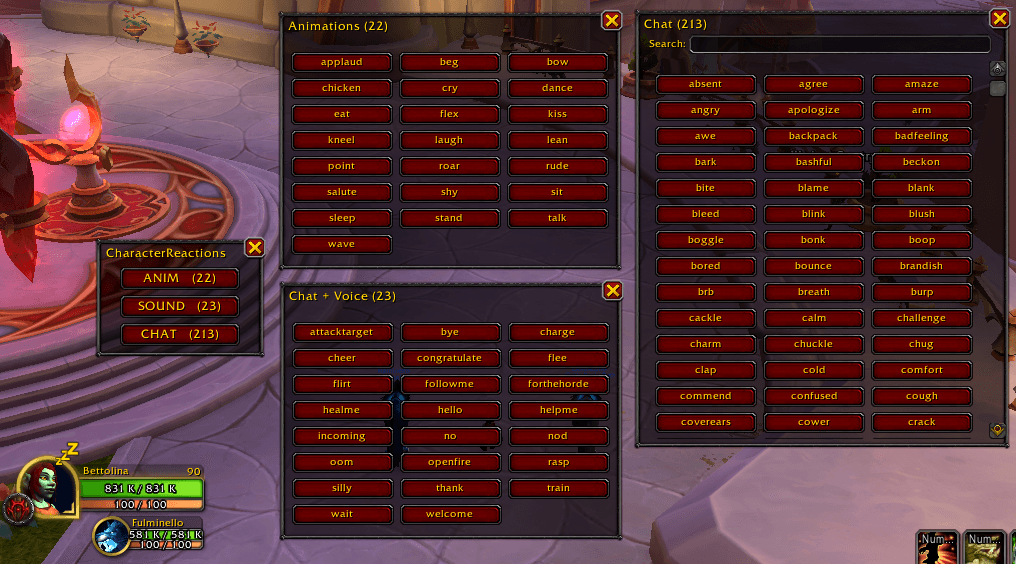
- Animations: the emotes that make your character move (dance, bow, wave...).
- Chat + Voice: the emotes that play your character's voice line.
- Chat: all the others, the text-only emotes. This is the long list, so it has a search box and a scroll bar.
Each window shows how many emotes it holds. Click a button and your character performs that emote, on your current target if you have one, exactly as if you had typed the command.
The lists come from the game client itself, so new emotes added by a patch show up on their own. Emote names are the game's own command names.
Commands
| Command | What it does |
|---|---|
/charreactions |
Opens or closes the hub |
Language
The addon's interface is in English (a handful of words: window titles and the search label). Emote names come from the game client.
Lightweight
No libraries, no dependencies, no saved data. The windows are built once at login and do nothing until you click.
Part of the Bettolina suite
CharacterReactions is one of a small set of independent addons by Dockinoke, all with the Bettolina_ folder prefix. Each one stands alone: install only the ones you want.
Feedback and bug reports: please use the comments on this page.
CharacterReactions Team