GODMODE Messenger - TBC & Classic
- By
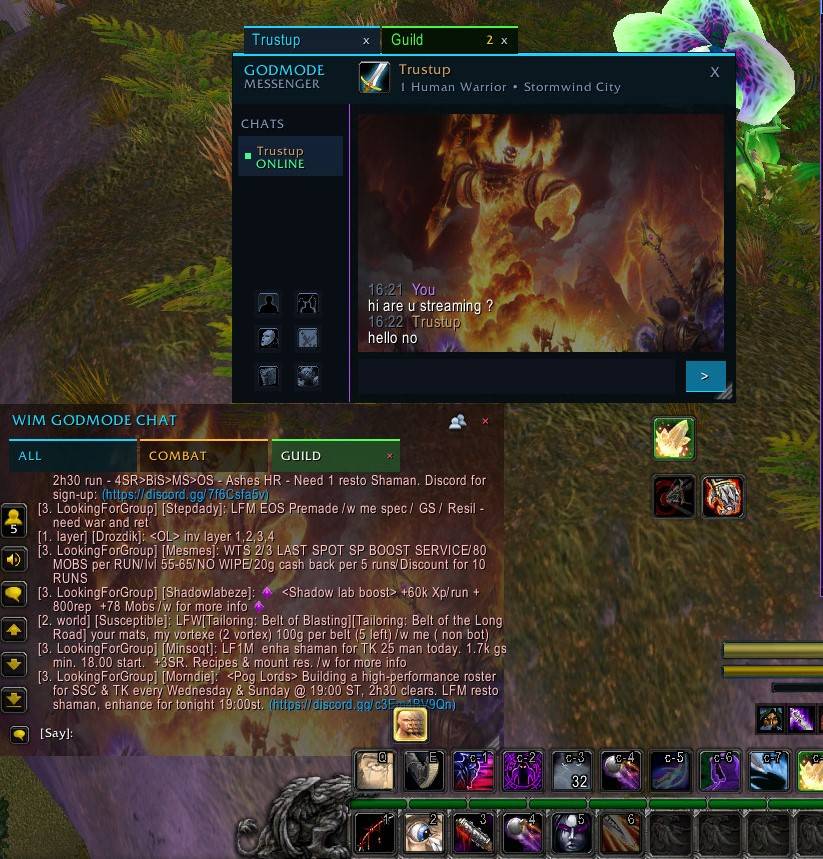
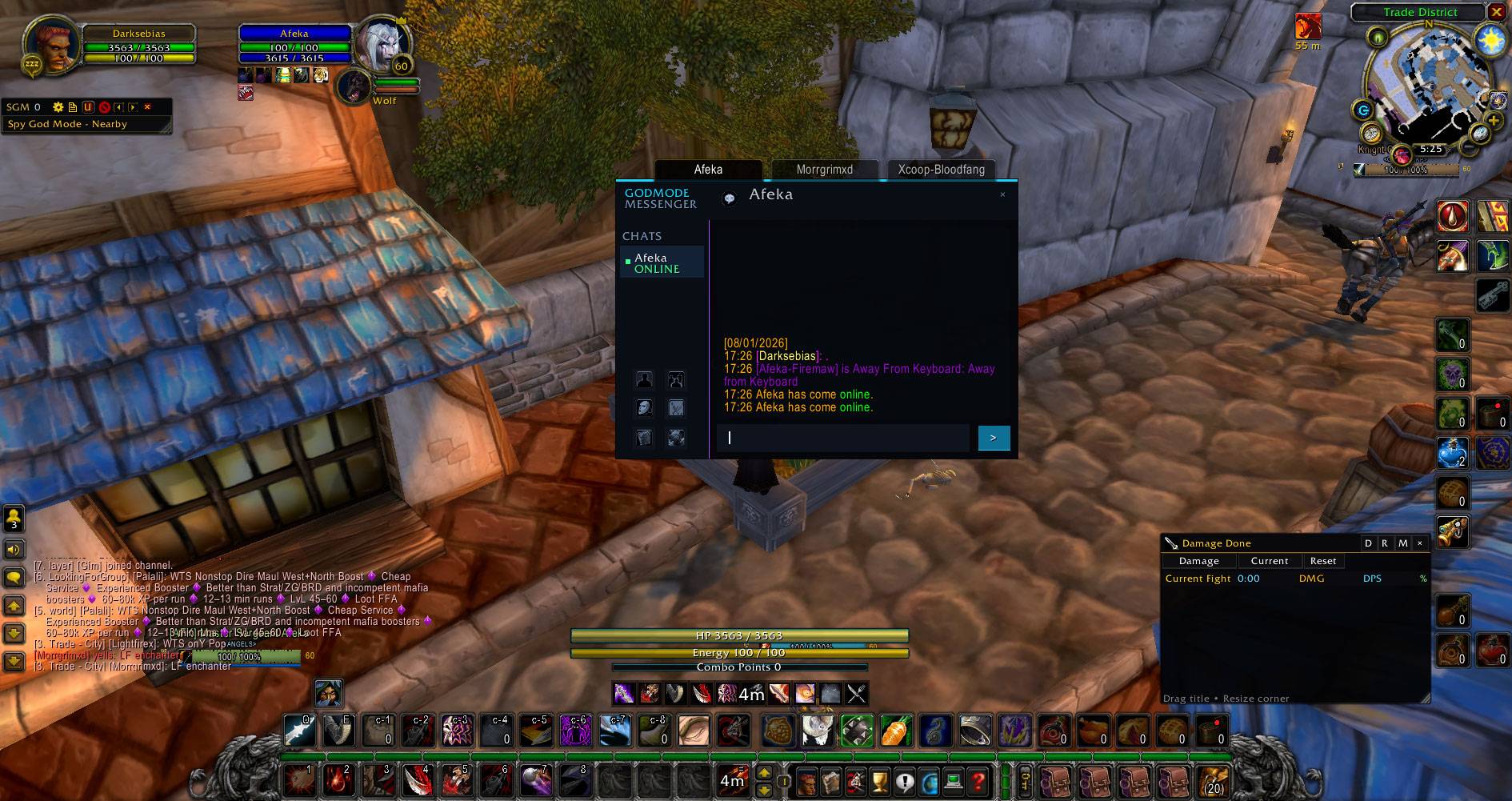
A modern instant messenger and communication hub with whispers, Battle.net, group and channel chats, persistent conversations, history, favorites, Message Vault, player actions, customization, and more.
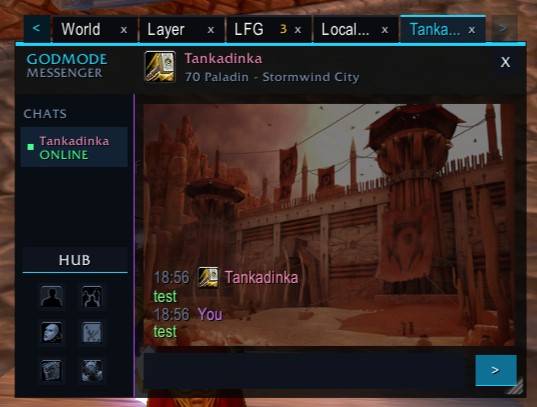
WoWScrnShot_082326_170247.jpg
WoWScrnShot_082326_165540.jpg
WoWScrnShot_080126_172654.jpg
WoWScrnShot_082026_161210.jpg
WoWScrnShot_082026_161318.jpg
WoWScrnShot_082026_162927.jpg
WoWScrnShot_080126_172711.jpg
WoWScrnShot_080126_171439.jpg
WoWScrnShot_080126_171653.jpg
WoWScrnShot_080126_171708.jpg
WoWScrnShot_080126_171730.jpg
WoWScrnShot_080126_171745.jpg
WoWScrnShot_080126_171801.jpg
WoWScrnShot_082326_170236.jpg
WoWScrnShot_082326_170259.jpg
Description
GODMODE Messenger — Classic & TBC
Modern Instant Messenger & Communication Hub for World of Warcraft Classic Era and The Burning Crusade Classic
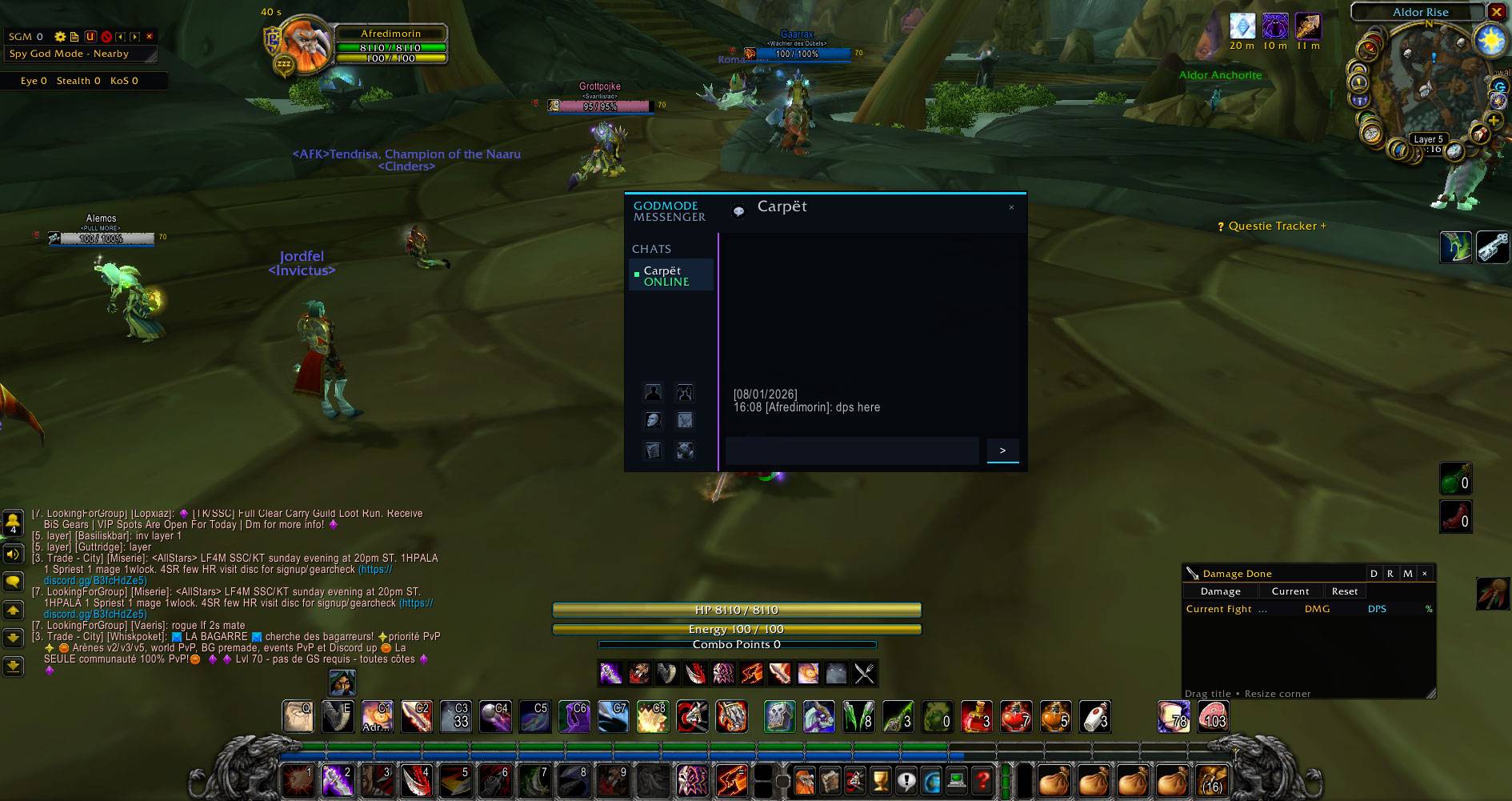
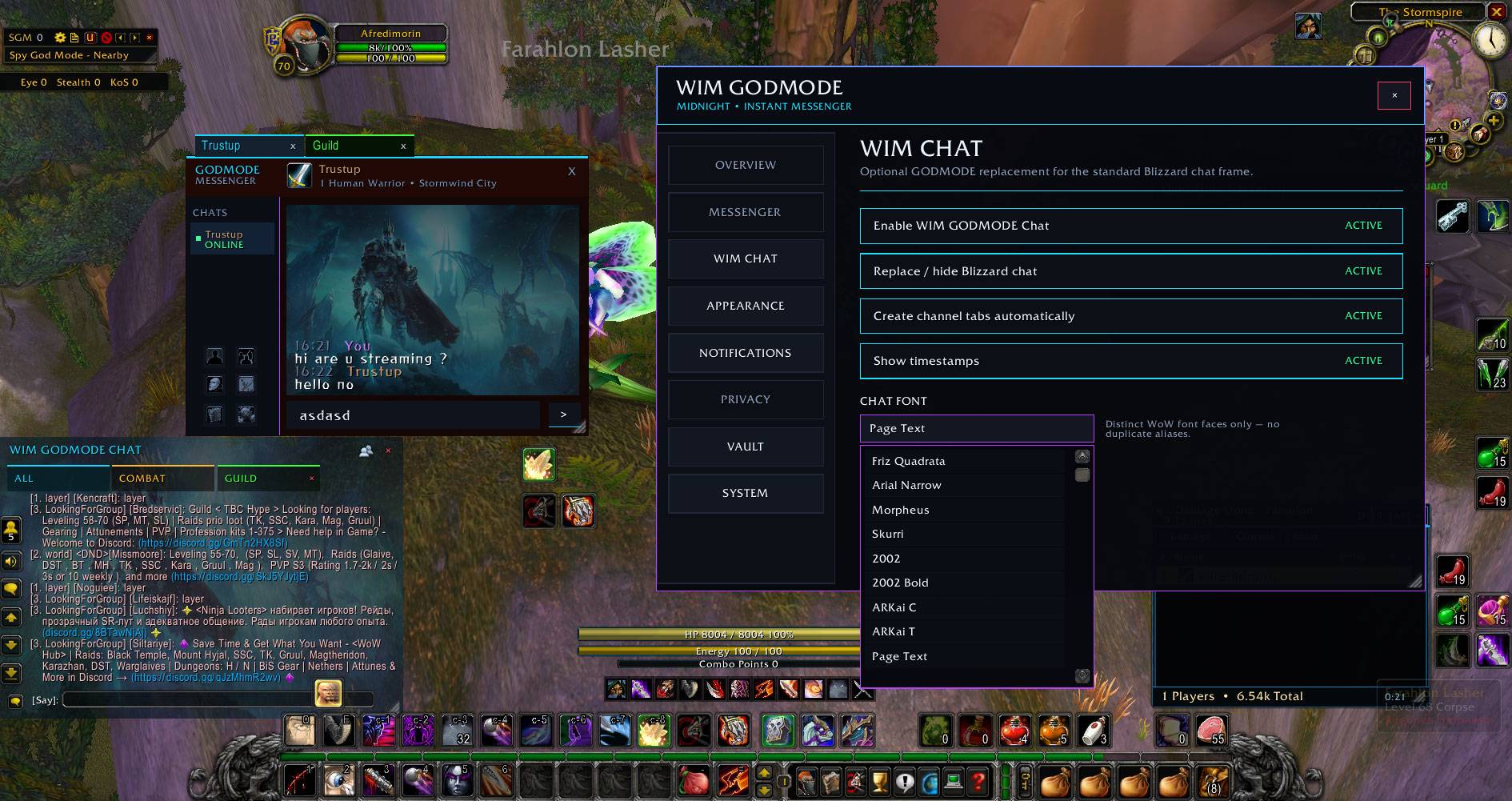
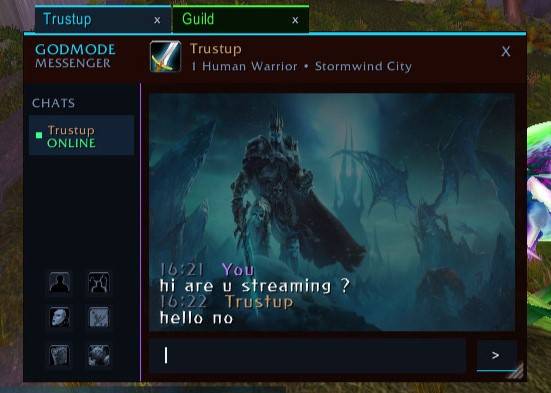
GODMODE Messenger is a modern in-game instant messenger and communication hub designed to make World of Warcraft communication cleaner, faster and easier to manage.
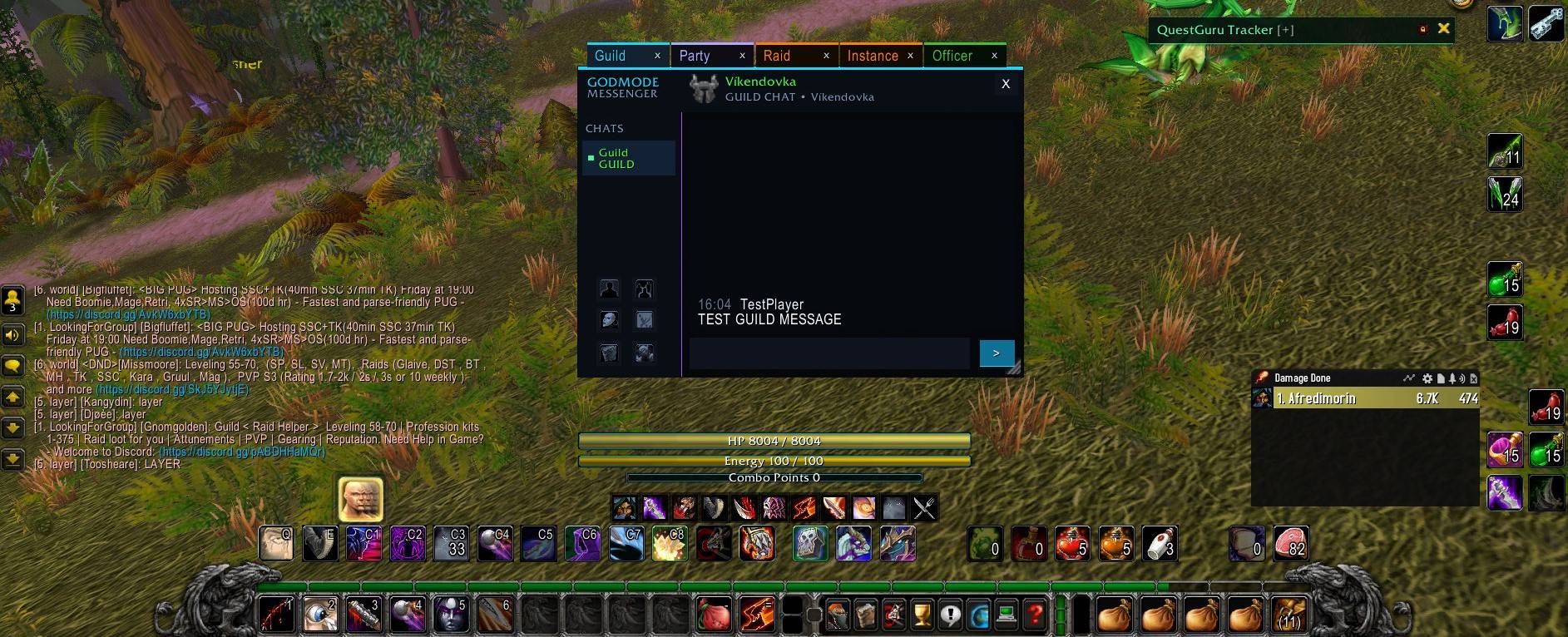
Built specifically for Classic Era and The Burning Crusade Classic, GODMODE Messenger brings private messages, group conversations, public channels, Battle.net contacts, conversation history and social tools together in one organized interface.
The project was created to bring back the familiar instant-messenger experience players loved while building a modern, actively maintained implementation for the WoW clients we actually play today.
The goal is simple: keep conversations organized, make communication faster, stay lightweight and continue improving based on what players actually need.
💬 More Than Just Whispers
GODMODE Messenger goes far beyond private whispers.
Supported conversations include:
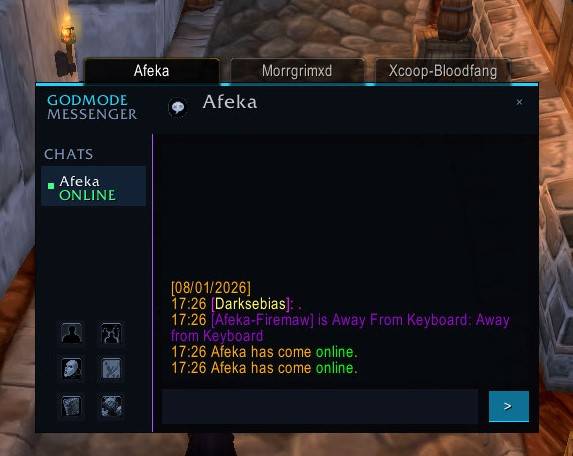
- Whispers / Direct Messages
- Guild Chat
- Party Chat
- Raid Chat
- Instance Chat
- Officer Chat
- General
- Trade
- Looking For Group
- World and other joined channels
- Battle.net contacts and conversations
Multiple conversations can remain available simultaneously, while incoming messages are automatically routed to the correct conversation.
Busy Trade or LFG traffic won't force you away from the private conversation you're currently reading.
🖥️ GODMODE Messenger HUB
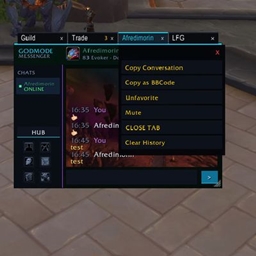
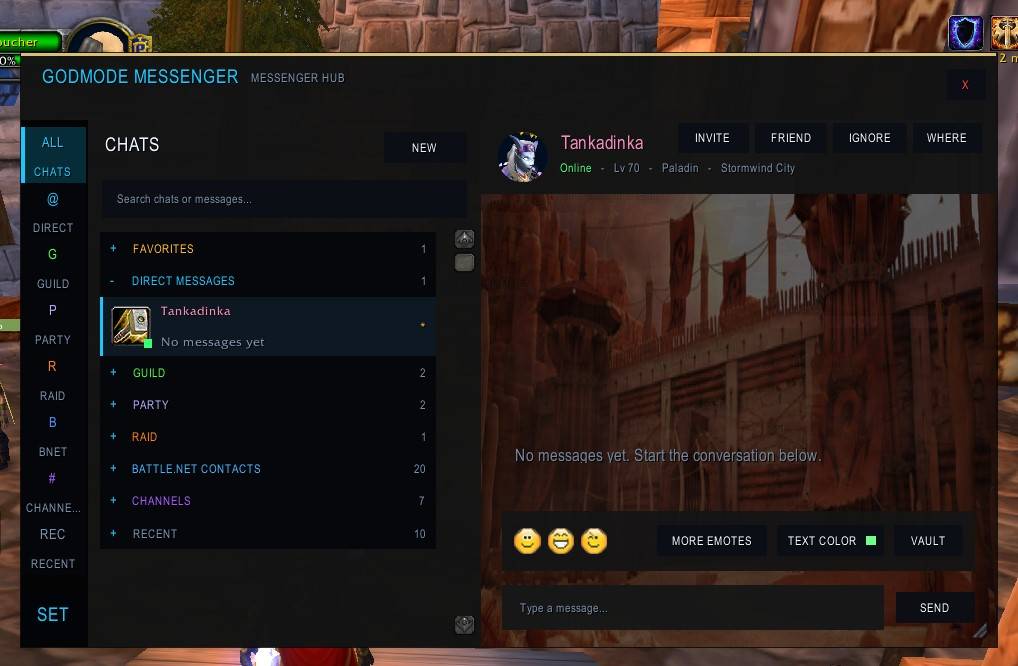
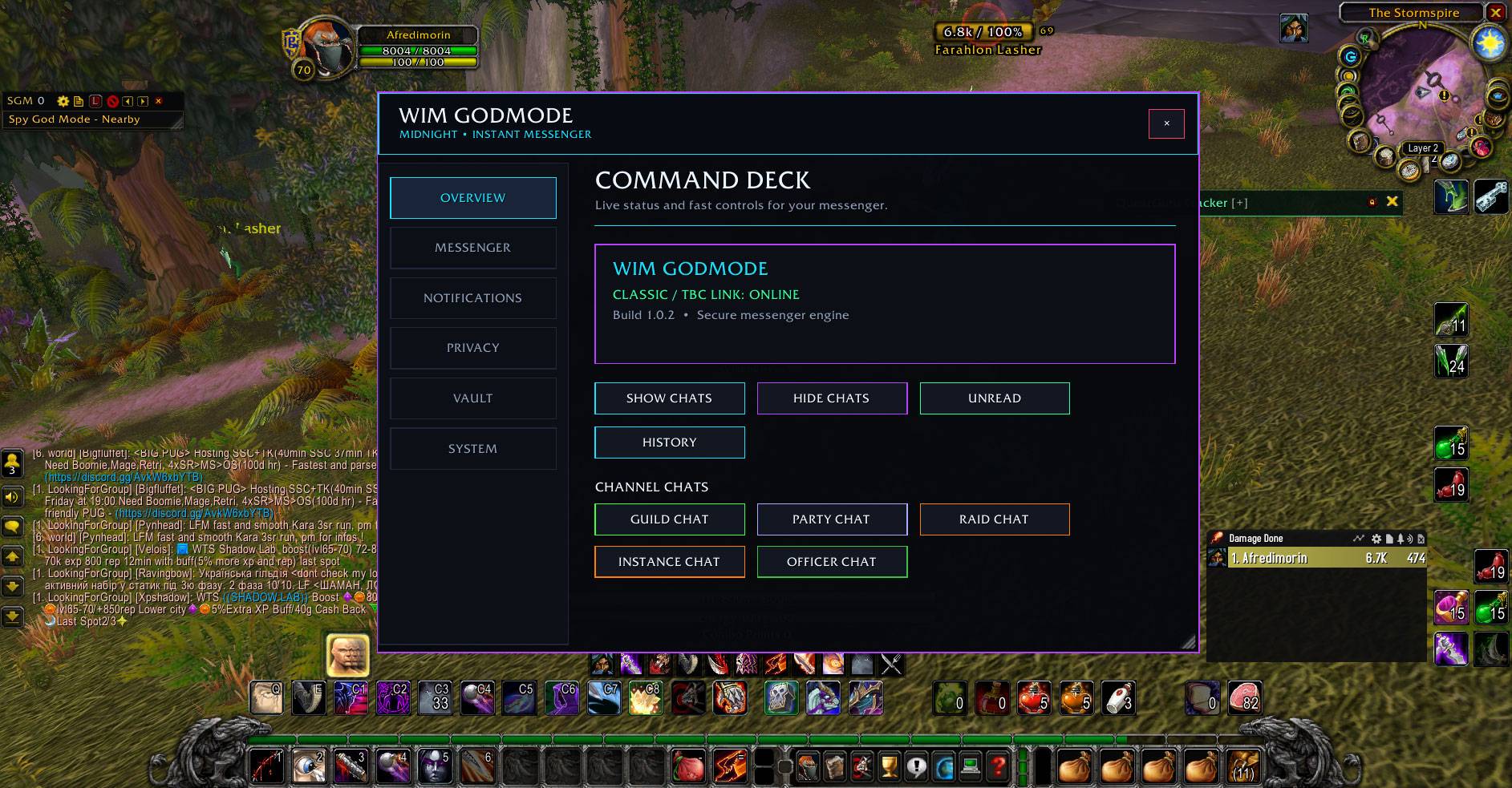
The Messenger HUB brings your conversations together in one modern interface.
Dedicated sections organize:
Direct Messages • Guild • Party • Raid • Battle.net • Channels • Favorites • Recent
The HUB includes:
- Conversation search
- Unread tracking
- Message previews
- Favorites
- Recent conversations
- Persistent conversation selection
- Smart right-click menus
- Quick player actions
- Channel controls
- Battle.net integration
- Message history
- Emoticons
- Custom text colors
- Custom backgrounds
Incoming activity can update conversation previews and unread status without stealing the conversation you're currently viewing.
✨ Features
- Modern GODMODE Messenger interface
- Full Messenger HUB
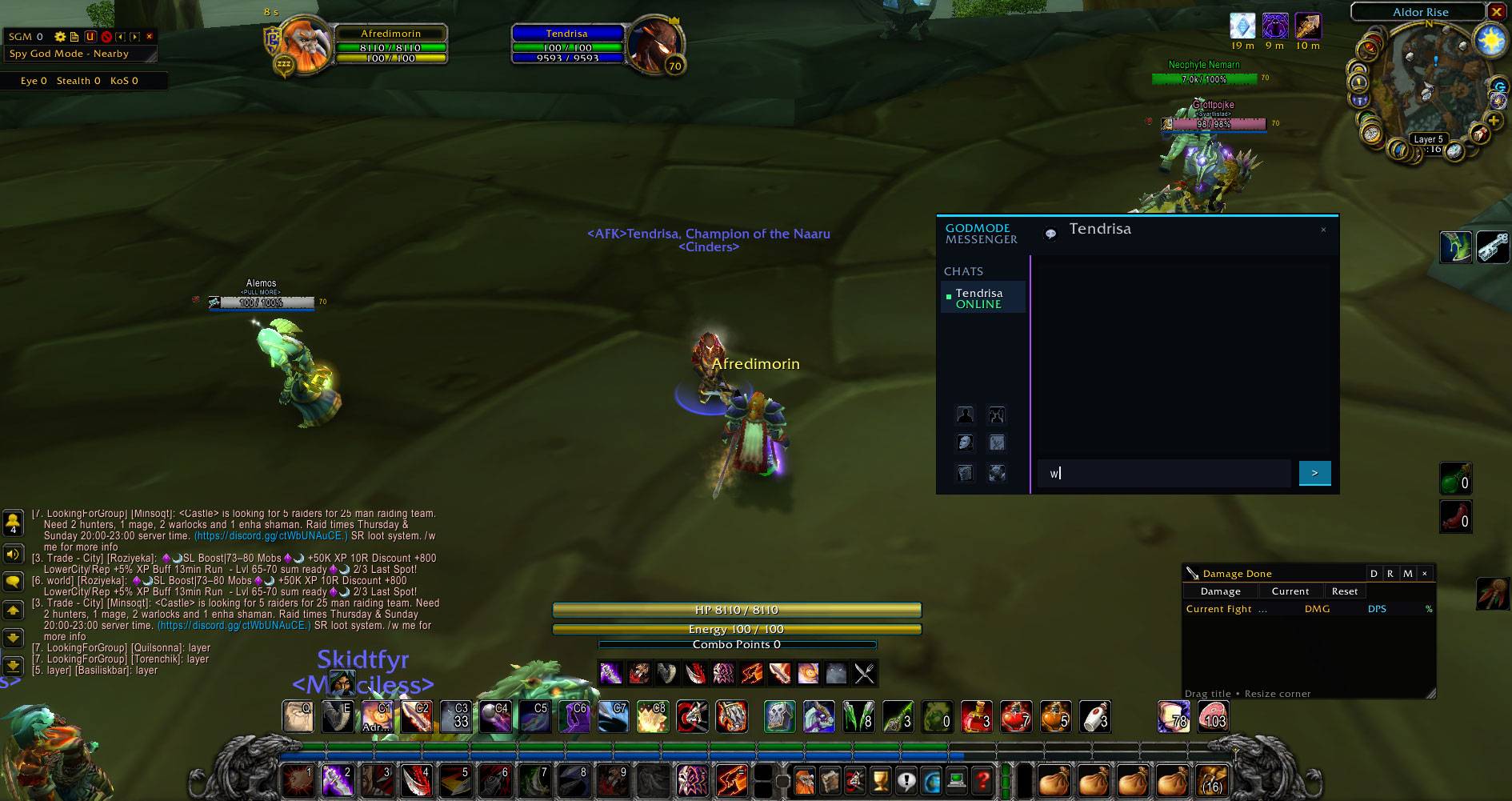
- Dedicated whisper conversations
- Guild, Party, Raid, Instance and Officer conversations
- General, Trade, LFG, World and joined-channel support
- Battle.net contacts and conversations
- Multiple simultaneous conversations
- Persistent conversation tabs
- Individual X buttons for closing conversations
- Favorites
- Recent conversations
- Conversation search
- Unread message tracking
- Message previews
- Timestamps
- Message history
- Searchable saved conversations
- Dedicated Message Vault
- Copy Conversation
- Clear History
- Clickable item and spell links
- Clickable player links
- Sender class icons where available
- Channel-specific colors
- Quick Player Actions
- Local conversation Mute
- Blizzard Ignore integration
- Incoming whisper notifications
- Customizable notification sounds
- Silent outgoing messages
- Quick emoticons
- Extended emoticon panel
- Custom text colors
- Custom Messenger backgrounds
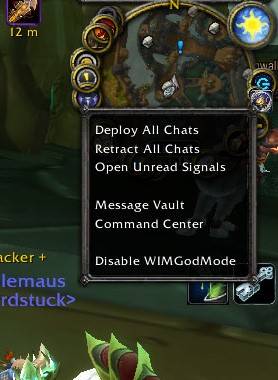
- Minimap integration
- Quick minimap conversation controls
- Smart channel controls
- Movable windows
- Resizable windows
- Saved window positions
- Saved window sizes
- Saved appearance settings
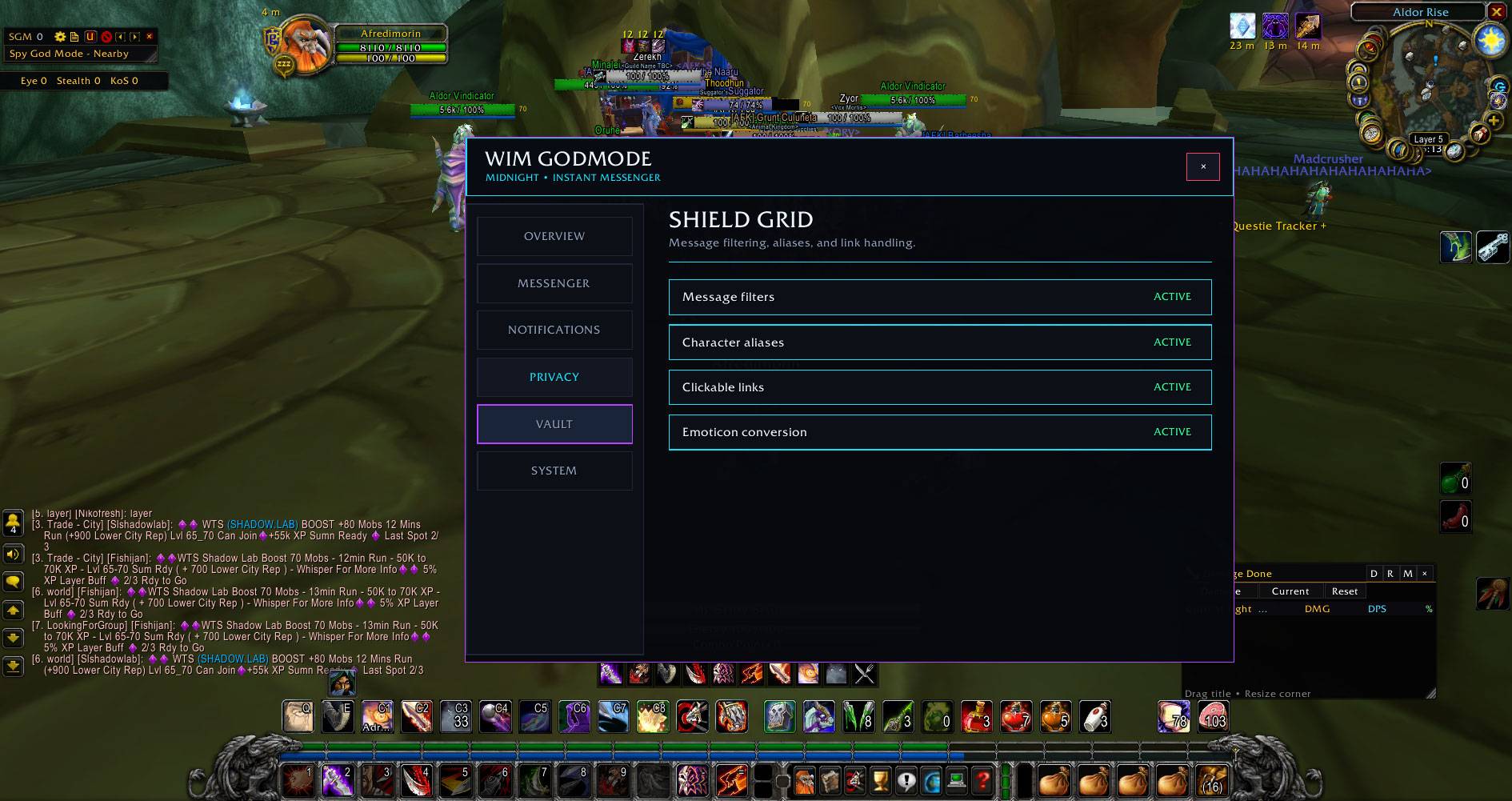
- Privacy options
- Scrollable settings
- Modern dark interface
- Performance-focused architecture
💬 GODMODE Chat
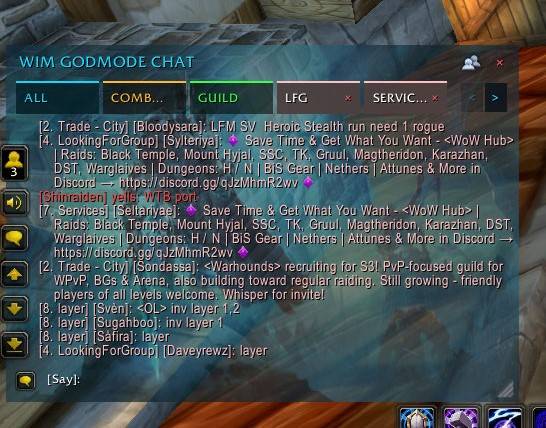
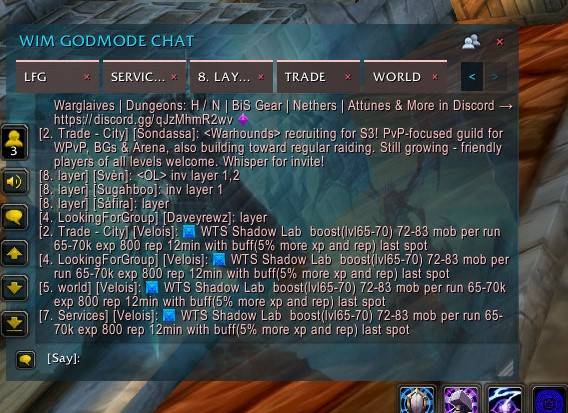
GODMODE Messenger includes its own integrated WoW chat experience.
The ALL view allows you to follow communication while choosing where your own messages should be sent.
Your selected destination remains sticky until you change it.
For example, after switching ALL to Guild or Trade, following messages continue going there instead of unexpectedly returning to Say.
Supported destinations include normal WoW commands and channels such as:
Say • Yell • Guild • Party • Raid • Instance • Trade • General • LFG • World • Numbered Channels
Dedicated channel tabs remain permanently associated with their own channel.
Normal Blizzard chat can still be used when needed.
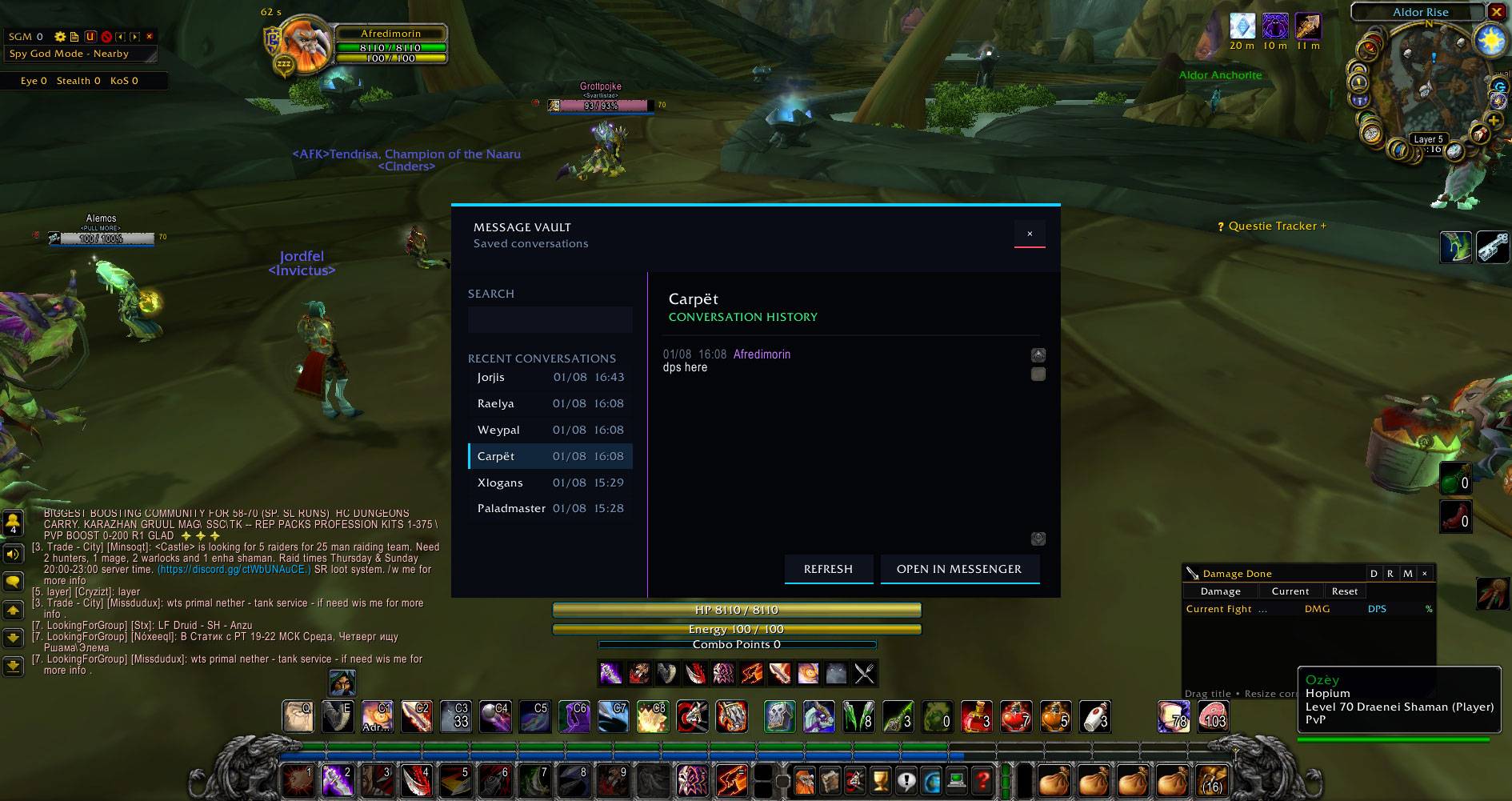
🗂️ Message Vault & History
Important conversations shouldn't disappear simply because you closed a Messenger tab.
The Message Vault provides centralized access to saved conversation history.
History can include:
Players • Guild • Party • Raid • Instance • Officer • Public Channels • Battle.net
You can:
- Browse previous conversations
- Search saved conversations
- Read message history
- Reopen conversations
- Copy conversation text
- Clear individual conversation histories
Large histories are handled separately from the active Messenger so old conversations don't need to remain permanently rendered on screen.
⭐ Favorites & Recent Conversations
Important conversations can be added to Favorites for quick access.
The Recent section keeps previously active conversations accessible even after their normal Messenger tab has been closed.
Smart context menus understand the current state of a channel.
For example:
- Active channel → Exit Channel
- Historical channel you've left → Join Channel
- Recent conversation → Remove From Recents
Removing a conversation from Recent does not automatically destroy its saved history.
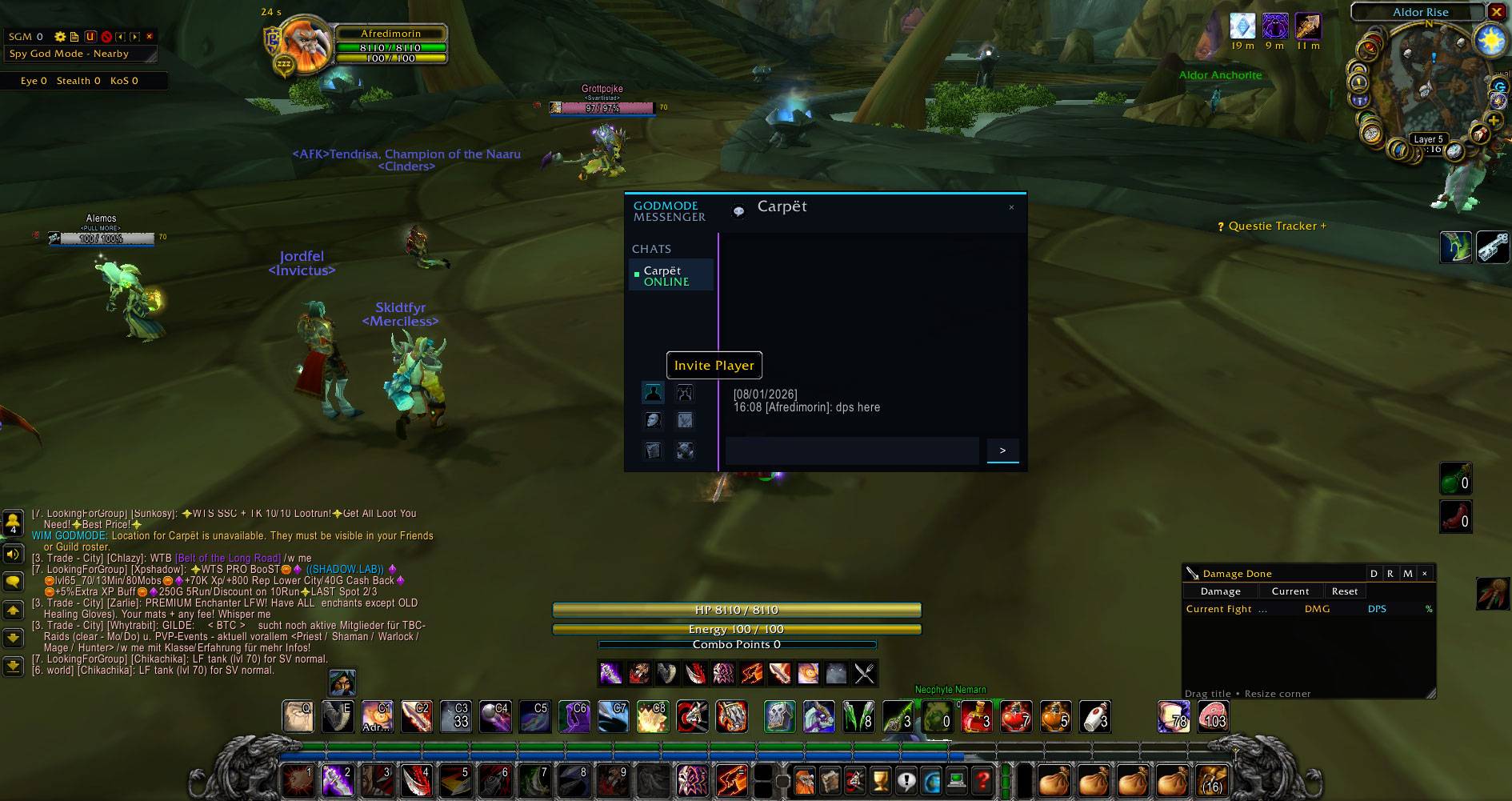
👥 Quick Player Actions
Direct player conversations provide convenient shortcuts for common social actions.
Available actions can include:
- Invite Player
- Add Friend
- Ignore Player
- Mute Conversation
- Trade
- Check Location
- Favorite
- View History
Common social actions can therefore be handled directly from Messenger without constantly navigating through Blizzard menus.
🔇 Mute, Notifications & Sounds
GODMODE Messenger includes local conversation-level Mute controls.
Muted incoming conversations can be prevented from:
- Playing Messenger notification sounds
- Creating GODMODE unread alerts
- Automatically opening Messenger windows
- Displaying incoming messages inside GODMODE Messenger
For complete game-level blocking of another player, Blizzard's Ignore functionality remains available separately.
Incoming whispers can play a configurable messenger-style notification sound, while your own outgoing messages remain silent.
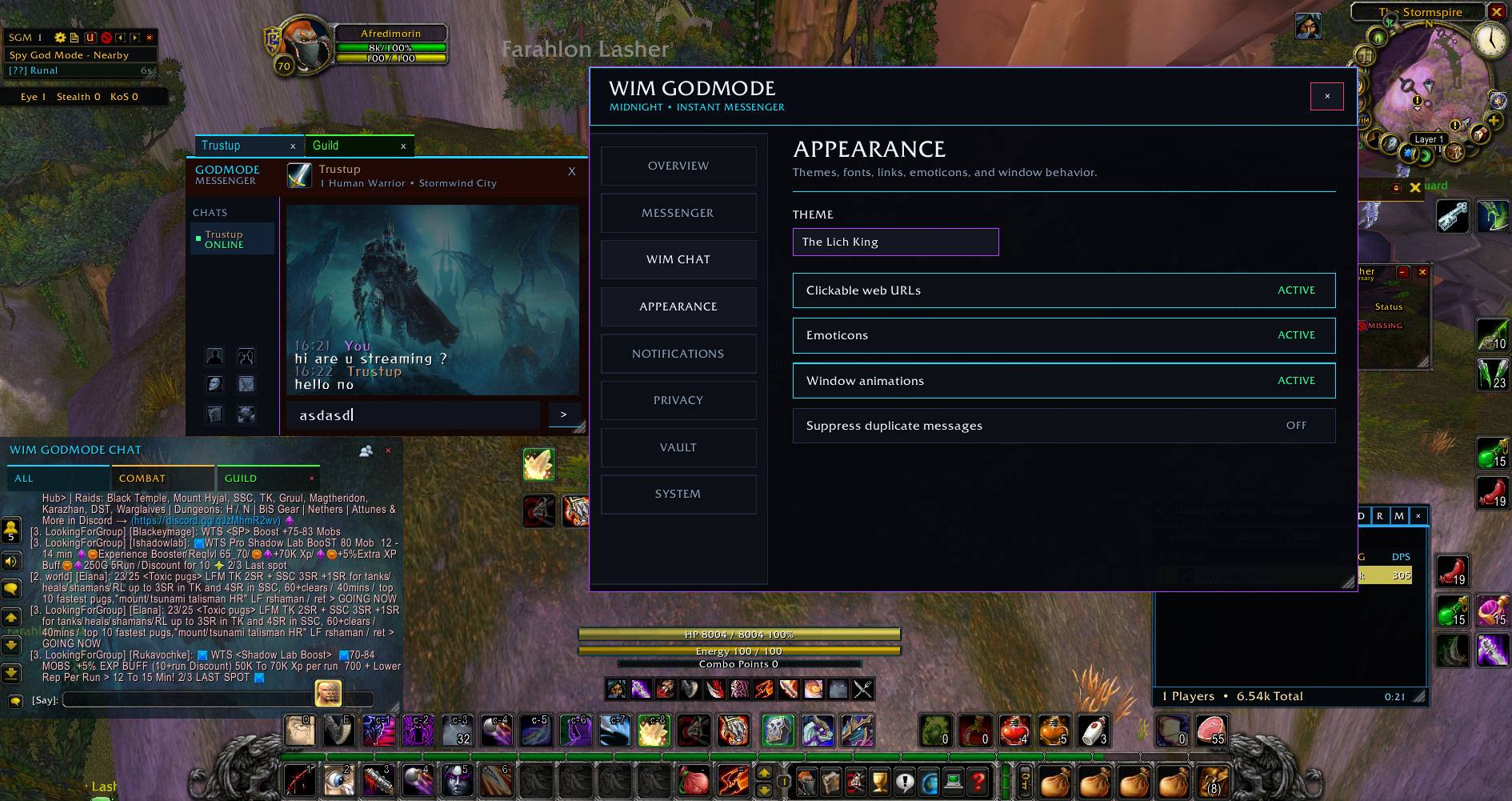
🎨 Customization
The Messenger interface can be customized and remembers your choices.
Customization includes:
- Messenger backgrounds
- Text colors
- Notification sounds
- Window positioning
- Window sizing
- Emoticons
- Appearance options
Window positions, sizes and appearance settings are saved automatically and restored after login or /reload.
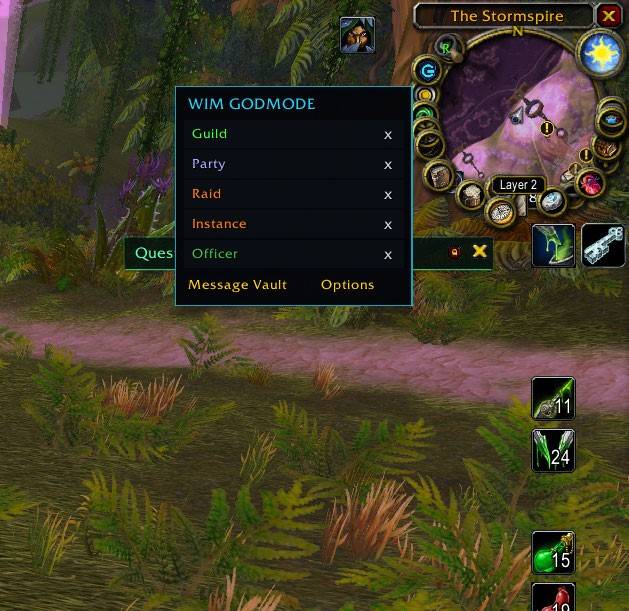
🖱️ Minimap Integration
The GODMODE Messenger minimap button provides quick access to your conversations and Messenger features.
Quick access can include:
Direct Messages • Guild • Party • Raid • Battle.net • Channels • Message Vault • Options
Active conversations can be reopened without searching through the main interface.
🔗 WoW Chat Links
Messages inside GODMODE Messenger retain useful World of Warcraft interaction.
Supported chat content can include clickable:
- Items
- Spells
- Players
- Achievements
- Other supported Blizzard chat hyperlinks
This keeps Messenger useful without requiring you to return to Blizzard's default chat window whenever somebody links something.
🌍 European Language Support
GODMODE Messenger includes improved font handling for Classic and TBC clients.
European characters used by languages such as Czech are supported, including characters such as:
č • ř • š • ž • ě • á • í • é
The addon uses compatible Blizzard fonts by default while preserving manually selected custom fonts.
⚡ Lightweight & Performance Focused
GODMODE Messenger is designed to remain responsive even in busy environments such as capital cities, Trade chat, raids and instances.
Performance work includes:
- Lightweight background conversation updates
- Batched HUB refreshes
- Append-only active chat updates
- Efficient bounded message buffers
- Batched history cleanup
- Reduced SavedVariables writes
- Cached Battle.net information
- Optimized unread processing
- Filtered combat processing where supported
- Batched combat UI updates
- Reduced unnecessary tab-layout recalculation
- No unnecessary permanent frame-update loops
The goal is to provide a feature-rich Messenger without turning chat traffic into an FPS or CPU problem.
🎮 Designed to Stay Out of Your Way
Having Messenger open shouldn't prevent you from playing.
GODMODE Messenger is designed to coexist with normal gameplay and Blizzard's interface.
You can move, fight, interact with the world, use normal Blizzard chat when needed and return to Messenger without constantly closing and reopening windows.
🛡️ Supported WoW Versions
World of Warcraft Classic Era
- Classic Era
- Anniversary Realms
- Hardcore
The Burning Crusade Classic
- TBC Classic / Anniversary 2.5.x
A separate GODMODE Messenger - Midnight edition is maintained for modern World of Warcraft.
Keeping the modern and Classic implementations separated allows client-specific API changes to be handled without unnecessarily affecting the other versions.
⚙️ Commands
/wim — Open GODMODE Messenger settings
/wim help — Display available commands
Legacy /wim commands remain available for compatibility.
🚧 Active Development
GODMODE Messenger is actively developed.
New features, compatibility improvements, performance optimizations and quality-of-life additions will continue to be developed based on real in-game testing and community feedback.
If you remember something useful from older messenger addons, find something that could work better, or have an idea for a new communication feature:
Let us know.
Bug reports are also extremely helpful. When reporting an issue, please include the WoW version you're using and any Lua error that appeared.
The goal is to continue building GODMODE Messenger into a complete communication hub for Classic World of Warcraft.
❤️ Support Development
If you enjoy GODMODE Messenger and would like to support future development, every donation is greatly appreciated.
💙 PayPal
💜 Revolut
Every donation helps support:
- 🚀 New features
- ⚡ Faster updates
- 🎮 Classic & TBC compatibility
- 🌍 Future WoW version support
- 🛠️ Bug fixes
- ⚙️ Performance improvements
- 🔄 Ongoing development
Thank you for using GODMODE Messenger and supporting the project! ❤️
The GODMODE Messenger - TBC & Classic Team