GODMODE Messenger - Midnight
- By
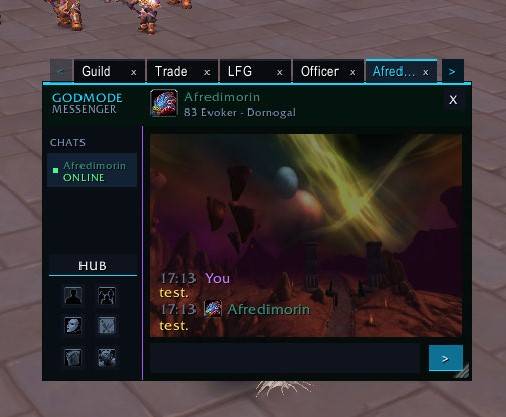
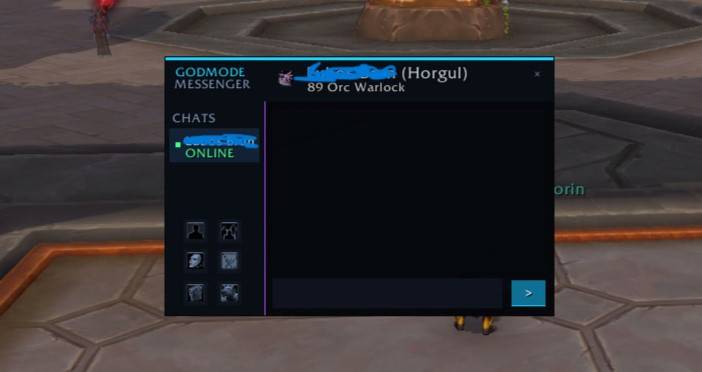
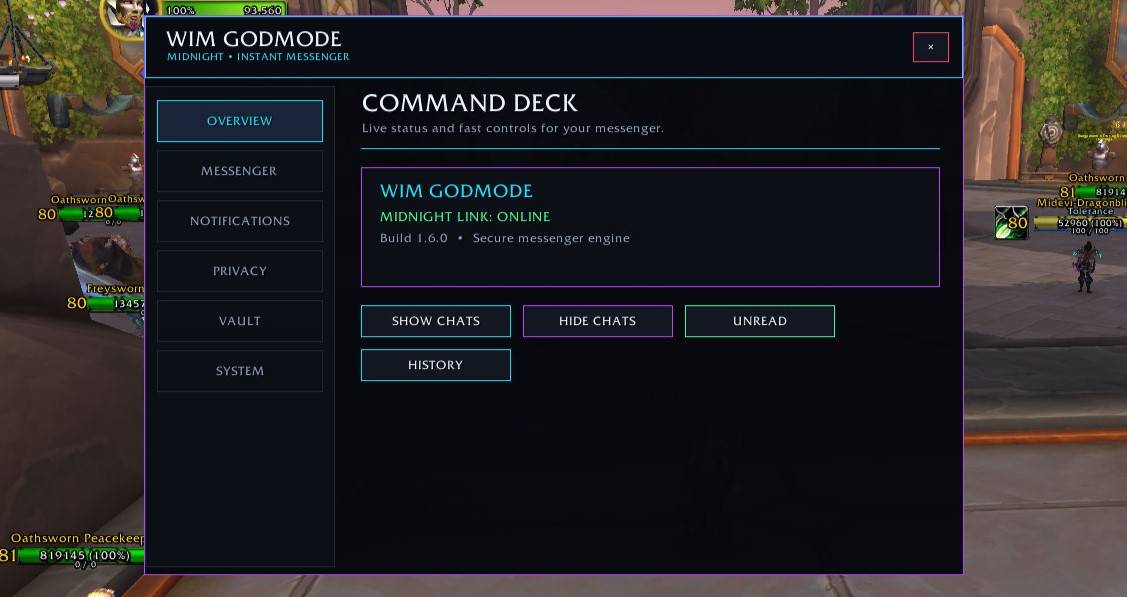
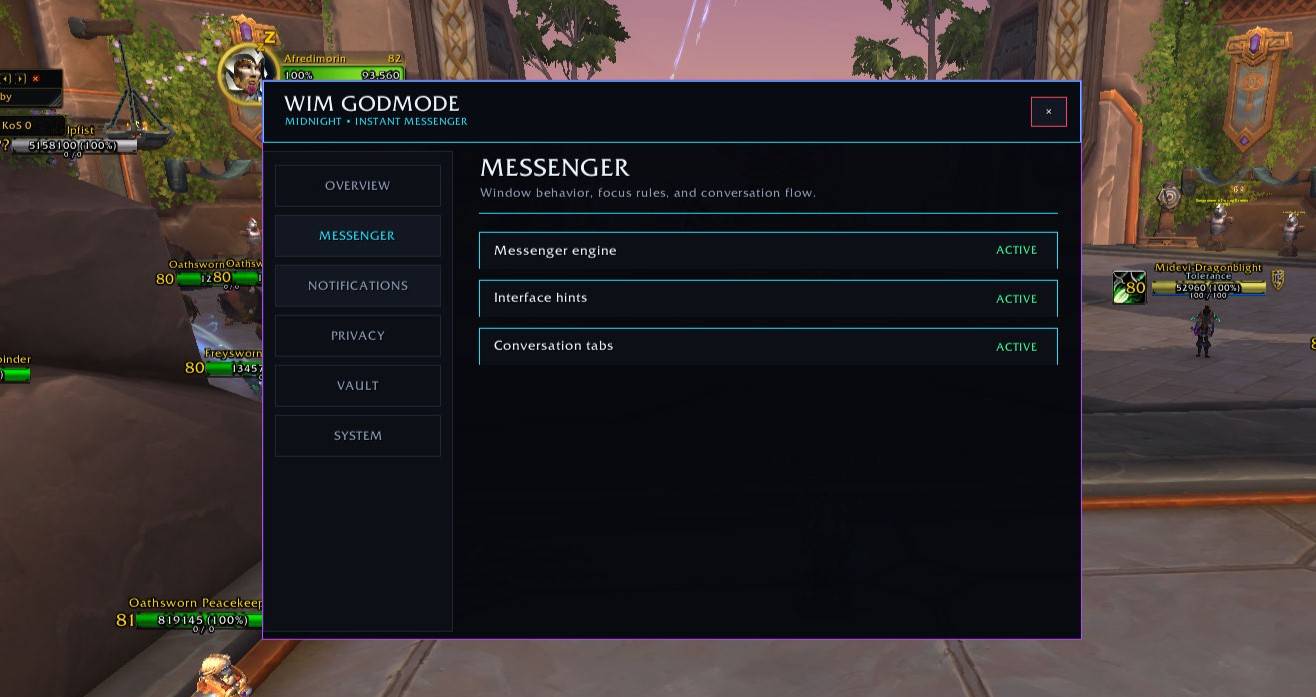
A complete communication hub for World of Warcraft: Midnight featuring the modern GODMODE Messenger, whispers, Battle.net, Communities, channels, persistent chats, Message Vault, history, favorites, player actions, customization, and more.
WoWScrnShot_080126_183152.jpg
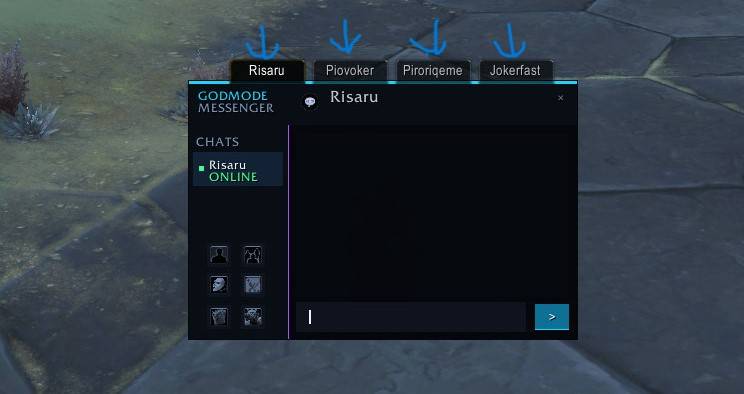
WoWScrnShot_080126_183152.jpg
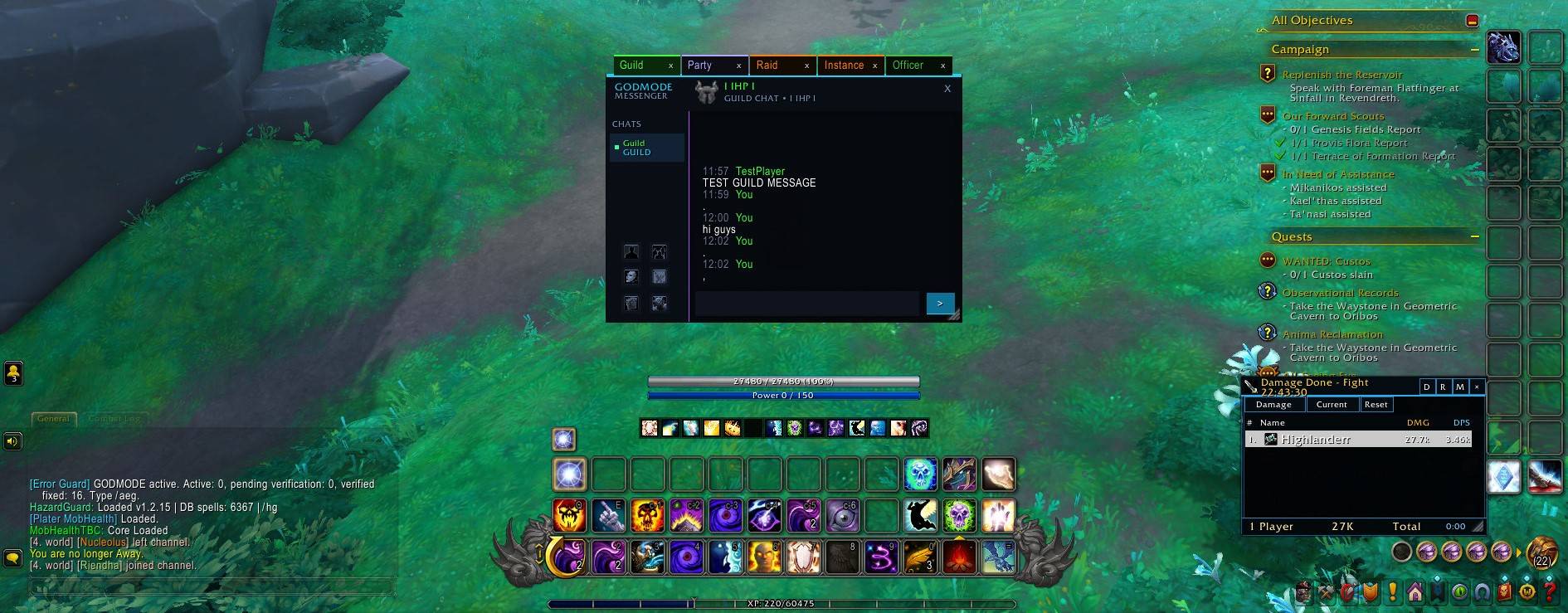
WoWScrnShot_082026_121903.jpg
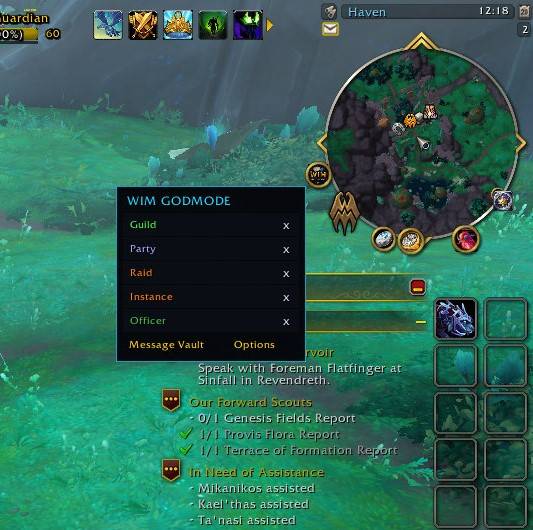
WoWScrnShot_082026_121912.jpg
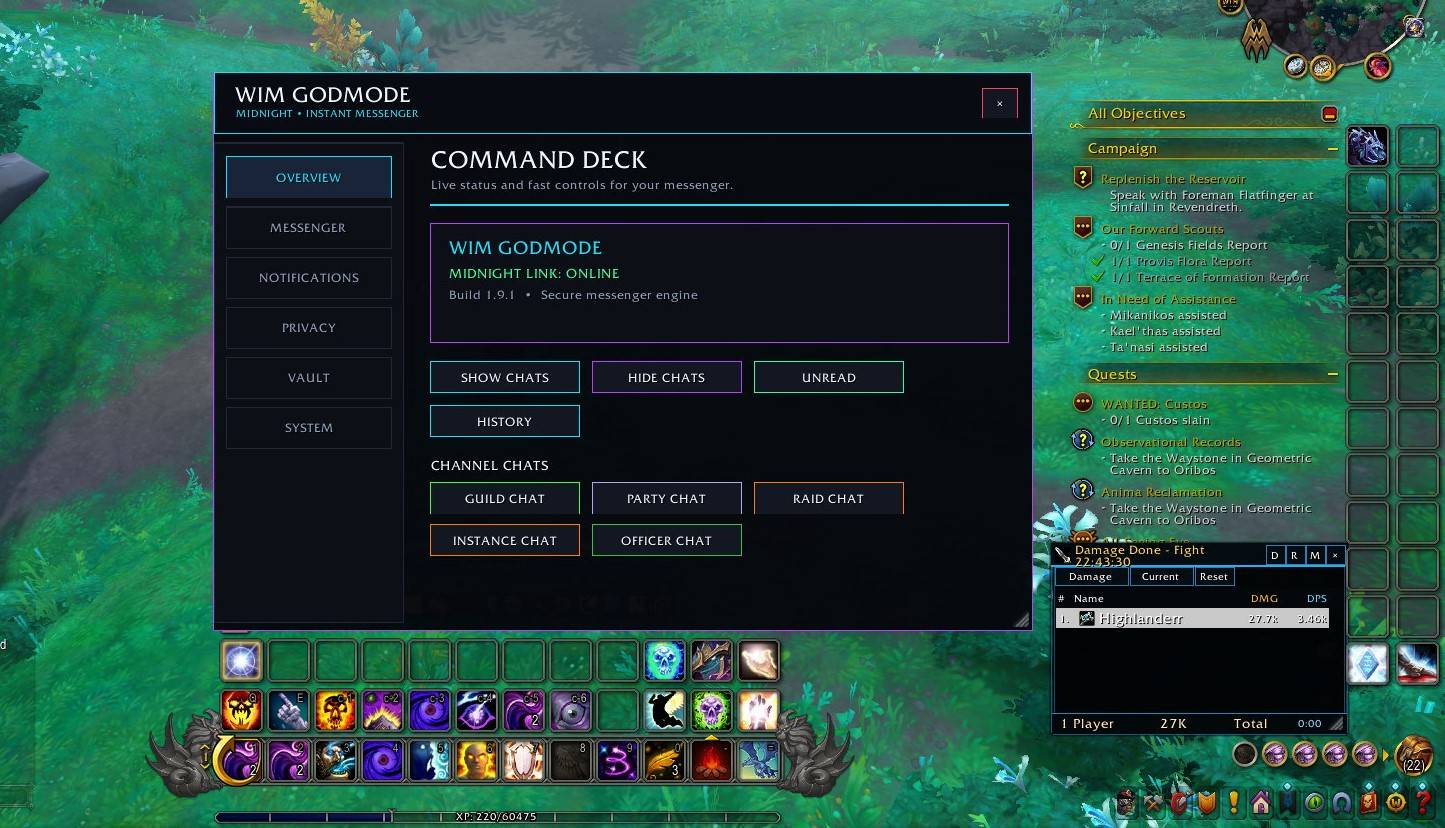
WoWScrnShot_082026_121929.jpg
WoWScrnShot_073026_171036.jpg
WoWScrnShot_073026_171045.jpg
WoWScrnShot_073026_171057.jpg
WoWScrnShot_073026_171058.jpg
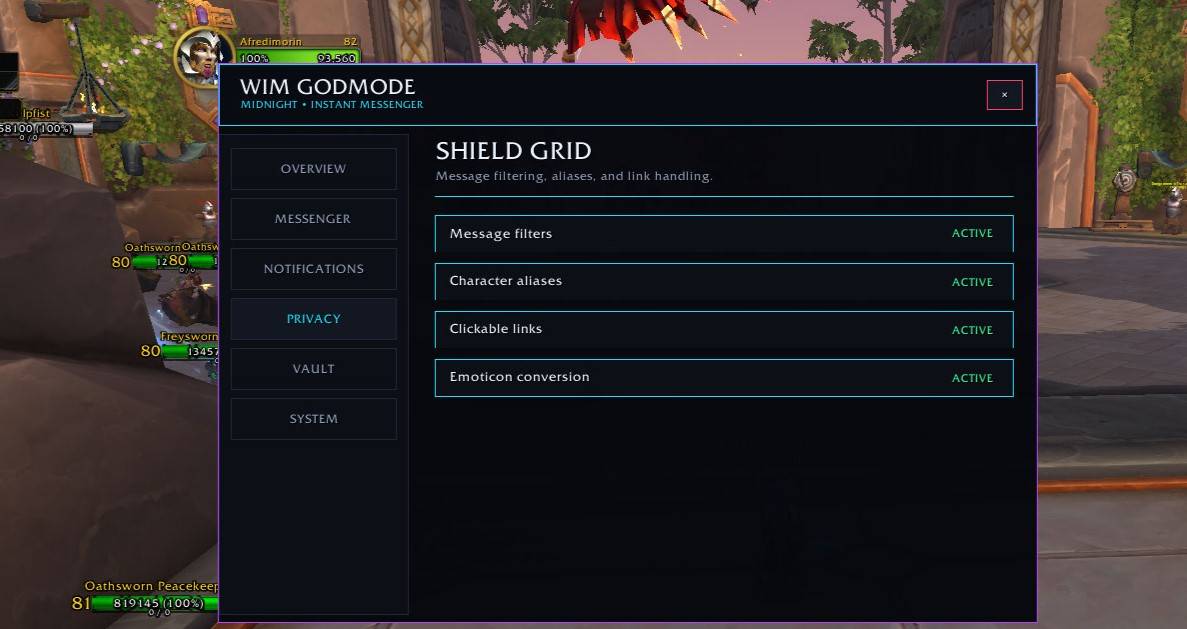
WoWScrnShot_073026_171100.jpg
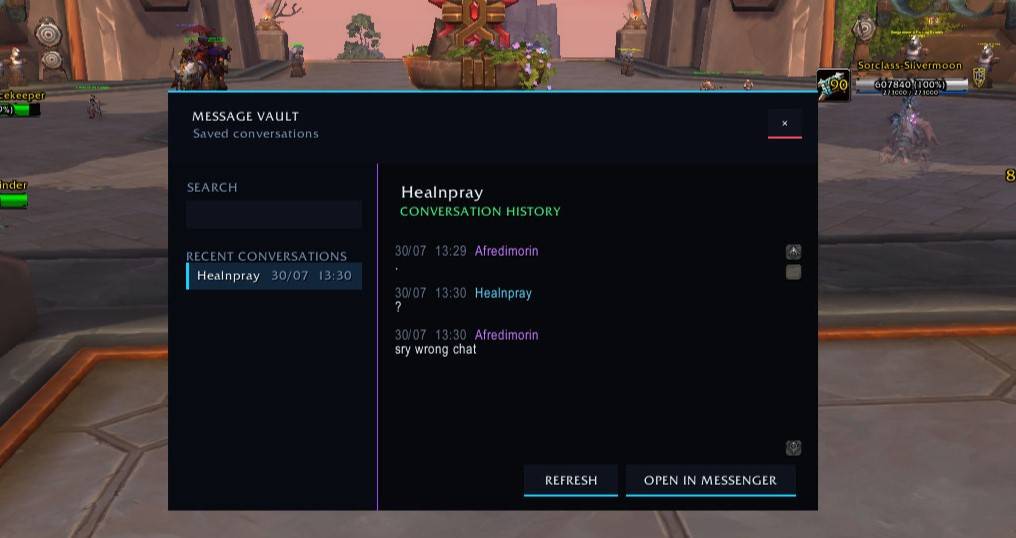
WoWScrnShot_073026_171126.jpg
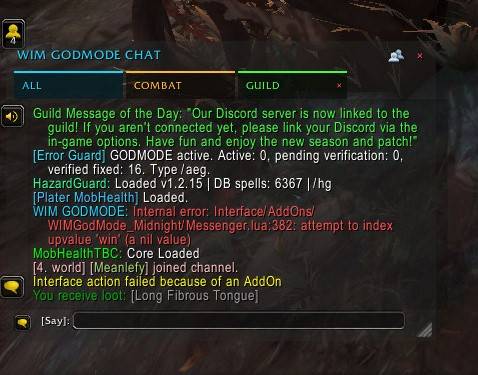
WoWScrnShot_082226_103151.jpg
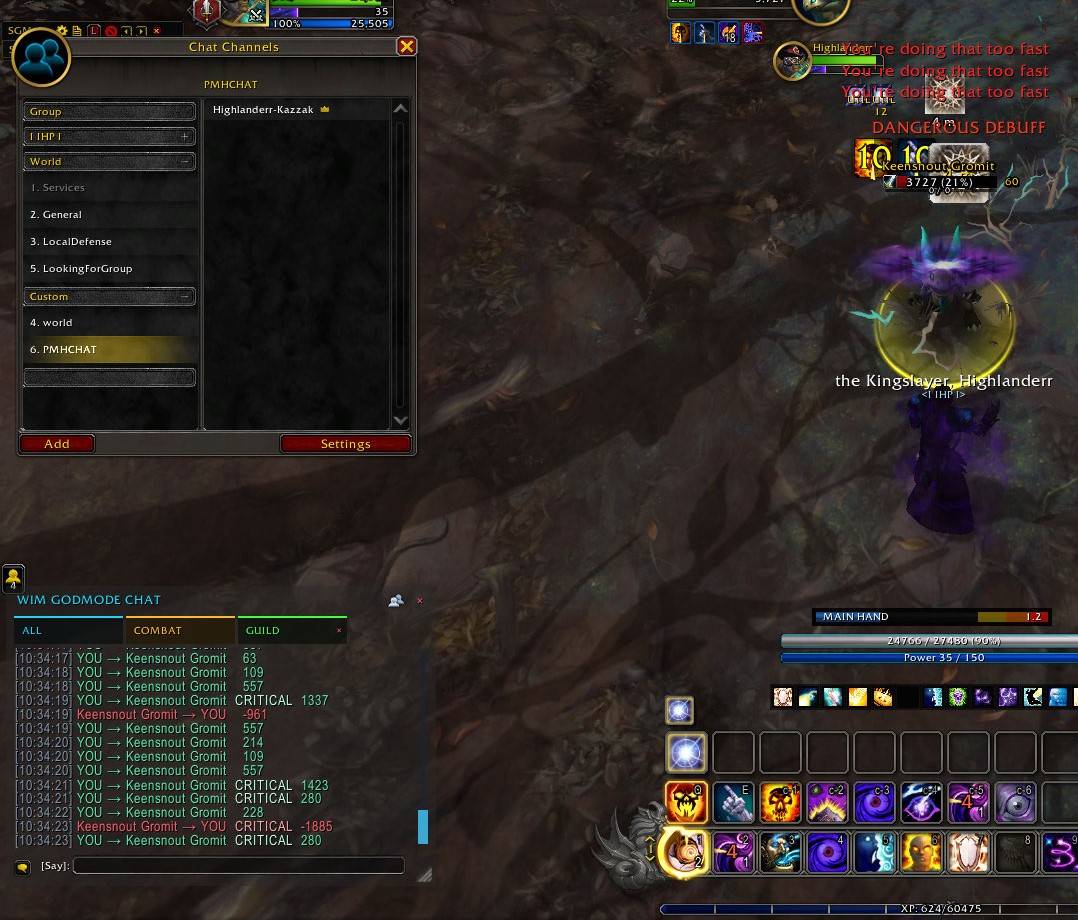
WoWScrnShot_082226_103424.jpg
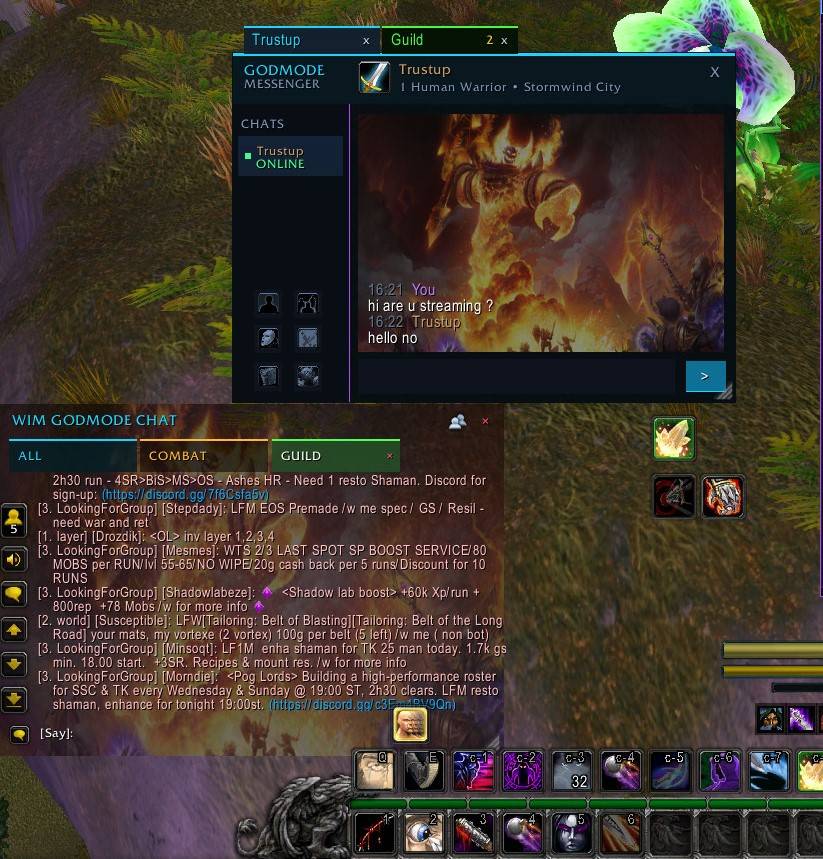
WoWScrnShot_082326_165540.jpg
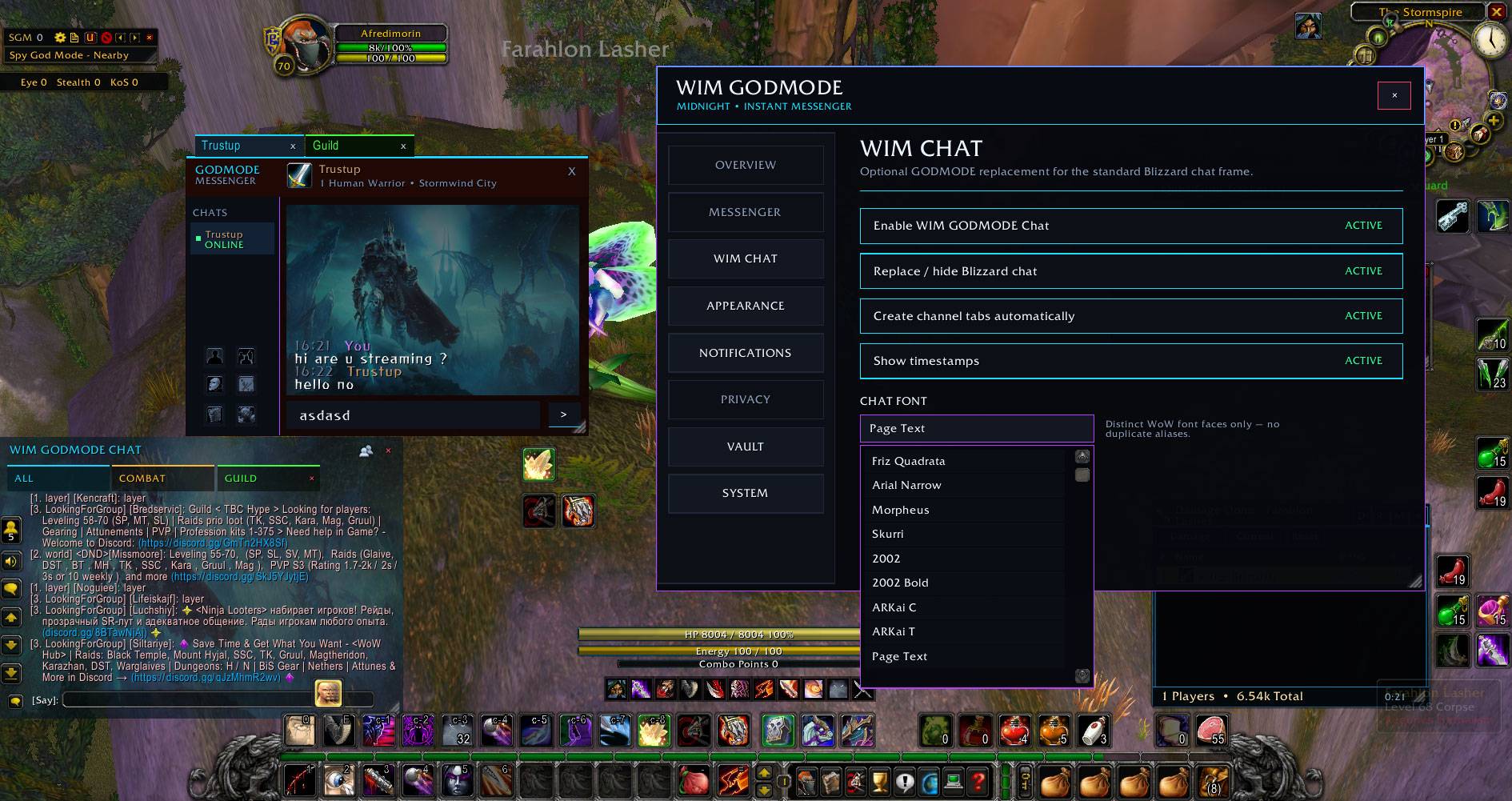
WoWScrnShot_082326_170236.jpg
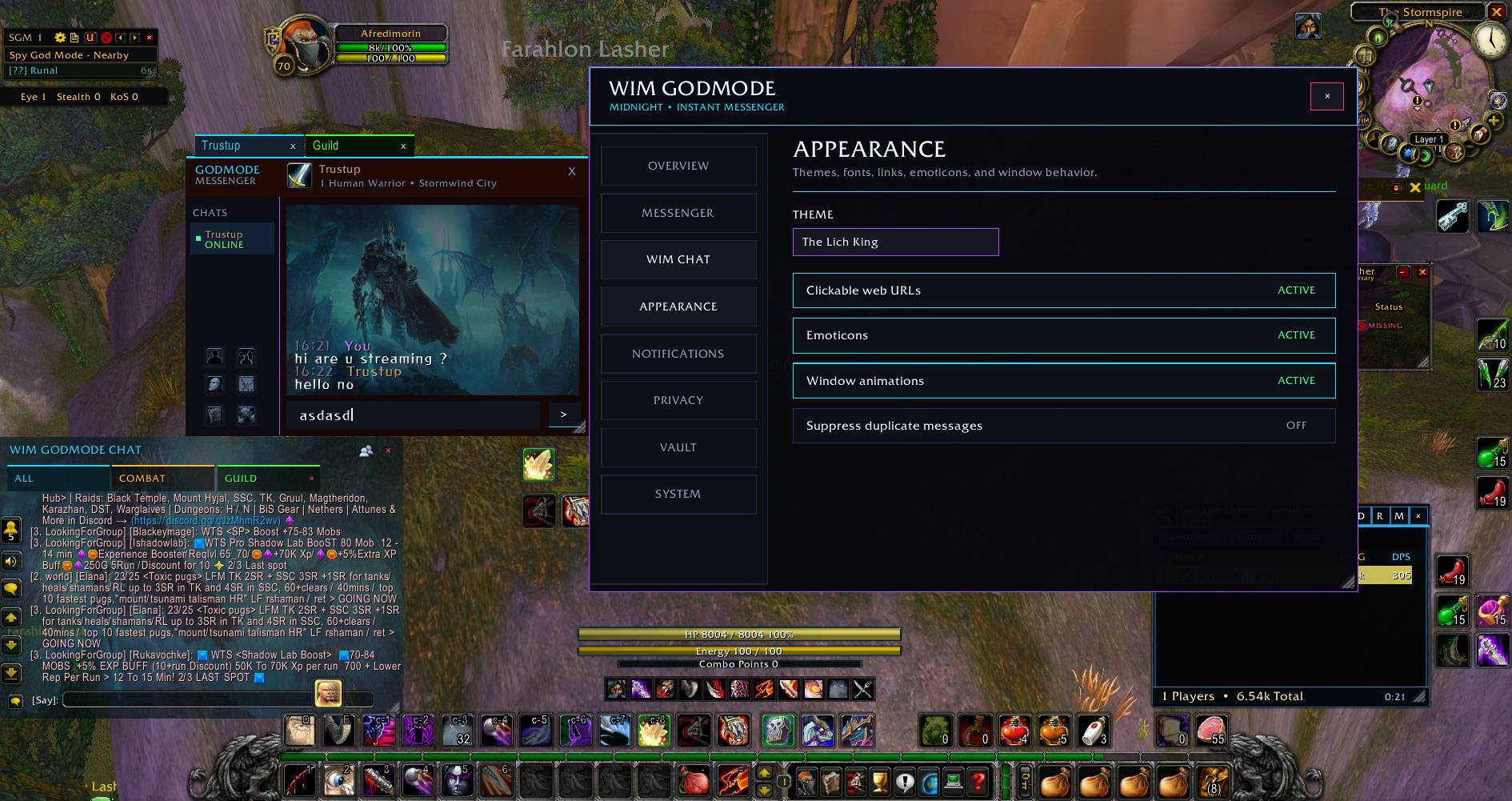
WoWScrnShot_082326_170247.jpg
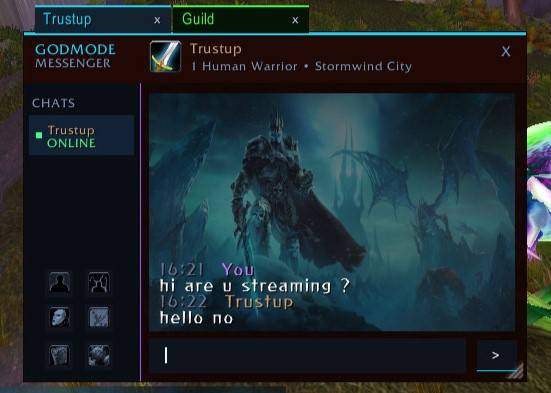
WoWScrnShot_082326_170259.jpg
Description
GodMode Messenger — Midnight
Modern Instant Messenger & Communication Hub for World of Warcraft: Midnight
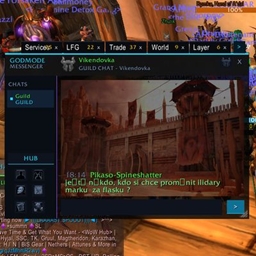
GodMode Messenger is a modern instant messenger and communication hub built specifically for World of Warcraft: Midnight.
What began as a familiar WIM-style messaging experience has grown into a complete social communication system for modern WoW — bringing private messages, channels, Battle.net contacts, Communities, conversation history and social tools together in one interface.
The goal is simple: keep every important conversation organized, accessible and fast without sacrificing performance.
💬 One Messenger for Your WoW Conversations
GodMode Messenger goes far beyond private whispers.
The Messenger HUB can organize conversations from:
- Whispers / Direct Messages
- Guild Chat
- Party Chat
- Raid Chat
- Instance Chat
- Officer Chat
- General
- Trade
- Services
- Looking For Group
- World and other joined channels
- Battle.net contacts and conversations
- WoW Communities
- Discord-linked communication when exposed through supported WoW systems
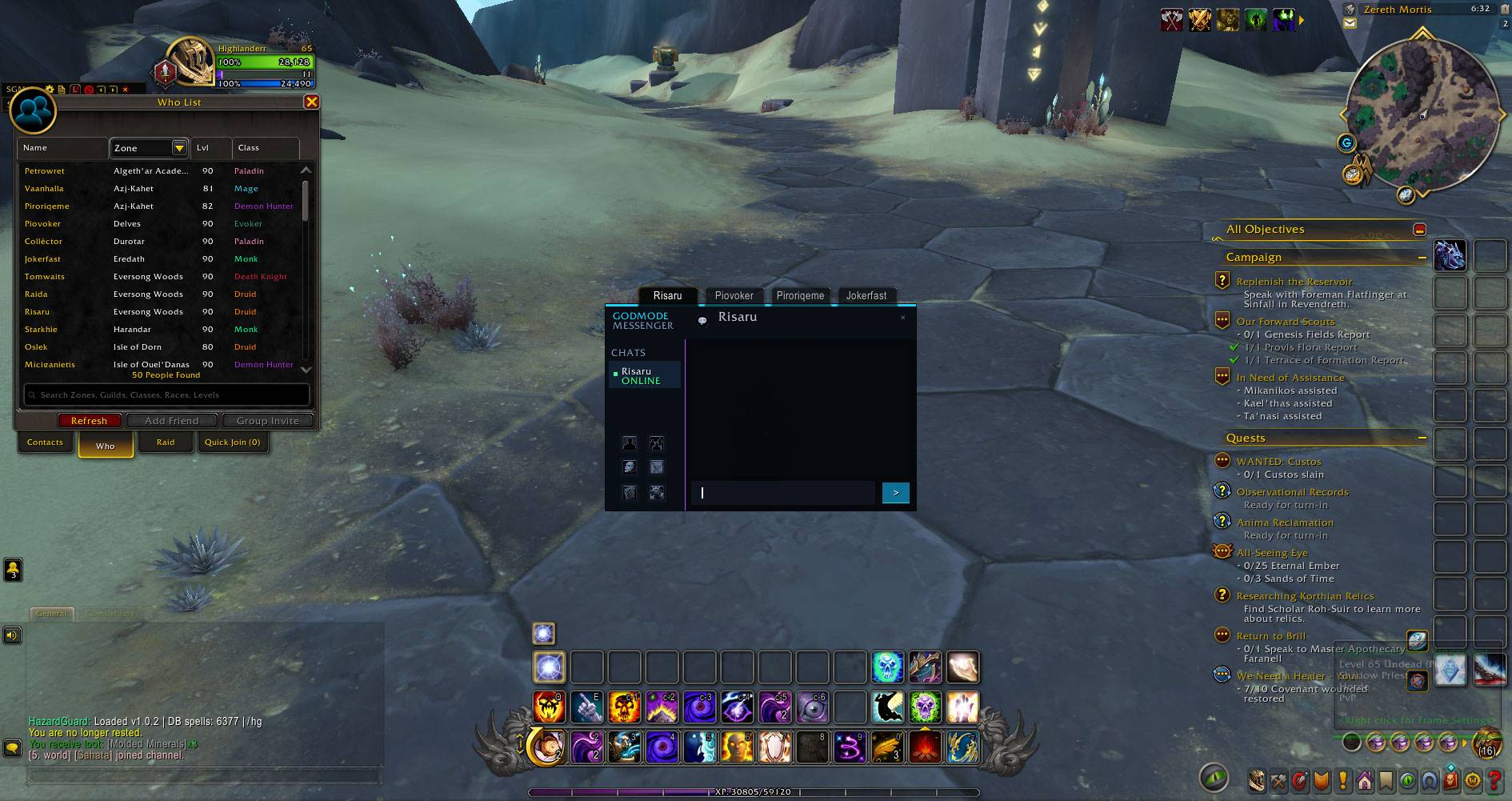
Multiple conversations can remain available simultaneously, while incoming messages are routed to the correct conversation without stealing the chat you're currently reading.
🖥️ Messenger HUB
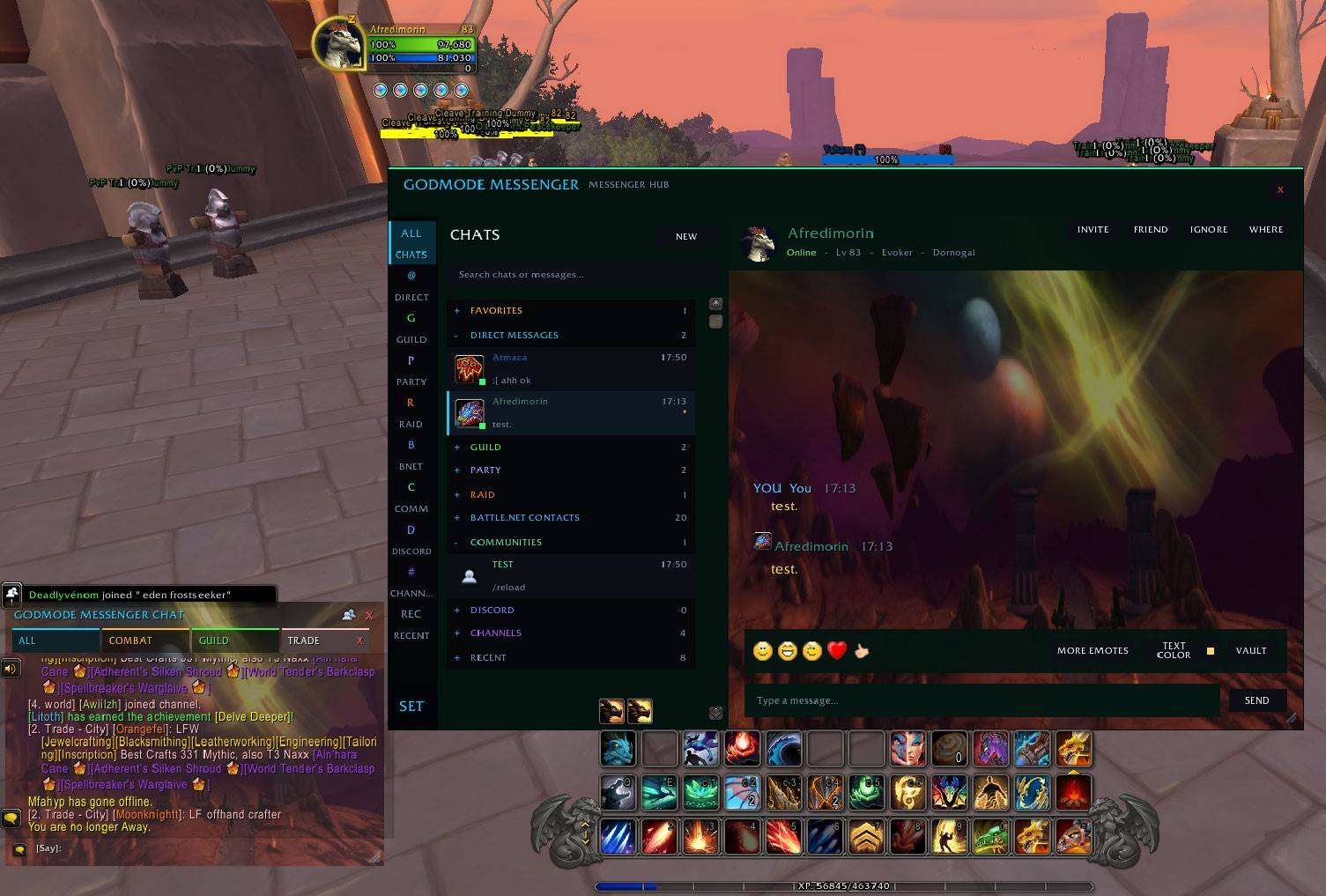
The new GodMode Messenger HUB brings your conversations together in one modern interface.
Dedicated sections organize:
Favorites • Direct Messages • Guild • Party • Raid • Battle.net • Communities • Discord • Channels • Recent
The HUB includes:
- Conversation search
- Unread counters
- Recent conversation previews
- Favorites
- Persistent conversation selection
- Smart right-click menus
- Quick social actions
- Channel controls
- Community conversations
- Battle.net integration
- Message history
- Emoticons
- Custom text colors
- Custom backgrounds
- Saved UI settings
Incoming activity updates unread counters and conversation previews without forcing you away from the conversation you're currently viewing.
✨ Major Features
- Modern GODMODE Messenger interface
- Full Messenger HUB
- Dedicated Direct Messages
- Multiple simultaneous conversations
- Persistent conversation tabs
- Individual X buttons for closing conversations
- Guild / Party / Raid / Instance / Officer conversations
- General / Trade / Services / LFG and joined channel support
- Battle.net contacts
- Battle.net conversations
- WoW Communities integration
- Favorites
- Recent conversations
- Unread message tracking
- Message previews
- Searchable history
- Message Vault
- Clickable item and spell links
- Clickable player links
- Sender class icons where available
- Class-colored player information
- Timestamps
- Quick emoticons
- Extended emoticon panel
- Custom text colors
- Custom Messenger backgrounds
- Incoming whisper sounds
- Customizable notification sounds
- Silent outgoing messages
- Mute controls
- Blizzard Ignore integration
- Quick Player Actions
- Minimap integration
- Smart channel controls
- Movable windows
- Resizable windows
- Saved window positions and sizes
- Saved appearance settings
- Privacy controls
- Modern dark interface
- Performance-focused architecture
🌐 WoW Communities
GodMode Messenger integrates World of Warcraft Communities directly into the Messenger HUB.
Subscribed communities can appear alongside your normal conversations, allowing community communication to become part of the same Messenger experience.
Community integration includes:
- Community list detection
- Community names
- Community conversations
- Community message history
- Community message capture
- Community member names where Blizzard provides them
- Community message sending through supported Blizzard APIs
- Clean display without exposing internal
club:identifiers
This allows Communities to feel like a natural part of Messenger instead of a completely separate interface.
🗂️ Message Vault
Closing a conversation doesn't mean losing it.
The Message Vault provides centralized access to saved conversations and message history.
It supports conversations from players, channels, groups, Battle.net and Communities where available.
You can:
- Browse recent conversations
- Search saved conversations
- Read previous messages
- Reopen conversations
- Export/copy conversation text
- Clear conversation history
- Keep large histories organized without filling the active Messenger
Internal Blizzard IDs are converted into readable names wherever the game provides the necessary information.
⭐ Favorites & Recent Conversations
Important conversations can be added to Favorites for quick access.
The Recent section keeps recently active conversations accessible even after their normal chat tab is closed.
Smart context menus change depending on the conversation.
For example, a channel you've already left can offer Join Channel, while an active channel can offer Exit Channel.
Conversations can also be removed from Recent without deleting unrelated history.
👥 Quick Player Actions
Direct conversations provide shortcuts for common player interactions.
Available actions can include:
- Invite Player
- Add Friend
- Ignore Player
- Mute
- Trade
- Check Location
- Favorite
- Open Chat
- View History
This keeps common social actions directly inside Messenger.
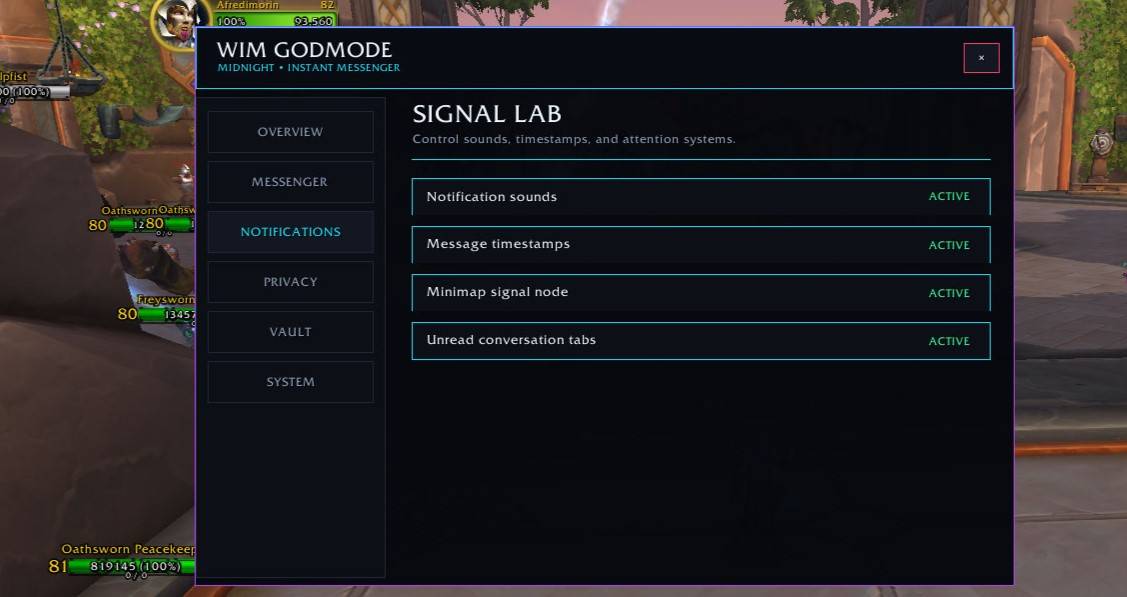
🔇 Mute & Notifications
GodMode Messenger provides local Messenger-level mute controls.
Muted conversations can be prevented from:
- Playing incoming sounds
- Generating Messenger unread alerts
- Automatically opening
- Displaying incoming messages inside GodMode Messenger
For complete game-level blocking of another player, Blizzard's Ignore functionality remains available separately.
Incoming whisper sounds can also be customized, while outgoing messages remain silent.
🎨 Customization
The Messenger can be personalized without rebuilding the interface after every login.
Customization includes:
- Messenger backgrounds
- Text colors
- Notification sounds
- Window positioning
- Window sizing
- Emoticons
- Appearance settings
Selected backgrounds and appearance settings are saved and restored automatically after /reload and login.
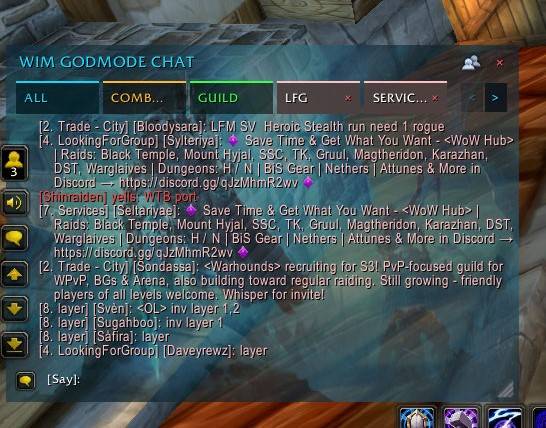
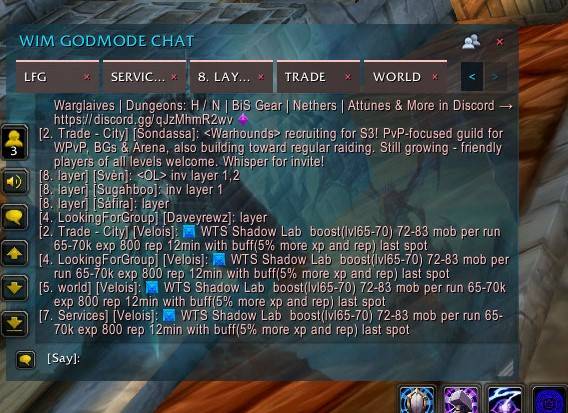
💬 GODMODE Chat
GodMode Messenger also includes its own integrated WoW chat experience.
The ALL view can aggregate communication while still allowing you to select where your messages are sent.
Chat destinations remain sticky until you change them.
For example, after switching ALL to Guild or Trade, following messages continue going there instead of unexpectedly returning to Say.
Dedicated channel tabs remain permanently associated with their own channel.
This provides quick access to normal WoW communication without constantly re-entering channel commands.
🖱️ Minimap Integration
The minimap button provides fast access to Messenger without opening multiple Blizzard panels.
It can provide access to active conversations and features including:
Direct Messages • Guild • Trade • LFG • Officer • Services • Communities • Message Vault • Options
Conversation names are cleaned before display so internal Battle.net or Blizzard Community identifiers aren't exposed unnecessarily.
🔗 Clickable Chat Links
Messages inside the HUB retain useful WoW interaction.
Supported chat content can include clickable:
- Items
- Spells
- Players
- Achievements
- Other supported Blizzard chat hyperlinks
You can interact with chat information without having to return to Blizzard's default chat window.
⚡ Performance Focused
GodMode Messenger is designed for busy environments such as cities, raids and high-traffic Trade/Services channels.
Performance work includes:
- Batched UI refreshes
- Bounded active conversation rendering
- Cached channel information
- Cached Community information
- Limited Community history imports
- Reduced unnecessary HUB rebuilds
- Optimized player identity lookups
- Filtered combat processing
- Lightweight unread updates
- No unnecessary permanent frame-update loops
- Protected large conversation export operations
Full history can remain available through the Message Vault without forcing the active Messenger to continuously render an unlimited number of old messages.
🎮 Built for Modern World of Warcraft
GodMode Messenger is being developed around the APIs and restrictions of current World of Warcraft rather than relying entirely on an aging legacy messenger implementation.
Legacy SavedVariables required for existing users and conversation compatibility may remain internally, while the active addon continues moving toward its own GODMODE Messenger architecture and interface.
The objective is a messenger that remains:
Fast • Organized • Customizable • Maintainable • Modern
🎮 Supported Game Version
World of Warcraft: Midnight
The Midnight edition is maintained separately from Classic/TBC versions so modern API changes can be implemented without breaking older clients.
🚧 Active Development
GodMode Messenger continues to evolve based heavily on real in-game testing and community feedback.
Future development may include:
- Additional Messenger tools
- Expanded Battle.net integration
- Expanded Community features
- Additional social tools
- More UI customization
- Additional notification controls
- More quality-of-life improvements
- Continued performance optimization
💡 Feedback & Feature Requests
Bug reports, suggestions and feature requests are always welcome.
Many of the Messenger's current features came directly from testing and player feedback.
If you remember a useful feature from older messenger addons, find something that could work better, or have an idea for a completely new communication feature, let us know.
The goal is to continue building GodMode Messenger into a complete modern communication hub for World of Warcraft.
❤️ Support Development
If you enjoy GodMode Messenger and would like to support future development, every donation is greatly appreciated.
💙 PayPal
💜 Revolut
Every donation helps support:
- 🚀 New features
- ⚡ Faster updates
- 🎮 Future WoW version support
- 🛠️ Bug fixes
- 🔄 Ongoing development
Thank you for your support! ❤️
The GODMODE Messenger - Midnight Team