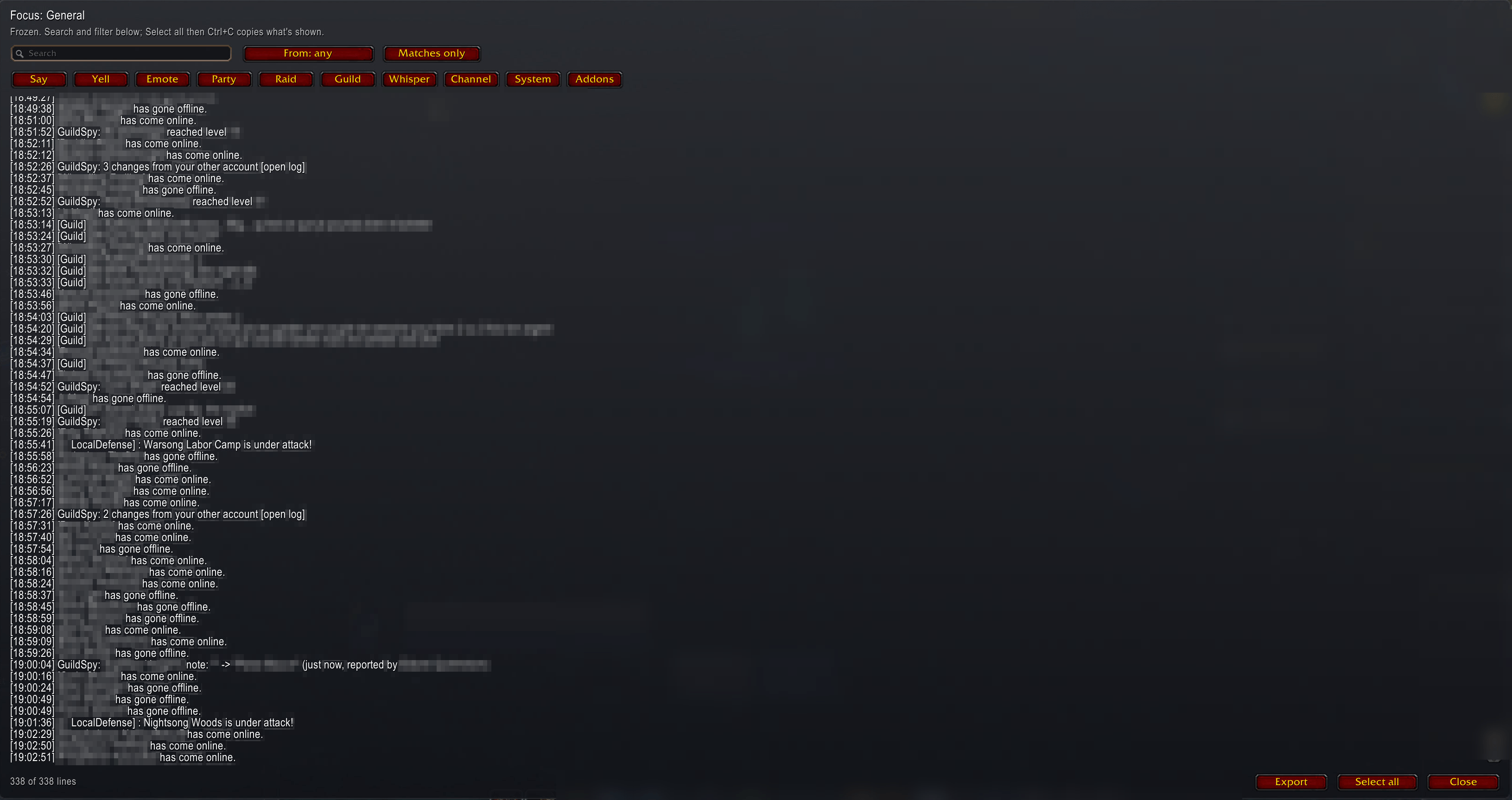
focus-mode.png
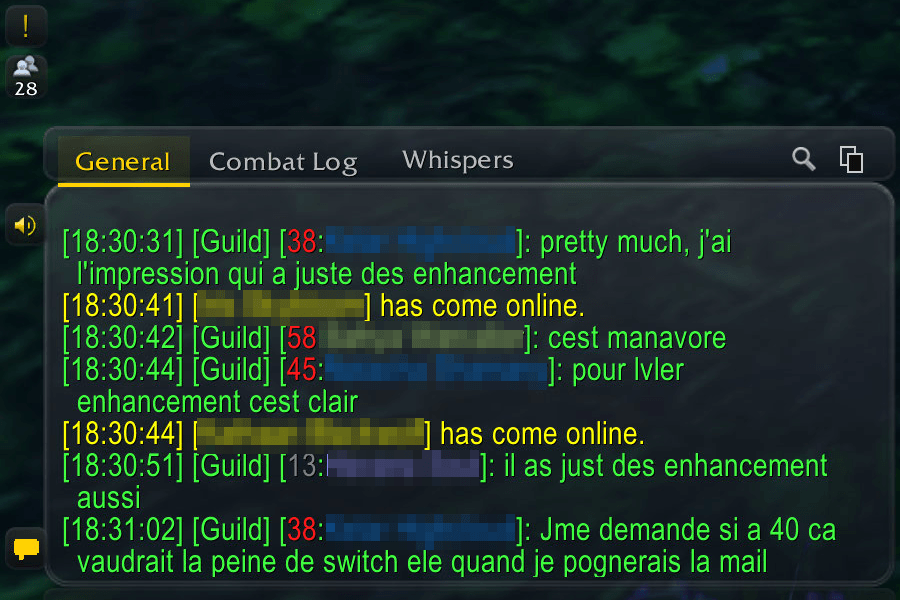
chat.png
Description
Glass Chat
A liquid-glass chat for World of Warcraft: Forever: Blizzard's own chat windows on a dark, see-through glass panel, with class-coloured names, a focus mode to search and copy what was said, click-to-copy web addresses, and a tab of their own for addons that flood chat. Small and streamlined on purpose.
Install it, then /reload. Every setting is under Esc > Options > AddOns > Glass Chat, or
/gchat options.
Features
The look: a glass panel behind each chat window, its tabs and its input box, on Glass UI's clear glass by default (or smoked, class-coloured, or the older dark look). The selected tab is gold or ice blue. With nothing to read, the panel fades to a faint veil. With Glass UI installed the chat can follow its look. The voice buttons become compact glass buttons.
Focus mode: freeze a window in a glass window and search it, filter it by kind, source addon
and time, copy it, or export it. Click an addon's [Name] in chat to see only its lines.
Copy: a Copy button on each tab strip opens the window's text without colours or link codes, already selected for Ctrl+C.
Smart tabs: an addon that prints 20 lines within a minute is offered its own tab, for the session or for good. Nothing opens while the game loads.
Names and links:
- class colours on player names;
- zone channels drop the zone:
[1. General]; - a known player's level before their name,
[60:Name]; - click a web address to copy it;
- a time on every line.
History: Up and Down recall what you sent, and each window keeps 1000 lines instead of 128.
Optionally (/gchat keep on) what players said comes back after a /reload or login. Addon and
system lines are never kept.
Alerts: a sound and a flashing taskbar icon when chat mentions your first name, your surname
or your words, and the tell sound on every whisper. A green ! beside the chat lists what you missed.
One layout for every character: /gchat layout save, then accept the offer on your other
characters.
Spam & Ignore (included plugin): ignores by character rather than name, mutes and a spam score for public chat only (it only watches until you turn hiding on), and lists shared with your other WoW accounts.
Commands
/gchat help lists them all. The most useful:
/gchat options- the options page/gchat focus [text],/gchat copy/gchat body chat|clear|smoked|class,/gchat accent ice|gold/gchat keep on|off,/gchat alert,/gchat tabs,/gchat layout
Good to know
- The glass is painted, not real. The game gives addons no blur.
- Some chat can be hidden from addons. Such a line shows as hidden in focus mode and Copy and is never searched, copied, exported or kept.
- Focus mode and Copy read a window's newest 1000 messages.
- Other game languages: nothing relies on English names, and Glass Chat's windows use your game language's font.
- Some parts are tested offline only (the kept chat's Battle.net names, the guild level roster). Reports welcome.
Bugs and ideas
GitHub issues. With /console scriptErrors 1 on,
the error text helps a lot, and /gchat failures lists what failed to build.
Source: GitHub. Licence: MIT.
Glass Chat Team