Gears Equipment Set Manager
- By
A lightweight World of Warcraft addon that lets players quickly save, manage, and switch between gear sets to adapt to different roles, specs, and gameplay situations with ease.
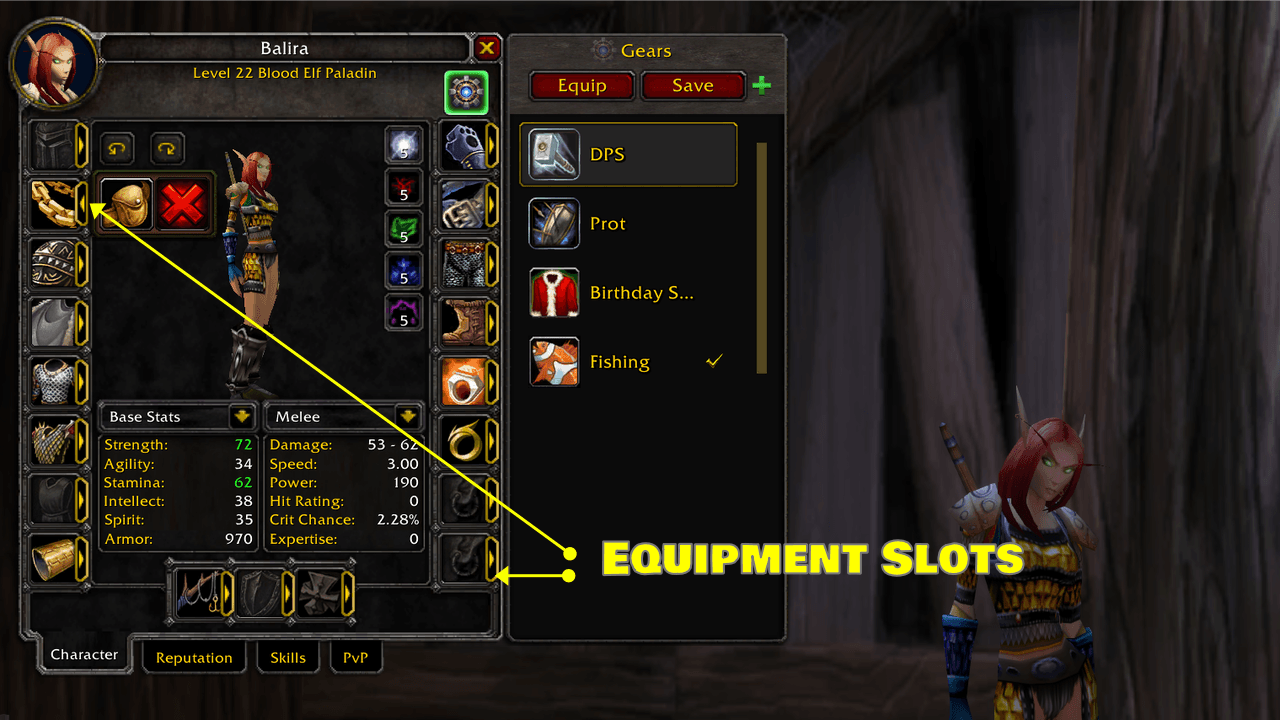
Easily see where each item goes—arrows highlight every equipment slot on your character. Quickly identify gear positions, swap items with confidence, and manage your sets without confusion. Perfect for fast, intuitive setup.
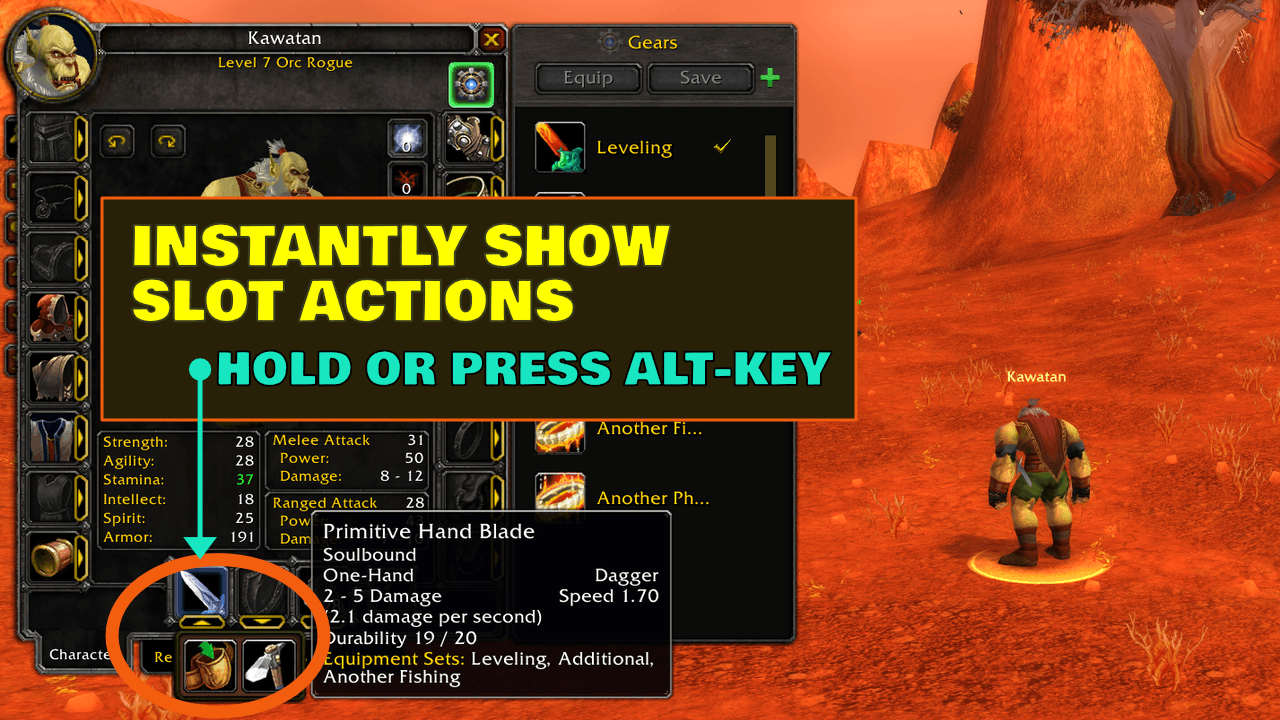
Hold ALT to instantly reveal slot actions—no clicks needed. Quickly access equip, place in bags, or ignore slot options right from the character panel for faster, smoother gear management.
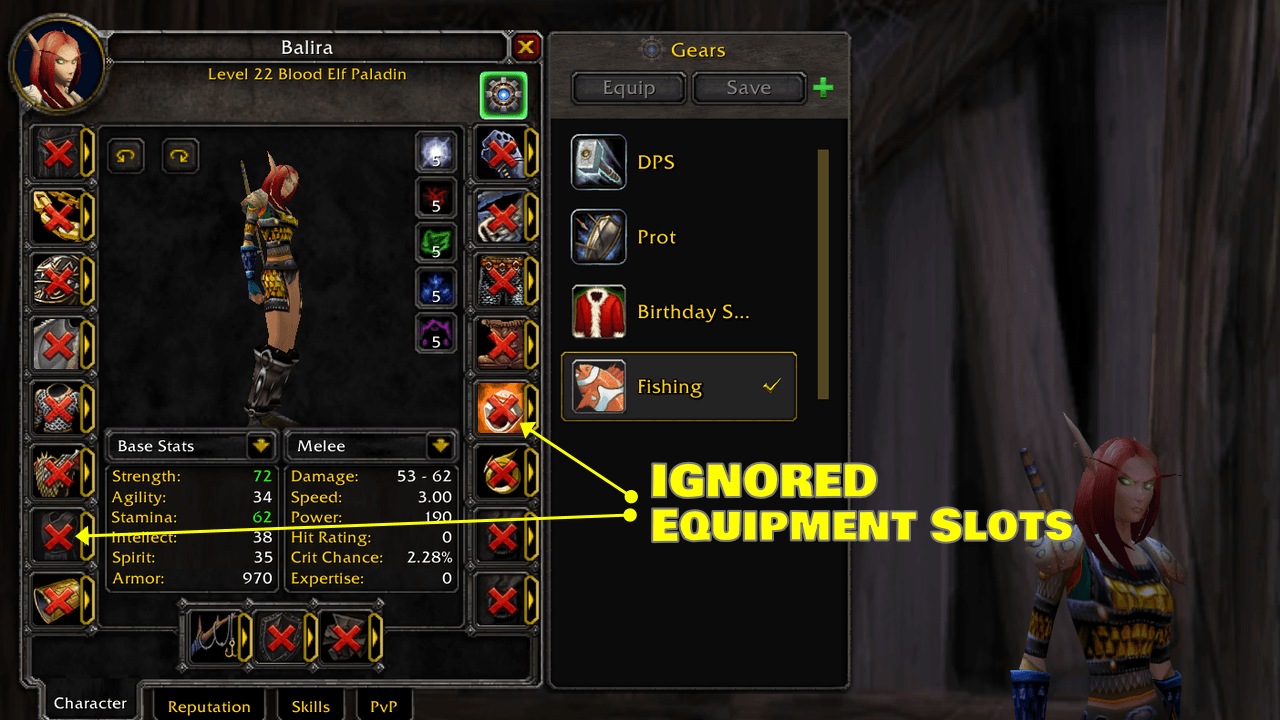
Hide slots you don’t want to manage—ignored slots are clearly marked so you can exclude gear from your sets. Stay in control of what gets equipped and keep your setup clean, flexible, and tailored to your playstyle.
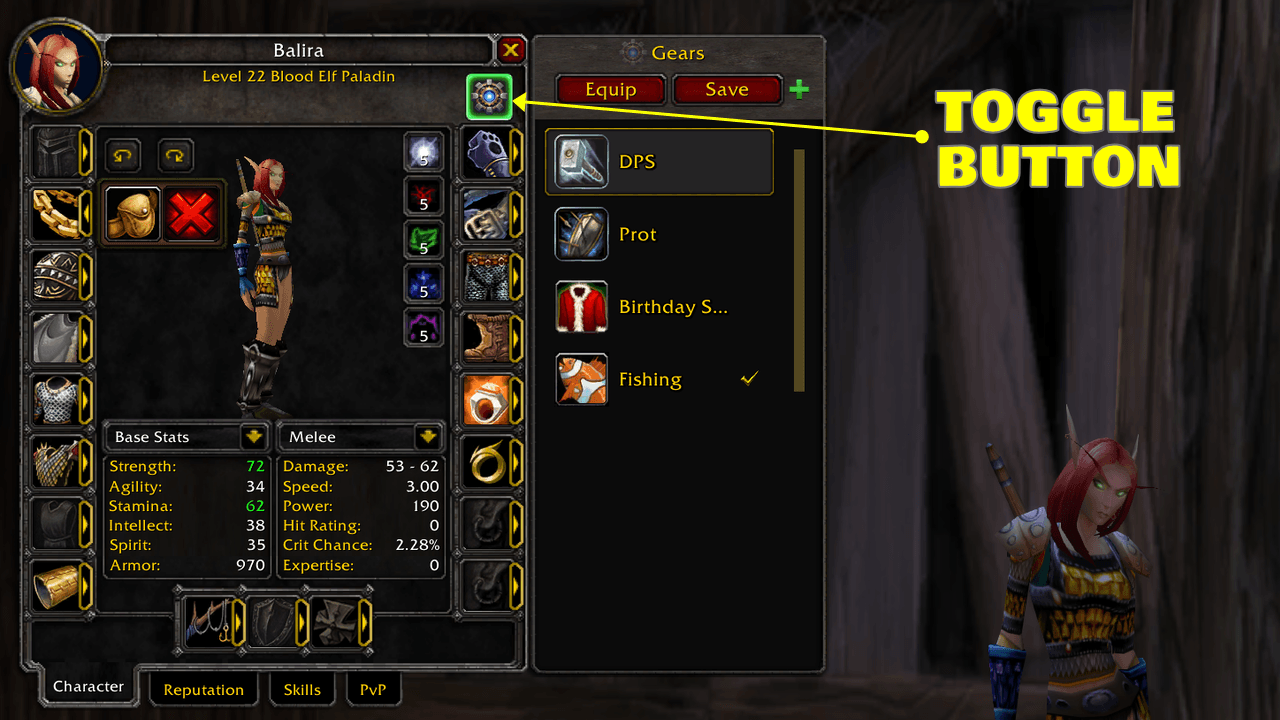
Gears is available directly from the Character Frame for quick access without extra windows or menus. It integrates alongside Blizzard’s character UI, letting you view, manage, and equip sets where gear decisions naturally happen.
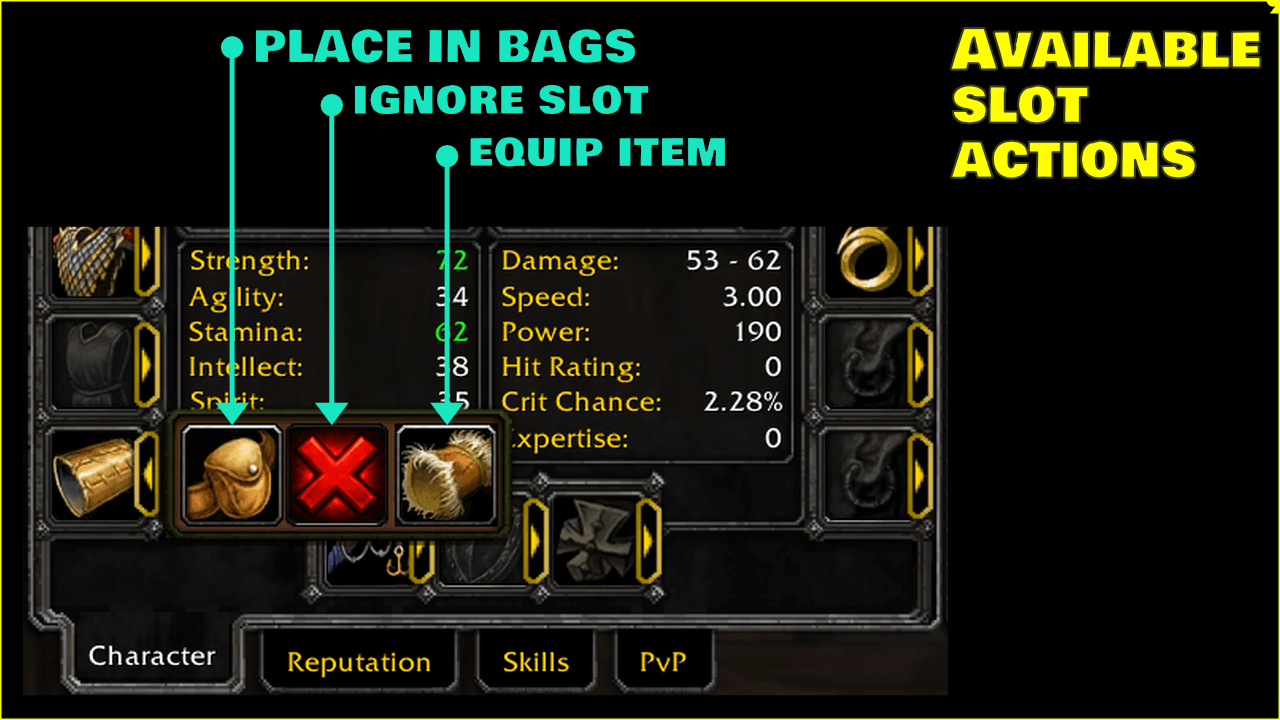
Choose what happens per slot - send items to bags, ignore slots, or equip gear instantly. Flexible actions give you full control over your setup, making gear management faster, cleaner, and tailored to your playstyle.
Description
> Your gear, your rules—instantly equipped.
This addon provides a clean, efficient way to manage and switch equipment sets in World of Warcraft. It relies exclusively on Blizzard’s official WoW APIs to store and restore equipment sets safely, ensuring your configurations persist reliably across sessions.
Designed to be lightweight and performance-friendly, the addon focuses on fast, predictable set switching without unnecessary UI overhead. It integrates naturally with the game’s built-in equipment system, making it ideal for players who frequently change roles, specs, or encounter types—raiding, Mythic+, PvP, or solo play.
The goal is simplicity, stability, and trust: no bloated features, no fragile hacks—just a dependable equipment set manager built on supported WoW APIs.
What's New
https://www.youtube.com/watch?v=UNbEz77MG2c
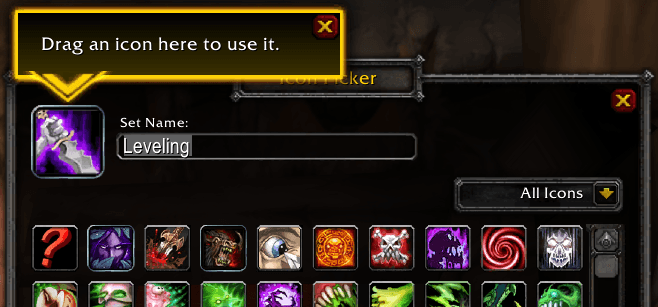
Drag and drop Icon from anywhere when editing EquipmentSets (Requires A LibIconPicker Update)
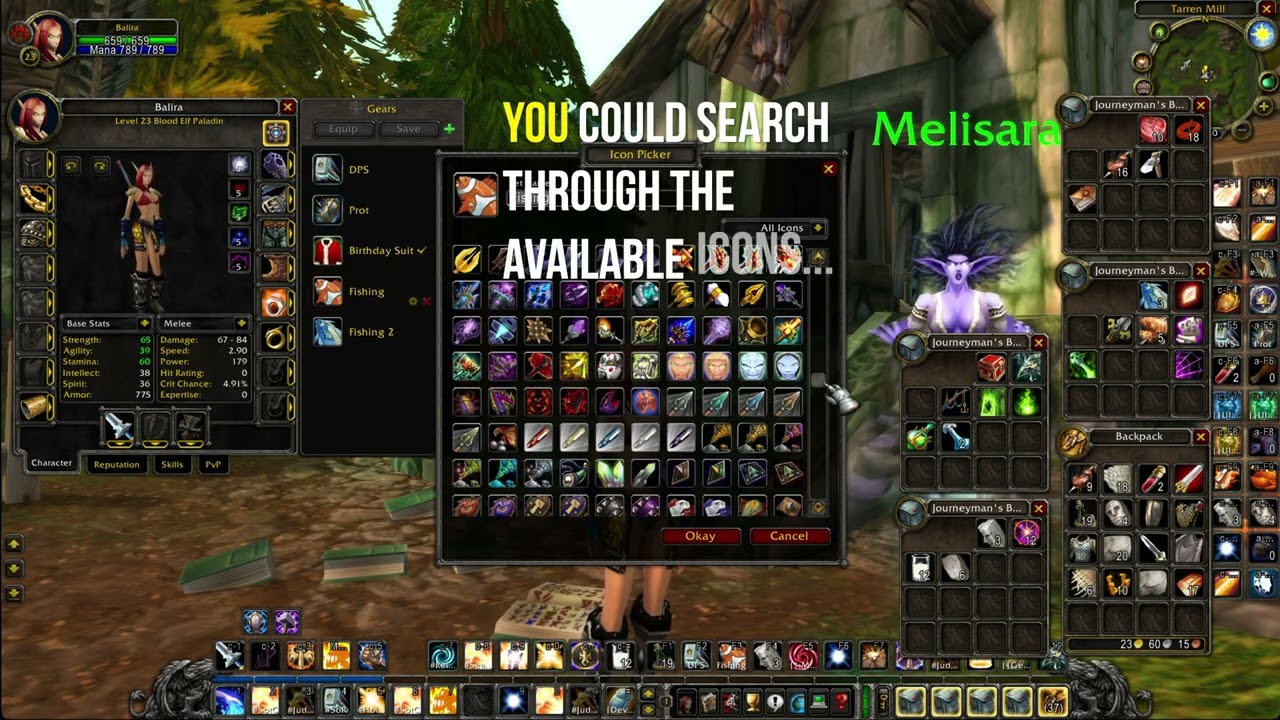
Set an icon without searching the grid: drag an item from your bags, a spell from your spellbook, or a macro, mount, battle pet, or equipment set onto the selected icon, then click Okay. The selected icon highlights while you hold something it accepts, and a one-time tip points it out the first time the picker opens. Addons that use LibIconPicker get this automatically, with no API changes.
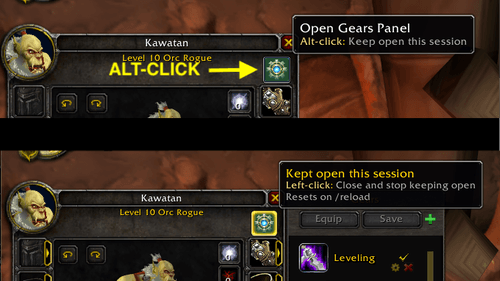
Alt-click Gears button to keep the panel open this session
If you swap gear often, reopening Gears every time you press C gets tedious. Alt-click the Gears button and it stays open for the whole session. The button glows gold so you know it's on. Click it normally to close the panel and go back to the default behavior. It also resets on /reload.
Console Commands
Type /gears in chat to see the list of available commands:
/gears info                    - displays the addon info
/gears equip <index-or-name>   - equips the named or indexed equipment set
/gears status                  - shows the currently equipped set, if any
/gears list                    - lists all equipment sets
Gears-OptionsUI
Type /gears-options to configure Gears directly from the command line. Both /gears options and /gears-options require the Gears-OptionsUI companion addon to be enabled.
Examples:
# Toggles state
/gears-options general announceEquip

# Enables state
/gears-options general announceEquip on

# Disables state
/gears-options general announceEquip off
Donations
If Gears has made your gameplay easier, consider supporting its development:
About
- About the Author (Tony Lagnada)
- My AddOn Portfolio Can Be Found Here Curse Forge/Kapresoft
Gears Equipment Set Manager Team


Owner