ActionbarPlus-ArcLayout
- By
Arc-layout plugin for ActionbarPlus — arranges action bar buttons along a curved arc.

abp-arclayout-logo.png
Description
Curve your ActionbarPlus bars into a sleek, adjustable arc.
Description
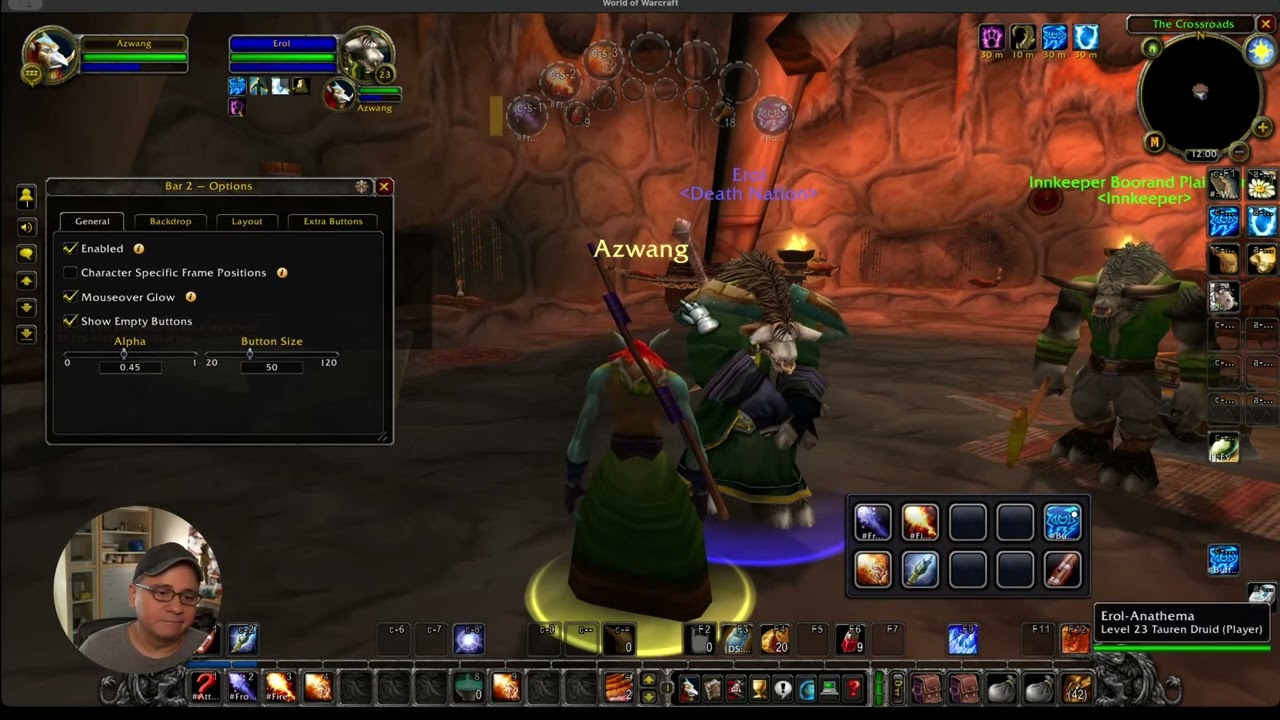
ActionbarPlus-ArcLayout is a layout plugin for ActionbarPlus that adds an Arc layout option to your action bars. Instead of a grid, buttons are arranged along a curved arc that opens up or down, which is great for radial-style hotbars or a more distinctive UI look.
Features
- Arc layout: buttons are spread evenly along a curved arc instead of rows and columns.
- Arc Direction: open the arc upward or downward.
- Arc Span: widen or narrow the curve, from a gentle bend to a half circle.
- Button Count: choose how many buttons sit on the arc.
- Extra buttons: form a second arc around the main one, either outside it or nested inside it, with their own spacing option.
- Works with existing ActionbarPlus settings: button size, spacing, drag handle, and keybinds all apply to arc bars.
- Separate Masque skin: arc bars get their own Masque group, Buttons (Arc), so they can be skinned independently of the rest of ActionbarPlus.
Requirements
These addons must be installed:
Getting Started
- Install ActionbarPlus-ArcLayout and the required addons listed above.
- Open Bar Options for the bar you want to change.
- On the Layout tab, set Layout Type to Arc.
- Adjust Button Count, Arc Direction, Arc Span, and Extra Button Spacing to taste.
No other setup is needed. If ArcLayout is disabled, arc bars fall back to the standard grid layout.
Watch the Quick Start Guide for a walkthrough.
Author Notes
- Please submit bugs and feature requests at Github/ActionbarPlus-ArcLayout/issues
- Releases
Donations
If ActionbarPlus has made your gameplay easier, consider supporting its development:
License
All rights reserved. See LICENSE.
About
- About the Author (Tony Lagnada)
- My AddOn Portfolio Can Be Found Here Curse Forge/Kapresoft
ActionbarPlus-ArcLayout Team
Owner