
Gears Equipment Set Manager
- By


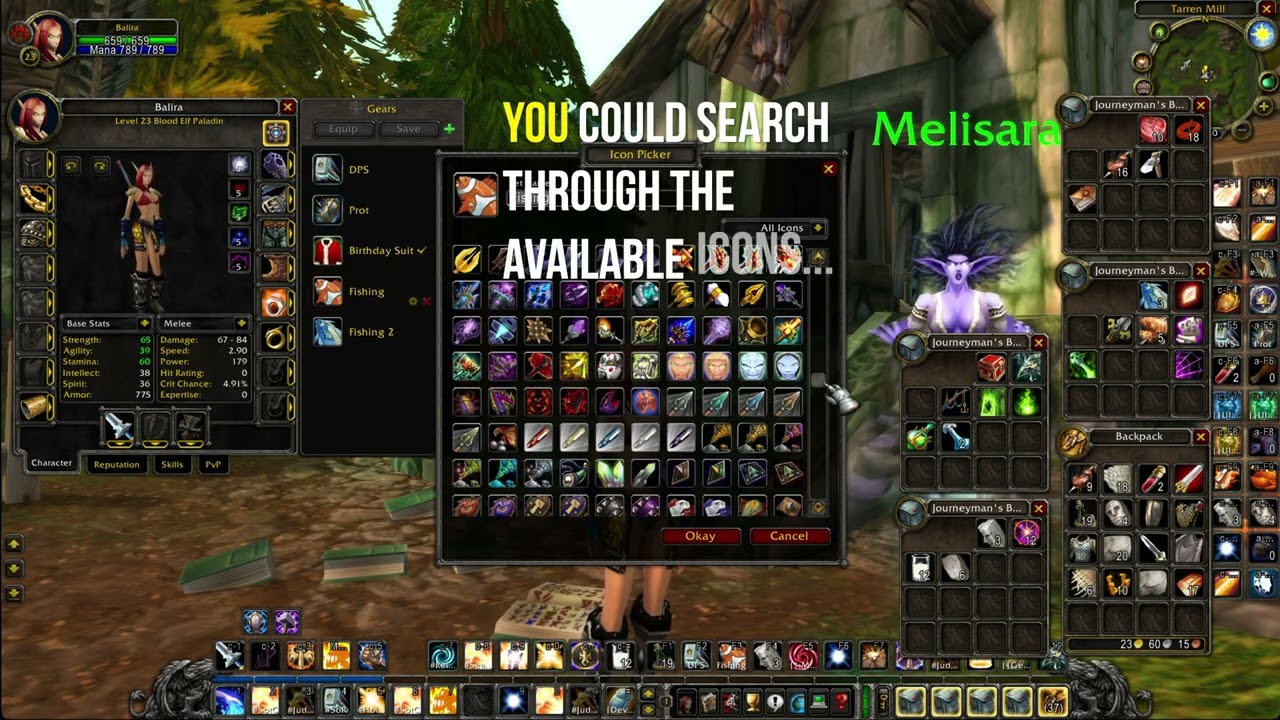
Alt-Click & EquipmentSet Icons
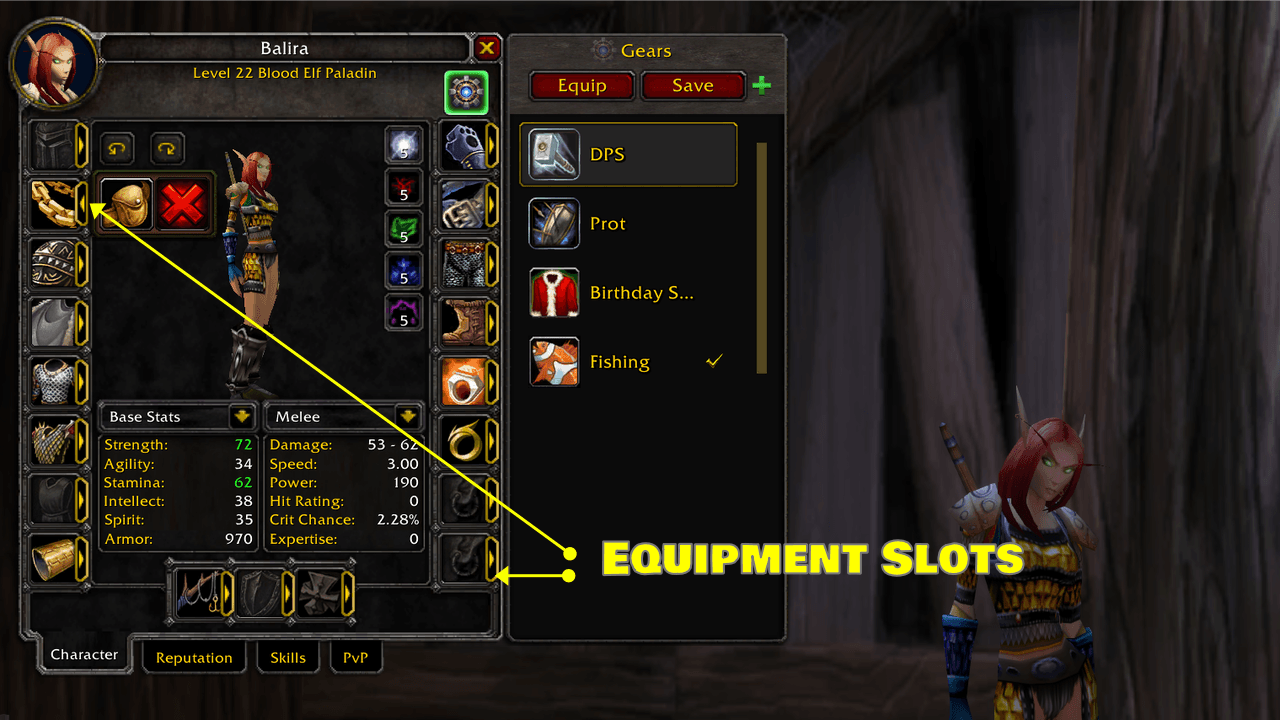
Easily see where each item goes—arrows highlight every equipment slot on your character. Quickly identify gear positions, swap items with confidence, and manage your sets without confusion. Perfect for fast, intuitive setup.
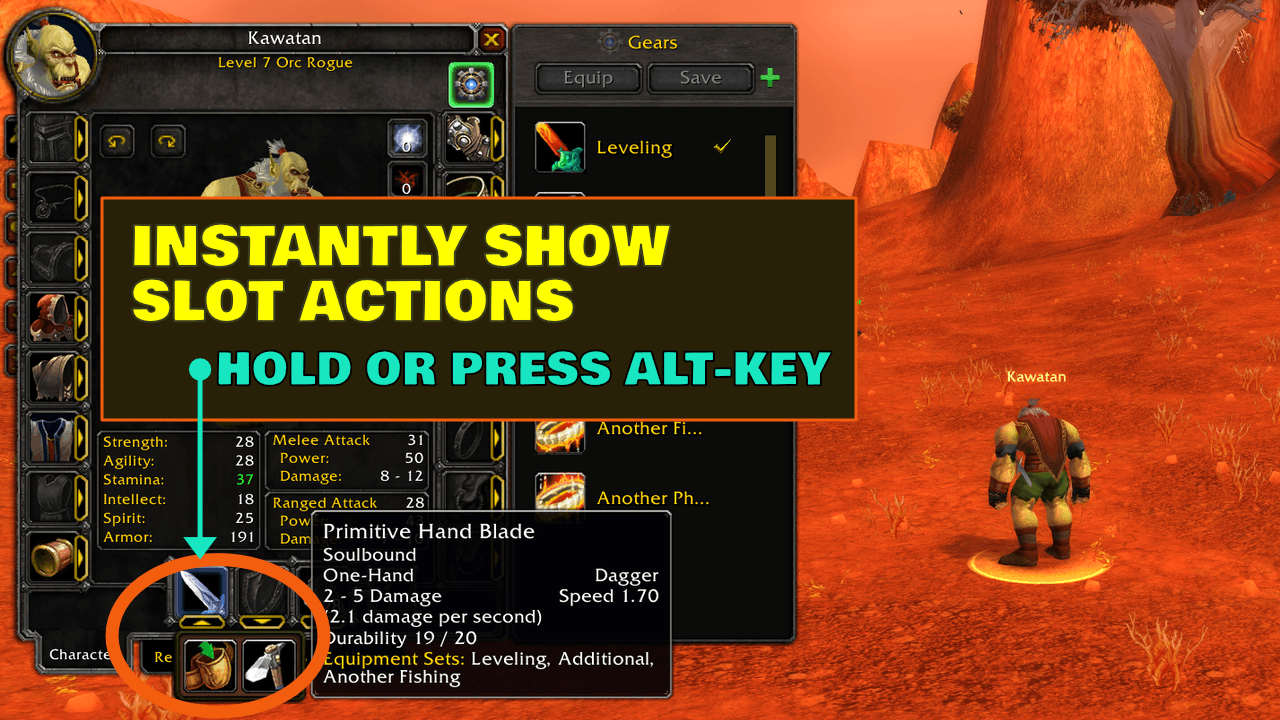
Hold ALT to instantly reveal slot actions—no clicks needed. Quickly access equip, place in bags, or ignore slot options right from the character panel for faster, smoother gear management.
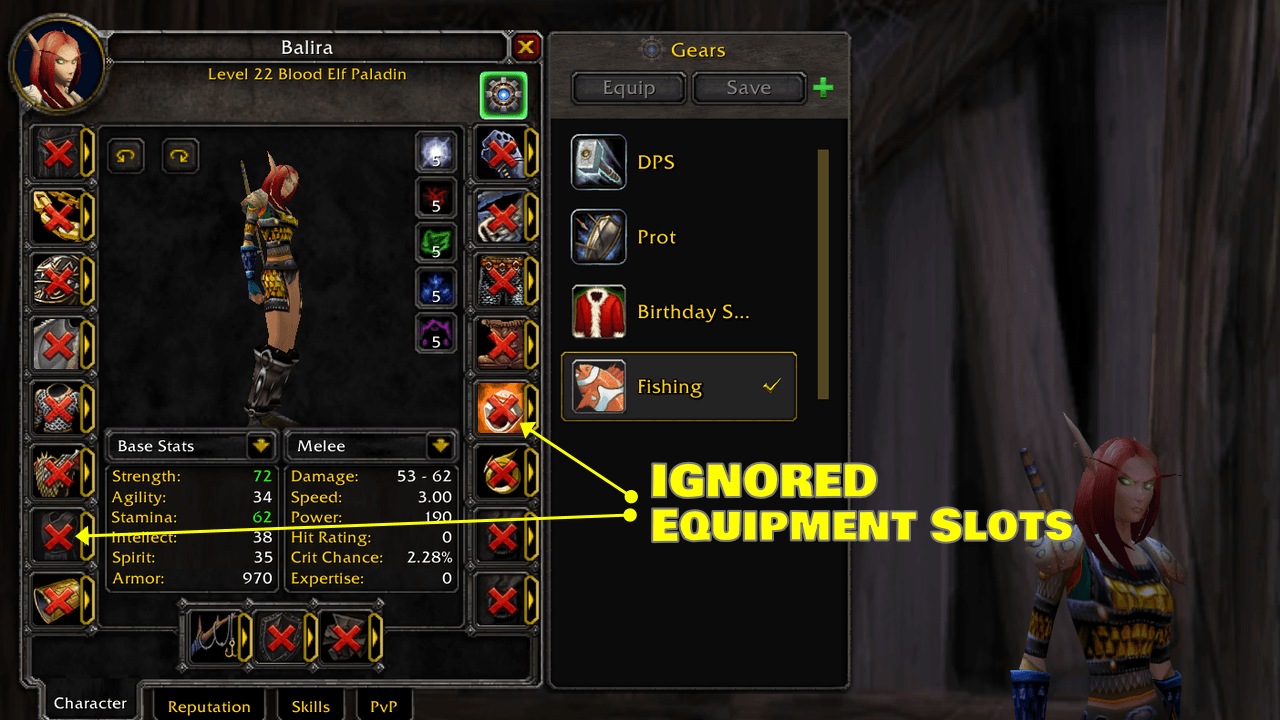
Hide slots you don’t want to manage—ignored slots are clearly marked so you can exclude gear from your sets. Stay in control of what gets equipped and keep your setup clean, flexible, and tailored to your playstyle.
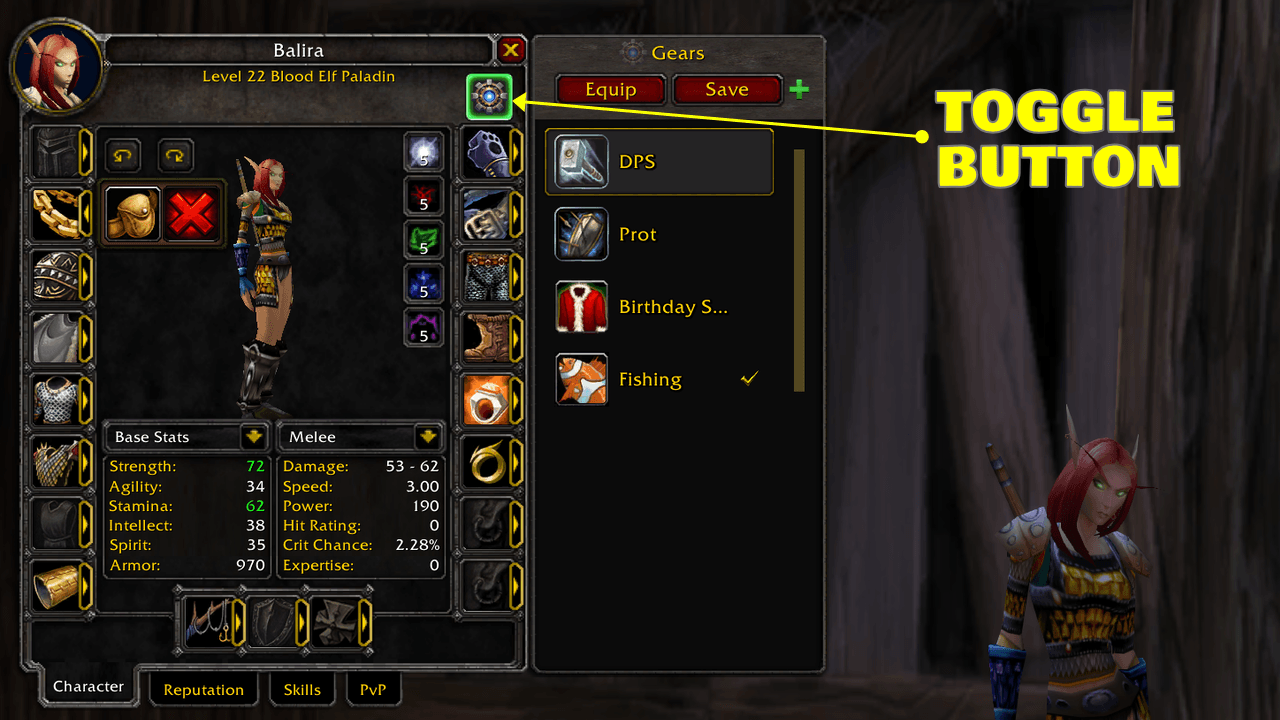
Gears is available directly from the Character Frame for quick access without extra windows or menus. It integrates alongside Blizzard’s character UI, letting you view, manage, and equip sets where gear decisions naturally happen.
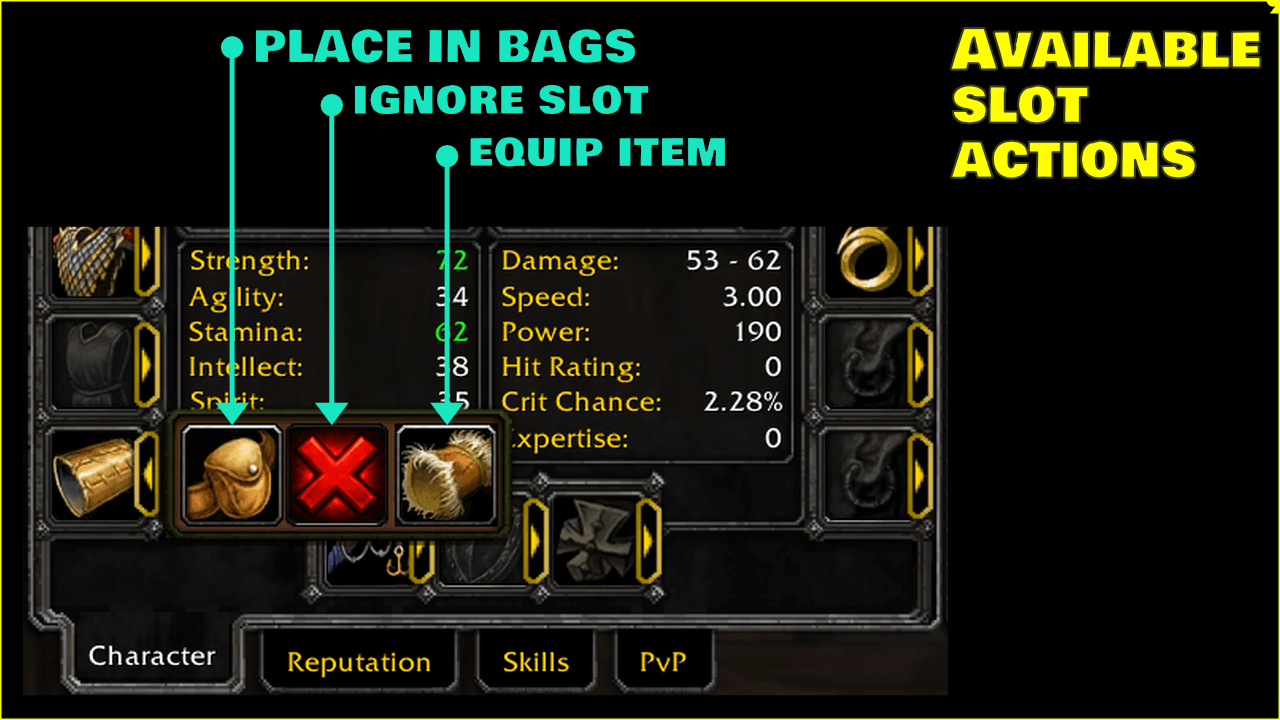
Choose what happens per slot - send items to bags, ignore slots, or equip gear instantly. Flexible actions give you full control over your setup, making gear management faster, cleaner, and tailored to your playstyle.
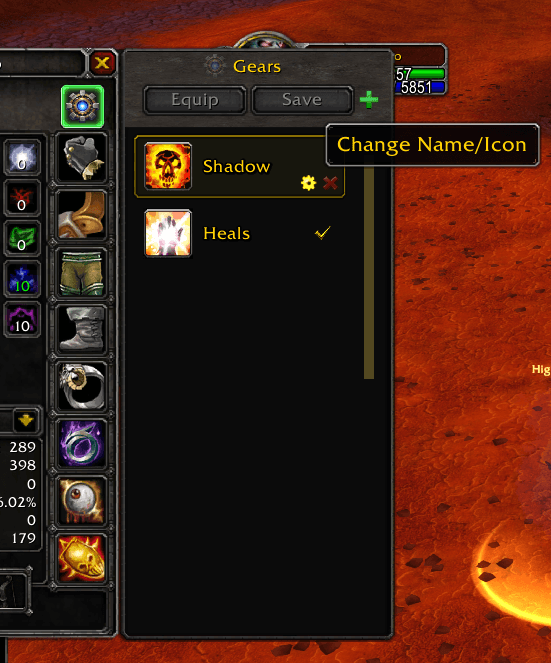
Rename equipment sets and update their icons directly from the Gears UI.
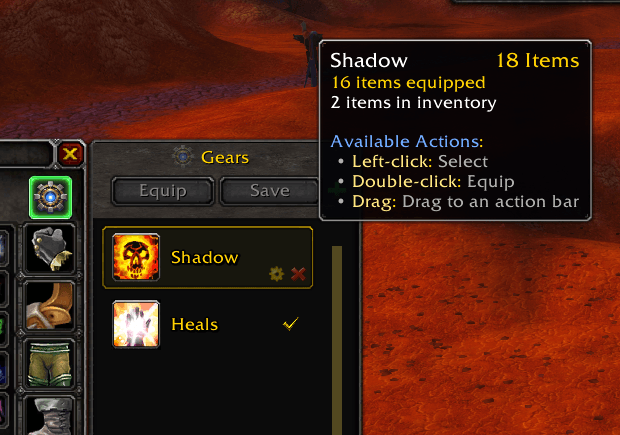
Contextual tooltips display helpful details for each equipment set, reducing mistakes and speeding up gear selection.
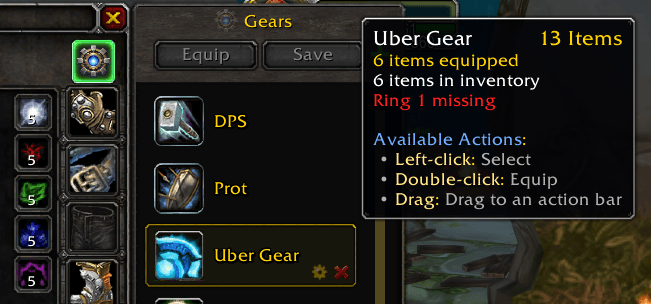
Context-aware tooltips report missing items both on hover and during equip.