Gamepad Keyboard
- By
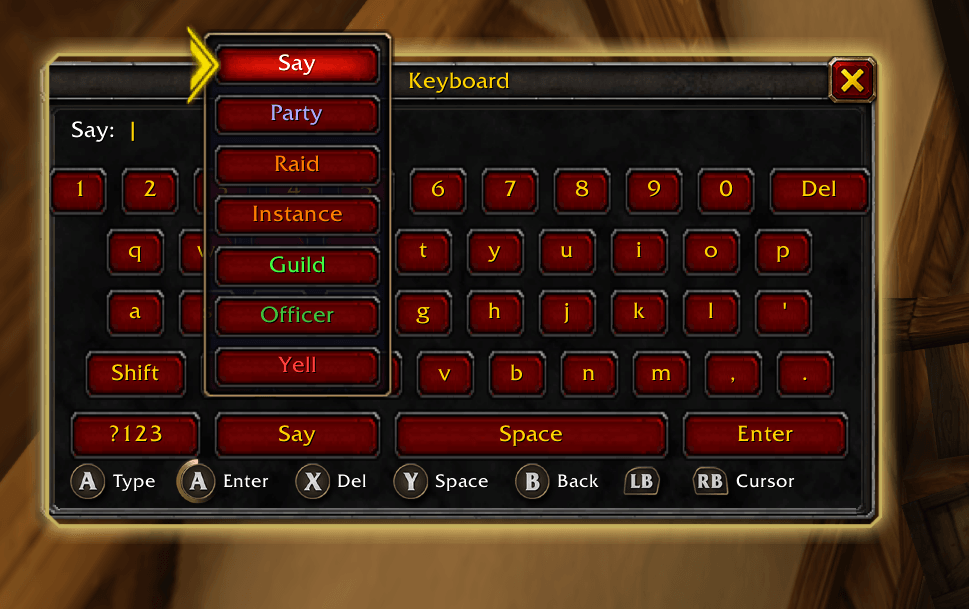
An on-screen keyboard for the game's controller UI: chat, whispers and mail with just a gamepad
Description
Gamepad Keyboard
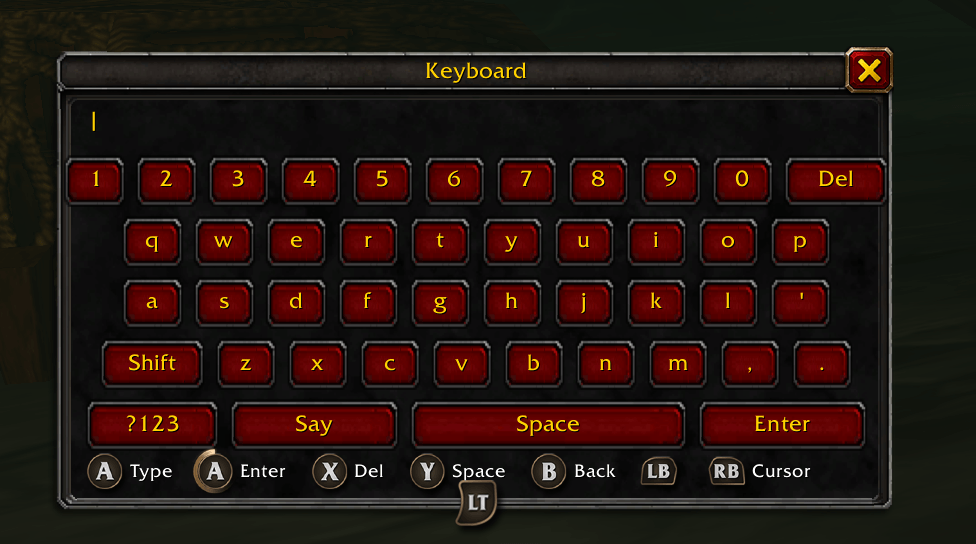
An on-screen keyboard for World of Warcraft: Forever's controller UI. Chat, whisper and send mail with just a gamepad.
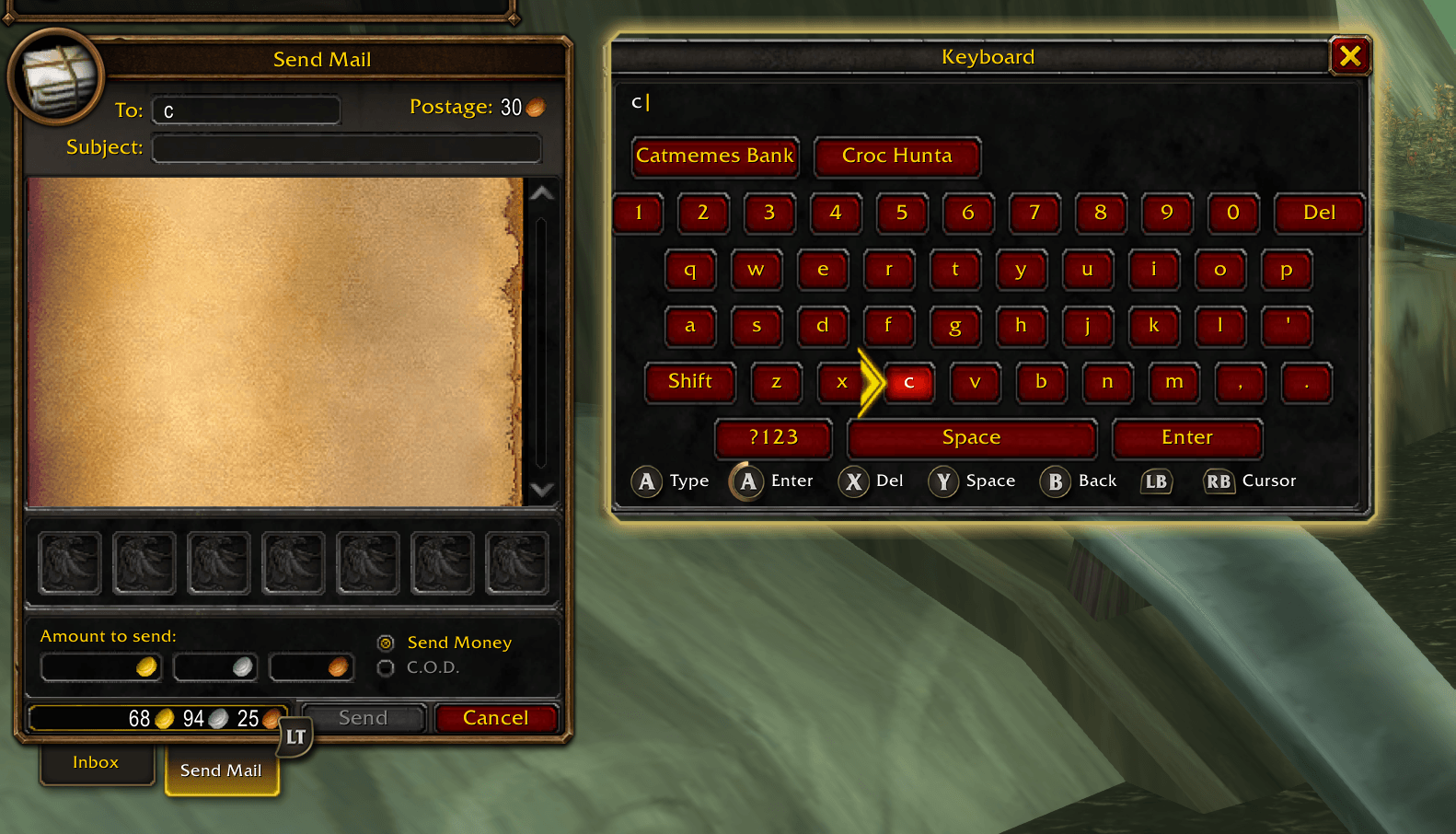
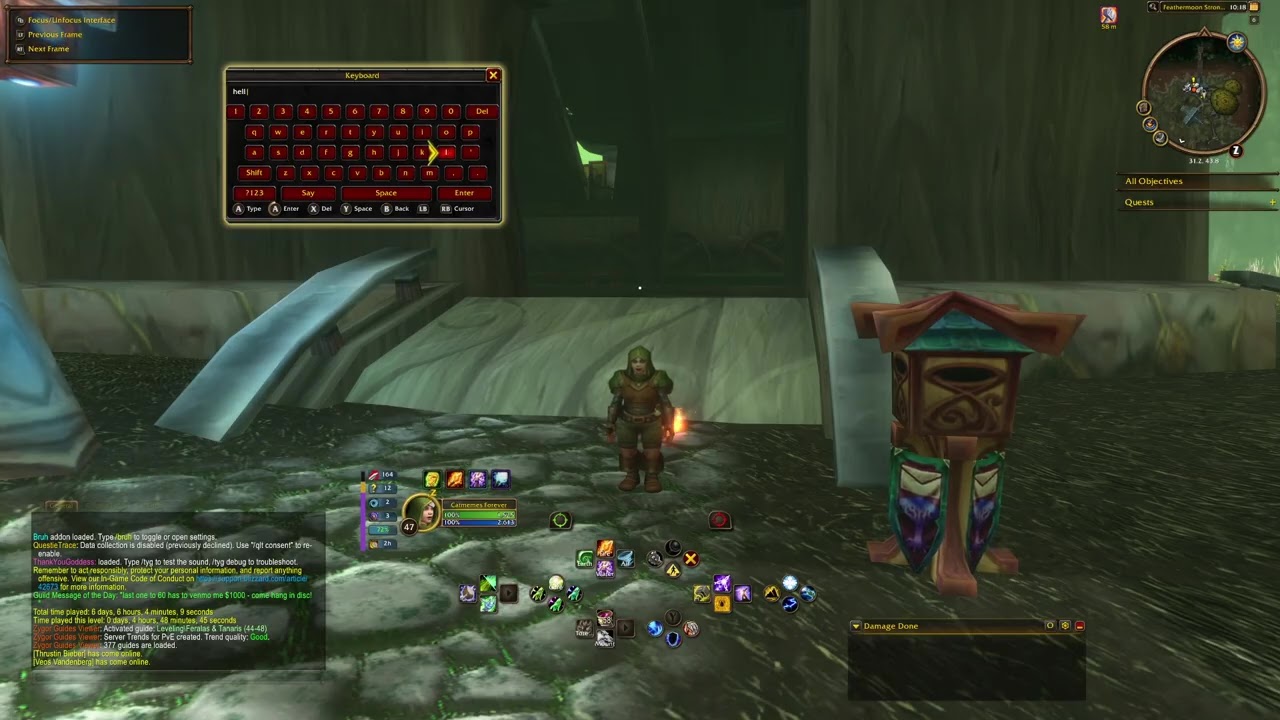
Go to a text box with the controller (A on it, or Chat on the main menu dial) and the keyboard opens beside it, as part of the game's own controller UI. A real keyboard or the mouse never brings it up, so you can switch between them whenever you like.
Controls
| Button | Does |
|---|---|
| D-pad | Move between keys (wraps round at the edges) |
| A | Type the key |
| Hold A | Enter, from any key: the ring fills, the Enter key lights up, let go to send |
| X | Delete |
| Y | Space |
| LB / RB | Move the cursor |
| B | Back, without sending |
| LT / RT | Switch windows, as everywhere in the controller UI |
Chat
- Enter sends the line and closes the chat, the same as the Enter key.
- The chat key shows who you're talking to (Say, Party, To Bob, /2) and steps through Say, Party, Raid, Instance, Guild, the whisper you started and a reply to whoever whispered you last.
- Whispers started from a name's menu go to that person. Numbered channels and slash commands (
/p,/dance,/cast) work too. - Item links: shift-click an item while the keyboard is up and the link goes into your line.
- Nothing is lost: a line closed without sending (B, combat, Edit Mode) is back the next time you open chat.
Mail and other text boxes
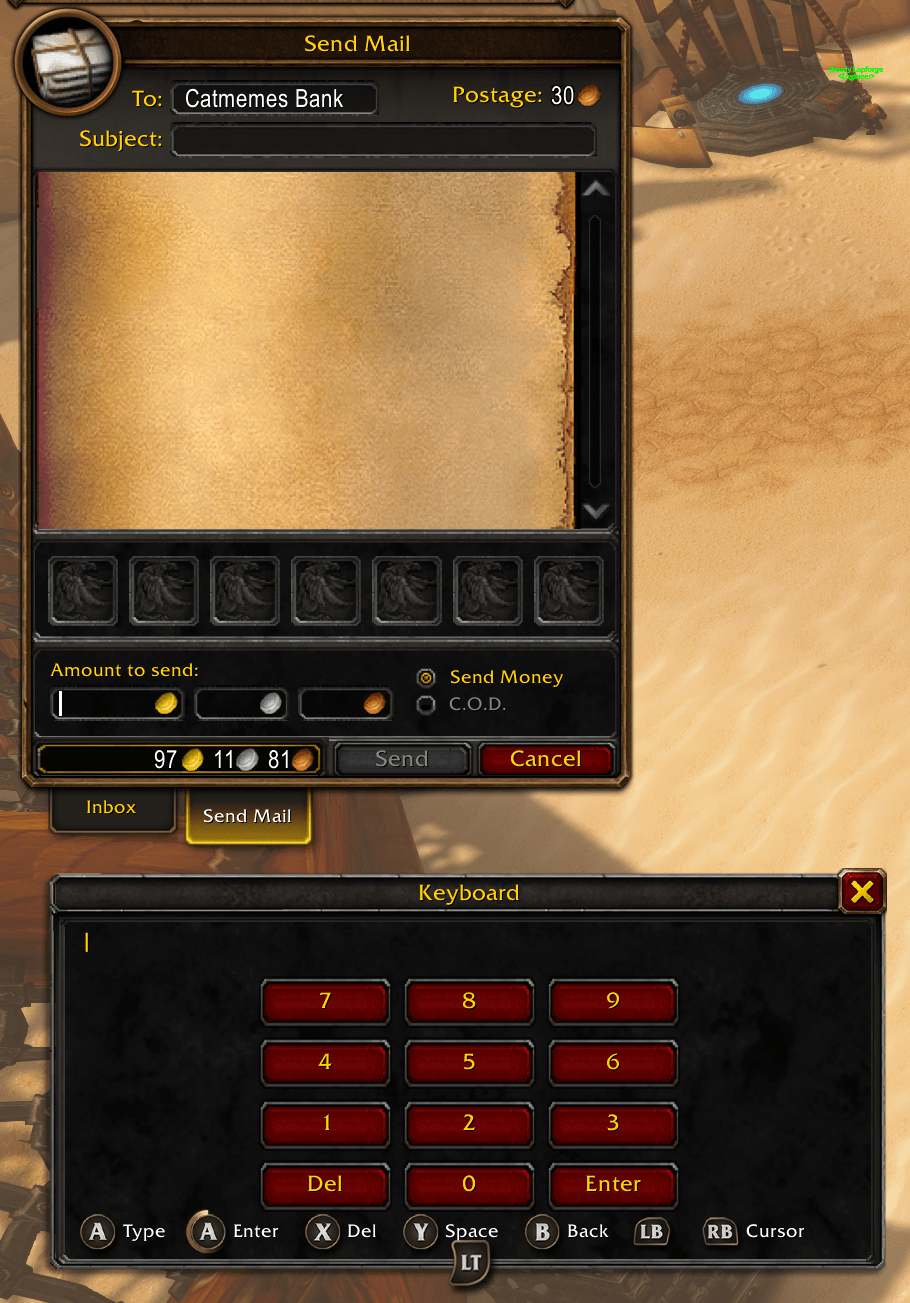
- Mail: To:, Subject: and the letter itself. Enter in To: moves on to Subject:, and in the letter Enter starts a new line.
- Name suggestions: the To: box suggests friends, guildmates, group members and your alts as you type.
- Other addons' text boxes work too.
Options
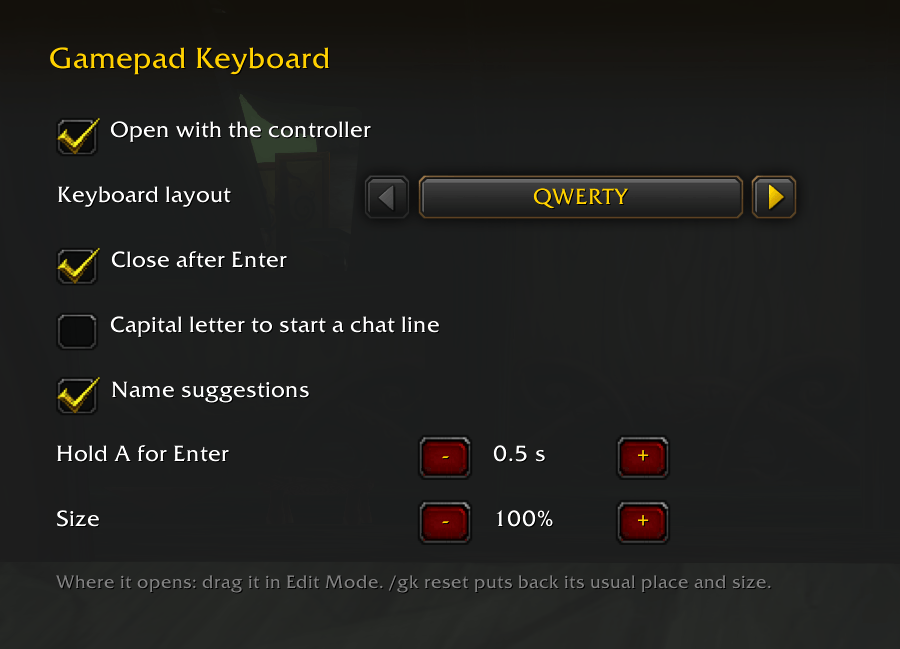
In Options > AddOns > Gamepad Keyboard:
- Open with the controller (on or off)
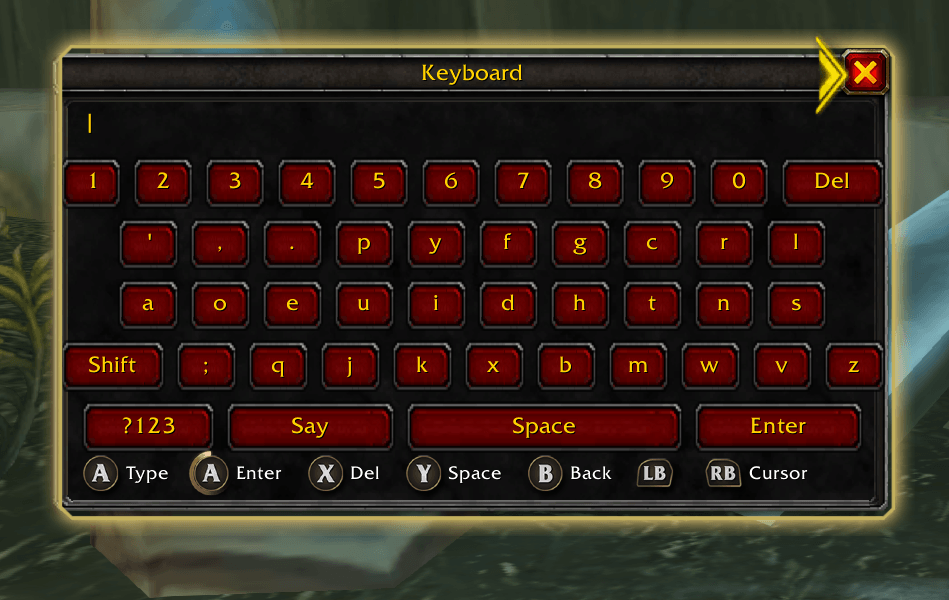
- Keyboard layout: QWERTY or Dvorak
- Close after Enter: off keeps the keyboard up for the next chat line
- Capital letter to start a chat line
- Name suggestions
- How long to hold A for Enter
- Size
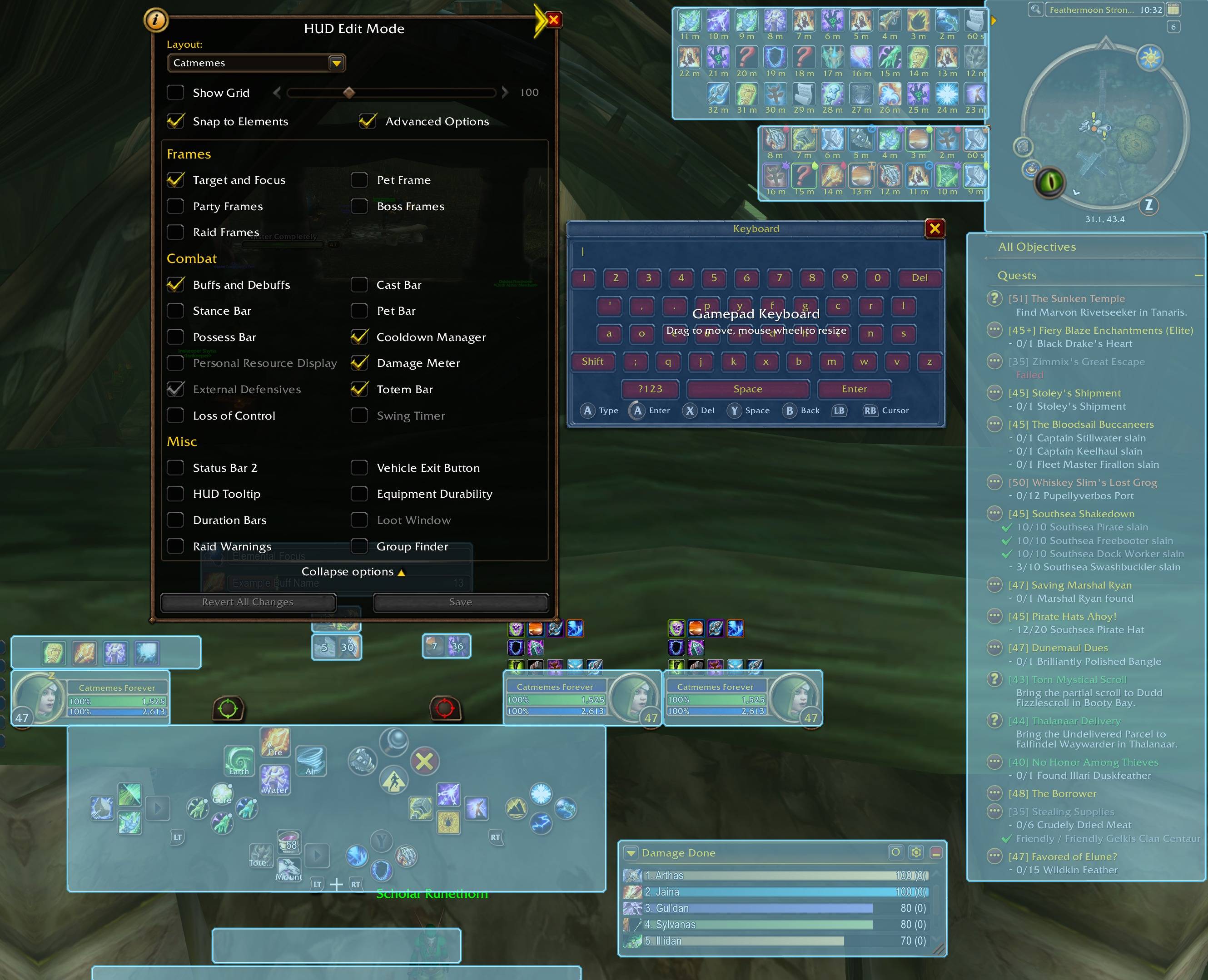
Placement: drag it where you want it in Edit Mode; the mouse wheel there resizes it.
Commands
| Command | Effect |
|---|---|
/gk |
Where the options are, and whether it's on |
/gk on, /gk off |
Let it open by itself, or not |
/gk reset |
Its usual place and size |
/gk names |
What the name lookup finds for the last box (for troubleshooting) |
Notes
- Not in combat: the game's controller UI doesn't take addon windows in combat. If combat starts while it's open, it closes and your chat line waits.
- Not the game's own text boxes (the bag search, the Options search, confirmation pop-ups). Typing into those from an addon gets the addon blocked, so the keyboard stays out (it says so once). A real keyboard types there as usual.
- Not Battle.net whispers: the game only sends those from its own chat box.
- No
|key: the game reads it as the start of an escape code.
MIT license
Buy me a coffee
Gamepad Keyboard Team