FRF TALK
- By
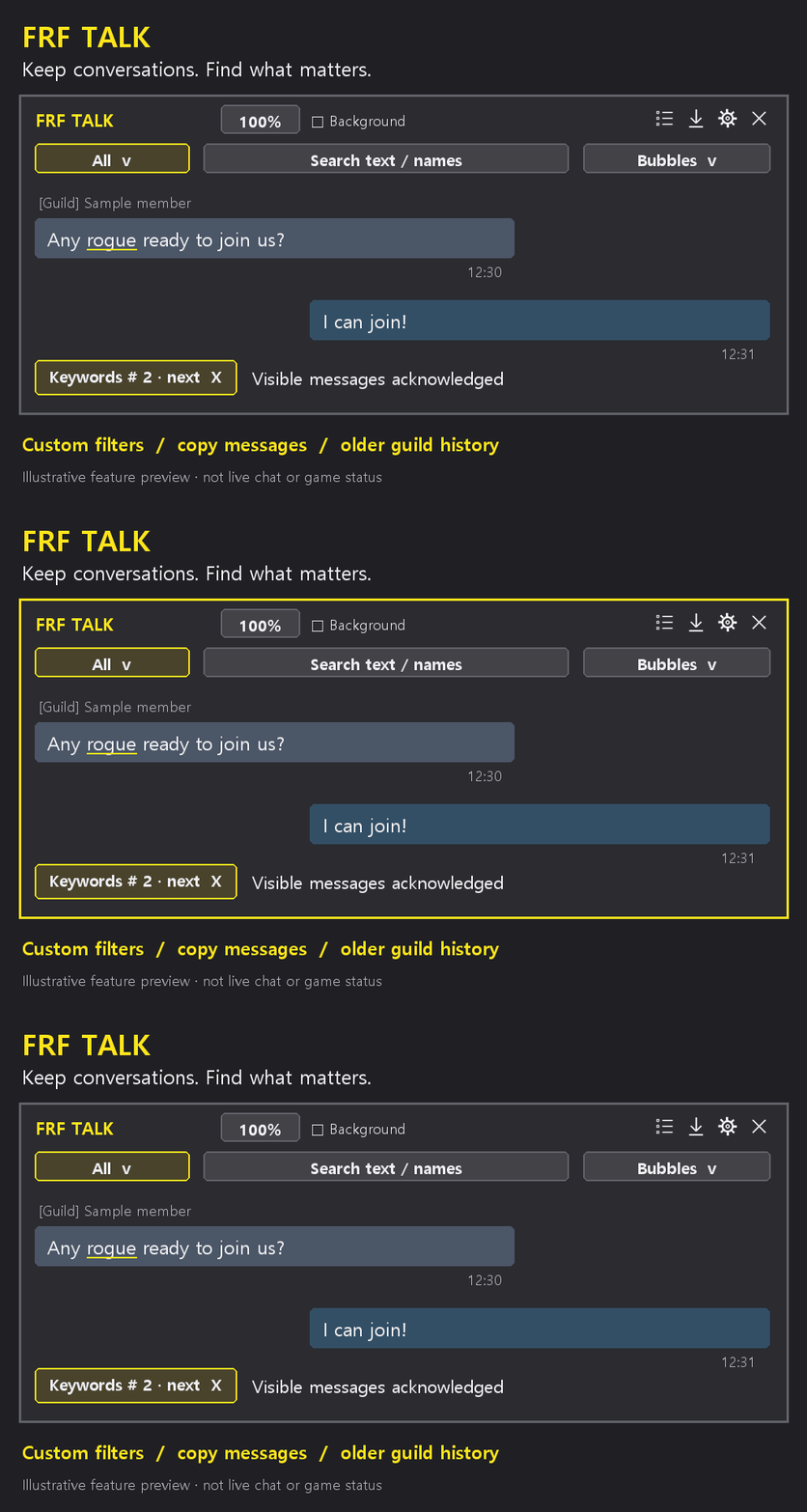
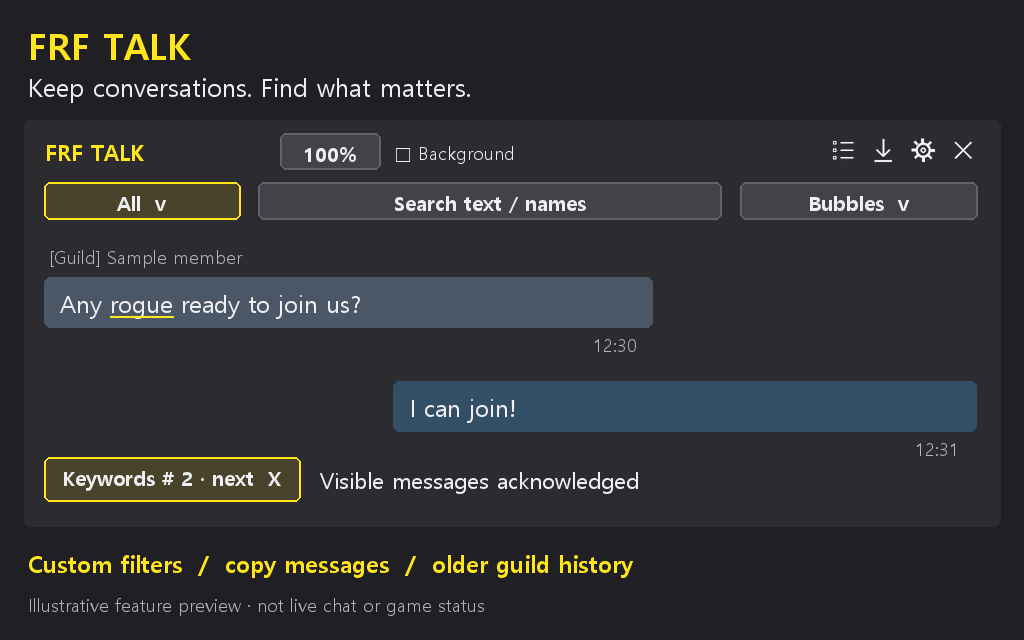
Browse and search chat history, get keyword alerts, and save character bookmarks in a customizable chat window. // 지난 대화를 검색하고, 키워드 알림을 받고, 필요한 메시지를 캐릭터별 북마크로 저장합니다.
talk-en.gif
talk-en.png
talk-ko.gif
talk-ko.png
ì¤í¬ë¦°ì· 2026-09-17 164004.png
Description
# English
Find earlier conversations and keep useful messages in one place.
- Browse chat in Chat lines, List, Alternating or Bubbles view.
- Search messages and sender names, and choose which channels to show.
- Copy one message or selected messages.
- Save character bookmarks and export or import them as text.
- Adjust bubble colors, text colors, window size and launcher size.
- Scroll to the top of guild history to request older messages available from the game.
- Turn the addon off while keeping settings and saved records.
Enter comma-separated keywords for new-message alerts. Alerts check message text, not sender names, realms or channel names. Each matching message counts once. Hover the floating button to see the unread count immediately; with no unread matches, its normal display stays unchanged.
Left-click the floating button to open history. Right-click it for settings. `/frftalk` also opens history; `/frftalk config` opens settings. Install FRF Config for the settings window.
Older guild messages are limited to what the game provides. Keep exported bookmark backups outside the game if you want a separate copy.
### 한국어
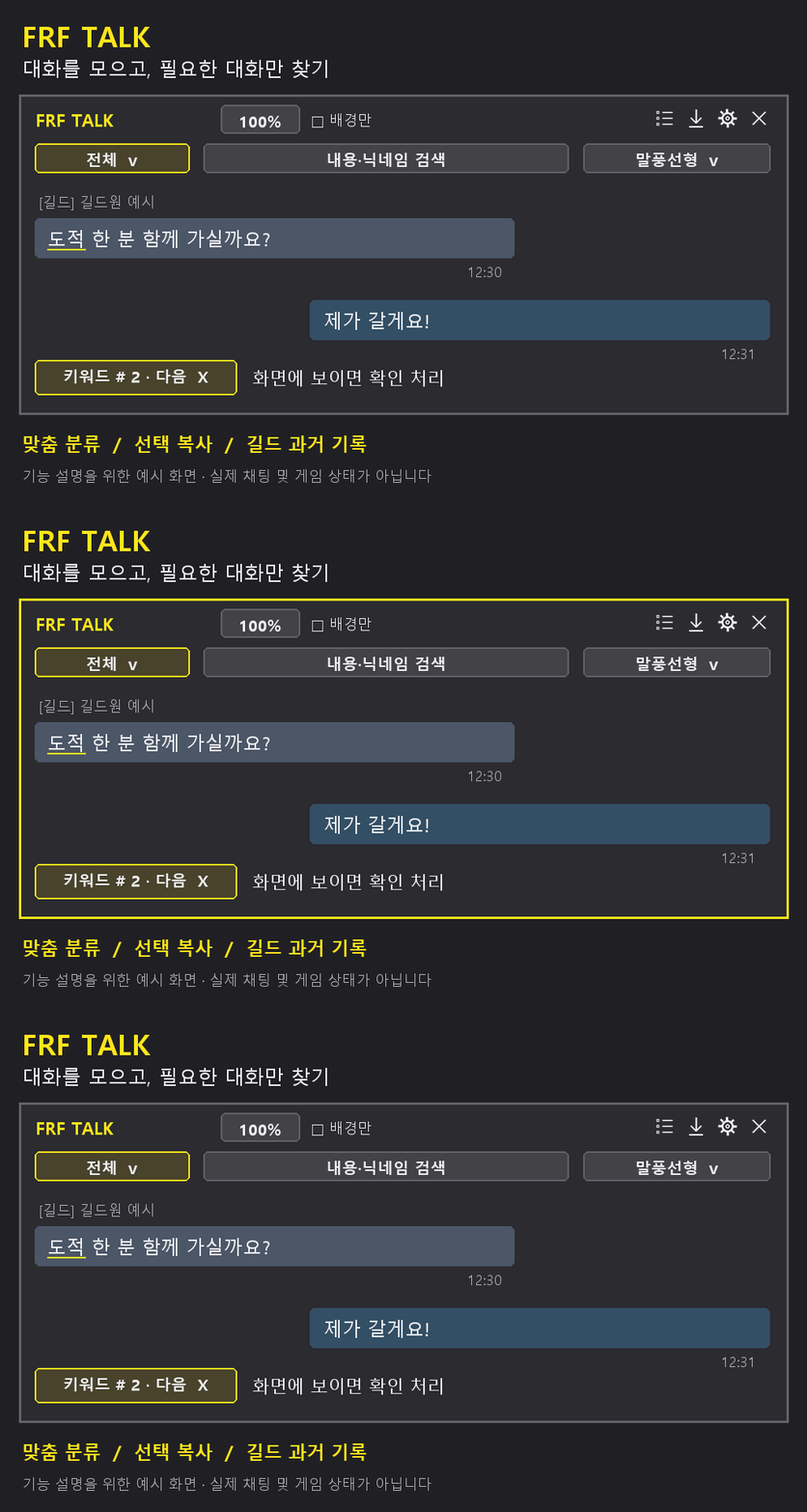
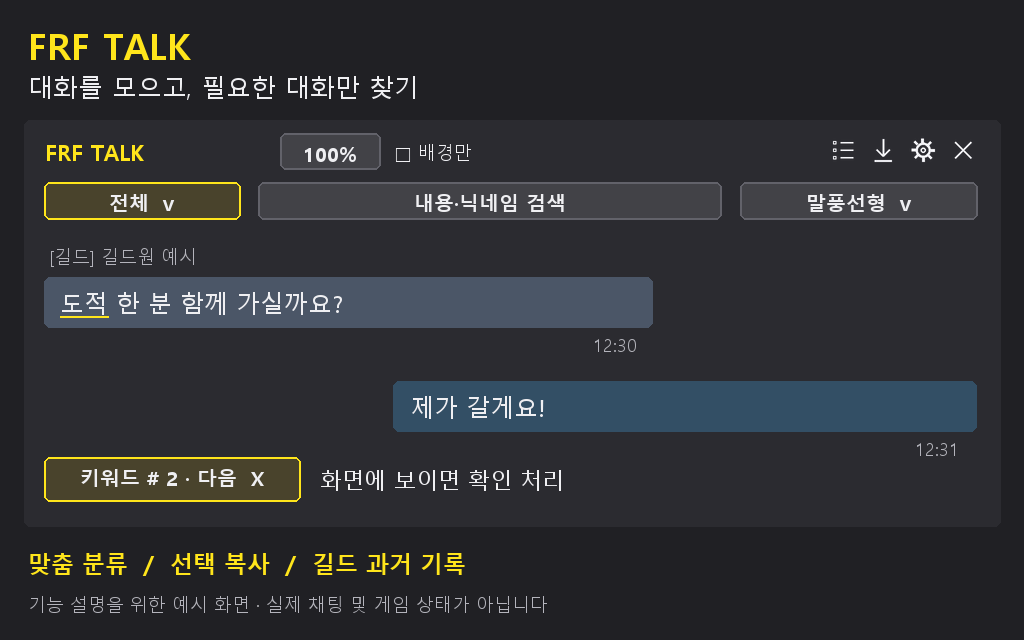
지난 대화를 다시 찾고, 필요한 메시지를 따로 저장하세요.
- 일반 대화, 목록, 교차, 말풍선 중 보기 방식을 고를 수 있습니다.
- 대화 내용과 닉네임을 검색하고, 보고 싶은 채널만 고를 수 있습니다.
- 메시지 하나 또는 선택한 메시지를 복사할 수 있습니다.
- 캐릭터별로 북마크를 저장하고, 글로 내보내거나 다시 불러올 수 있습니다.
- 말풍선 색상, 글자 색상, 창 크기와 화면 버튼 크기를 바꿀 수 있습니다.
- 길드 기록 맨 위에서 위로 스크롤하면 더 오래된 대화를 불러옵니다.
- 사용을 꺼도 설정과 저장한 기록은 남습니다.
알림을 받을 단어를 쉼표로 나눠 입력하세요. 새 대화 내용에 그 단어가 있으면 알려줍니다. 닉네임, 서버 이름, 채널 이름은 검사하지 않습니다. 한 메시지에 단어가 여러 개 있어도 한 번만 셉니다.
읽지 않은 알림이 있으면 화면 버튼에 마우스를 올렸을 때 개수가 바로 보입니다. 알림이 없으면 원래 표시를 유지합니다.
화면 버튼을 왼쪽 클릭하면 기록창, 오른쪽 클릭하면 설정창이 열립니다. `/frftalk`로 기록창을 열고, `/frftalk config`로 설정창을 열 수도 있습니다. 설정하려면 FRF Config를 함께 설치하세요.
오래된 길드 대화는 게임이 제공하는 만큼만 불러옵니다. 북마크를 따로 보관하려면 내보낸 글을 게임 밖에 저장하세요.
The FRF TALK Team