FRF Clocking
- By
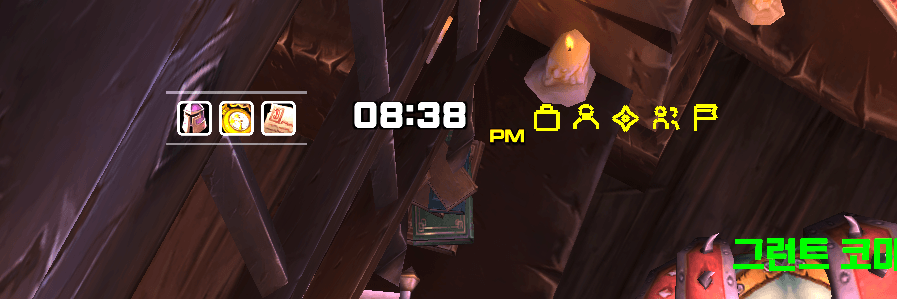
Arrange clocks, useful information and shortcuts your way, with daily activity records and reminders. // 시계·생활 정보·바로가기를 원하는 곳에 배치하고 하루 활동 기록과 알림을 확인합니다.
FRF_Clocking.png
clocking-illustration.png
ì¤í¬ë¦°ì· 2026-09-26 203818.png
Description
# FRF Clocking
## English
**Your clock, your shortcuts, your layout.**
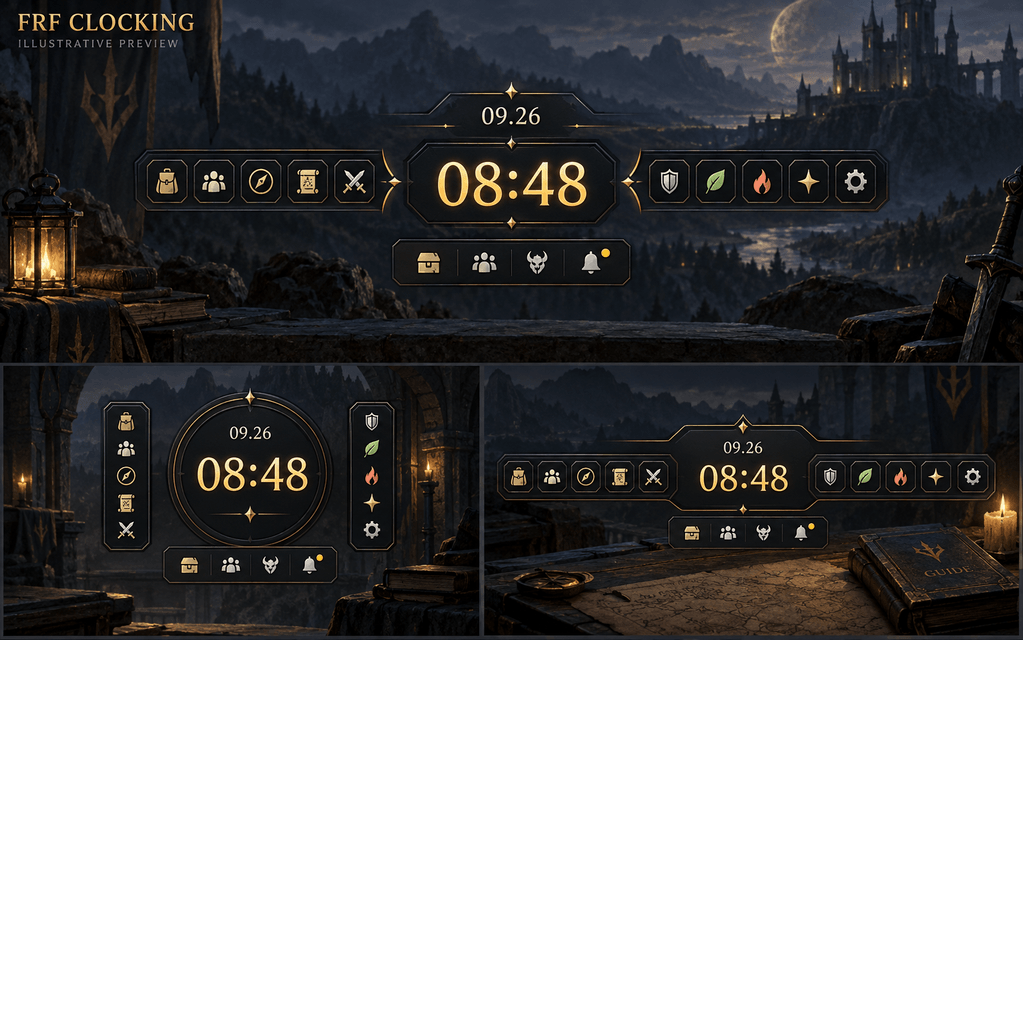
FRF Clocking brings time, useful information and everyday actions closer to where you need them. Build a small clock display or arrange a complete set of shortcuts around it.
### Arrange your information
- Choose displays such as the clock, date, FPS, played time and gold.
- Customize fonts, text sizes, colors, outlines and shadows.
- Start with a layout template, then move individual displays on screen.
- Move freely or enable grid snapping. Use Move together when arranging a group, then save or cancel your changes.
### Keep useful actions nearby
- Configure two shortcut sets, A and B, with up to 10 actions in each set.
- Choose icons, text or both, and adjust icon designs, shapes, borders and spacing.
- Open frequently used game windows and check online friends or guild members.
- When FRF PINOTE is enabled, add separate shortcuts for its notes and pins.
### Review your day
View the daily activity journal and set reminders. Depending on the information available in your game client, records can include play time, gold changes, quests, loot, groups and encounters. Activity is recorded while Clocking is running; it does not retrieve past sessions.
### Getting started
Install [FRF Config](https://www.curseforge.com/wow/addons/frf-config) alongside Clocking. Open `/frf`, select **FRF Clocking**, choose a template or your preferred displays, then use **Arrange on screen** to place them.
You can also use `/clocking` for settings, `/clocking edit` for placement, `/clocking report` for the daily journal and `/clocking alarm` for reminders.
Supports **Retail and Forever**, with actions matched to the game client. Settings are available in English and Korean. Turning off **Enable addon** hides its displays and stops its features while keeping your preferences.
---
## 한국어
**시계도, 바로가기도 내가 원하는 자리에.**
FRF Clocking은 시간과 생활 정보, 자주 쓰는 기능을 원하는 곳에 배치하는 애드온입니다. 작은 시계만 두거나 시계 주변에 나만의 바로가기 모음을 만들 수 있습니다.
### 필요한 정보를 원하는 모양으로
- 시계·날짜·FPS·플레이 시간·골드 등의 표시를 고릅니다.
- 글꼴·글자 크기·색상·외곽선·그림자를 조절합니다.
- 준비된 배치로 시작한 뒤 화면에서 각 표시를 직접 옮깁니다.
- 자유롭게 이동하거나 격자 맞춤을 켭니다. 여러 표시를 옮길 때는 함께 움직이기를 사용하고, 작업을 마치면 저장하거나 취소합니다.
### 자주 쓰는 기능을 가까이에
- A·B 두 세트에 각각 최대 10개의 기능을 넣습니다.
- 아이콘·글자·아이콘과 글자 중 표시 방식을 고르고, 아이콘 디자인·모양·테두리·간격을 조절합니다.
- 자주 쓰는 게임 창을 열고 친구·길드 접속 명단을 확인합니다.
- FRF PINOTE가 켜져 있으면 메모와 핀 목록 바로가기를 각각 추가합니다.
### 하루 기록과 알림
일일 활동 기록을 확인하고 필요한 알림을 설정합니다. 게임에서 확인할 수 있는 정보에 따라 플레이 시간·골드 변화·퀘스트·획득 아이템·파티·전투 등을 기록합니다. Clocking을 사용하는 동안 기록하며 이전 접속 기록을 불러오지는 않습니다.
### 시작하기
[FRF Config](https://www.curseforge.com/wow/addons/frf-config)를 함께 설치하세요. `/frf`에서 **FRF Clocking**을 선택하고, 배치 예시나 표시할 기능을 고른 다음 **화면에서 배치**로 위치를 조절합니다.
`/clocking`은 설정, `/clocking edit`는 화면 배치, `/clocking report`는 일일 기록, `/clocking alarm`은 알림을 엽니다.
**리테일·포에버**를 지원하며 현재 게임에서 사용할 수 있는 기능을 보여 줍니다. 한국어·영어 설정을 지원합니다. **사용**을 끄면 표시와 기능은 멈추고 설정은 보관됩니다.
The FRF Clocking Team