FRF_Ready
- By
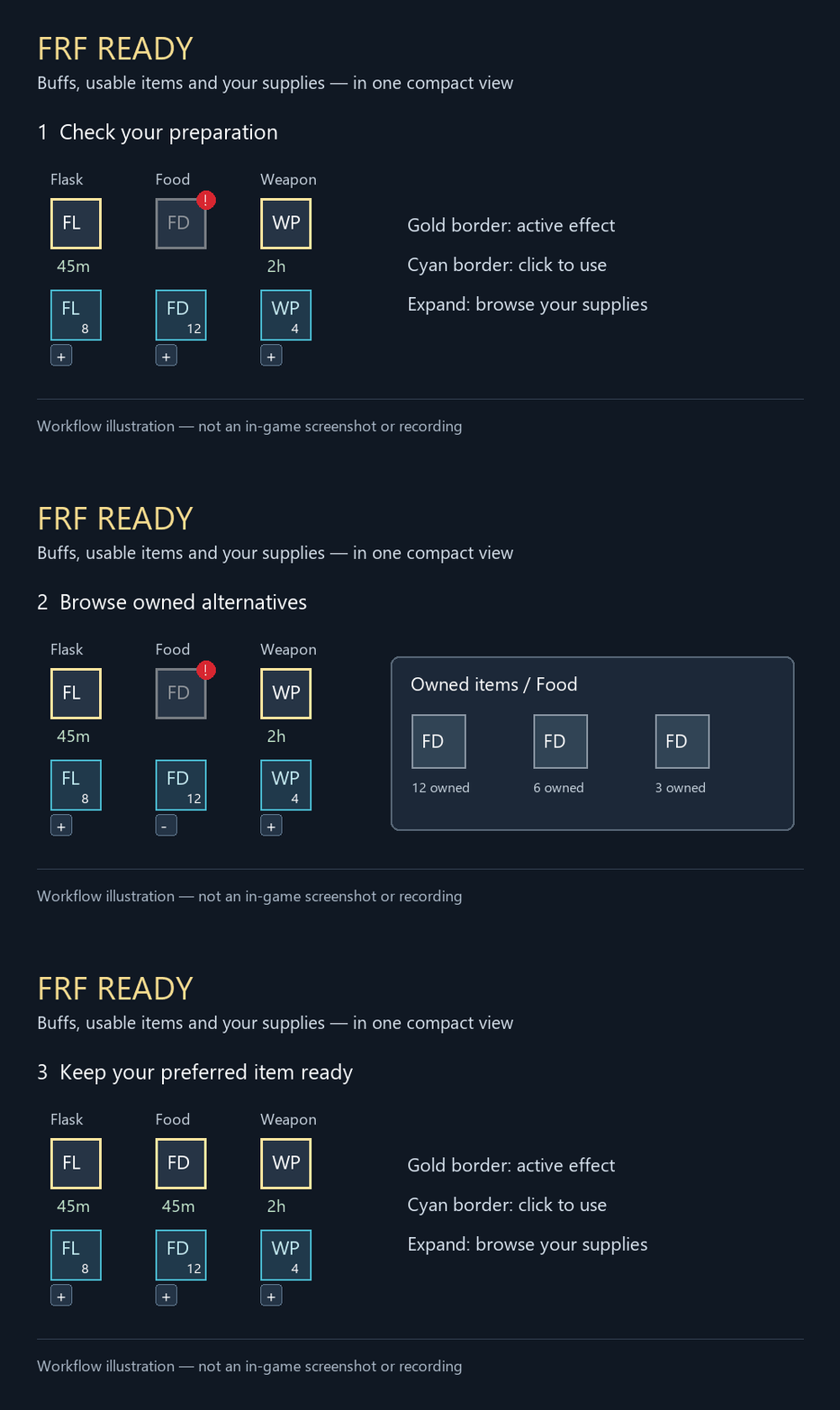
Track combat buffs, consumable supplies, and weapon enhancements in a compact, customizable bar with clickable items.
FRF_Ready_Demo.gif
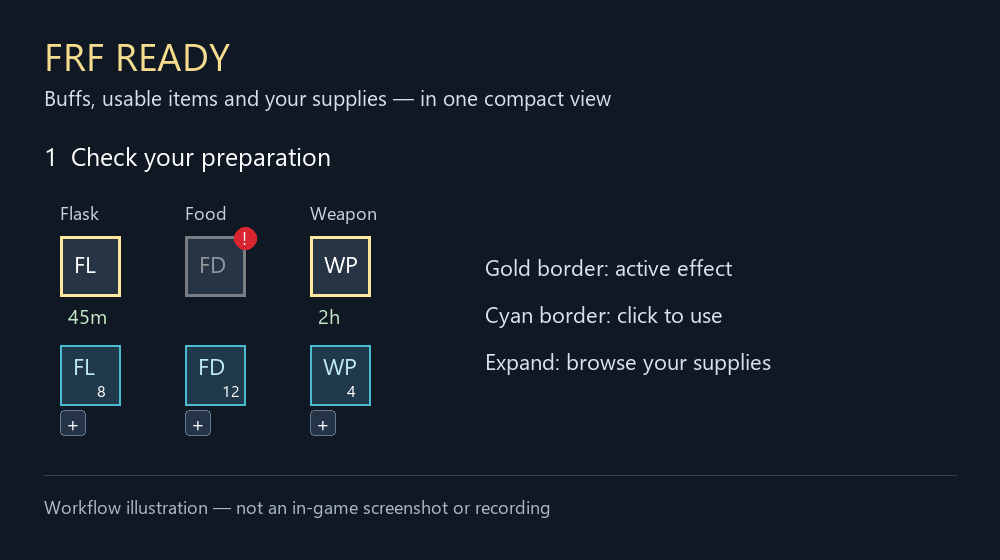
FRF_Ready_Demo_Preview.png
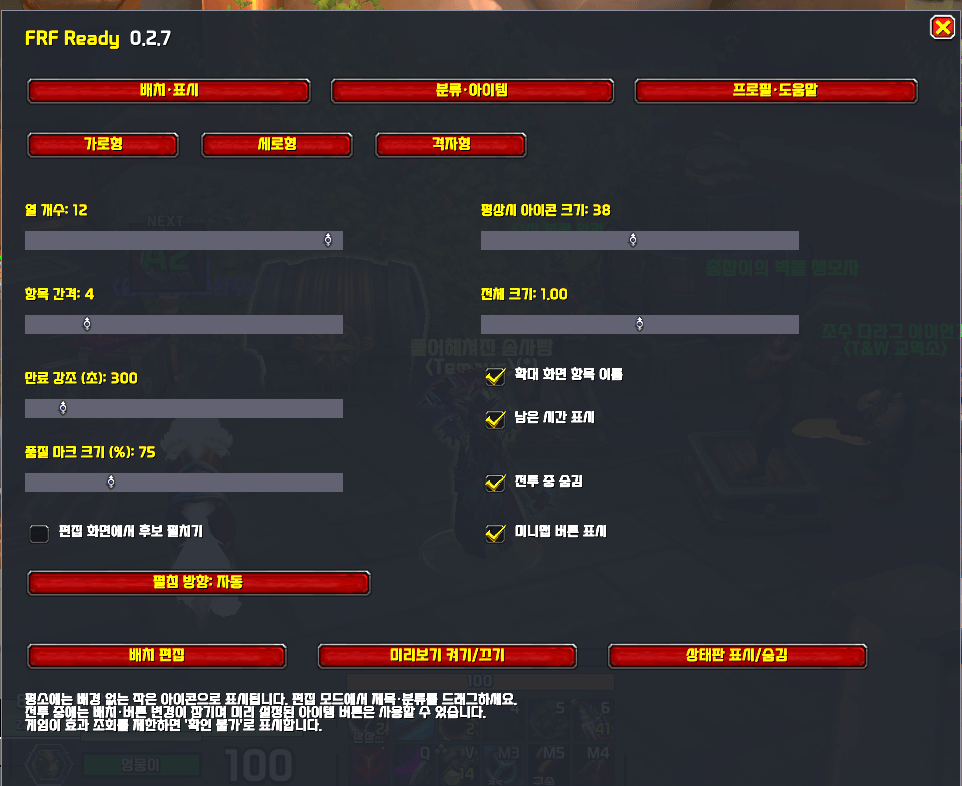
ì¤í¬ë¦°ì· 2026-09-09 205012.png
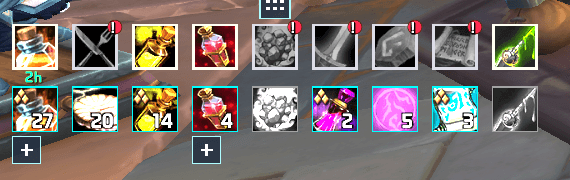
ì¤í¬ë¦°ì· 2026-09-09 204958.png
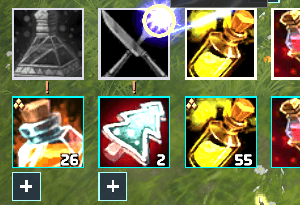
ì¤í¬ë¦°ì· 2026-09-09 203441.png
Description
# FRF Ready
## English
**Check your preparation. Keep your party tools close.**
FRF Ready brings consumables, buffs and everyday party tools into a compact interface. Check what needs attention before a pull, use your items, find a dungeon teleport and see your party’s keystones without searching through several windows.
### READY — Prepare for the next pull
- **Consumables at a glance:** Organize flasks, food, potions, healthstones, weapon enhancements and other preparation items by category.
- **Check what is missing:** See available item counts, supported buff durations, equipment durability and selected enchant checks.
- **Click to use:** Choose and use supported items directly from the preparation bar.
- **Make it your own:** Select the categories you need, set stock and remaining-time warnings, and arrange the bar to suit your screen.
- **Different setups for different places:** Use field, dungeon and raid profiles, with optional automatic switching.
### TOOLS — Useful actions within reach
**Dungeon portals**
Browse All, This season or Favorites. Hide unlearned portals and use a learned, available teleport with a click.
**Party keystones**
See the dungeon icon, key level, dungeon name and owner in one list. Click a dungeon icon to use your own teleport when it is learned and ready.
Ready shares keystone information with other Ready users and compatible sharing addons. Members without a compatible sender appear as **No data received**, rather than being assumed to have no keystone.
**Preparation reports**
Review available item-level, Mythic+ rating, keystone and preparation information. Choose members and fields, preview the report, then send it to party chat when you want to. Your own specialization, loot specialization, last selected loadout and trinkets can also be reviewed.
**Quick party actions**
Start a ready check, start or cancel a countdown, and open supported installed FRF tools. Party actions follow the game’s leader and assistant permissions.
**Currency and reputation goals**
Keep selected currencies and reputations together and check progress toward your goals.
**Quest and visibility helpers**
Choose whether native quest sections stay unchanged, collapse or hide in dungeons and raids. Optionally reveal hidden quests on hover. Add a cursor ring or target-nameplate outline, with an option to show highlights only in combat.
### Fit it to your UI
Choose shortcuts and their order, move the Tools panel to either screen edge, and adjust its handle, icons, colors and transparency. Portal, keystone, report and goal windows can be moved and resized. Sample screens let you inspect supported layouts before using them with a party.
### Getting started
Install **FRF Config** to access settings. Open `/frf` and select **FRF Ready**, then choose **READY** or **TOOLS**.
Party reports show only information that is available. Some party details require a compatible sharing addon. The target outline requires a visible target nameplate, and protected actions follow the game’s combat restrictions. Turning Ready off hides its displays and stops its features while keeping your preferences.
---
## 한국어
**전투 준비는 한눈에, 파티 도구는 가까이에.**
FRF Ready는 소모품과 버프 확인, 파티에서 자주 쓰는 도구를 한곳에 모은 애드온입니다. 전투 전에 부족한 준비를 확인하고, 아이템 사용부터 던전 순간이동과 파티 쐐기돌 확인까지 간편하게 이용하세요.
### READY — 다음 전투를 준비하세요
- **소모품을 한눈에:** 영약·음식·물약·생명석·무기 강화 등 준비 아이템을 종류별로 모아 봅니다.
- **부족한 준비 확인:** 보유 수량, 확인 가능한 버프의 남은 시간, 장비 내구도와 선택한 부위의 마법부여를 확인합니다.
- **클릭해서 사용:** 준비 바에서 지원하는 아이템을 고르고 바로 사용합니다.
- **필요한 항목만 표시:** 사용할 분류와 부족 수량·남은 시간 알림 기준을 정하고, 바를 원하는 모양으로 배치합니다.
- **장소에 맞는 설정:** 필드·던전·공격대 설정을 따로 두고 자동 전환을 선택할 수 있습니다.
### TOOLS — 자주 쓰는 기능을 가까이에
**던전 포탈**
전체·이번 시즌·즐겨찾기로 나눠 봅니다. 배우지 않은 포탈은 숨길 수 있으며, 배웠고 사용 가능한 순간이동은 클릭해서 사용합니다.
**파티 쐐기돌**
던전 아이콘·단계·던전 이름·소유자를 한 목록에서 확인합니다. 해당 던전 순간이동을 내가 배웠고 지금 사용할 수 있다면 아이콘을 눌러 이동할 수 있습니다.
Ready 또는 호환 공유 애드온을 사용하는 파티원과 쐐기돌 정보를 주고받습니다. 정보를 보내는 애드온이 없는 파티원은 쐐기돌이 없다고 판단하지 않고 **정보 미수신**으로 표시합니다.
**준비 상태 리포트**
확인 가능한 아이템 레벨·쐐기 점수·쐐기돌·준비 상태를 모아 봅니다. 멤버와 항목을 고르고 미리 본 뒤, 원할 때 직접 파티 채팅으로 보냅니다. 내 전문화·전리품 전문화·마지막으로 선택한 특성 구성·장신구도 확인할 수 있습니다.
**빠른 파티 기능**
준비 확인, 카운트 시작·취소와 설치된 FRF 도구의 지원 기능을 바로 엽니다. 파티 기능은 게임의 파티장·부공격대장 권한에 따라 사용할 수 있습니다.
**화폐·평판 목표**
선택한 화폐와 평판을 모아 보고, 목표까지 얼마나 진행했는지 확인합니다.
**퀘스트와 화면 보조**
던전·공격대에서 기본 퀘스트 영역을 그대로 둘지, 접을지, 숨길지 선택합니다. 숨긴 퀘스트를 마우스 오버로 잠시 볼 수도 있습니다. 커서 주위의 원과 대상 이름표 테두리를 켜고, 전투 중에만 표시하도록 설정할 수 있습니다.
### 내 화면에 맞게 조절하세요
바로가기와 순서를 고르고, Tools를 화면 왼쪽이나 오른쪽에 배치하세요. 핸들 두께·아이콘·색상·투명도를 조절할 수 있습니다. 포탈·쐐기돌·리포트·목표 창은 위치와 크기를 바꿀 수 있으며, 지원하는 예시 화면을 열어 배치를 미리 확인할 수 있습니다.
### 시작하기
설정을 사용하려면 **FRF Config**를 함께 설치하세요. `/frf`를 입력하고 **FRF Ready**를 선택한 뒤 **READY** 또는 **TOOLS**에서 설정합니다.
파티 리포트는 확인 가능한 정보만 표시하며, 일부 파티 정보에는 호환 공유 애드온이 필요합니다. 대상 테두리는 대상 이름표가 화면에 보일 때 표시되고, 순간이동 등은 게임의 전투 중 사용 제한을 따릅니다. Ready 사용을 끄면 표시와 기능은 멈추고 설정은 보관됩니다.
FRF_Ready Team