FRF Live
- By
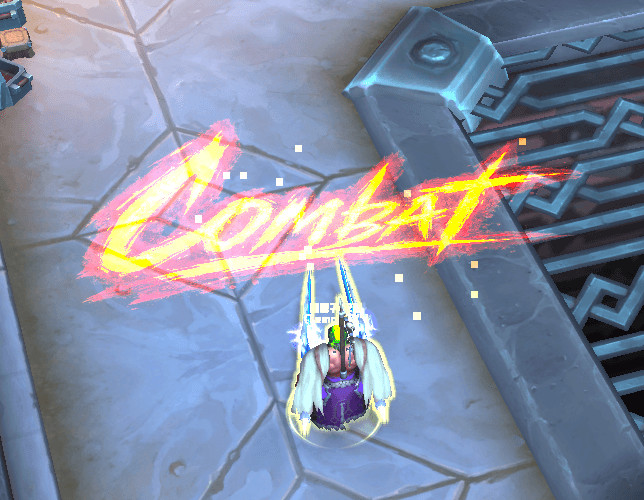
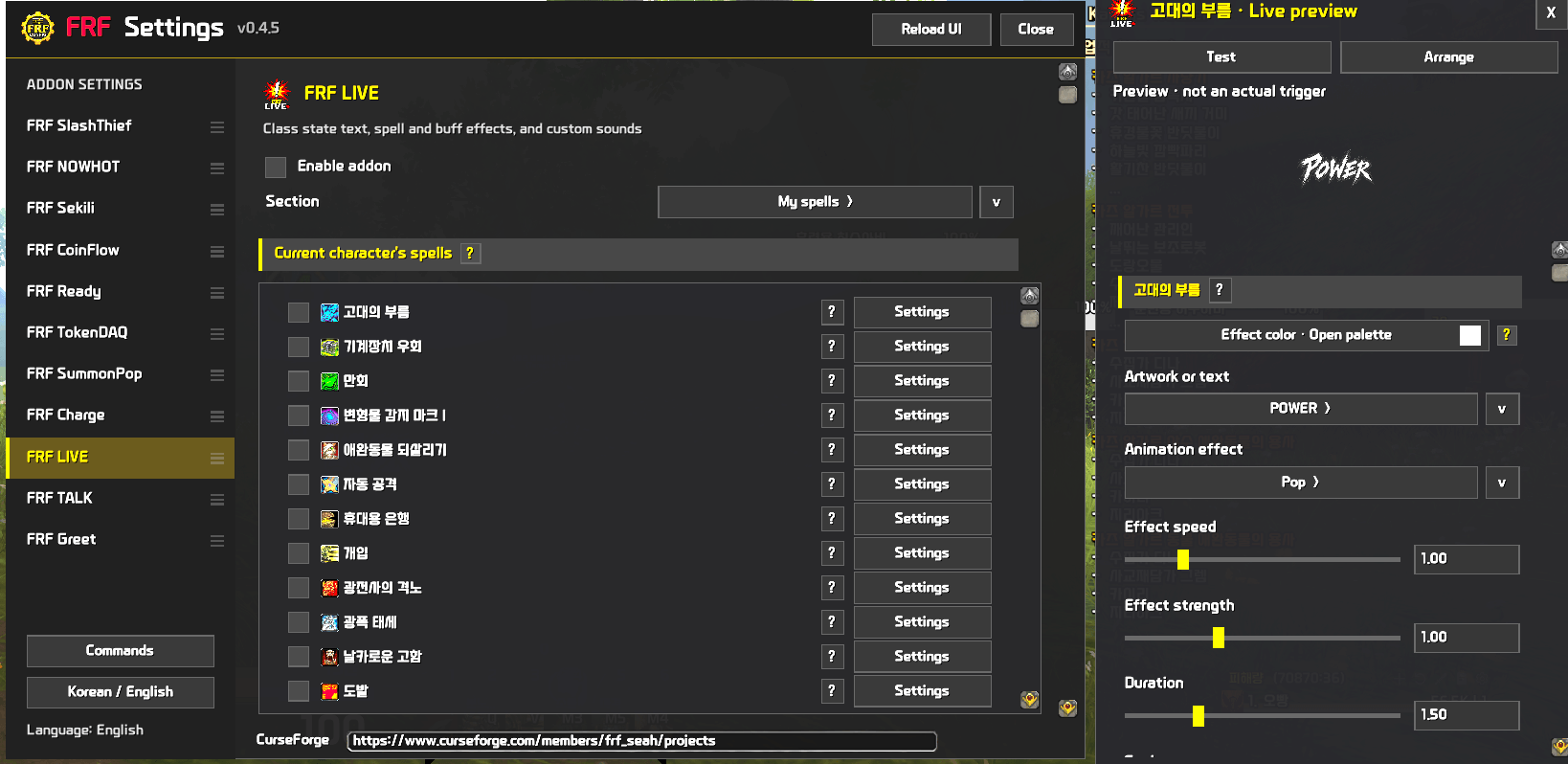
FRF Live provides visual and auditory alerts for combat status and class-specific form changes with fully customizable settings.
ì¤í¬ë¦°ì· 2026-02-19 033435.png

ì¤í¬ë¦°ì· 2026-02-13 213937.png
ì¤í¬ë¦°ì· 2026-02-13 213840.png
ì¤í¬ë¦°ì· 2026-09-17 164533.png
Description
FRF Live
# FRF LIVE — English
**Add your own text, artwork, and sounds to combat and spell events.**
FRF LIVE displays customizable effects for combat events, spell casts, supported buffs, and class states. Give each alert its own text, artwork, colors, sound, and screen position.
## Features
### Combat and basic alerts
Configure alerts for combat start and end, specialization changes, and other supported events. You can also display combat time.
### Effects for your spells
Assign effects to learned spells and replacement spells. Add text and artwork, then adjust their size and display duration.
### Buffs and class states
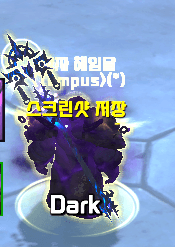
Show text, artwork, and repeating effects while supported buffs are active. Configure separate messages for Rogue Stealth, Priest Shadowform, and Druid Prowl, Flight, Travel, and Aquatic states.
### Customize with a preview
- Per-entry text, artwork, colors, fonts, and size
- Configurable effects, duration, and screen position
- A movable preview window and separate placement view
- Speed and intensity controls for supported repeating effects
- Custom sound previews
- Effect-linked sound stopping and fade-out where supported
- Korean and English support
## Getting started
Open **FRF Config → FRF LIVE**, then choose basic alerts, your spells, or received buffs. Preview the appearance and sound, then enable the entries you want. Testing an entry does not automatically enable it.
For custom sounds, place files in WoW's `_retail_/Sound` folder and enter the filename, including its extension. Fully exit and restart the game after adding new sound files.
Disabling the addon stops its effects while keeping your settings.
## Notes
Buff and state support depends on information provided by the game. Not every buff is supported. Game-managed buff sounds do not support early stopping or fade-out.
Promotional images and previews include illustrative examples. Actual content varies by character and configuration.
# FRF LIVE — 한국어
**전투와 스킬에 나만의 문구, 이미지, 소리를 더해 보세요.**
FRF LIVE는 전투 시작과 종료, 스킬 사용, 지원하는 강화 효과와 직업 상태에 맞춰 연출을 보여주는 애드온입니다. 알림마다 문구와 이미지, 색상, 소리, 표시 위치를 따로 설정할 수 있습니다.
## 주요 기능
### 전투와 기본 알림
전투 시작·종료와 전문화 변경 등 게임 상황에 맞는 알림을 설정하세요. 전투 시간도 표시할 수 있습니다.
### 내 스킬에 맞춘 연출
배운 스킬과 대체 스킬에 연출을 연결할 수 있습니다. 원하는 스킬에 문구와 이미지를 넣고, 크기와 표시 시간을 조정하세요.
### 강화 효과와 직업 상태 표시
지원하는 강화 효과를 받는 동안 문구와 이미지, 반복 효과를 표시합니다. 도적의 은신, 사제의 어둠의 형상, 드루이드의 숨기·비행·이동·수중 상태에도 각각 문구를 설정할 수 있습니다.
### 보면서 꾸미기
- 항목별 문구, 이미지, 색상, 글꼴과 크기 설정
- 연출 종류, 표시 시간과 위치 조정
- 움직일 수 있는 미리보기 창과 별도 배치 화면
- 지원하는 반복 효과의 속도와 세기 조정
- 사용자 소리 미리 듣기
- 지원 항목의 소리를 연출 종료에 맞춰 멈추거나 서서히 줄이기
- 한국어·영어 지원
## 시작하기
**FRF Config → FRF LIVE**에서 기본 알림, 내 스킬, 받는 강화 효과를 선택해 설정하세요. 미리보기로 모양과 소리를 확인한 뒤 원하는 항목을 켜면 됩니다. 테스트 버튼만 눌러서는 해당 항목이 자동으로 켜지지 않습니다.
사용자 소리는 와우의 `_retail_/Sound` 폴더에 넣고 파일명과 확장자를 입력하세요. 새 소리 파일을 추가했다면 게임을 완전히 종료한 뒤 다시 실행해 주세요.
애드온의 사용을 끄면 연출이 멈추고 설정은 그대로 남습니다.
## 참고
강화 효과와 상태 표시는 게임에서 제공하는 정보에 따라 지원 범위가 달라집니다. 모든 강화 효과를 지원하는 것은 아닙니다. 게임이 직접 재생하는 강화 효과 소리는 중간 정지나 페이드아웃을 지원하지 않습니다.
소개 이미지와 미리보기에는 기능 설명용 예시가 포함되어 있습니다. 실제 표시 내용은 캐릭터와 설정에 따라 달라집니다.
The FRF Live Team