ForeverUI
- By
Complete UI for WoW: Forever in one addon - raid & party frames with click-casting, a Skada/Recount-style damage meter, action bars, unit frames, nameplates, bags, chat and a quest helper. Flat, dark, movable. Type /fui.
Screenshot 2026-09-22 at 11.41.24â¯PM.png
foreverui-02.jpg
Screenshot 2026-09-21 at 11.34.26â¯PM.png
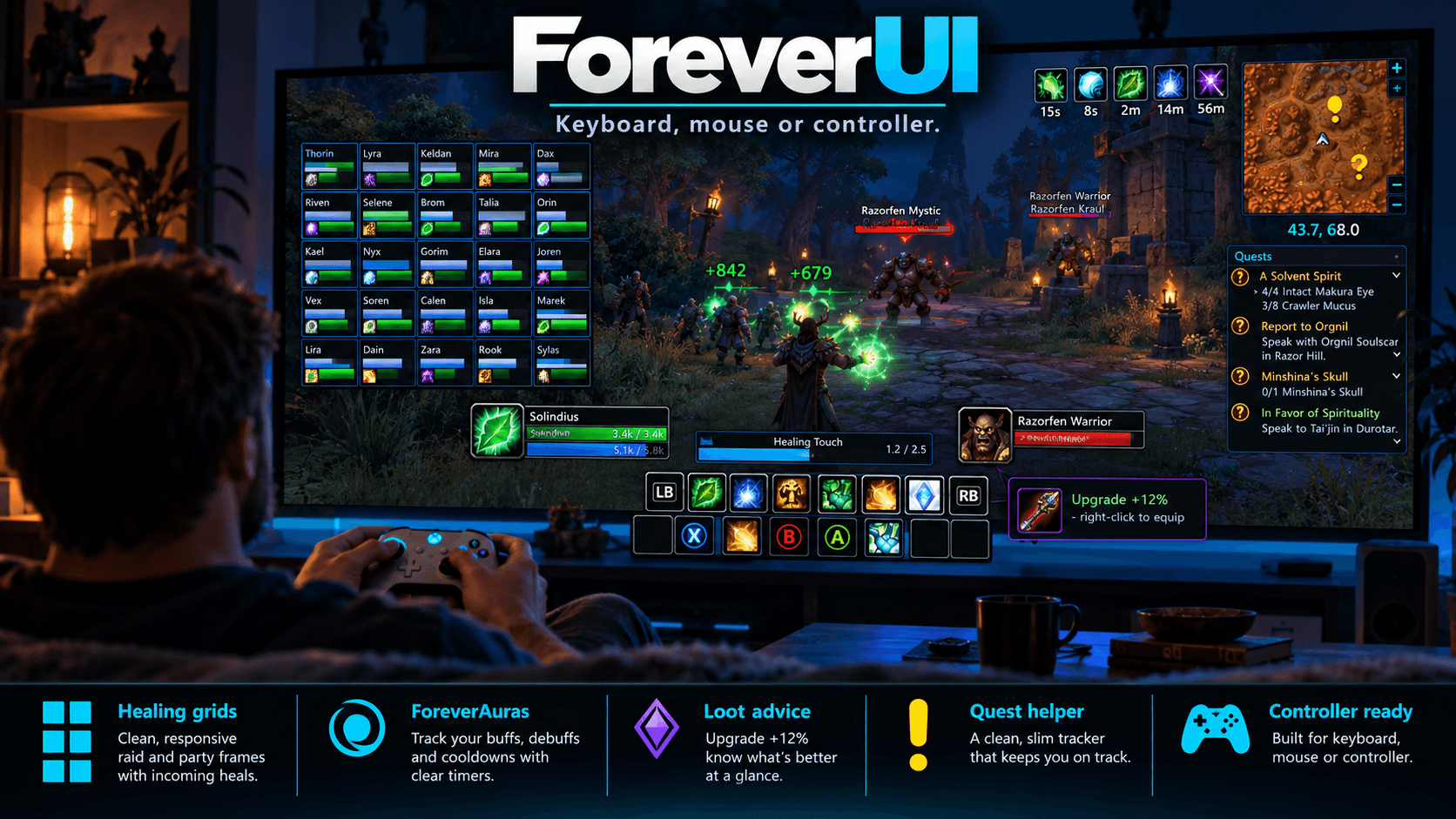
image.png
Screenshot 2026-09-22 at 11.42.55â¯PM.png
Screenshot 2026-09-22 at 11.42.27â¯PM.png
Screenshot 2026-09-21 at 11.42.52â¯PM.png
Screenshot 2026-09-21 at 11.59.50â¯PM.png
Screenshot 2026-09-22 at 11.42.00â¯PM.png
Screenshot 2026-09-21 at 8.23.17â¯AM.png
Screenshot 2026-09-22 at 11.42.55â¯PM.png
Description
ForeverUI

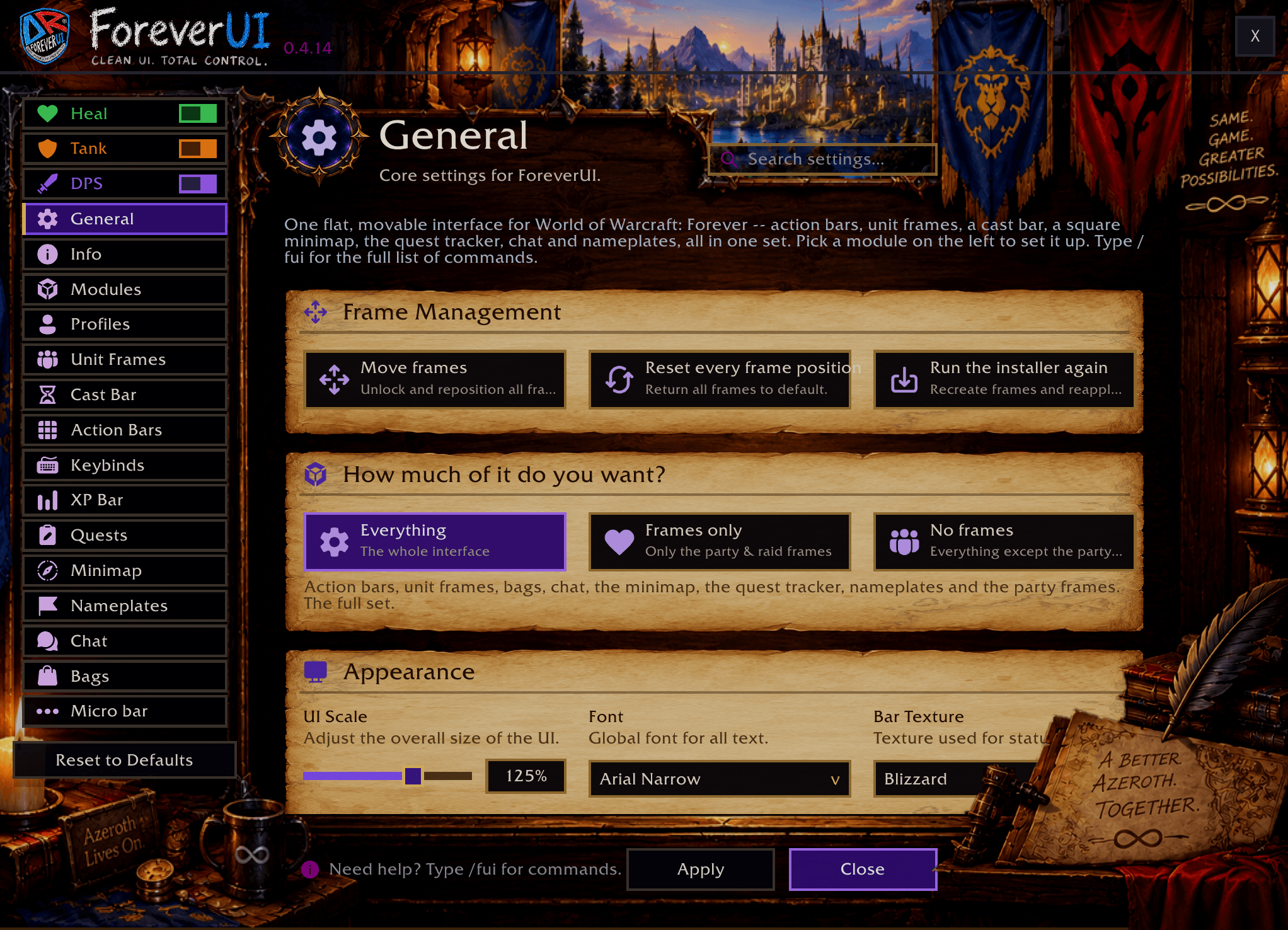
The complete UI for WoW: Forever - in one addon, set up from one window.
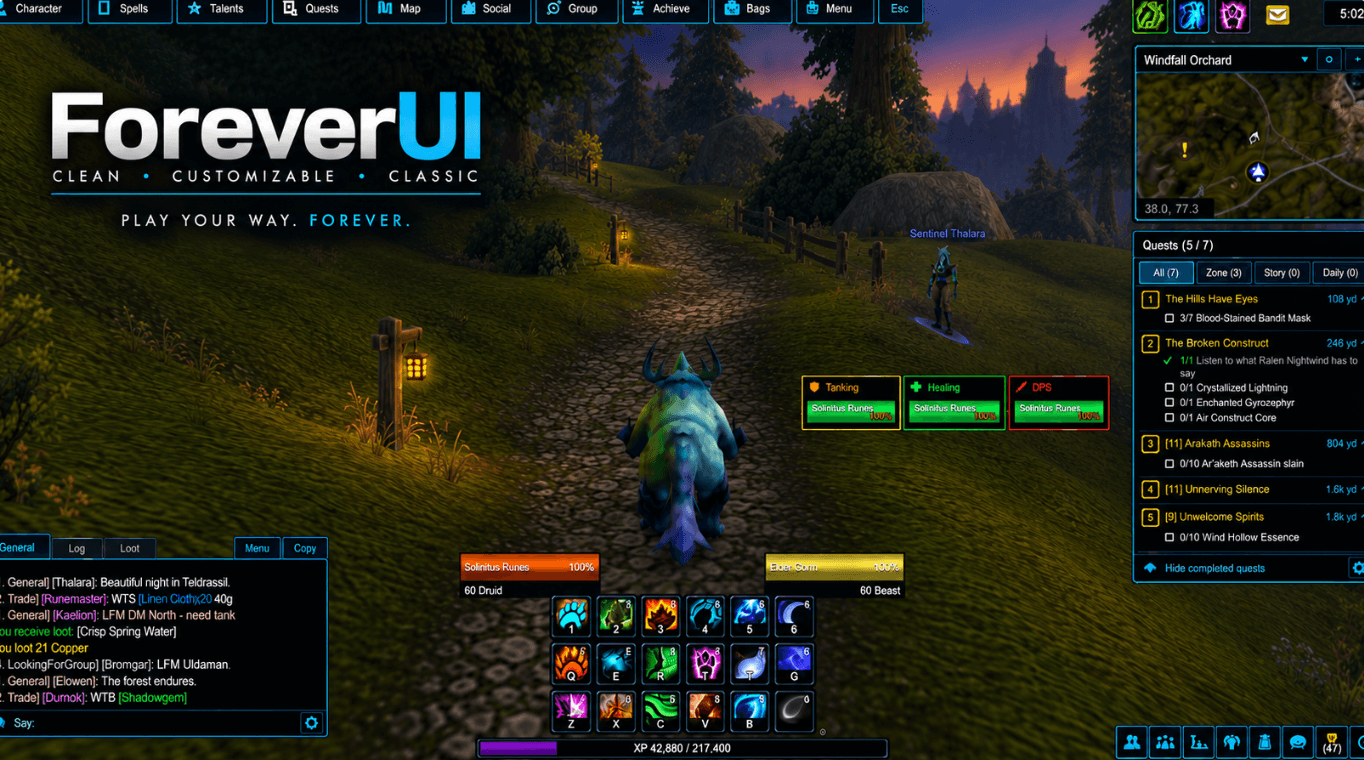
Raid and party frames with click-casting, a damage meter, action bars, unit frames, nameplates, your own aura icons, a quest helper, bags, chat, minimap and dozens of small fixes - flat and dark (or Forever's bronze), every piece movable, every piece a switch. Type /fui.
Built for Forever from the ground up. Forever hides health, names and threat from addons in combat, which is why so many classic addons throw errors here. ForeverUI is written around those rules, so it keeps working in a fight, in a group and in a raid.
Why one addon
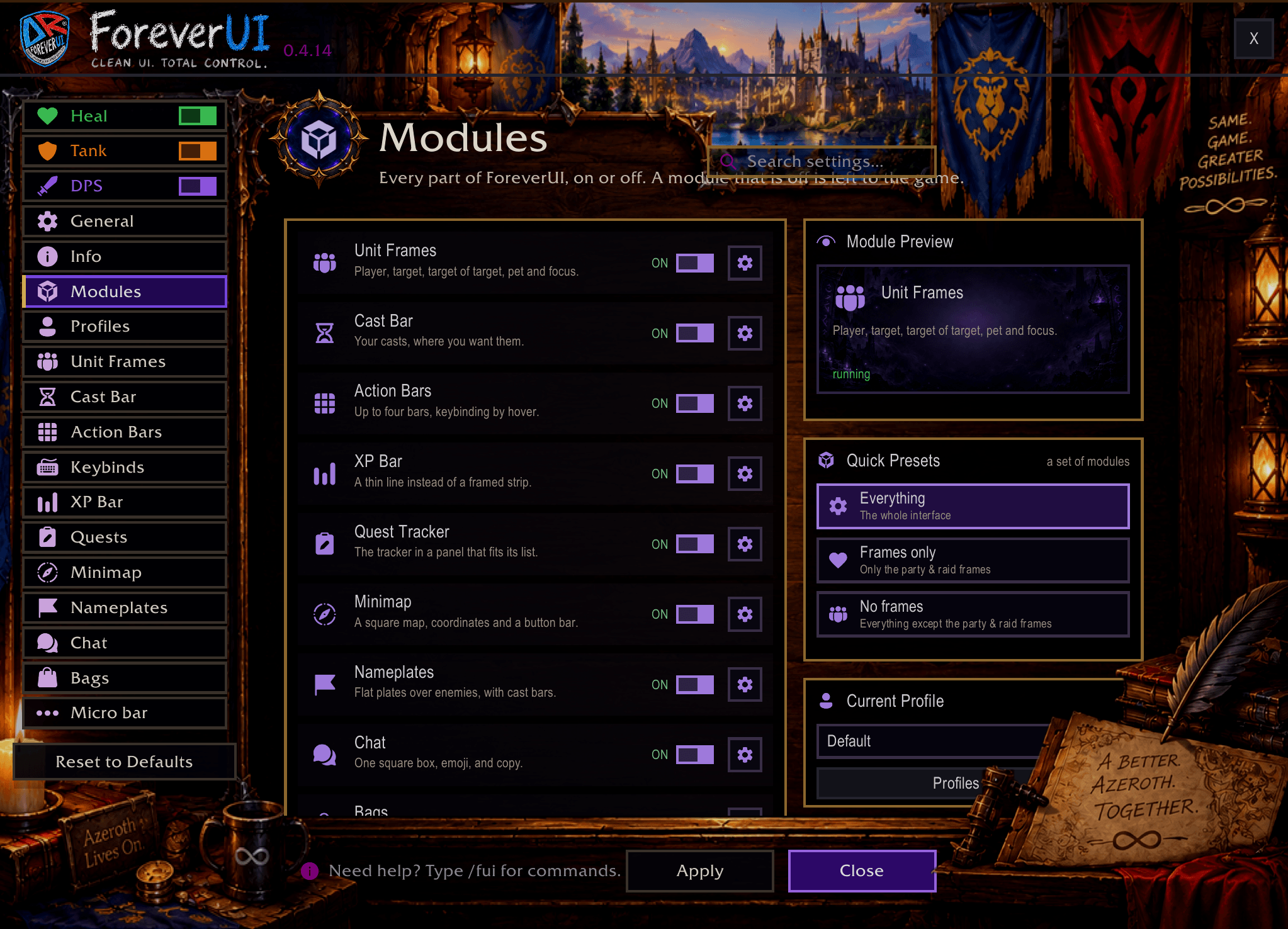
Most players stitch a UI together from a dozen addons: one for frames, one for bars, one for the meter, one for auras, one for quests, one for bags. ForeverUI is all of it, made to work together and to look like one thing. Don't want a piece? Switch it off and the game's own comes back. Want just one piece? Switch off the rest.
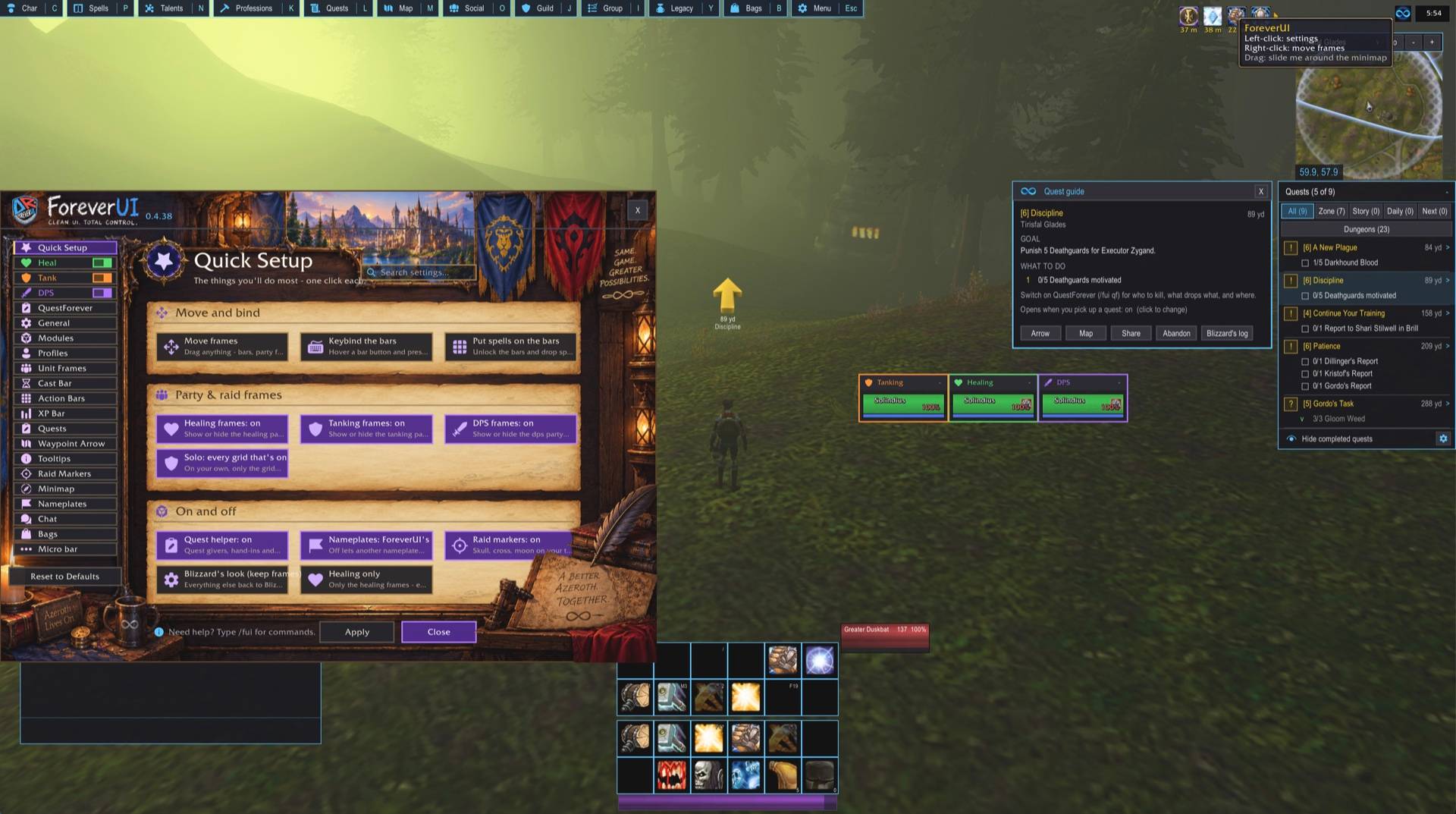
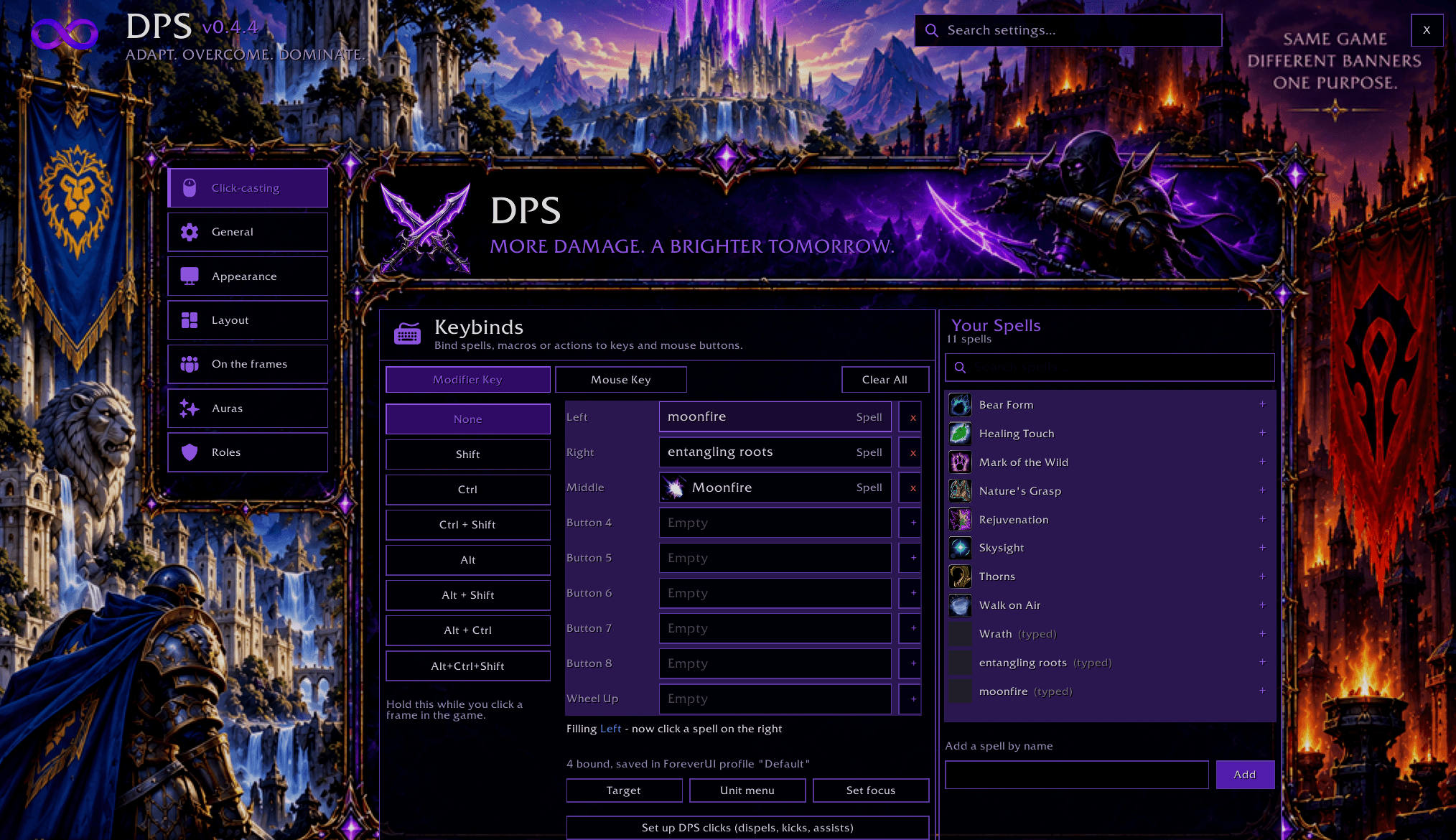
Party and raid frames that know your role
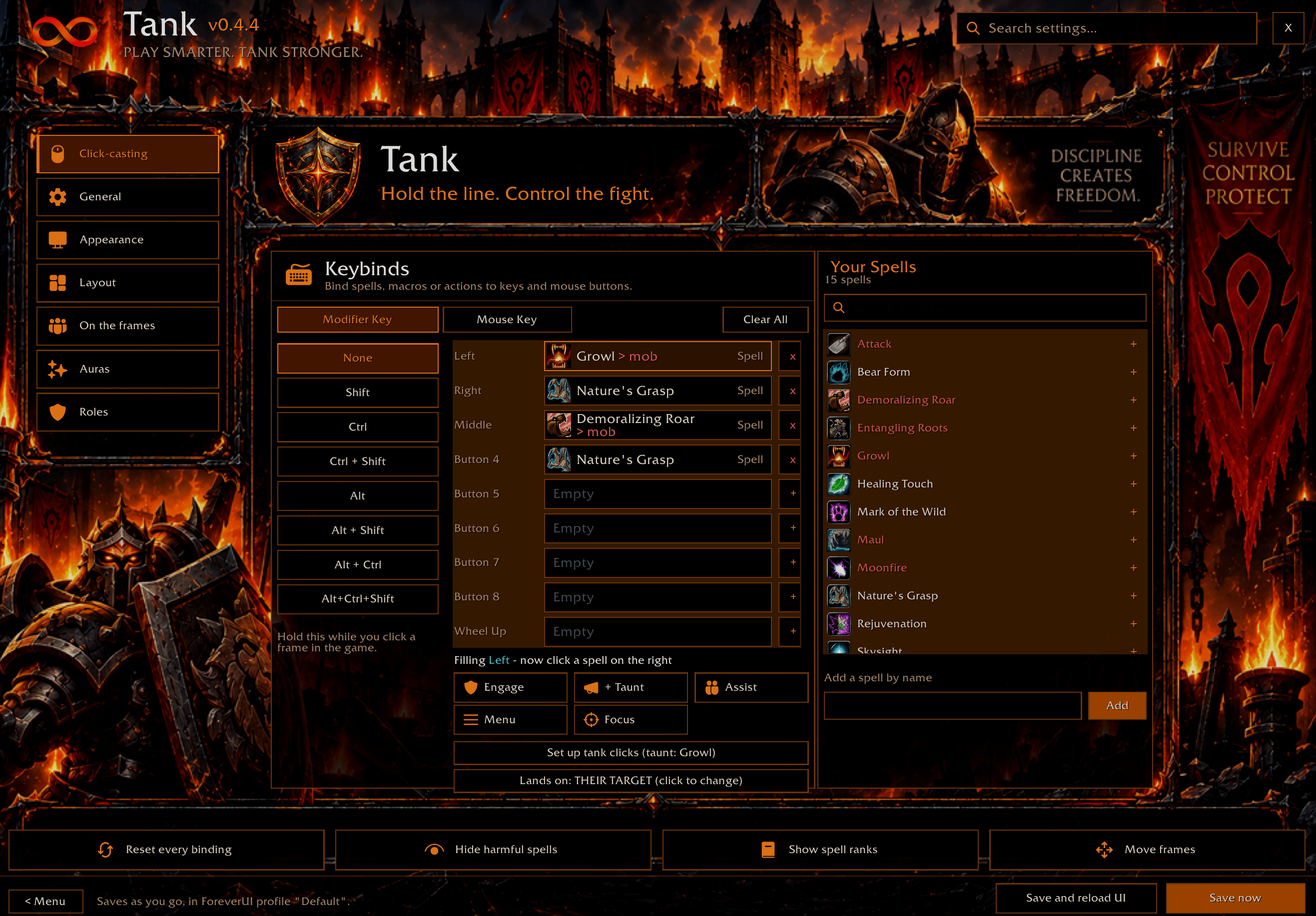
Healer, tank or DPS - each role has its own grid, its own clicks, its own keybinds and its own layout. Change spec and ForeverUI asks whether to switch; you never set anything up twice.
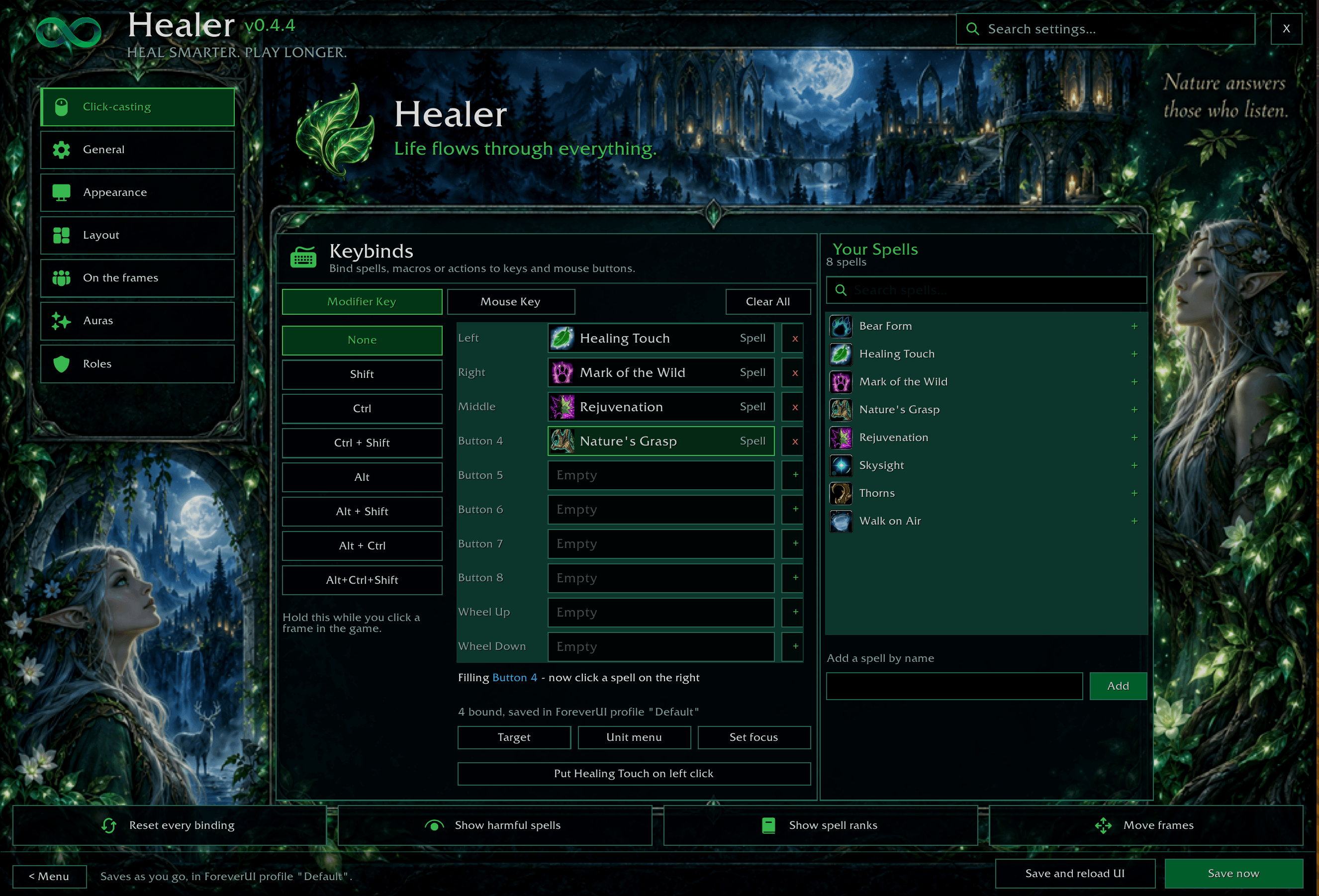
- Healer: click-casting on any mouse button, key or wheel, with Shift / Ctrl / Alt. HoT timers that stay up in combat, incoming heals, debuffs you can dispel, a Swiftmend dot for druids, and Buff Watch: who is missing your buffs, one click to rebuff (paladins pick which blessing each click gives).
- Tank: a threat screen. A pulsing AGGRO border on whoever has a mob and shouldn't, a threat meter on every frame, a Loose list, an alarm in the middle of the screen. Left-click to engage, right-click to taunt, raid marks with one key.
- DPS: its own grid and clicks for interrupts and off-heals, and an "IT'S ON YOU" warning when a mob turns to you.
- Up to ten extra panels (tanks, healers, a class, names you choose), a healer mana window, and downranking: bind a rank and that exact rank is cast.
Damage meter
Skada and Recount can't read the combat log on Forever. ForeverUI's meter reads the game's own numbers instead, so it works in combat too.
- Twelve meters: damage, DPS, healing, HPS, absorbs, damage taken, avoidable damage, damage to enemies, interrupts, dispels, deaths and threat.
- Up to five windows side by side - damage and healing to start, + for another.
- Click a player for their spells, shift-click for who they hit or healed. Every past fight by name and length. Deaths show what killed them, with a death log.
- Report to party, raid, guild or a whisper. Recount's realtime graph. Drag any window by its title to move it.
Action bars
- All eight bars, each with its own layout, size and spacing. The button is the spell: no slot artwork, just the icon.
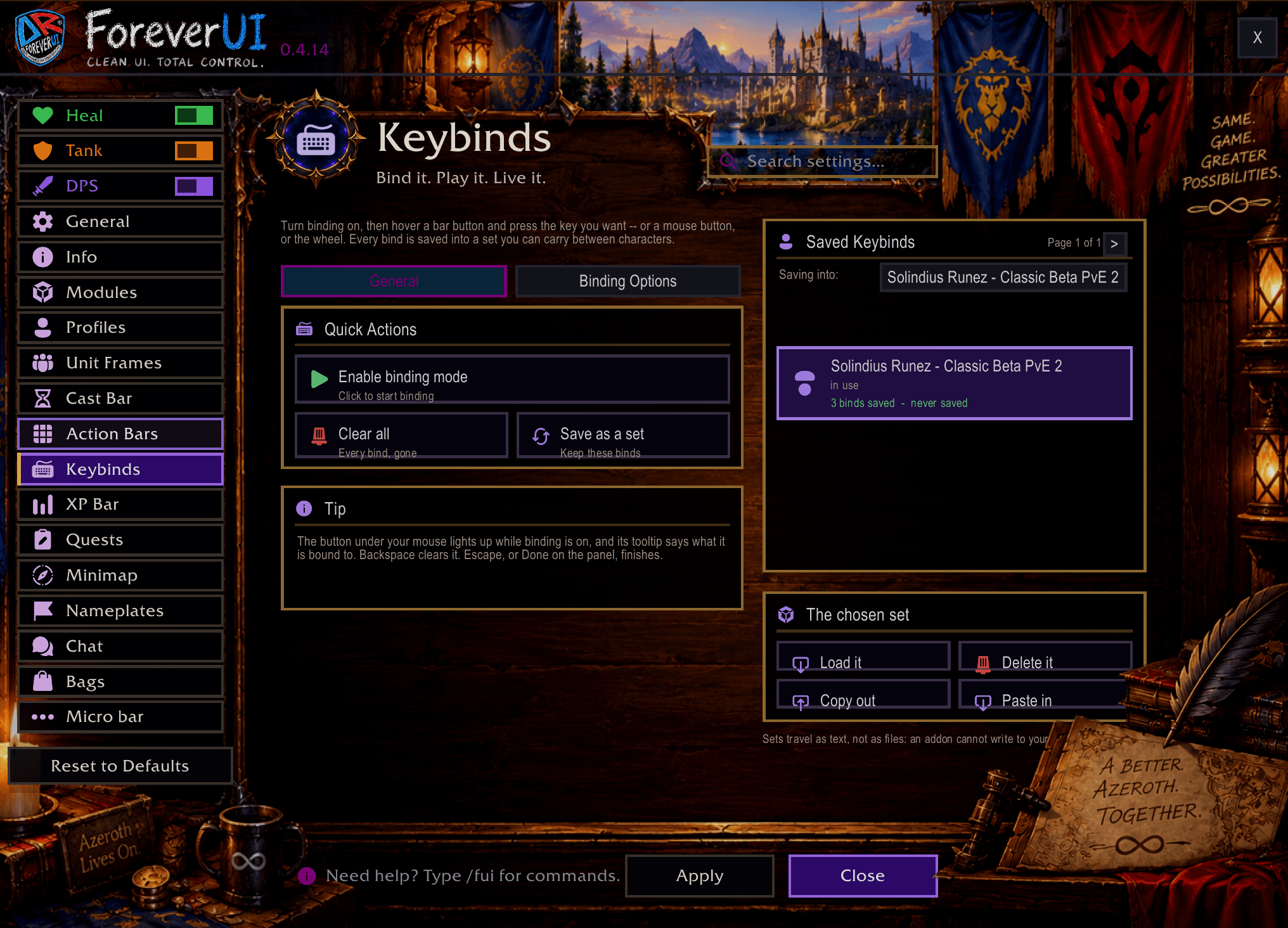
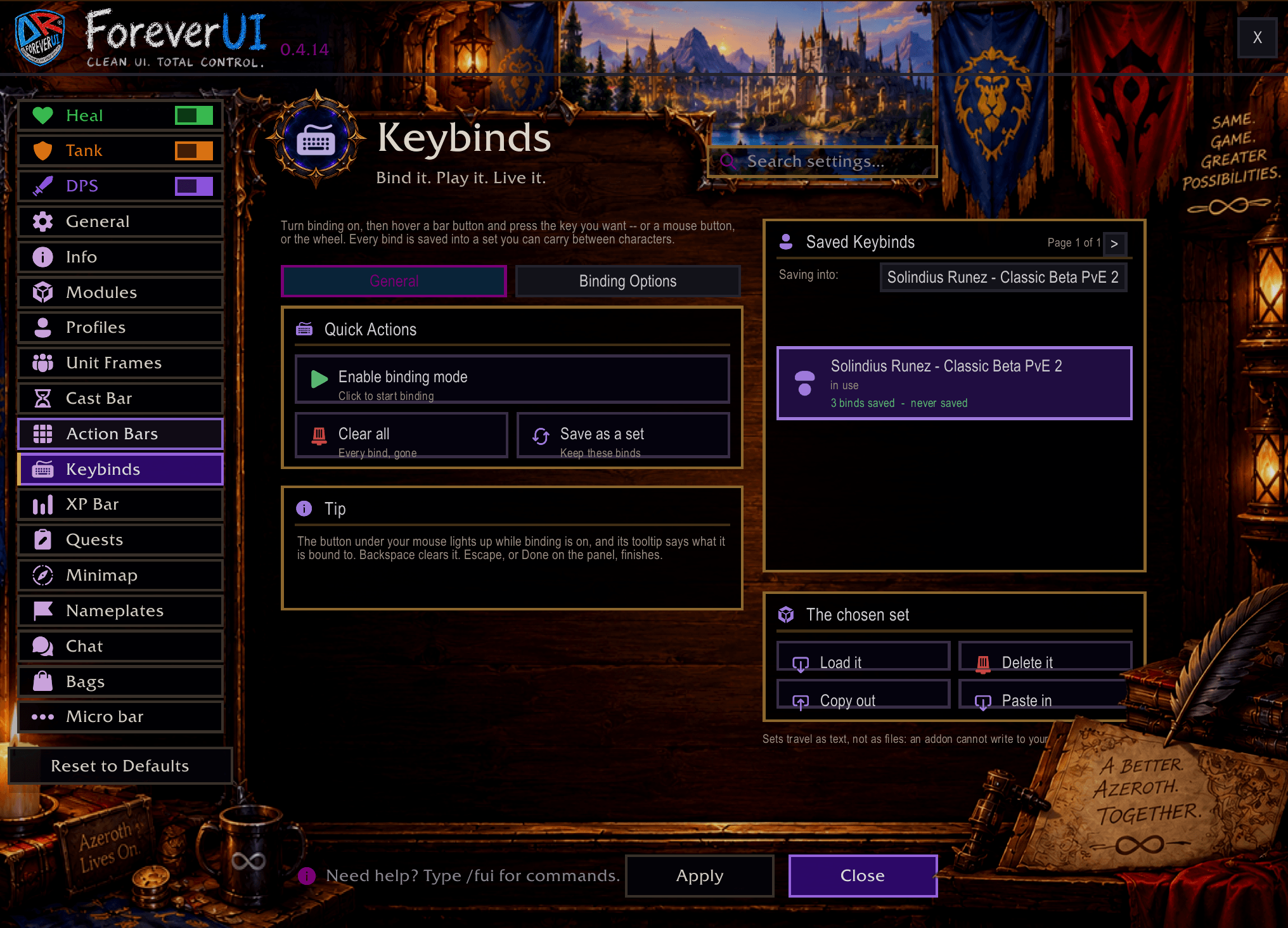
- Bind keys without a menu:
/fui keys, hover a button, press a key, mouse button or the wheel. - When each bar shows: always, in combat, with a target, on mouseover, out of combat, in stealth, or your own macro conditions - faded instead of hidden if you like.
- Shift / Ctrl / Alt can swap the main bar for another while held, in combat too. Stances and stealth page on their own.
- Locked so nothing drags off by accident; pick up a spell and every slot takes it. New spell ranks replace the old ones on your bars for you.
Unit frames and cast bars
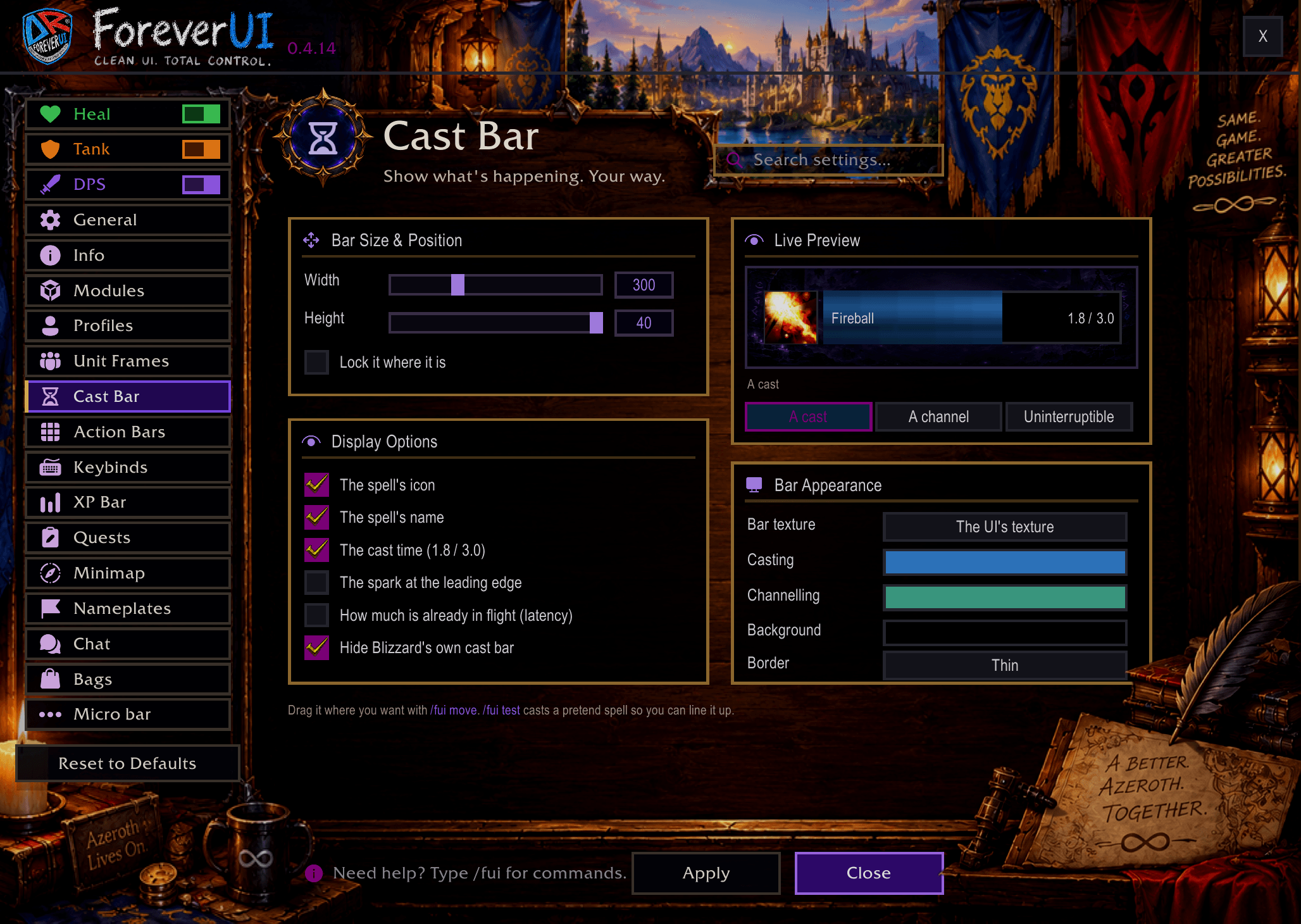
Player, target, target-of-target, pet, focus, focus target and boss frames. Class colours, portraits, health and power text written your way, incoming heals and shields, auras where you want them, an elite or rare edge on the target, dimmed when out of range. Cast bars with channel ticks, a red glow on dangerous enemy casts, and who an enemy cast is aimed at. Hunters get their pet's happiness.
ForeverAuras - your own aura icons
No WeakAuras needed. Cooldown icons with a countdown, a glow and a sound when ready, tinted when unusable or out of range; buff icons for you and debuffs on your target. Place them anywhere, share them as text. /fui auras
QuestForever - where to go and what to do
A yellow ! where a quest starts and a ? where it ends, dots where your quest mobs and items are - on the world map and minimap. Tooltips say which quest a mob is for and your progress. Every quest in plain steps, an arrow to your next step, quest chains, a Dungeons tab. It learns new Forever quests as you play. Off until you turn it on. /fui qf
Loot advice
When loot lands in your bags, ForeverUI tells you what it is good for: junk to sell and what it's worth, gear that isn't for your class, gear for a higher level, and upgrades worth wearing - weighed for your class and role. Upgrades get a green + in the bags. It never equips anything for you. /fui loot
Nameplates
Flat health bars with name, level, health and a cast bar that shows kick priority. Your threat %, crowd control with its time left, raid marks, target arrows, an execute mark, combo points, and your target a little larger.
Bags and bank
One window with search, categories (including your own), item levels, junk and BoE marks, and the money and currency line. The bank opens in the same look, with the same search and Clean Up.
Essentials - the small things
Each one is a switch: auto repair, Train All at trainers, quick loot, skip cinematics, DELETE typed for you, accept and hand in quests, open clams as they land, world map coordinates, accept invites from friends and guild, a swing timer, a threat meter, a flight timer, a loot feed, a data bar, a resource bar near the middle, a trinket and potion bar, weapon oil and poison timers, reminders for food, flasks and pets, a ready check, a pull timer, and a quick menu that opens a ring of mounts, hearthstones or forms round the cursor.
Move anything, and make it yours
/fui moveputs a handle on every frame: drag it, snap it, nudge it with the arrow keys, attach one frame to another, save layouts.- Chat, minimap, XP and reputation bars, tooltips and Blizzard's own windows restyled. Rounded corners or square. Flat and dark, or Forever's bronze.
- Profiles per character and per situation (solo, group, dungeon, raid), export as text, and
/fui backupfor your whole setup.
Controller? So does ForeverUI
Forever ships Blizzard's console-style controller UI, and ForeverUI works with it. Pick up a pad and ForeverUI's bars, bags and micro bar step aside for the controller's own, while your frames, auras, quests, nameplates and the whole look stay. Buttons are labelled the way you press them (A, B, X, Y, LB, RB…). Back on keyboard and mouse, everything comes straight back.
Just want one part?
/fui only heal(or tank, or dps) keeps only that role's frames and gives the game back everything else.- Every module can be switched off on its own in
/fui> Modules. - Prefer separate addons? HealForever, TankForever and QuestForever are on CurseForge as their own downloads.
Getting started
- Install from the CurseForge app, or unzip into
World of Warcraft/_classic_era_/Interface/AddOns(or_classic_beta_for the Forever beta) so the folder sits asInterface/AddOns/ForeverUI. - Log in: a few questions set it up, including which role your frames start in.
- Type
/fuifor everything else.
| Command | What it does |
|---|---|
/fui |
the options window |
/fui move |
move anything |
/fui keys |
hover a button, press a key to bind it |
/fui frames |
party and raid frames, click-casting |
/fui role tank / healer / dps |
switch the role your frames are set up for |
/fui dm |
the damage meter |
/fui auras |
ForeverAuras |
/fui qf |
QuestForever |
/fui new |
what changed in the latest versions |
/fui backup / restore |
your whole setup as text, and back |
/fui errors |
anything that went wrong, ready to paste |
About saving on the beta
The Forever client writes every addon's settings to disk but doesn't read them back after a reload or restart. That is a bug in the game, it affects every addon, and only Blizzard can fix it. ForeverUI works around it by keeping your essentials in character macros named FUI Save 1, 2… - please don't delete them, and keep a few macro slots free. /fui backup copies everything else as text. /fui saving explains it in game and gives you a ready-made bug report to send to Blizzard.
Where to get it
Here on CurseForge, on Wago, or at ispress.de/foreverui - a page with screenshots and a direct download. (That site is my music and publishing site; it is simply somewhere I can put the files and explain things properly.)
Found a bug or want something added? Leave a comment - every one is read, and most turn into the next update.
Thank you
First and foremost, thank you to Dr. Joseph Capabianco, Dr. Kendall Easley, Dr. Roger Clapp, Dr. Dodderweich, Leroy Walker, and Sergeant First Class Emmanuel Moore, U.S. Army.
We all started playing this game when it first came out, many years ago. Most of us were in Germany back then. It was the one game we all loved, and we'd get on TeamSpeak and play together. We're still playing together, and still enjoying it. Now that we're a little older, we thought it would be fun to build an addon of our own, and we hope you enjoy it too.
Why we keep it in one addon
A lot of addons get split into many small ones: one for auras, one for dungeons, one for a single raid boss. More addons means more downloads, and downloads are how addon authors earn on CurseForge. We don't care about any of that. We just love the game and want to make something good for everyone. We may still make a few separate pieces one day, but everyone who has ForeverUI will get them automatically: gear scores, dungeons and raids as they develop. We're going to try to stay on the frontier of it, and we appreciate everyone's support.
Most of all
Most importantly, we thank Jesus Christ, our Lord and Savior. We're not just saying that: we truly are Christians, and we love Him. He is the most important thing in our lives, He is behind every line of code, and He is the Creator of all things. Everything we do, we do for Him. We love all people, and we want to give praise to the One who made everything, including the ultimate game: the game of life.
ForeverUI is an independent addon, not affiliated with Blizzard Entertainment.
ForeverUI Team