ForeverForge LFG Bulletin Board
- By
Looking for group made easy: LFG posts from every zone and city in one list, sorted by dungeon and raid with level ranges, plus group quests - whisper or invite in one click. Fixes zone-only chat on WoW: Forever.
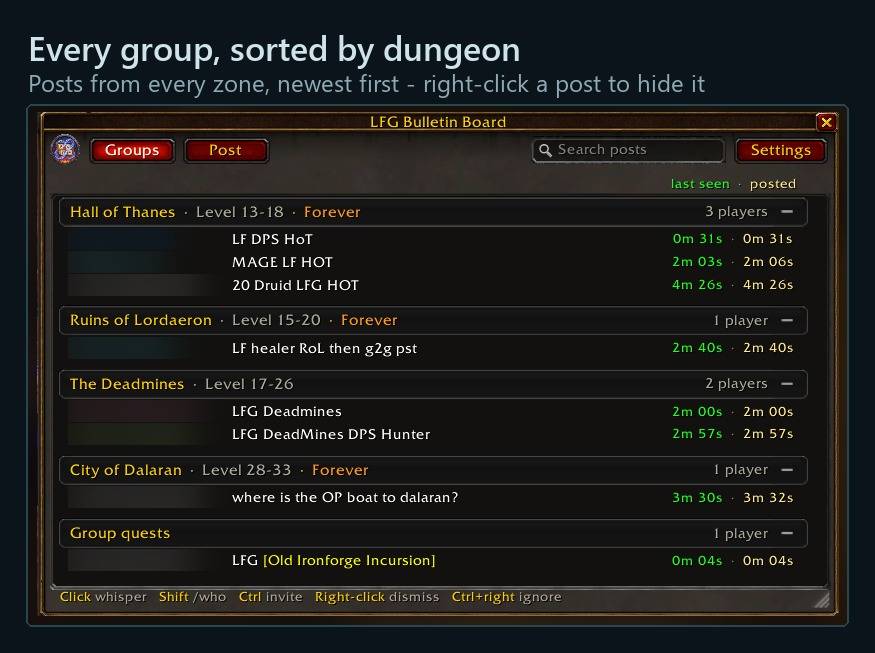
Posts from every zone, newest first - right-click a post to hide it
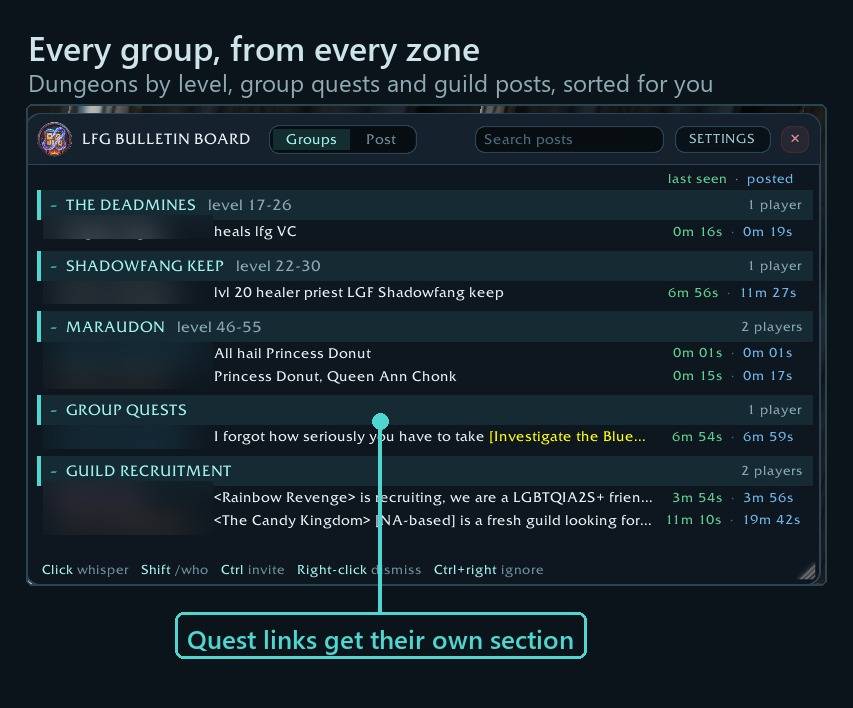
Dungeons by level, group quests and guild posts, sorted for you - right-click to dismiss, Ctrl+click to invite
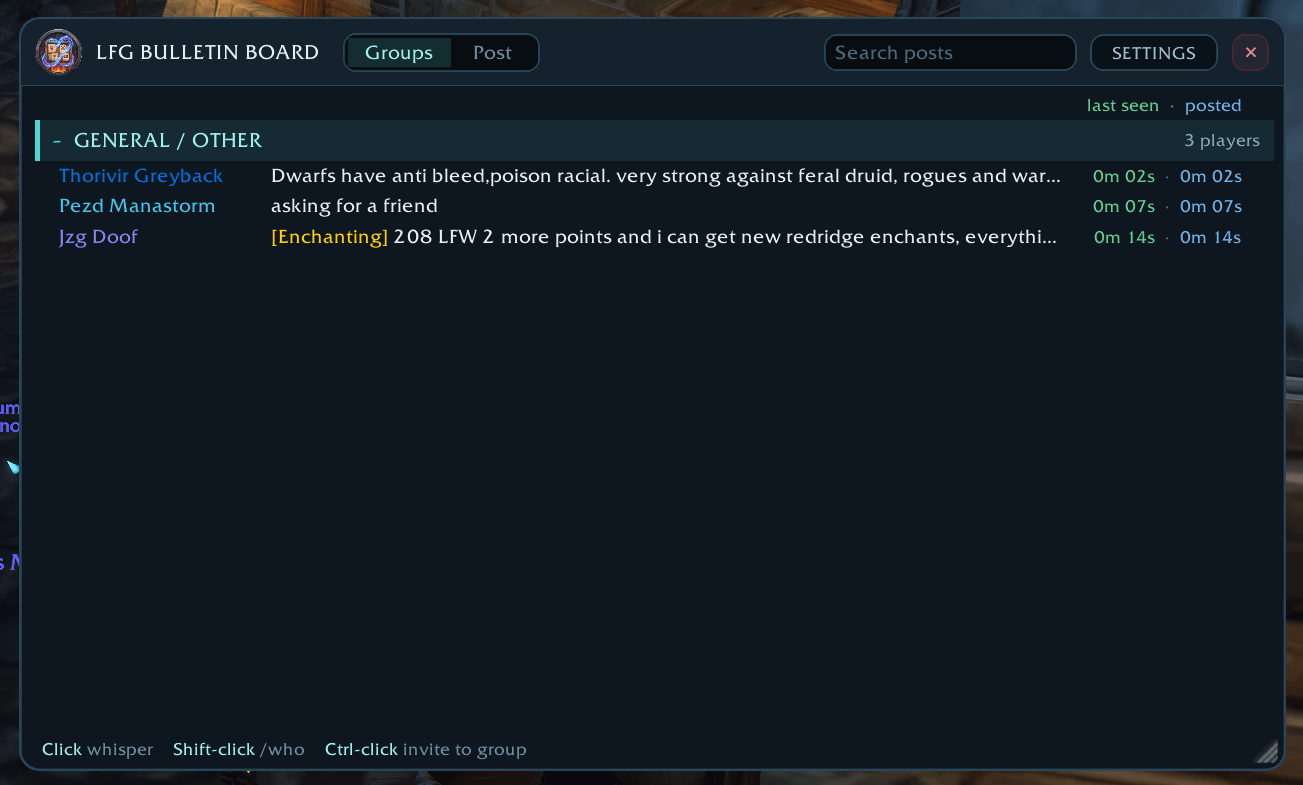
ForeverForgeLFGBB1.png
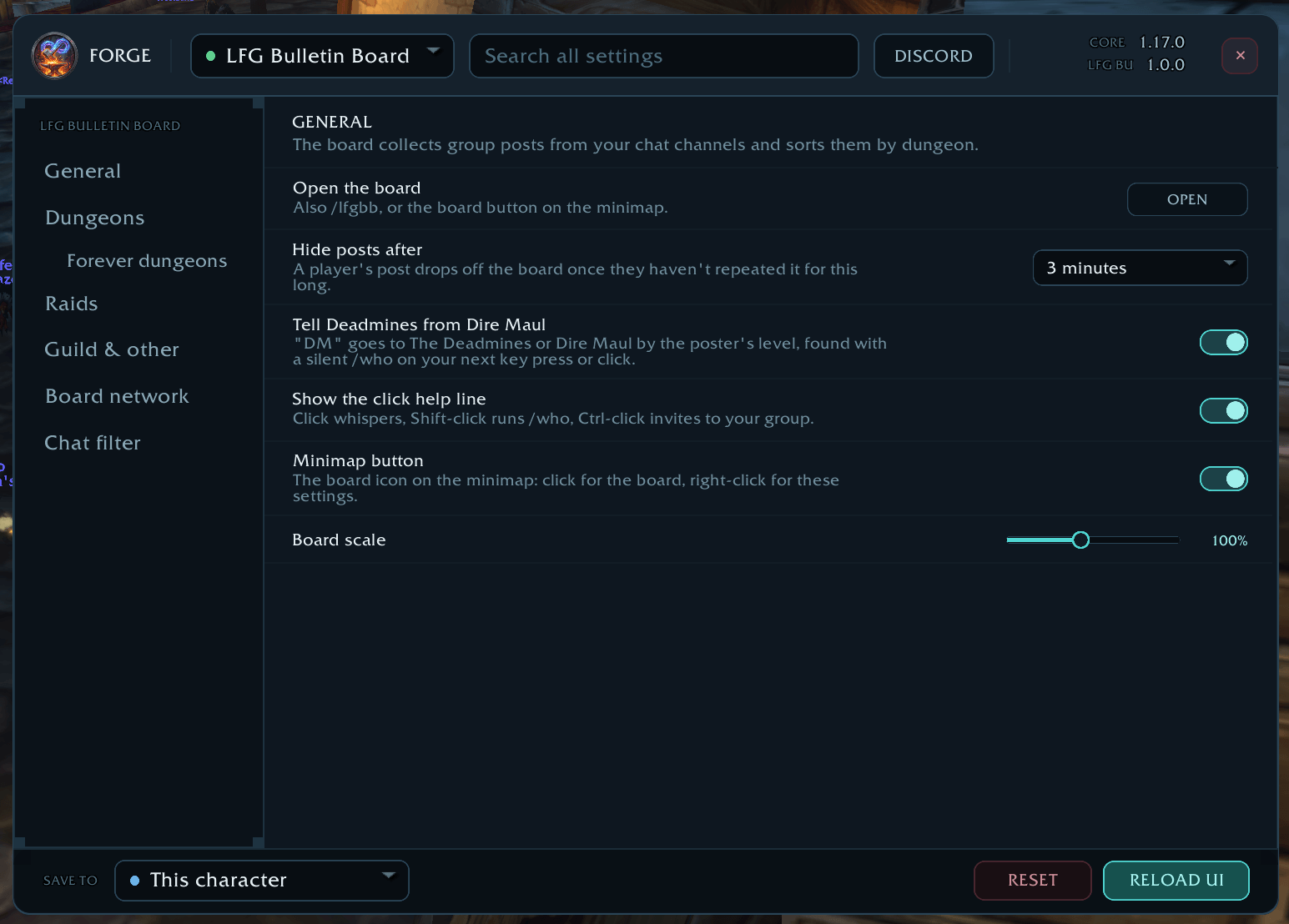
ForeverForgeLFGBB2.png
ForeverForgeLFGBB3.png
ForeverForgeLFGBB4.png
Description
ForeverForge LFG Bulletin Board
A group finder board for WoW: Forever. It reads group posts from chat, sorts them by dungeon, and shares them with every other player running the addon, so you see groups from the whole realm instead of just your zone.
Works on its own or as part of the ForeverForge suite.
Shortcuts
- ⭐ See groups from every zone - Forever's chat channels are zone-local; boards share posts with each other, so you see groups from everywhere.
- Our logo on a post - That player uses ForeverForge too - hold Ctrl over the post for their addons. Needs the ForeverForge core.
- Group quests section - Posts that link a quest get their own section - near your level, or only quests in your log.
- Hover a post - Invite, Whisper, Who and Ignore buttons show on it. Clicking the post whispers too.
- Right-click a post - Dismisses it and hides that player for 30 min (Settings » General). Its Ignore button adds them to your ignore list instead.
- Post now - Build your group post and send it to the channels you pick. Hover a saved post for its Edit button.
In game: the i button in the board's settings shows these tips. With the ForeverForge core installed, /forge » Core » Tips & shortcuts has them for every addon - or see the #feature-guide channel on the ForeverForge Discord
In game: the i button in the board's settings shows these tips. With the ForeverForge core installed, /forge » Core » Tips & shortcuts has them for every addon - or see the #feature-guide channel on the ForeverForge Discord.
Why you need it
Forever has no LookingForGroup channel, and its public channels only reach your zone or city. A group post in Dun Morogh never reaches someone in Orgrimmar. This board fixes that:
- Every group post, sorted. Posts from General, Trade, Services and your other channels are filed under the right dungeon or raid, one line per player, with how long ago they last posted and when they first did.
- The board network. Every copy of the addon joins one hidden, realm-wide channel. Your posts reach everyone running the board, and each board passes on the groups it sees in its own zone. The channel never shows up in your chat windows.
- One click to act. Click a player to whisper them, Shift-click for /who, Ctrl-click to invite them to your group. Right-click dismisses a post you don't want, Ctrl + right-click adds the player to your ignore list.
Features
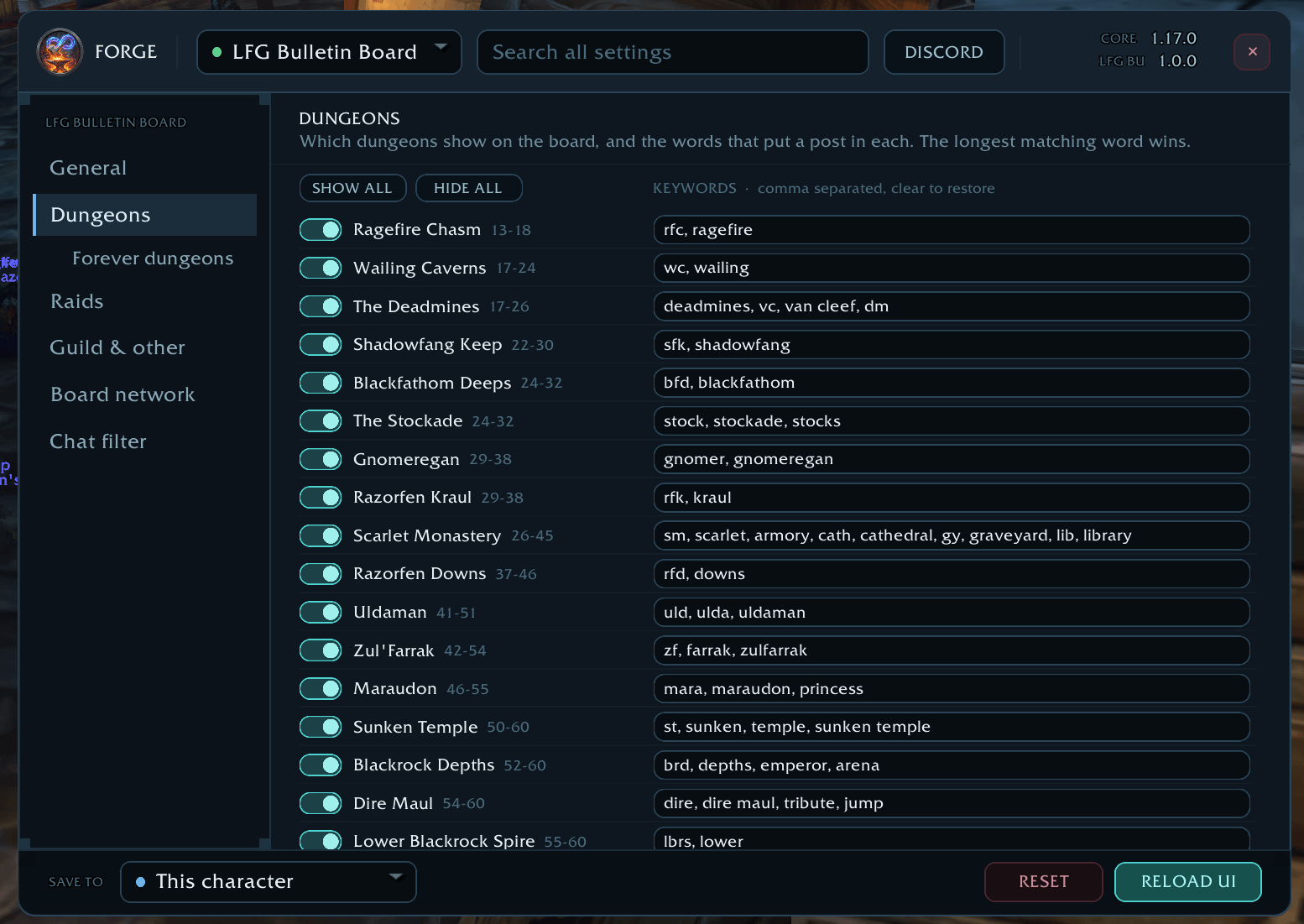
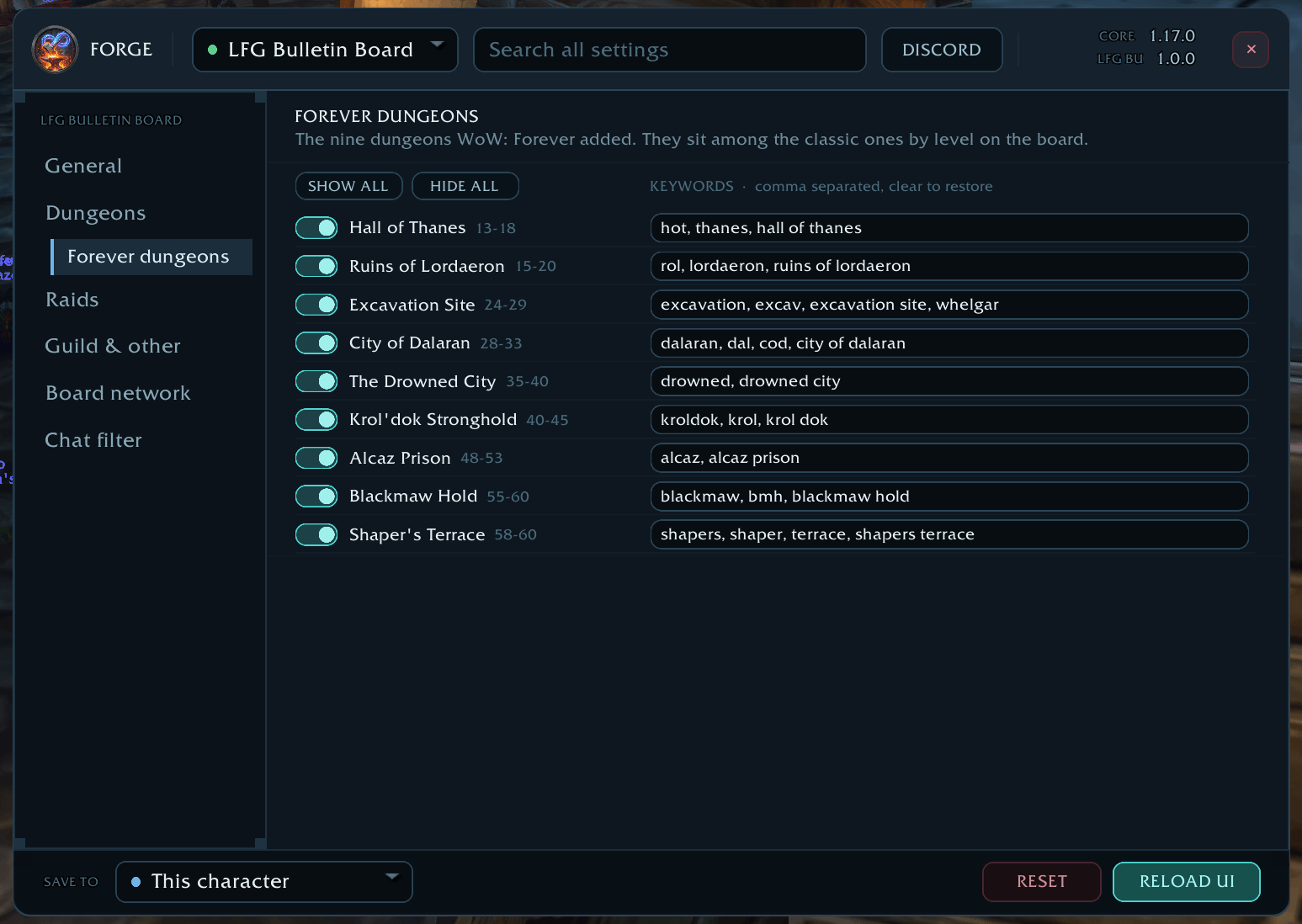
- All of Forever's dungeons. Hall of Thanes, Ruins of Lordaeron, Excavation Site, City of Dalaran, The Drowned City, Krol'dok Stronghold, Alcaz Prison, Blackmaw Hold and Shaper's Terrace, listed by level among the classic dungeons and tagged FOREVER.
- Forever's raids. Hyjal Summit and Barrow Deeps, with Onyxia's Lair and the classic raids.
- "DM" sorted properly. A post that just says "DM" goes to The Deadmines or Dire Maul based on the poster's level. The level comes from what the game already knows, or from a silent /who.
- Guild recruitment has its own category, so guild ads don't bury real groups.
- Group quests get their own section: any post that links a quest. Show only quests in your quest log, or quests within a few levels of yours.
- Posts must ask for a group (optional): a post naming a dungeon only goes there if it also says LF, LFG, LFM, LF1M, more, need, tank… - so "anyone know where RFC is?" doesn't count as a group. The word list is yours to edit.
- Smart matching. The longest matching word wins, so "Ruins of Lordaeron" isn't mistaken for Ruins of Ahn'Qiraj, and "Sunken Temple" isn't mistaken for AQ40. Apostrophes, item links and colour codes don't confuse it.
- Your own keywords. Edit the words for any dungeon and show or hide any category.
- Dismiss as you go. Right-click a group that is full, wants another class or you've already whispered: it goes, and that player's new posts stay hidden for 30 minutes (5 minutes to 2 hours, or just that one post - Settings » General). A /reload keeps them hidden, and Bring back dismissed posts undoes a misclick. Players on your ignore list never show, even when another board shares their post.
- Post builder. Write a group post with raid-marker buttons and a live preview. Post it to the board network and any channels you've joined in one click, and save posts to reuse. Posting the same text twice gets past the game's repeat filter automatically.
- Chat spam filter. Hide boost, services and WTS spam from every chat channel, each with its own word list. It still catches spaced-out or zero-for-O spellings ("b 0 0 s t").
- Search, fold and resize. Search posts by text or name, click a dungeon heading to fold it, and resize, scale and move the board. It remembers where you put it.
- Minimap button. Click for the board, right-click for settings, drag to move it.
With or without ForeverForge
- On its own: the addon has its own settings window, with the same rounded look as the rest of the suite.
- With the ForeverForge core: its settings move into the suite's settings window. There they follow the suite's per-character / account-wide save choice and are included in import & export. Settings you made on its own come with it automatically.
Moving from Improved LFG Bulletin Board
This addon replaces Improved LFG Bulletin Board. Your filters, edited keywords, spam filters, saved posts, window size and minimap button position move over the first time it loads. Disable the old addon afterwards; the board reminds you in chat if both are on.
Commands
| Command | What it does |
|---|---|
/lfgbb |
Open or close the board (also /ilfg, /ilgbb) |
/lfgbb post |
Open the post builder |
/lfgbb settings |
Open the settings |
/lfgbb reset |
Put the board and minimap button back in their default places |
/lfgbb help |
List the commands |
Good to know
- The board network only reaches players running this addon. The more people install it, the more groups everyone sees.
- The game only allows /who during a key press or click, so the "DM" level check is sent on your next one. Until then the post is filed by your own level, and its tooltip says so.
- The hidden network channel takes the next free chat channel number (usually 6).
The ForeverForge suite
One look, one settings window (/forge), made for WoW: Forever. Pick the ones you want - they all use the ForeverForge core addon, and the LFG Bulletin Board also runs on its own.
- ForeverForge (the core) - one settings window for the whole suite, faster auto loot, auto quests, and vendors that sell your greys and repair.
- Bags - one bag window with smart sections or your own sorting, and Ctrl+Shift+click to disenchant, prospect, mill or pick locks.
- Auction - a faster, simpler auction house: price tooltips you can customize, one-press posting, a sniper and safe bulk buying.
- LFG Bulletin Board - group posts sorted by dungeon and shared between players, so you see groups from every zone.
- UI - unit frames, action bars, chat and meters in one clean look.
- Training - pre-pick your talents, see the spells still to come, and a better trainer window.
- Macros - build macros line by line in plain English, plus the one-click tag macro.
- Mass Mail & Trade - send a pile of items to anyone: one mail per click, trades that fill themselves.
- Custom Info Panels - build info bars: FPS, gold, bags, coords, durability, XP and more.
- Skill Tracker - progress bars for your professions and weapon skills.
Issues and suggestions: ForeverForge Discord Support development: ko-fi.com/walord
All Rights Reserved.
ForeverForge LFG Bulletin Board Team