ForeverForge
- By
Auto quest accept and turn-in, auto sell junk, auto repair, skip gossip, fast auto loot, NPC voice narration and 5 UI skins - plus the shared settings window every ForeverForge addon uses. Made for WoW: Forever.
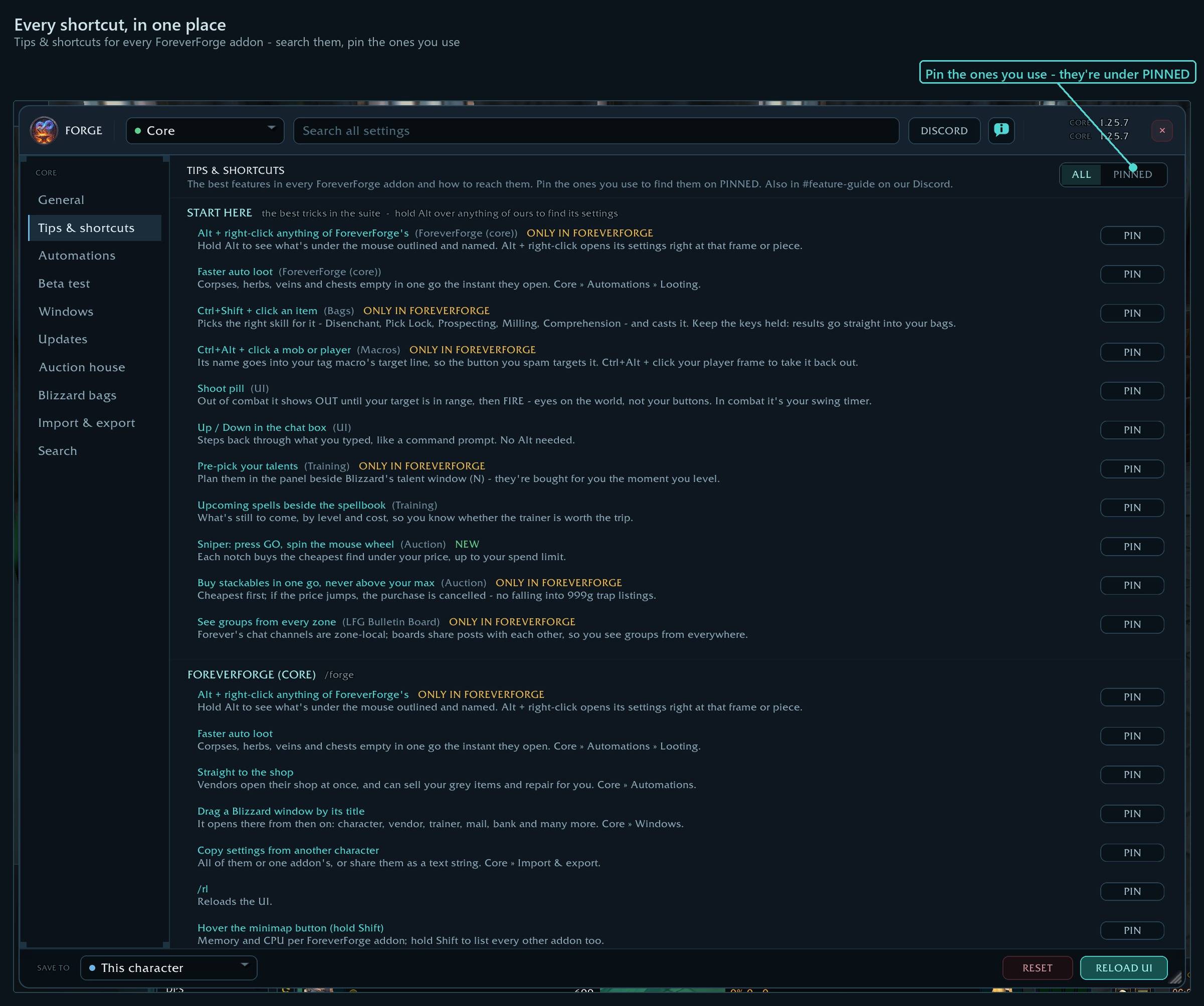
Tips & shortcuts for every ForeverForge addon - search them, pin the ones you use
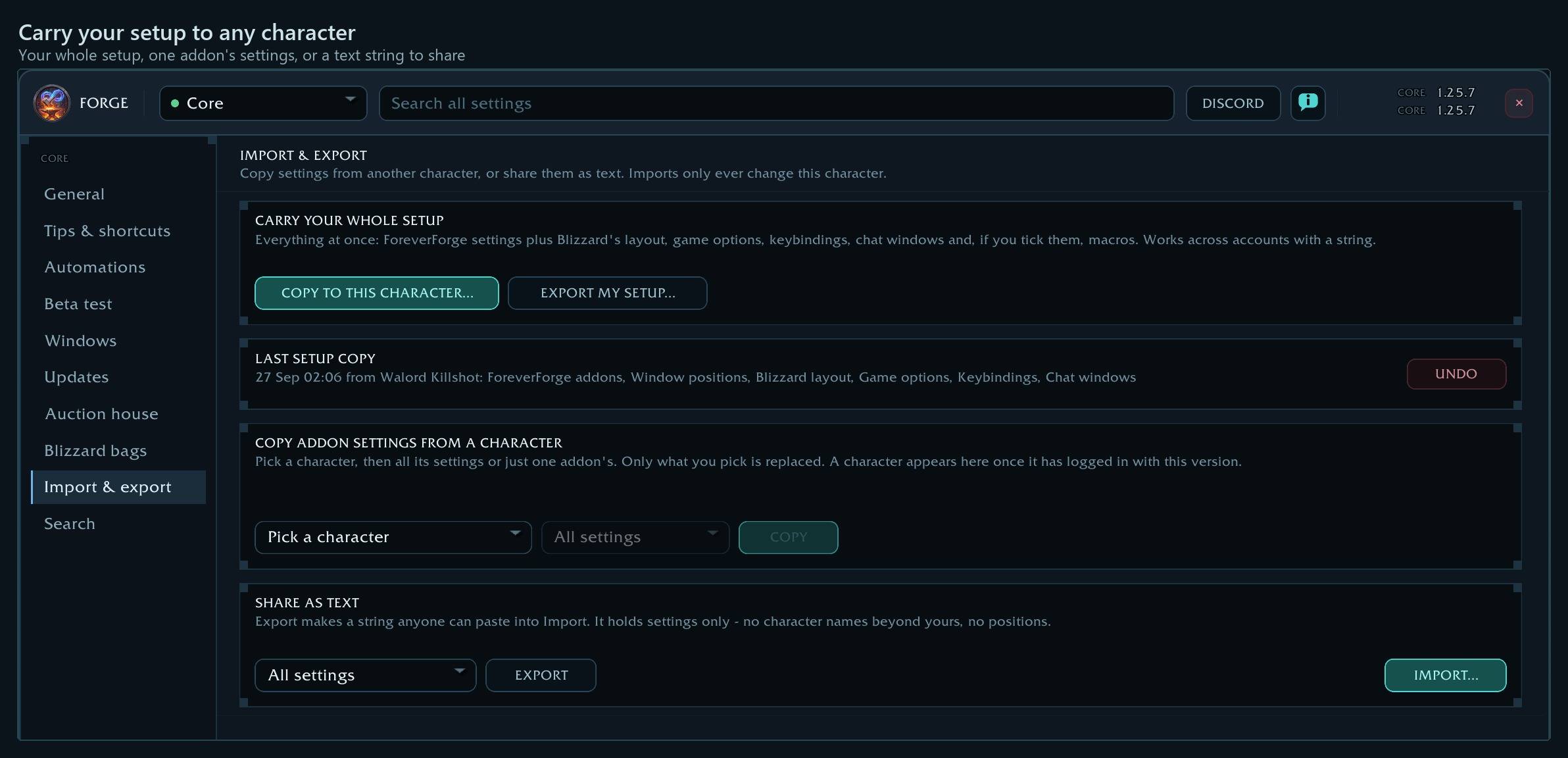
Your whole setup, one addon's settings, or a text string to share
ForeverForgeCore1.png
ForeverForgeCore2.png
ForeverForgeCore3.png
ForeverForgeCore4.png
ForeverForgeCore5.png
Description
ForeverForge
The core of the ForeverForge suite for WoW: Forever: one settings window for every module, settings that follow each character properly, and some handy features of its own, headlined by Auto Quest made for Forever.
Install this first. Every ForeverForge module (Bags, Skill Tracker, Custom Info Panels, LFG Bulletin Board) plugs into it. It's also useful by itself: the features below all work with no modules installed.
Forge your game. I've played WoW since 2005, usually with 50 to 100+ addons running, always hunting for fewer clicks and a smoother game. When Blizzard announced WoW: Forever, I decided it was time to build the suite I always wanted: what most players use from the big addons, insanely customizable, with settings that look and act the same everywhere. If you hit a "man, I wish I could…" moment, drop it in our Discord suggestions - if it doesn't break Blizzard's rules, it will most likely become a feature. - Walord
Shortcuts
- ⭐ Alt + right-click anything of ForeverForge's - Hold Alt to see what's under the mouse outlined and named. Alt + right-click opens its settings right at that frame or piece.
- Core » General » Skin - Five looks for every ForeverForge window: ForeverForge, WoW Forever, WoW Classic (the original game), Starship and Aurora. Changes after a reload. Also /forge skin <name>.
- ⭐ NPC portraits fly in - Talk to a shopkeeper and their 3D bust flies from where you clicked them into the shop window. Core » Automations » NPCs.
- NPCs read their text aloud - Gossip, quest text and books in the game's voices - one for men, one for women. Off by default: Core » Automations » NPCs.
- Yes/no boxes at the mouse - Replace enchant, delete item and the rest open right above your pointer, kept on screen. Core » General » Yes/no boxes at the mouse.
- ⭐ See who uses ForeverForge - Their tooltip shows our logo in the corner; hold Ctrl for their ForeverForge addons. You choose what others see: Core » Other players.
- /forge discord · #share-your-setup - Players post whole UI setups there, ready to copy. Paste one in Core » Import & export » COPY TO THIS CHARACTER » PASTE A STRING.
- Faster auto loot - Corpses, herbs, veins and chests empty in one go the instant they open. Core » Automations » Looting.
- Straight to the shop - Vendors open their shop at once, and can sell your gray items, repair, and restock your supplies for you. Core » Automations.
- Real vendor prices · /ffv prices - Shops pay less than the game says for some items. Each sale's real price is remembered for all your characters and used everywhere. /ffv prices lists them.
- Restock at vendors - List what you carry (water, food, reagents) with a count. When a shop sells it and you're short, it offers to top you up, with the total cost. Core » Automations » Supplies.
- ⭐ Best ammo, full quiver - At a shop that sells your arrows or bullets, it says when it has better ammo and fills your quiver - a full stack for each empty slot. Core » Automations » Supplies.
- Low supply warnings - A note when arrows, bullets, soul shards or spell reagents run low, or your gear is about to break. Core » Tweaks.
- Green arrows on gear - Quest rewards and bag items that beat what you wear get a green arrow. Auto quest can take the best upgrade for you: Core » Automations » Reward choice.
- Spell damage by school in Upgrades - Rank Fire, Frost, Shadow and the other schools - or resistances - as upgrade stats. Bag arrows, quest rewards and the AH follow. Core » Upgrades.
- Drag a Blizzard window by its title - It opens there from then on: character, vendor, trainer, mail, bank and many more. Core » Windows.
Every shortcut for every ForeverForge addon: in game under /forge » Core » Tips & shortcuts, or the #feature-guide channel on the ForeverForge Discord.
⚡ Auto Quest, made for Forever
Talk to an NPC and your quests are handled: finished quests are turned in, new ones are picked up, and you're on your way.
Other auto-quest addons struggle on Forever. Forever uses the modern quest-giver window, and older addons can't read it. Any NPC with more than one quest, or quests and a shop, got no automation at all. ForeverForge's Auto Quest reads Forever's quest-giver window directly and picks quests by their ID, so busy quest hubs work.
Built for Forever's own content:
- Forever's new quests get their own setting. Quests Forever added that weren't in the original game are recognised automatically. Choose what happens to them: Leave to me (so you can read the new story), Turn in only, or Accept and turn in.
- Quest givers who are also vendors. It sorts out the quests first, then opens the shop for you.
Smart about the rest:
- Turns in finished quests first, and skips unfinished ones so they never block the rest of the NPC's list.
- Reward choice: Let me pick, or automatically take the reward with the highest sell price.
- Skip grey quests that are trivial for your level, if you like.
- Tells you when your quest log is full, instead of silently failing.
- Hold to pause: hold Shift, Ctrl or Alt (your choice) while talking to an NPC to handle their quests yourself.
- Explain in chat: optionally prints what it did and why, so it's never a mystery.
- Off until you turn it on. Switch it on under Core » Auto quest (
/forge quests).
Replaces the old Forever AutoQuest addon. If that's still enabled, ForeverForge tells you so you can turn it off.
Features
One settings window for the whole suite
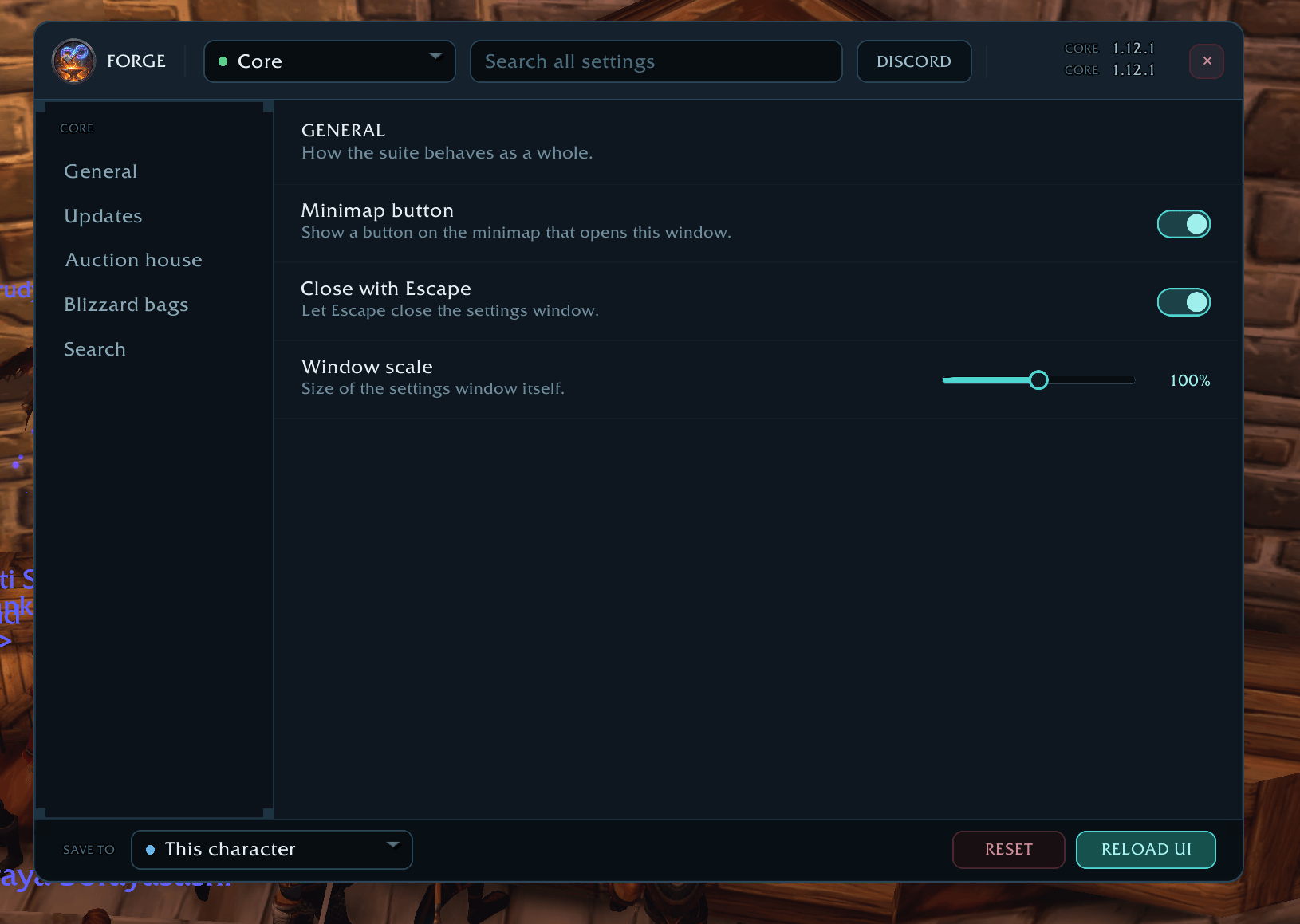
- A clean, themed window with a page for every installed module, plus the core's own settings.
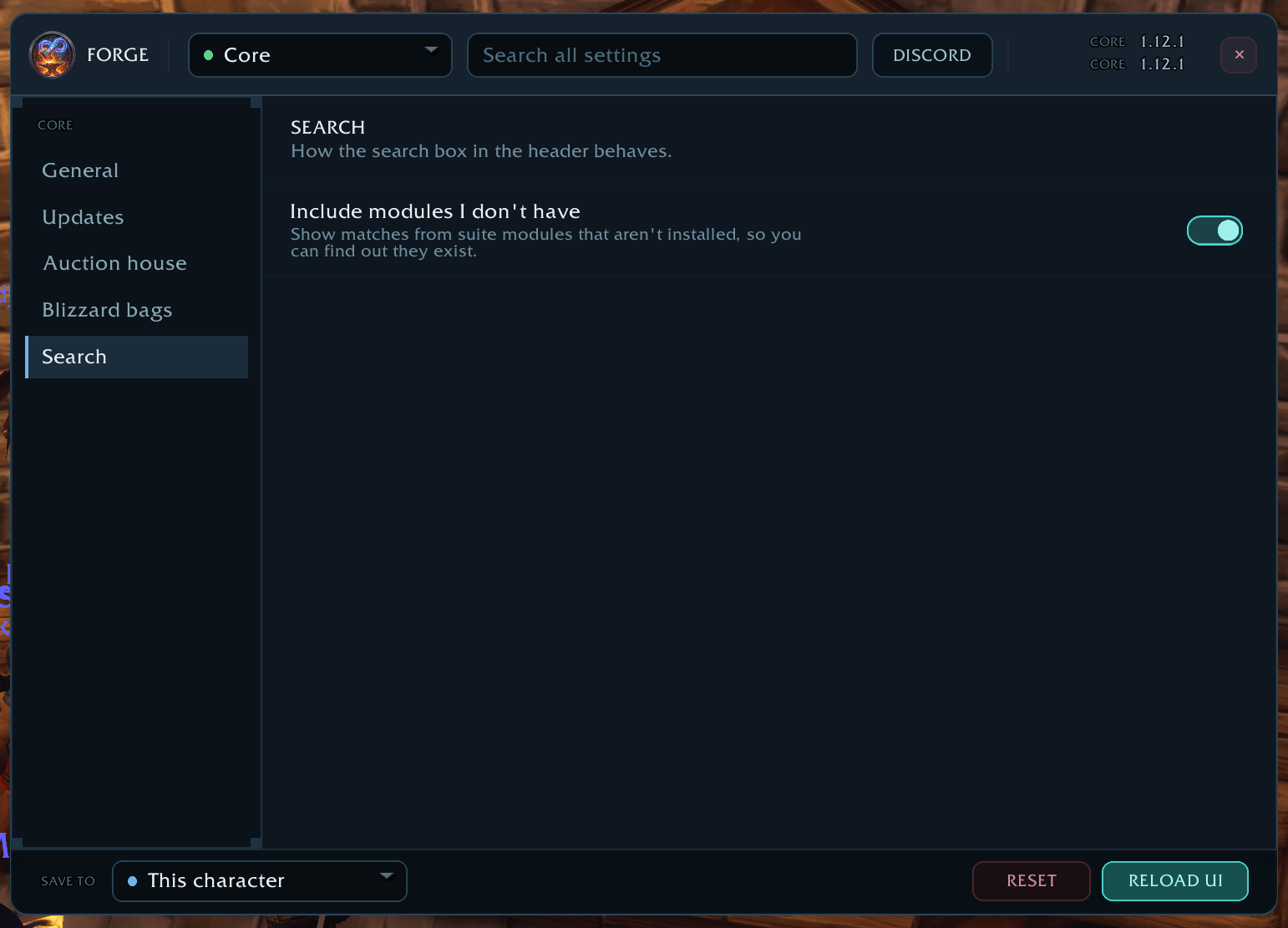
- Search every setting. Type "vendor" or "border" and jump straight to it, with the path shown so you learn where things live. It can also show settings from modules you don't have installed yet.
- Compact or Roomy text size, and window scale from 70 to 130%.
- Escape closes it, if you want it to.
- Minimap button to open it. Drag it around the minimap edge.
Settings that work per character
- Save scope, chosen in the window's footer. Every change applies to this character, becomes the default for new characters, or goes to the default and every character.
- Settings are kept per character reliably. Forever characters have surnames, and several can share a first name. ForeverForge doesn't rely on names, so two characters called the same thing never share settings by accident.
- Reset a module back to its defaults at the scope you've chosen.
Import & export
- Copy from another character: all their settings, or one addon's. Only what you pick is replaced.
- Share as text: export all your settings or one addon's as a string, and import one from a friend. You see who it's from and what's in it before anything changes.
- Undo the last import.
- Window positions are never included. Imported strings are only read, never run as code.
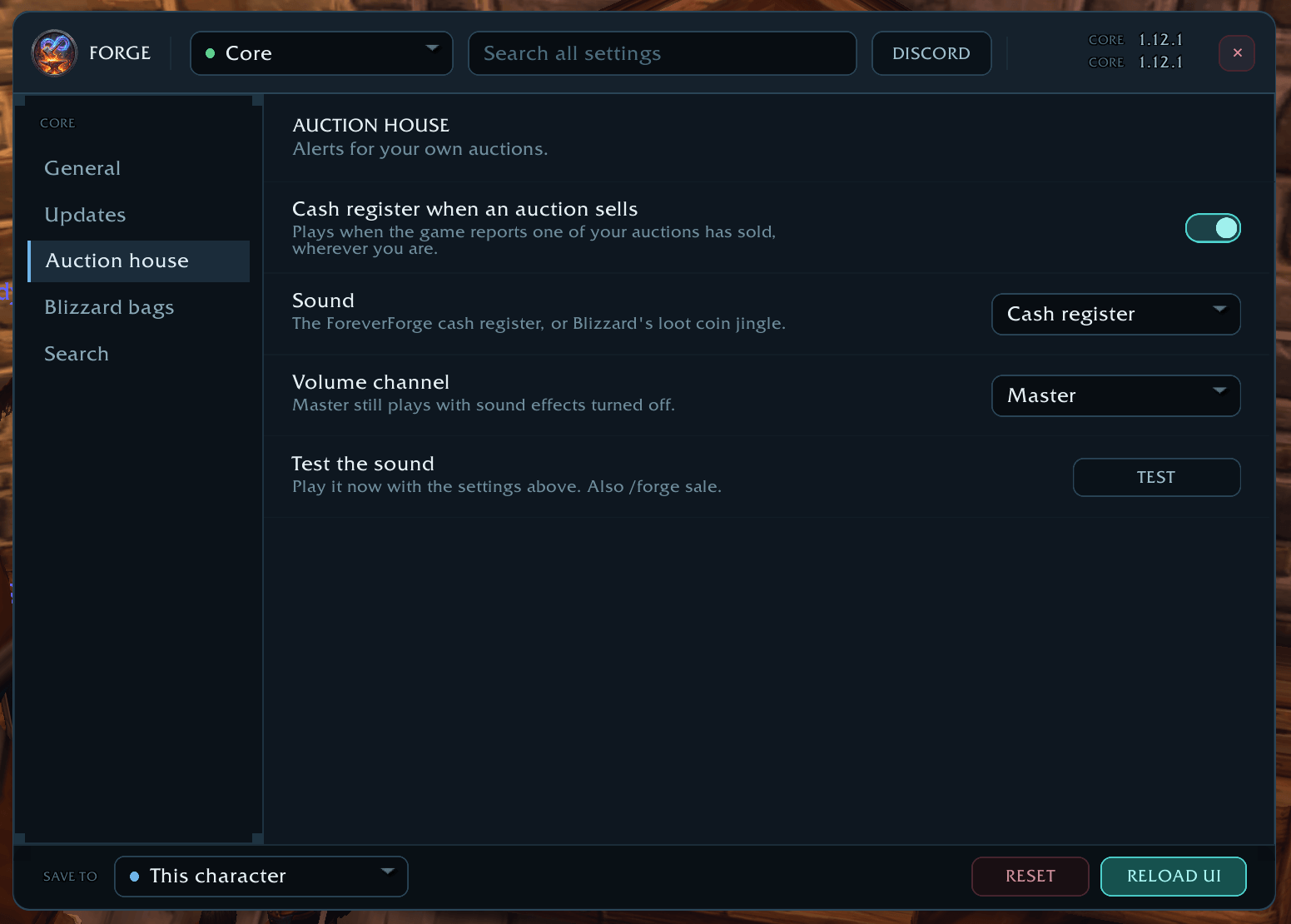
Auction sale sound
- A cash register sound when one of your auctions sells, wherever you are.
- Pick the ForeverForge cash register or Blizzard's coin jingle, and play it on Master (heard even with sound effects off) or Sound effects.
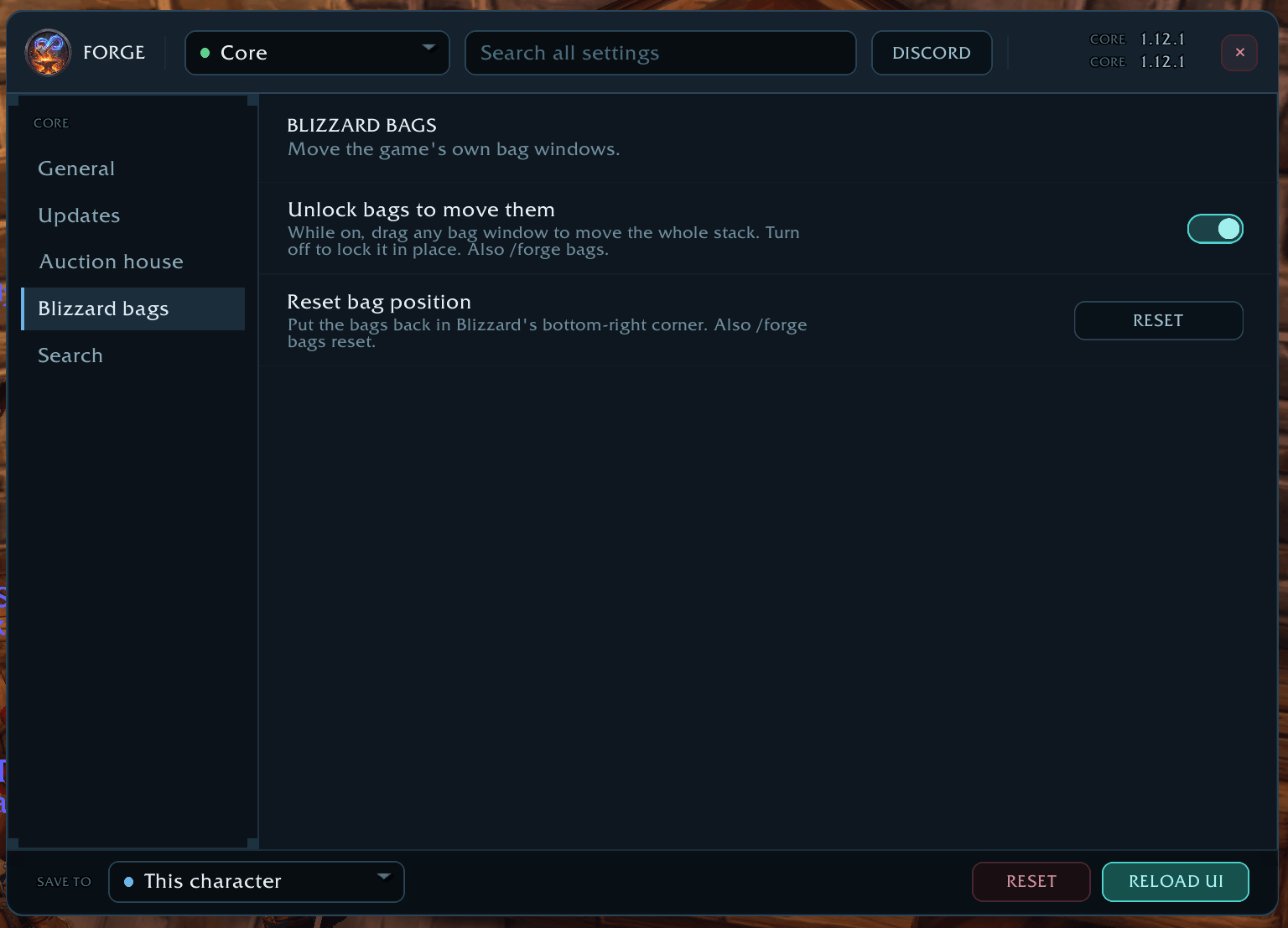
Move Blizzard's bags
- Not using ForeverForge Bags? Unlock Blizzard's bag windows and drag the whole stack wherever you want, then reset it back to the corner whenever you like.
Addon usage at a glance
- Hover the minimap button or the logo in the settings window to see how much memory and CPU each ForeverForge addon is using.
- Or print it in chat with
/forge usage.
Update notices
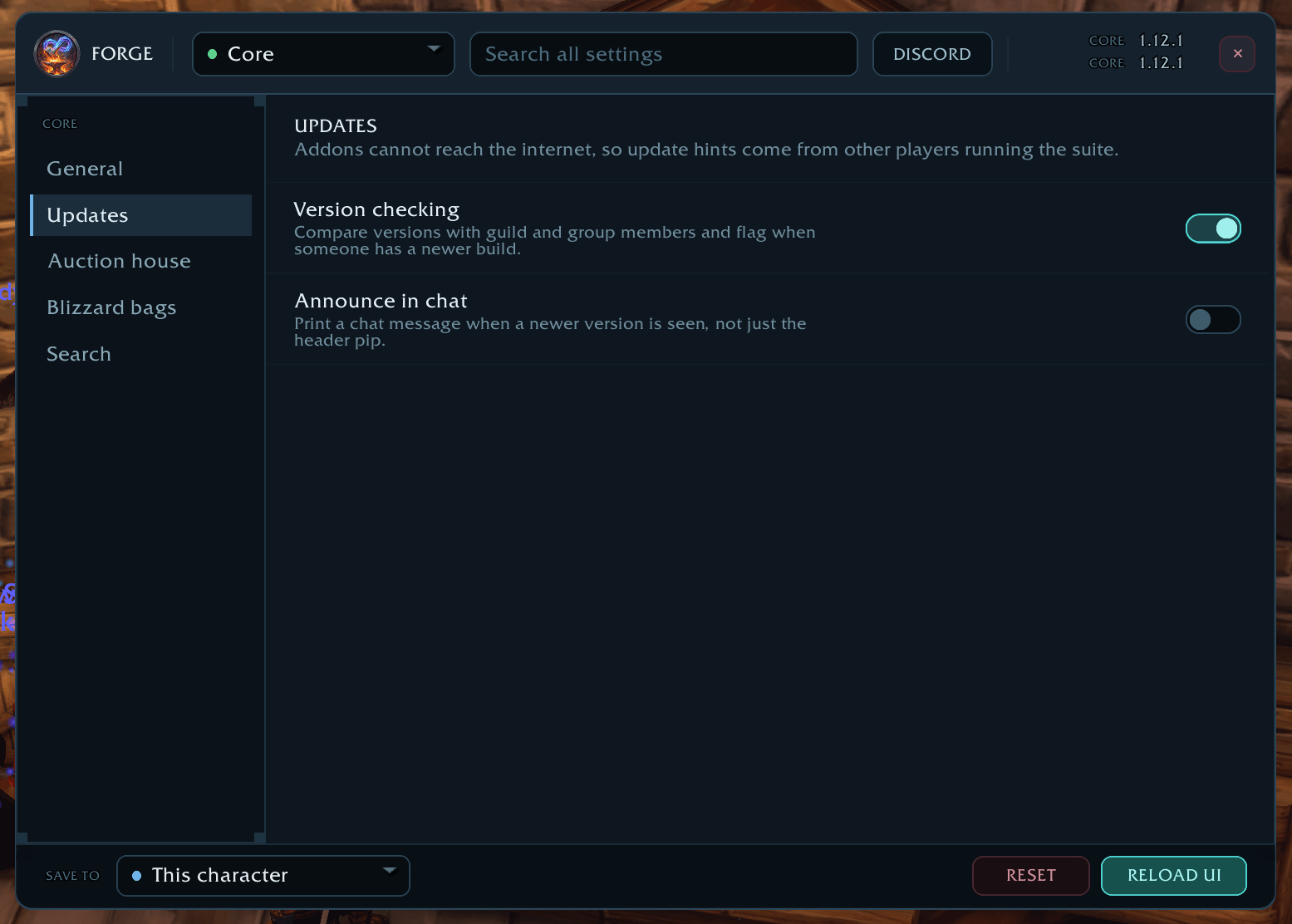
- ForeverForge compares versions with your guild and group and lets you know when someone has a newer build, so you know it's time to update. You can also have it post a line in chat.
Community
/forge discordgives you the Discord invite link, already selected. Press Ctrl+C and it's copied.
The ForeverForge suite
One look, one settings window (/forge), made for WoW: Forever. Pick the ones you want - they all use the ForeverForge core addon, and the LFG Bulletin Board also runs on its own.
- ForeverForge (the core) - one settings window for the whole suite, faster auto loot, auto quests, and vendors that sell your greys and repair.
- Bags - one bag window with smart sections or your own sorting, and Ctrl+Shift+click to disenchant, prospect, mill or pick locks.
- Auction - a faster, simpler auction house: price tooltips you can customize, one-press posting, a sniper and safe bulk buying.
- LFG Bulletin Board - group posts sorted by dungeon and shared between players, so you see groups from every zone.
- UI - unit frames, action bars, chat and meters in one clean look.
- Training - pre-pick your talents, see the spells still to come, and a better trainer window.
- Macros - build macros line by line in plain English, plus the one-click tag macro.
- Mass Mail & Trade - send a pile of items to anyone: one mail per click, trades that fill themselves.
- Custom Info Panels - build info bars: FPS, gold, bags, coords, durability, XP and more.
- Skill Tracker - progress bars for your professions and weapon skills.
Commands
| Command | What it does |
|---|---|
/forge or /ff |
Open or close the settings window |
/forge quests |
Open the Auto quest settings |
/forge bags |
Unlock or lock Blizzard's bag windows (/forge bags reset puts them back) |
/forge sale |
Play the auction sale sound |
/forge usage |
Memory and CPU use of each ForeverForge addon |
/forge export / /forge import |
Export all settings, or paste a string to import |
/forge discord |
Show the Discord invite link |
/forge status |
Version, save scope, module count and more |
/forge versions |
Installed modules and any newer versions seen |
Community and credits
Join the Discord: https://discord.gg/W25QqpFcXM
ForeverForge core is All Rights Reserved. Individual modules carry their own licences. ForeverForge Bags is GPL v3, since it's derived from AdiBags.
Made by Walord. If you enjoy it, you can support development on Ko-fi.
ForeverForge Team