Forever Weather Forecast
- By
Real-time weather tracker, Zone Watchlist, cross-zone layer & ruleset-aware forecasts, interactive World Map pins (with OpenMap support), and anonymous peer weather mesh for WoW: Forever.
Screenshot 2026-11-14 154514.png
Screenshot 2026-11-14 154544.png
Description
Forever Weather Forecast
A clean, real-time weather tracker and world map radar built for WoW: Forever.
No fake timers or guessed weather. Everything shown comes from live weather seen in-game and anonymous updates shared automatically by other addon users on your server ruleset.
New in v1.3.6 — Anonymous Layer Hopping & Quality of Life
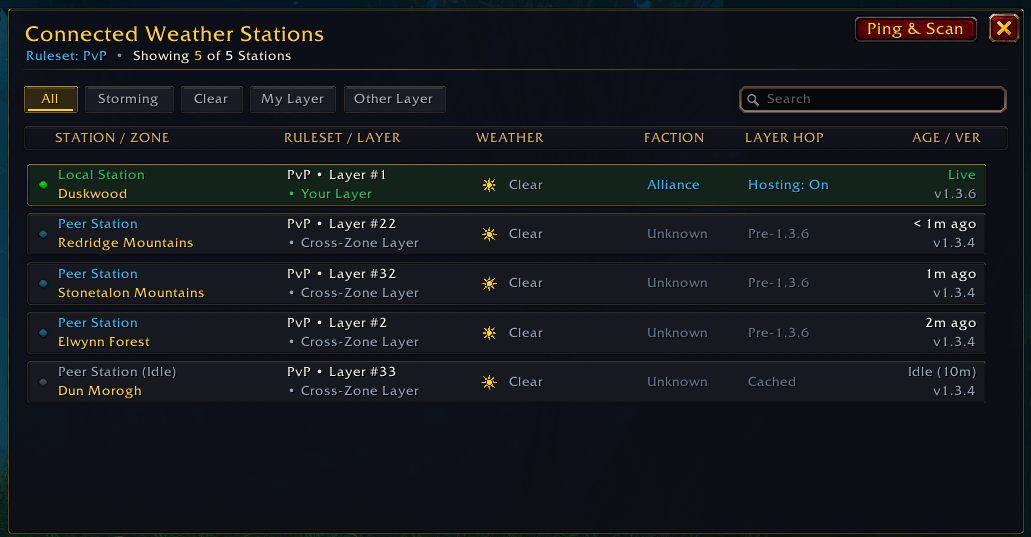
- Opt-In Anonymous Layer Hopping: Spot a storm on another layer? Click the Stations Online button in the top-left header to open Connected Weather Stations, check each station's Faction and Layer Hop status, and click Join Layer on any opted-in same-faction station to request an invite. Player names stay hidden unless a party invite is sent.
- Manual or Auto-Invite Hosting (Off by Default): Keep hosting off, turn on Accept Anonymous Layer Requests in Station Settings to get a 30-second Send Invite / Decline popup, or optionally enable Auto-Invite Layer Requests (When Solo) to invite requesters automatically when ungrouped (applies live, no
/reloadneeded).
Key Features
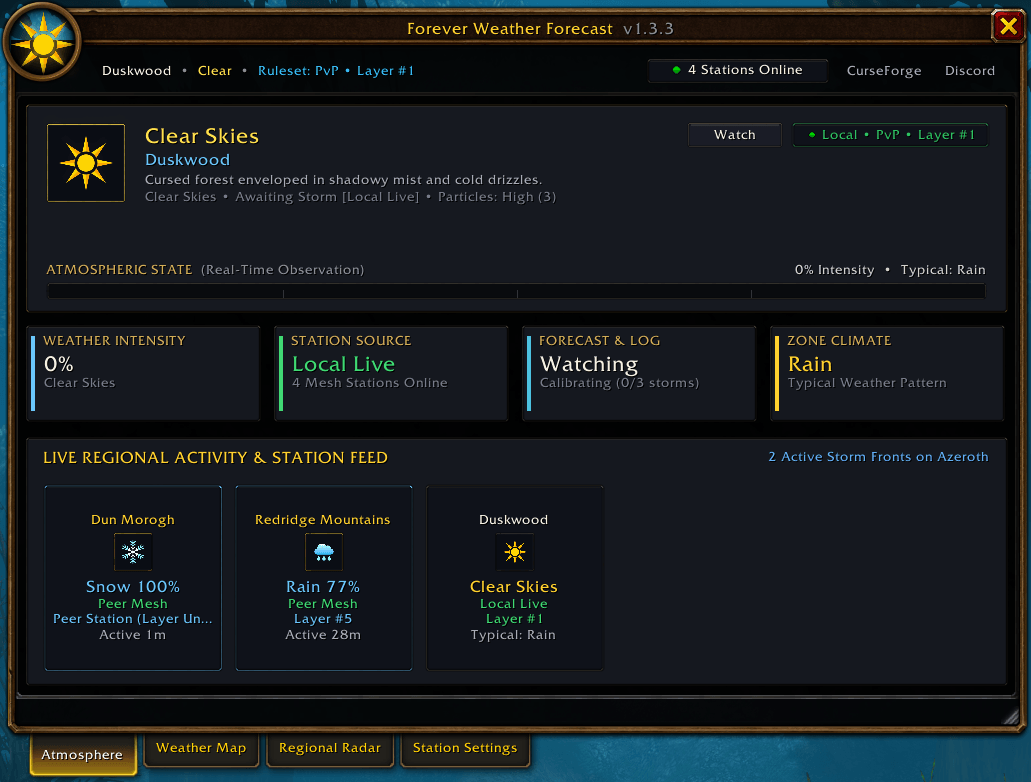
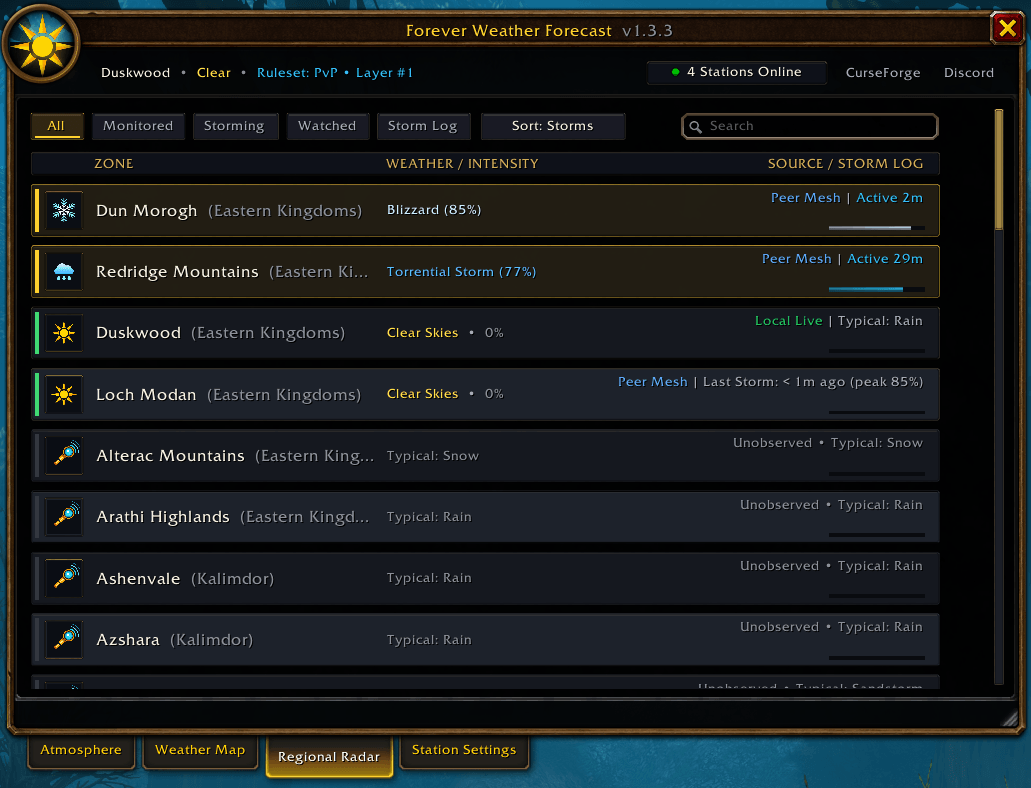
Live Weather Dashboard (/fwf): Check Clear Skies, Rain, Snow, and Sandstorm across Azeroth with storm strength, how long a storm has been active, recent storm history, and Live Regional Activity cards showing each zone's Layer #. Zones with no recent check cleanly show Unobserved.
 Atmosphere Tab: View your current zone's live weather, storm forecast details, and quick cards for other active zones and layers.
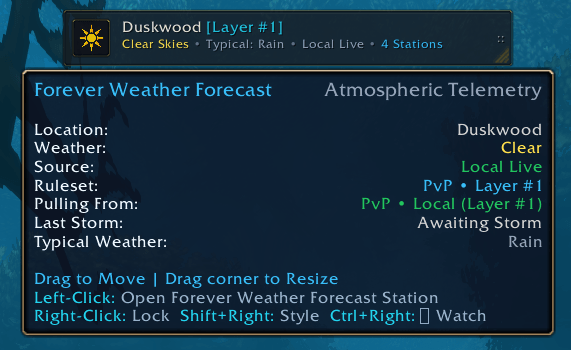
On-Screen Weather Widget (Status HUD): Keep an eye on the weather without opening a window using the movable, resizable floating widget. Toggle it anytime with /fwf hud, drag to move, or Ctrl+Right-Click to watch/unwatch your current zone.
 Floating Status HUD: Compact on-screen weather bar with live weather icons, intensity progress strip, layer tag, and customizable display info.
Regional Radar & Storm Log: Search and filter every zone by All, Monitored, Storming, Watched, or view the Storm Log to see the last 25 storm sightings across your ruleset.
 Regional Radar Tab: Sort and search all zones at once to spot active storms, storm intensity bars, recent peaks, and typical zone weather.
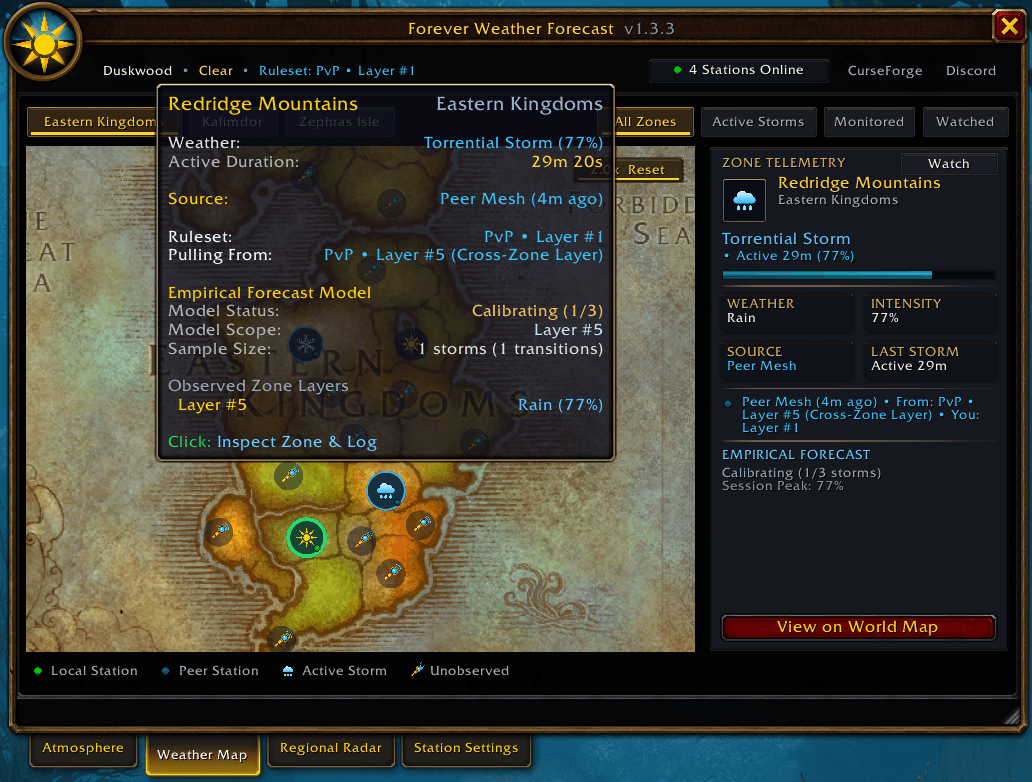
Zoomable Weather Map & Zone Watchlist: Browse Eastern Kingdoms, Kalimdor, and Zephras Isle with smooth zoom (1.0x–4.0x) and drag controls. Click any zone to inspect its weather, ruleset, layer, and learned storm forecast, or click Watch (★ Watched) to highlight your favorite zones everywhere.
 Weather Map Tab: Interactive continent maps with live weather icons and a side panel showing full storm and forecast details for any selected zone.
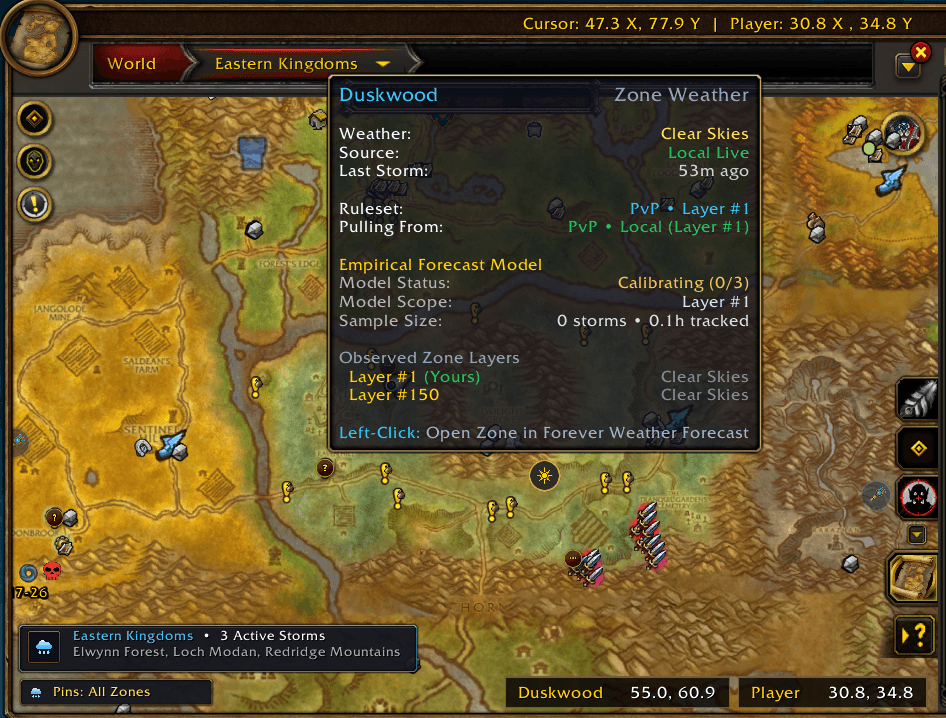
World Map Overlay (with OpenMap Support): See live circular weather icons right on your regular Blizzard World Map and OpenMap, along with a movable continent banner showing how many storms are active and a hover tooltip breaking down zone layers and forecasts.
 Blizzard World Map Overlay: Displays live weather icons, the movable storm summary banner, pin filters, and detailed layer/forecast tooltips.
Ruleset, Layer & Privacy Friendly: Weather, storm history, and forecasts stay separated by Ruleset (PvE, PvP, RP, RP-PvP, Hardcore) and Layer so data never mixes. The addon automatically detects your layer, switches to stations on your layer when available, retains recent stations for 30 minutes (marking quiet ones as Idle after 6 minutes), keeps station coverage across /reload, and never displays player names unless a user opts into Layer Hopping and sends a group invite.
 Connected Weather Stations: Click the Stations Online button at the top-left to browse anonymous online stations side-by-side, filter by weather or layer (
My Layer / Other Layer), see Faction and Layer Hop availability, click Join Layer to hop, or click any row to jump straight to that zone.
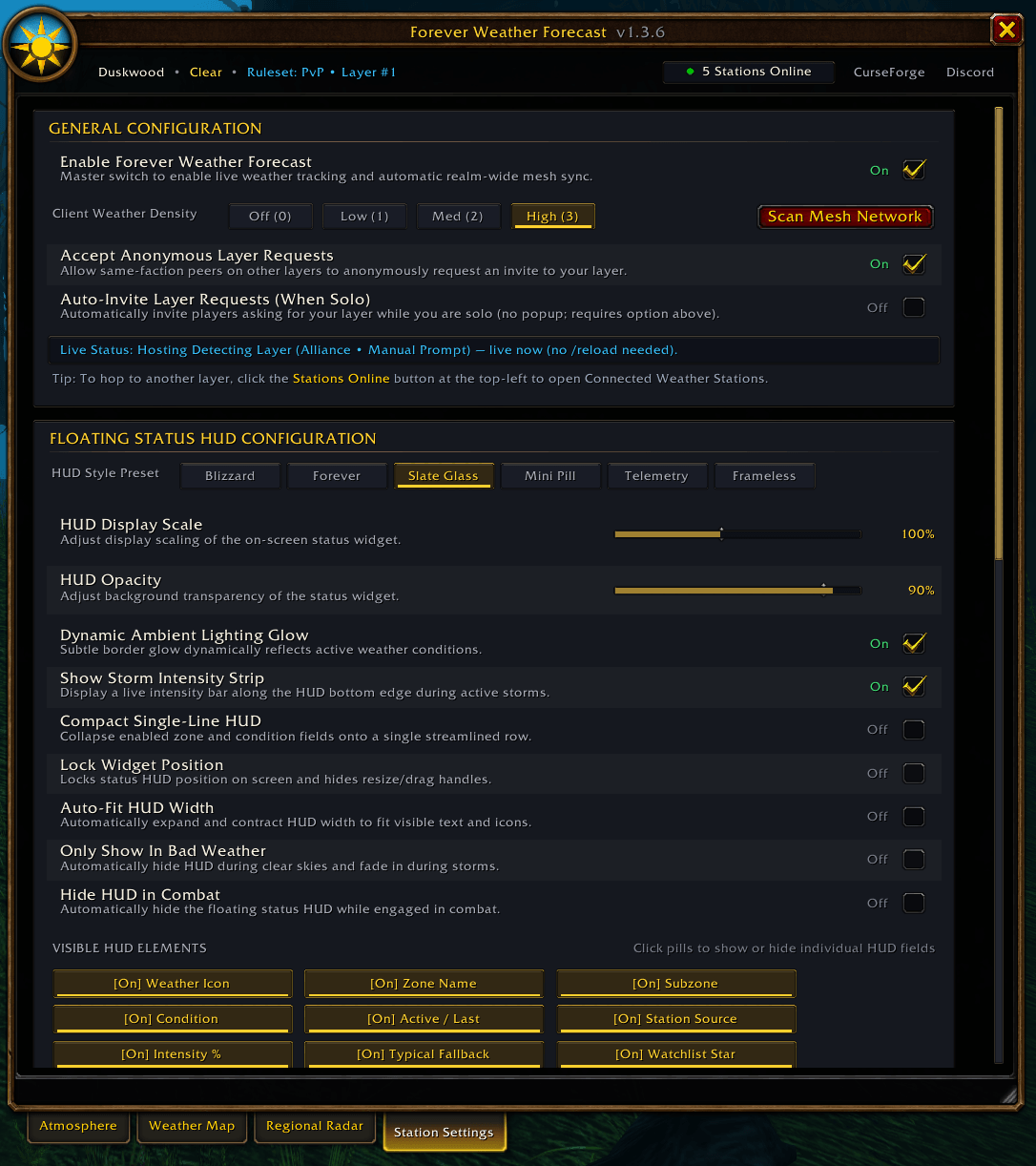
Full Customization & Toast Alerts: Choose from 6 HUD visual styles (Blizzard, Forever, Slate Glass, Mini Pill, Telemetry, Frameless), toggle individual widget lines (Zone, Subzone, Timing, Source, Intensity %, Watchlist Star, Layer, Station Count, Icon, and Compact Single-Line mode), configure the Minimap Button and opt-in Layer Hop hosting, auto-hide in combat, adjust particle density, and filter pop-up Weather Front Toast Alerts by Watchlist, weather type, or minimum strength.
 Station Settings Tab: Customize HUD styles, scale, opacity, visible widget elements, minimap & layer-hop options, map overlay settings, and storm alert filters.
Slash Commands
/fwf(or/wf) — Open or close the main window/fwf hud— Show or hide the floating Weather Widget (/fwf lockto lock/unlock it)/fwf info— Print current zone weather in chat/fwf sync— Refresh updates from other addon users on your ruleset/fwf alerts— Turn pop-up storm alerts on or off (/fwf testto preview one)/fwf minimap— Show or hide the minimap button/fwf updates— Turn addon update notifications on or off/fwf diag— Show connection, ruleset, and layer status info/fwf resetstats//fwf reset— Reset learned storm stats or addon settings
Forever Weather Forecast Team