promotional bannermobile promotional banner

Unit Frames Toolbox

Hide, auto-fade and customize default Blizzard unit frames with smart triggers. Formerly known as "Hide Unit Frames"
Screenshot 2026-08-24 110422.png
Screenshot 2026-08-24 110422.png

Screenshot 2026-08-24 110429.png
Screenshot 2026-08-24 110429.png

Screenshot 2026-08-24 110437.png
Screenshot 2026-08-24 110437.png

Screenshot 2026-08-24 110448.png
Screenshot 2026-08-24 110448.png

Screenshot 2026-08-24 110455.png

Screenshot 2026-08-24 110455.png

Description

Unit Frames Toolbox

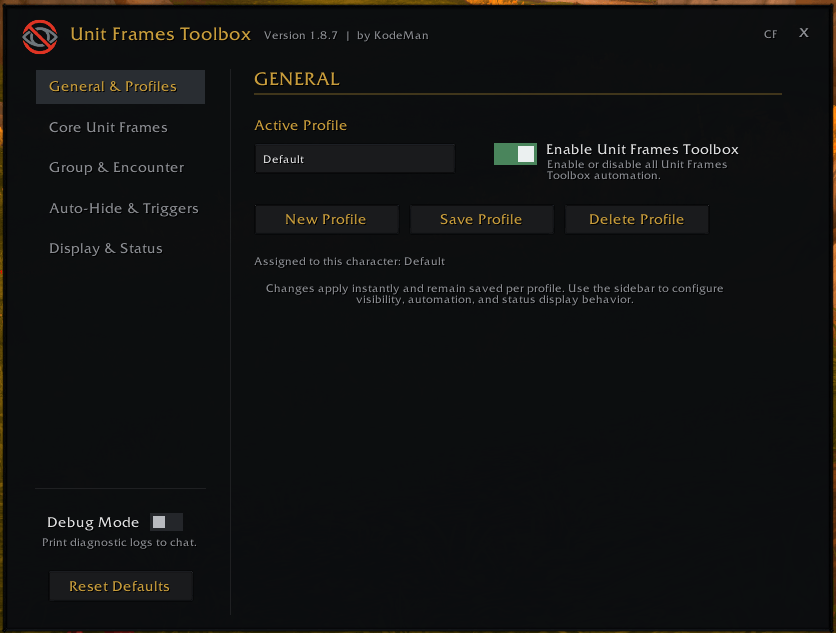
Unit Frames Toolbox is a lightweight addon for hiding and showing Blizzard unit frames, making it ideal for custom HUDs, WeakAuras, and nameplate setups such as Plater.

Configuration

Type /uft or /unitframestoolbox in chat, or open the addon from Blizzard’s Settings menu.

Features

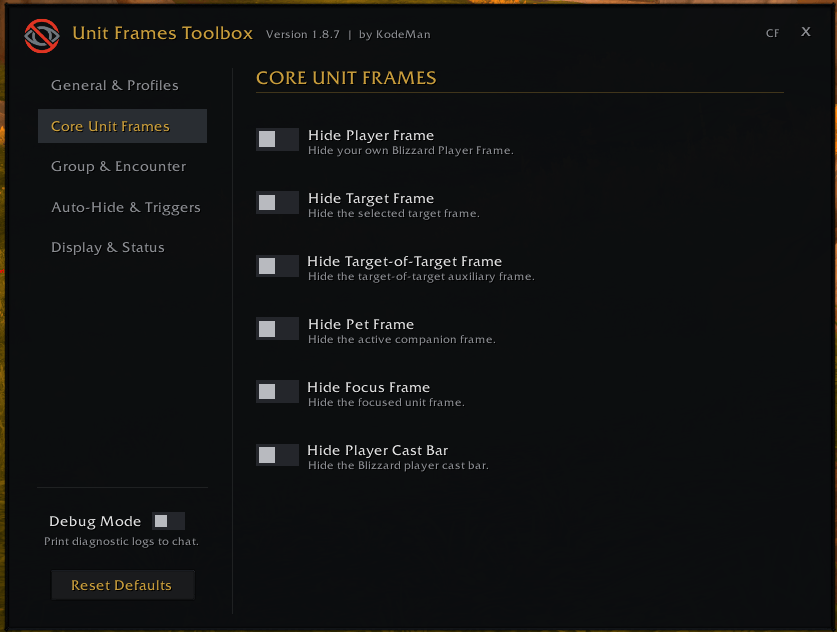
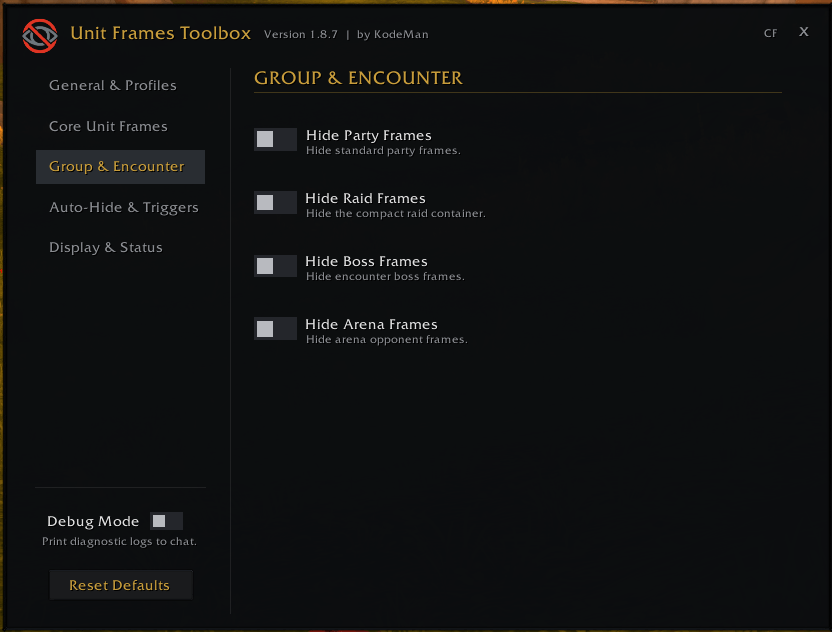
  • Frame Visibility: Control Player, Target, Target-of-Target, Pet, Focus, Party, Raid, Boss, Arena, and Player Cast Bar visibility.
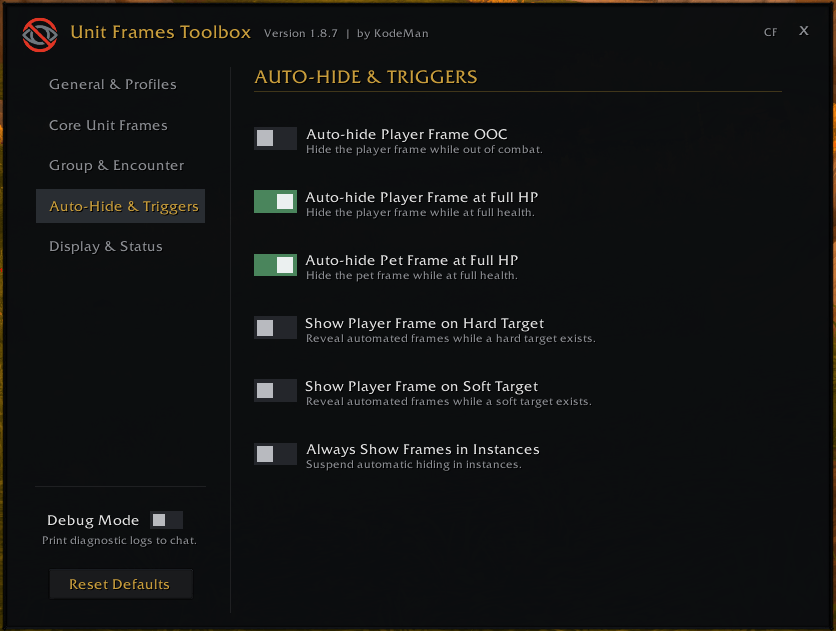
  • Auto-Hide Rules: Hide Player and Pet frames out of combat or when at full health, with automatic reveal when needed.
  • Smart Triggers: Reveal managed frames when selecting a hard target, acquiring a soft target, entering instances, or leaving combat.
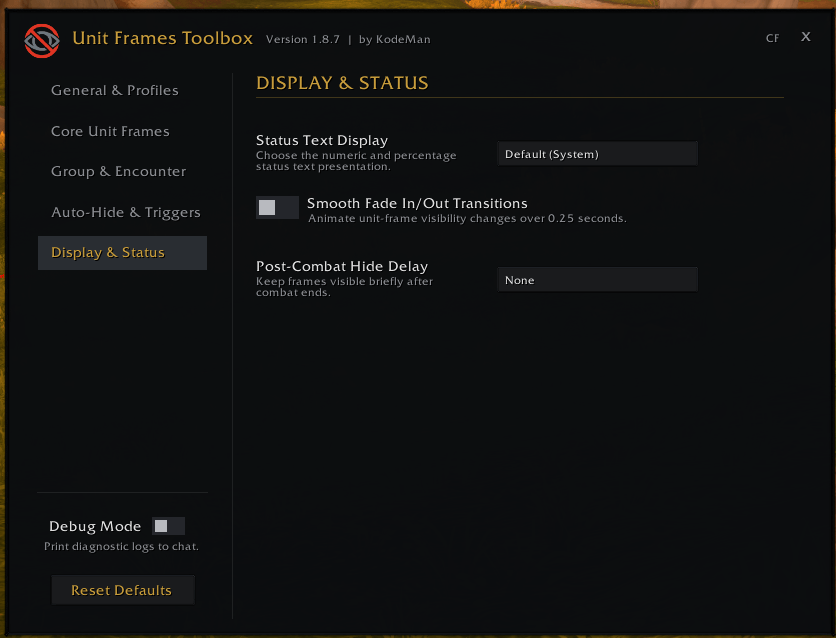
  • Smooth Fades: Optional 0.25-second fade transitions for visibility changes.
  • Status Text Controls: Use Blizzard’s system default, show numeric values, percentages, both, or hide status text.
  • Post-Combat Delay: Keep frames visible for up to 5 seconds after combat ends.
  • Edit Mode Support: Hidden frames remain partially visible at 25% opacity while positioning them in Edit Mode.
  • Profiles: Create, save, load, delete, and assign profiles to individual characters.
  • Addon Enable Toggle: Temporarily disable Unit Frames Toolbox and restore Blizzard’s normal frame behavior.
  • Debug Mode: Enable optional diagnostic messages in chat for troubleshooting.
  • Reset Defaults: Restore all profile settings and runtime behavior with one click.
  • Persistent Settings: Profiles and panel position remain saved across reloads.

Support

Support KodeMan’s work on Ko-fi!

The Unit Frames Toolbox Team

profile avatar
Owner
  • 1
    Followers
  • 11
    Projects
  • 6.1K
    Downloads
Donate

More from KodeManView all

  • Open All project image

    Open All

    A simple addon to open the configuration windows for all my "enabled" addons with /openall command.

    • 7
    • August 25, 2026
  • Proc Alerts project image

    Proc Alerts

    Clean, lightweight spell proc alerts with customizable golden glow overlays, player frame highlights, class-specific filtering, and per-proc audio chimes.

    • 96
    • August 25, 2026
  • GCD Cast Bar project image

    GCD Cast Bar

    A sleek addon that displays a perfectly synced, Blizzard-style cast bar for your global cooldowns.

    • 1.8K
    • August 25, 2026
  • Dynamic Crosshair project image

    Dynamic Crosshair

    A customizable crosshair that changes color based on target range (melee/ranged) with class detection, head tracking, nameplate target lock-on, pixel-perfect scaling, character-specific profiles, and custom spell support.

    • 320
    • August 25, 2026
  • Open All project image

    Open All

    A simple addon to open the configuration windows for all my "enabled" addons with /openall command.

    • 7
    • August 25, 2026
  • Proc Alerts project image

    Proc Alerts

    Clean, lightweight spell proc alerts with customizable golden glow overlays, player frame highlights, class-specific filtering, and per-proc audio chimes.

    • 96
    • August 25, 2026
  • GCD Cast Bar project image

    GCD Cast Bar

    A sleek addon that displays a perfectly synced, Blizzard-style cast bar for your global cooldowns.

    • 1.8K
    • August 25, 2026
  • Dynamic Crosshair project image

    Dynamic Crosshair

    A customizable crosshair that changes color based on target range (melee/ranged) with class detection, head tracking, nameplate target lock-on, pixel-perfect scaling, character-specific profiles, and custom spell support.

    • 320
    • August 25, 2026