Forever STUwave
- By
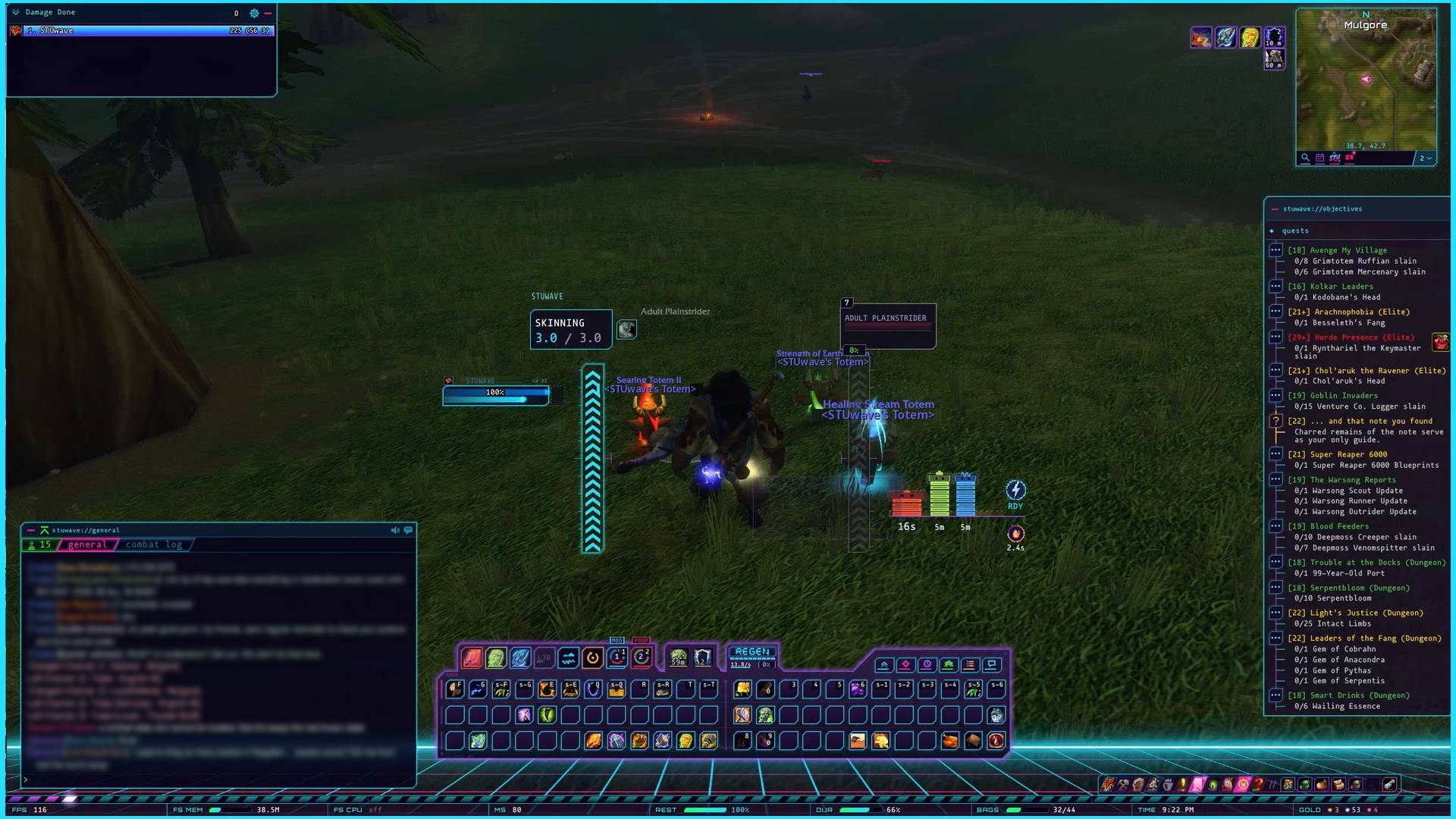
Totally tubular! The whole STUwave setup in one shot: neon unit frames, the Gunsight around your character, action bars, chat, minimap and the data bar, all riding the same pink and cyan wave.
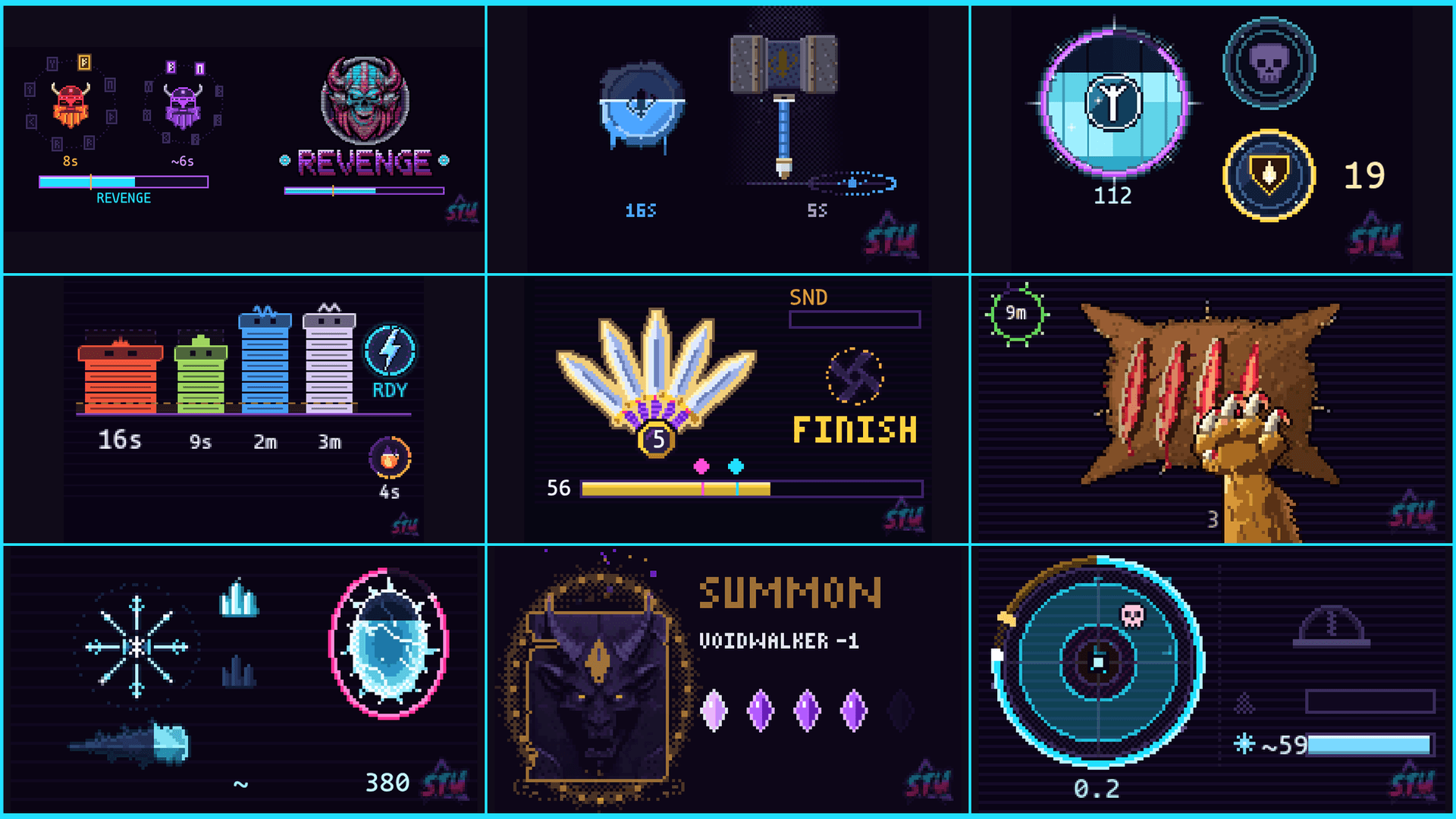
A moving pixel art module for every class, dude. Shout helms, a slamming hammer, totem poles, a scope, a demon's spellbook and more. Each one tracks what your class cares about, right on the Gunsight.
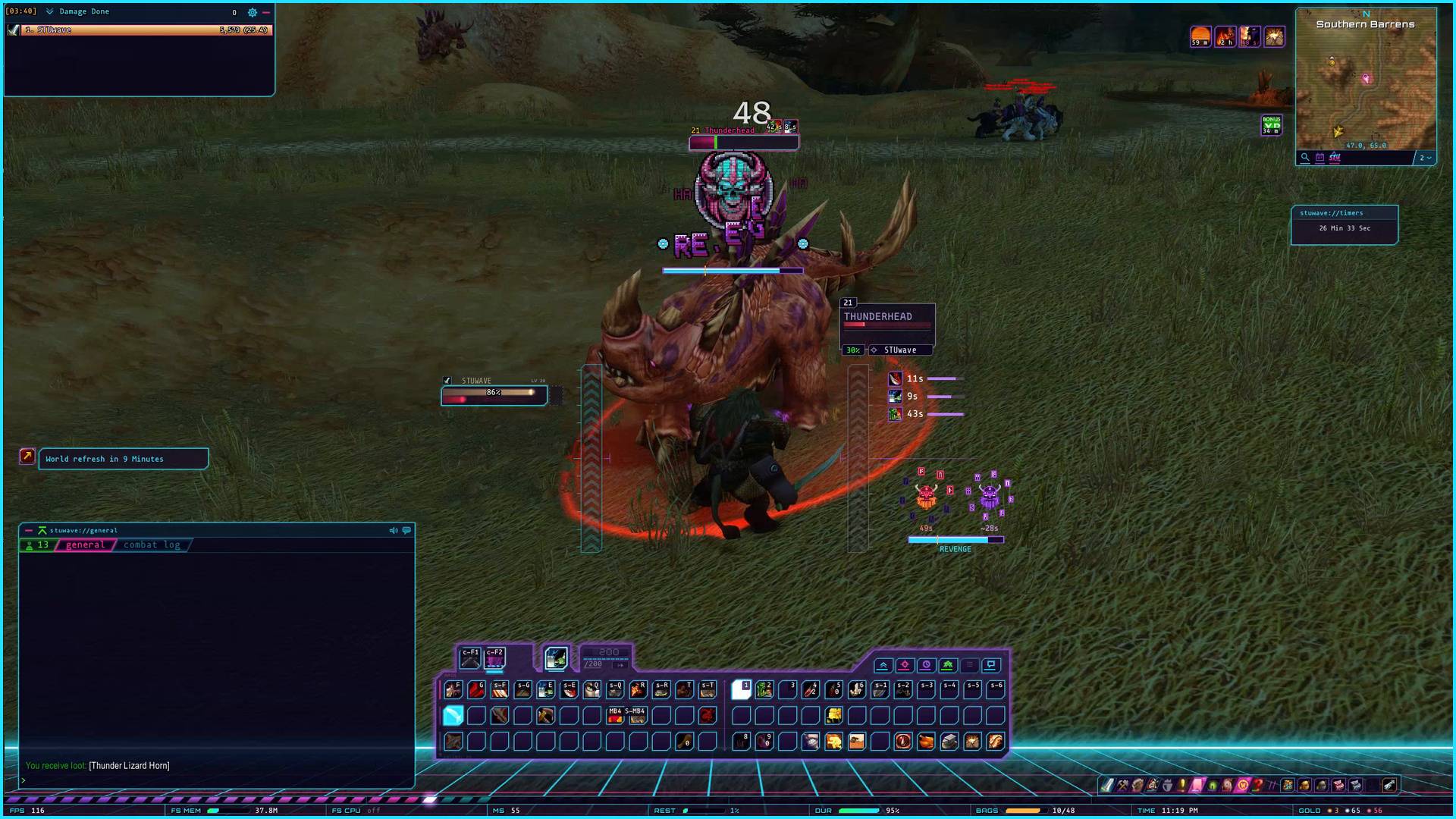
Gnarly fight, bro. The Gunsight wraps around your Warrior with health, rage, your target, cast bars and the shout module, right where your eyes already are. No hunting the corners of the screen mid brawl.
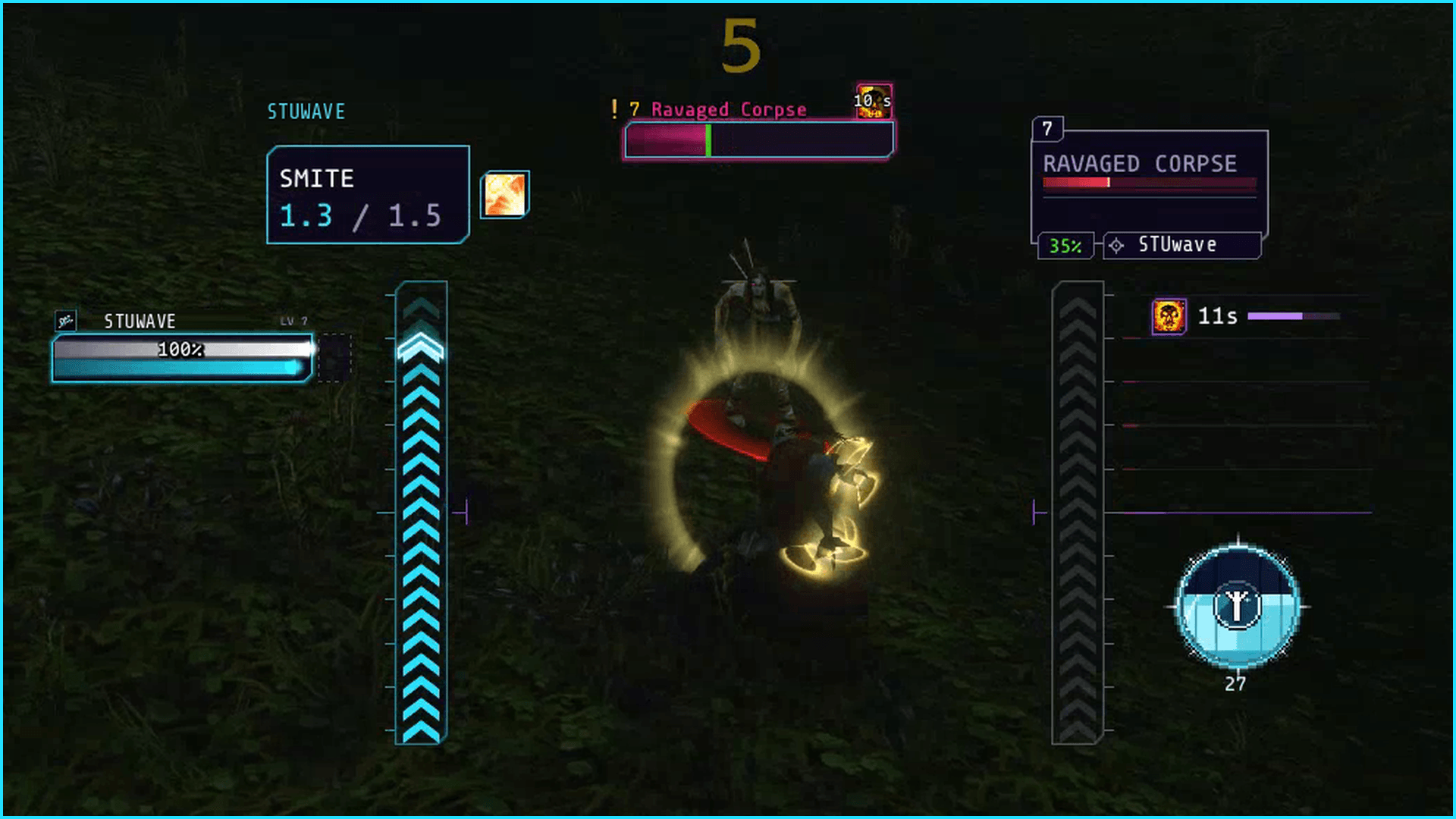
Priest catching a wave. Shield, DoTs, mana and your target's cast bar all hug your character, so you see what matters in the middle of a gnarly pull.
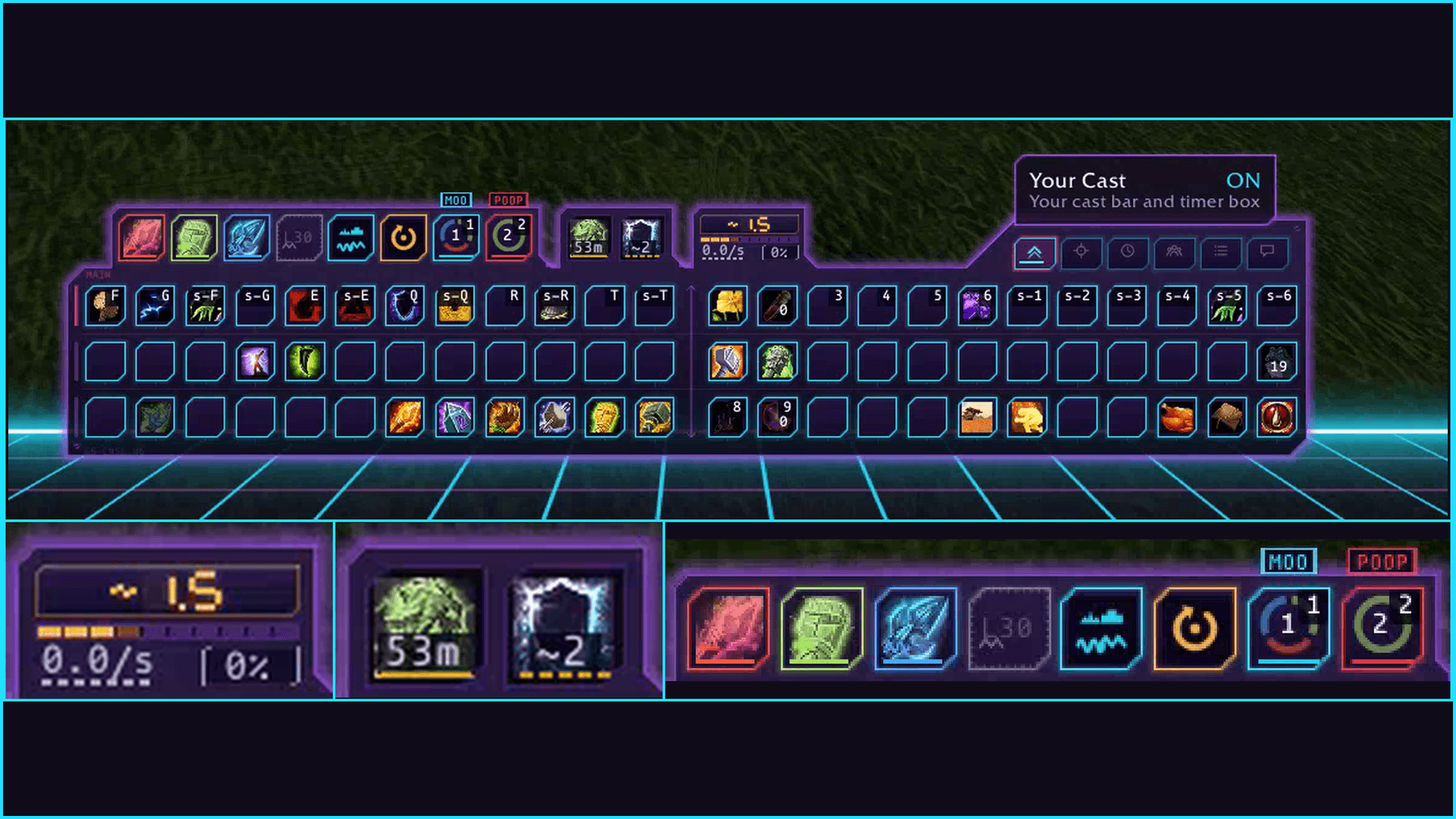
Radical bars with your keybinds on every button. Quick keys up top flip your cast bar, procs, buff reminders, party frames, tracker and chat on or off in one click, plus the mana regen LED and class tiles.
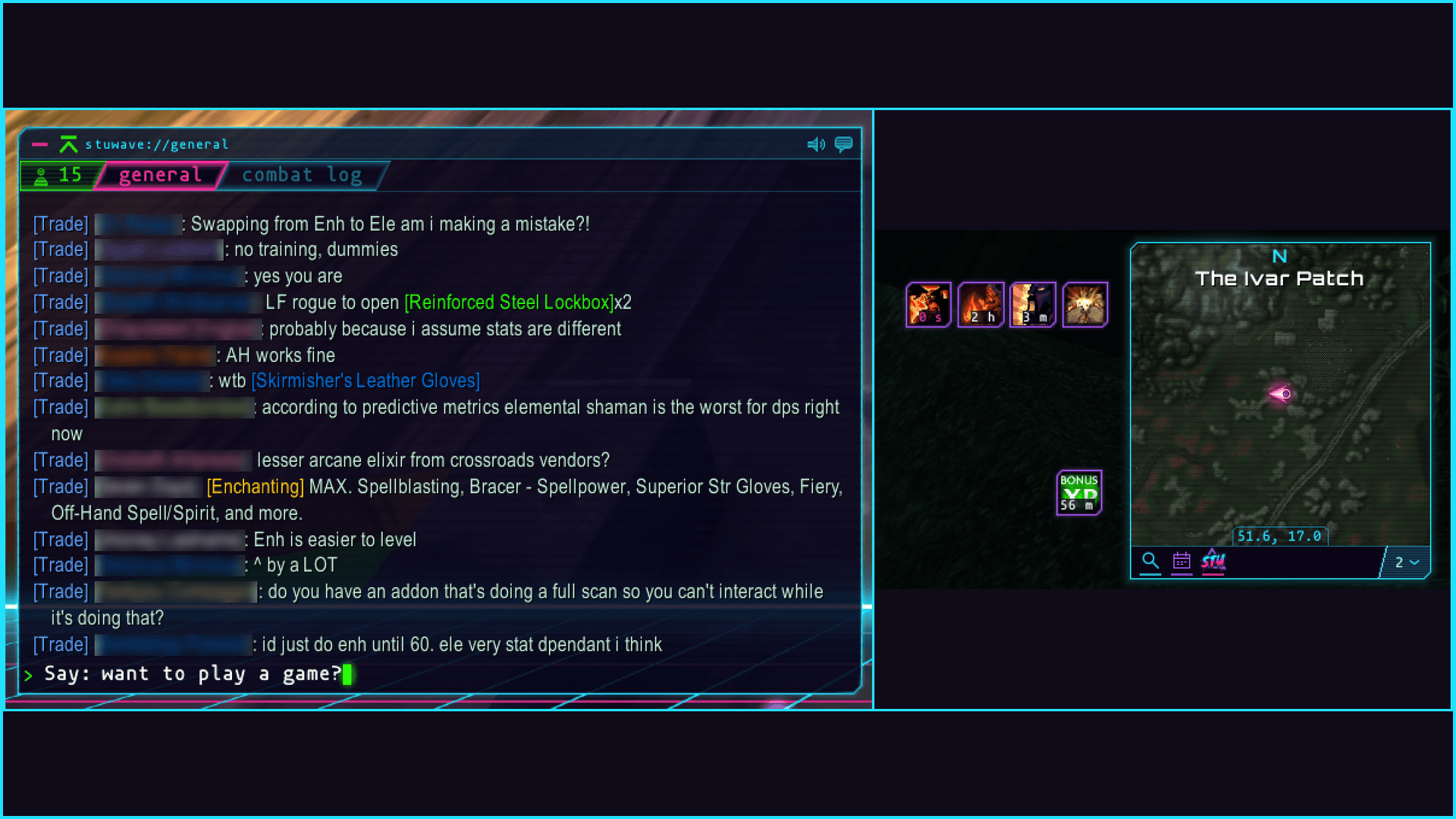
Chat gets the stuwave:// terminal look with tabs and a slick input line. The minimap shows your zone, coords and buffs with timers, and the STU key opens settings. Righteous.
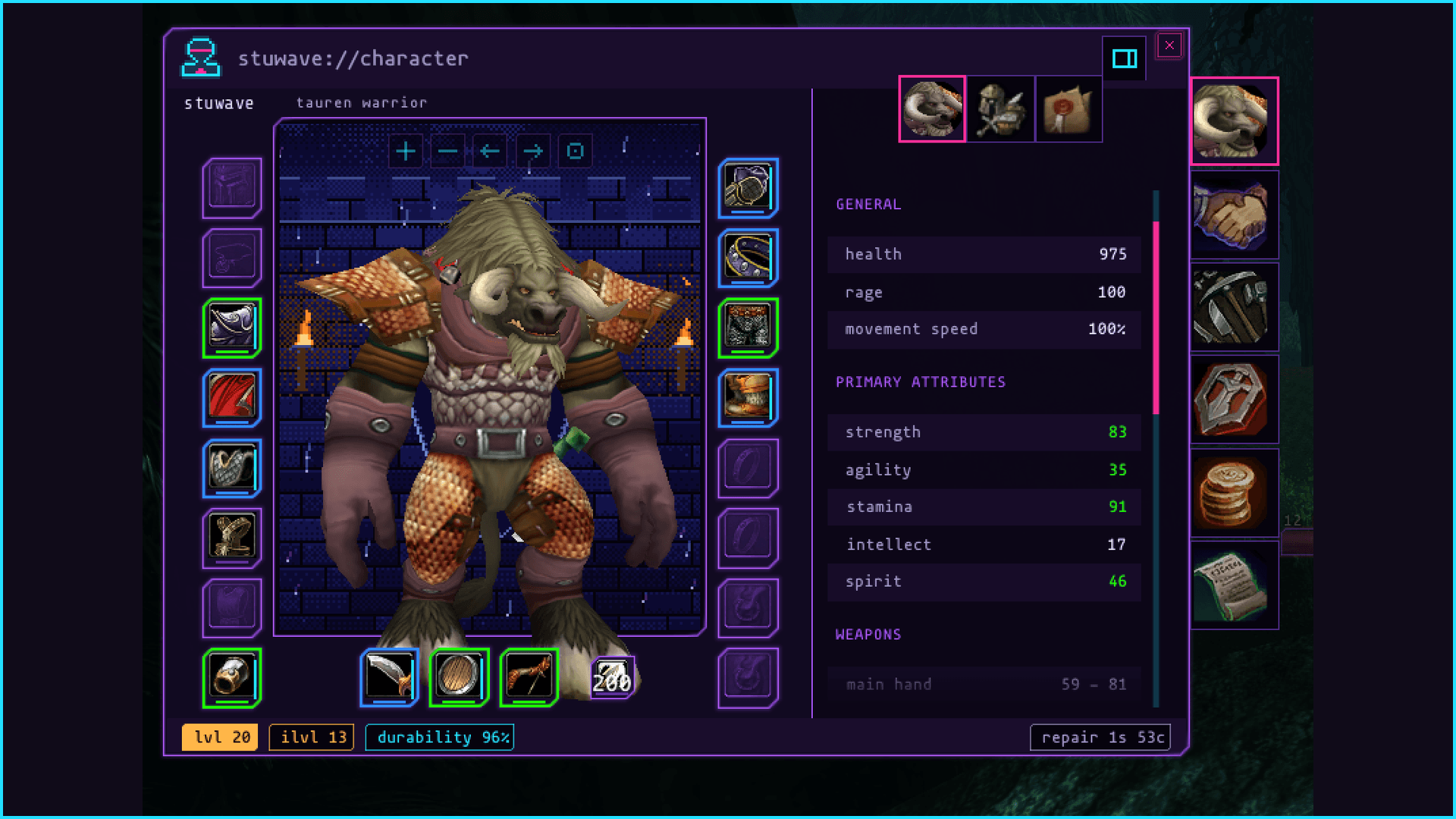
Your gear, stats and model in full STUwave style, with item level, durability and repair cost along the bottom. Looking sharp, dude.
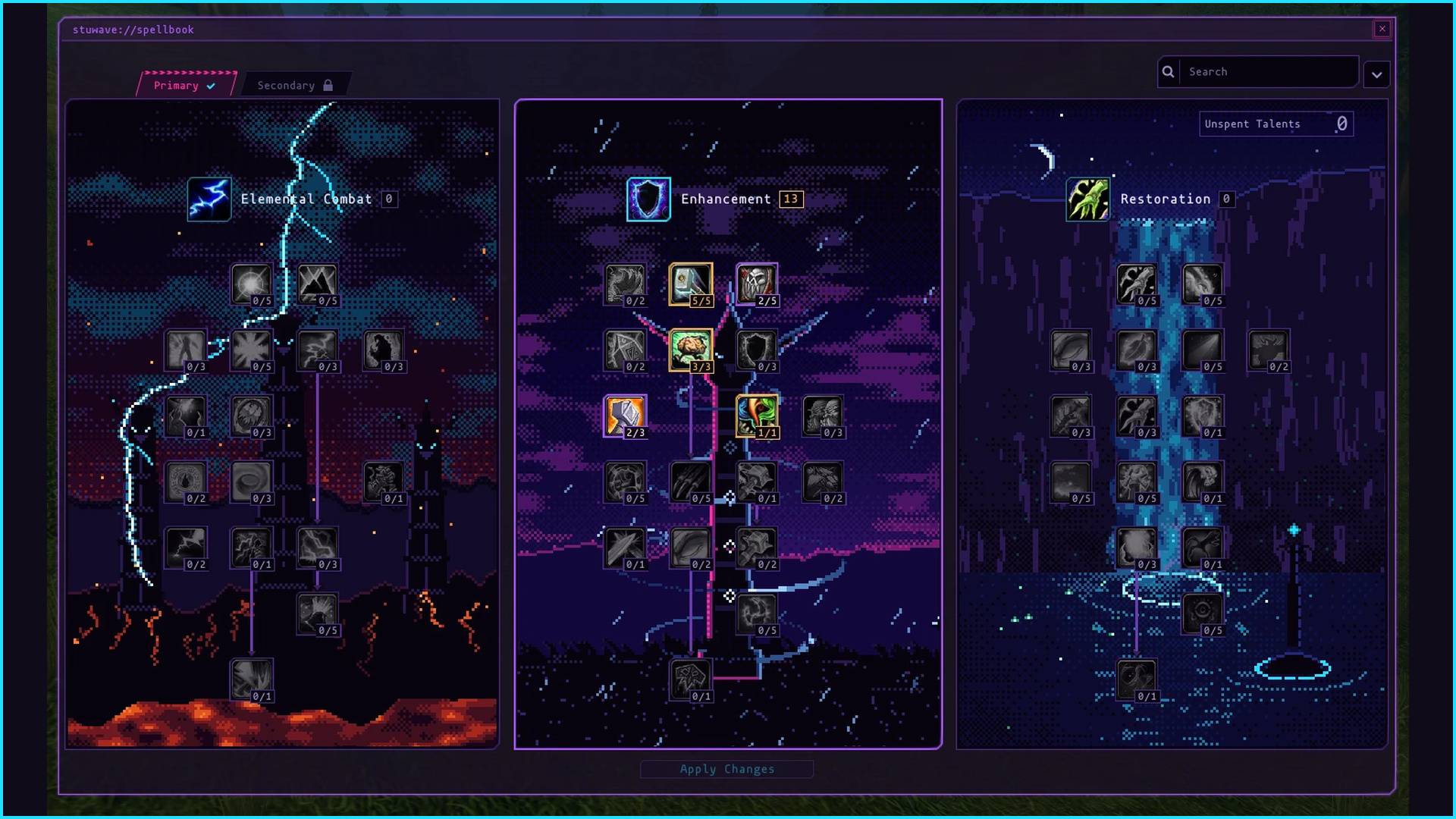
Talents with a moving scene behind every tree. Plan your build while the pixels ride the wave behind you. Bodacious.
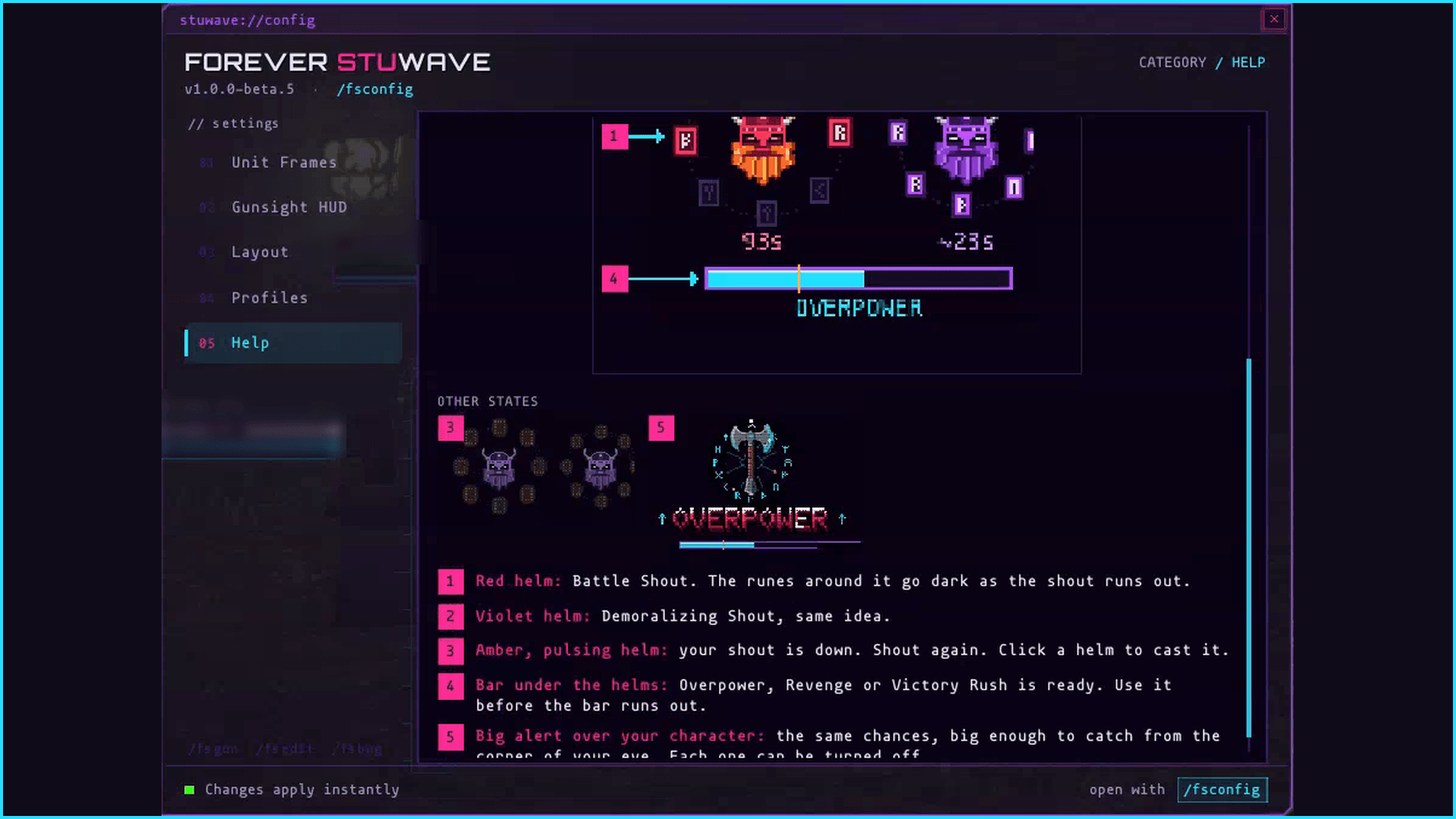
Lost in the sauce? Type /fsconfig and hit Help. Every class module is drawn out with numbered pins and arrows that say what each part means. No guessing, dude.
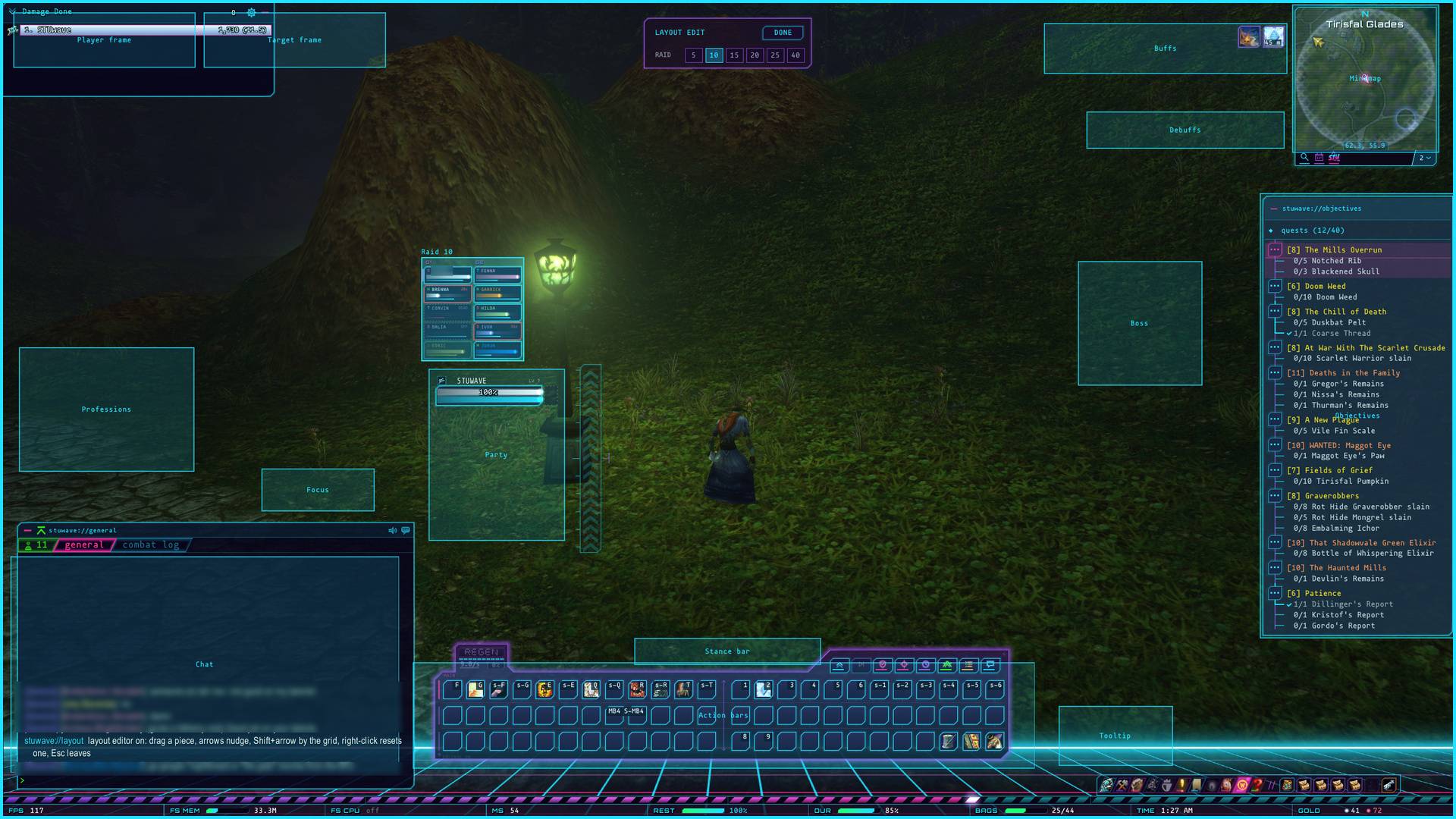
Type /fsedit and drag anything wherever you want it. Your screen, your rules. Hang ten and make it yours.
Description
Cowabunga, dudes!
Forever STUwave turns your WoW Forever screen into a neon arcade: radical pink and cyan lights, chunky pixel art, and a combat HUD that shows you what matters right now. It is built for the Forever client and its rules, so it keeps working in the middle of a gnarly fight.
Only in STUwave
▸ The Gunsight: your combat HUD wrapped around your character. Your health and power, your target's, cast bars, DoTs, procs and your class module, right where your eyes already are.
▸ A moving pixel art module for every class: shout helms for Warriors, a seal and a slamming hammer for Paladins, totem poles for Shamans, a scope for Hunters, a demon's spellbook for Warlocks, and more. The Help page shows what every part means.
▸ Quick keys over your action bars: one click shows or hides your cast bar, your target's cast bar, procs, buff reminders, party frames, the quest tracker and chat.
▸ Mana regen timer: an LED panel that counts down five seconds after you spend mana, then flips to REGEN.
▸ Class tabs: Shaman weapon imbue and shield tiles you click to cast, a Warrior Thunder Clap tab, and an ammo counter for bows, crossbows and guns. Want something special for your class? Drop us a comment, dude.
▸ Data bar: time, gold on all your characters, rested XP, FPS, latency, durability and free bag slots.
▸ Quest mob marker: an amber "!" on every mob your quests need, even the ones the game forgets to mark.
▸ Reapply reminders: a debuff that falls off your target stays as a red tile until you put it back.
▸ Stun alert and quest timers: stuns, fears and silences snap onto the Gunsight with a countdown ring, and quest timers glow under the minimap.
Everything else
Unit frames, party and raid frames, nameplates, action bars, bags and bank, chat, the minimap, the character window, talents with a moving scene behind every tree, and the STUwave look on mail, vendors, the auction house, quests, trainers, professions, the world map and more. Mail even fills in the subject for you. Sweet!
Supported addons
▸ Questie: its tracker and quest icons wear the STUwave look.
▸ Auctionator: its auction house tabs and buy windows too.
Getting started
1. Install it and log in.
2. Type /fsconfig (or click the STU key on the minimap) for settings. The Help page explains every class module.
3. Type /fsedit to move things around.
Every alert has an off switch. No pressure, dude.
FAQ
Hey, something disappeared! Check the quick keys above your action bars. One click hides or shows the cast bars, procs, buff reminders, party frames, the quest tracker and chat, and a minimized chat lives on its Chat key there too. Click it again to bring it back.
Where did my other addons' minimap buttons go? STUwave rounds them up into the addon tray so they stop cluttering the edge of your map. Click the cyan tab at the right end of the key row under the minimap (it shows how many buttons it holds) and the tray slides open right below. Tubular.
I updated and some art is blank or missing, dude? Quit WoW all the way and start it again. New art only loads on a full restart; a /reload won't catch that wave.
I moved something and want it back. Open /fsedit and right click the piece to send it home. /fsedit reset all puts everything back where it started.
Does my class get a module? All nine classes do, dude. Druid forms and Mage specs each get their own.
Beta
STUwave is in beta until 1.0. A few windows still need the STUwave treatment, and the Druid, Rogue and Warlock modules are new. Found something bogus? Type /fsbug and what went wrong, then paste the report into a GitHub issue. You rock, dude.
Code, releases and bug reports live on GitHub. Catch you on the next wave!
Forever STUwave Team