Forever Quiver
- By
Hunter tools for WoW: Forever: Auto Shot timer, castbar, range indicator, Tranq announcer, ammo warning, spell menus on one key and a quest arrow for Questie. Modelled on Quiver from Turtle WoW.
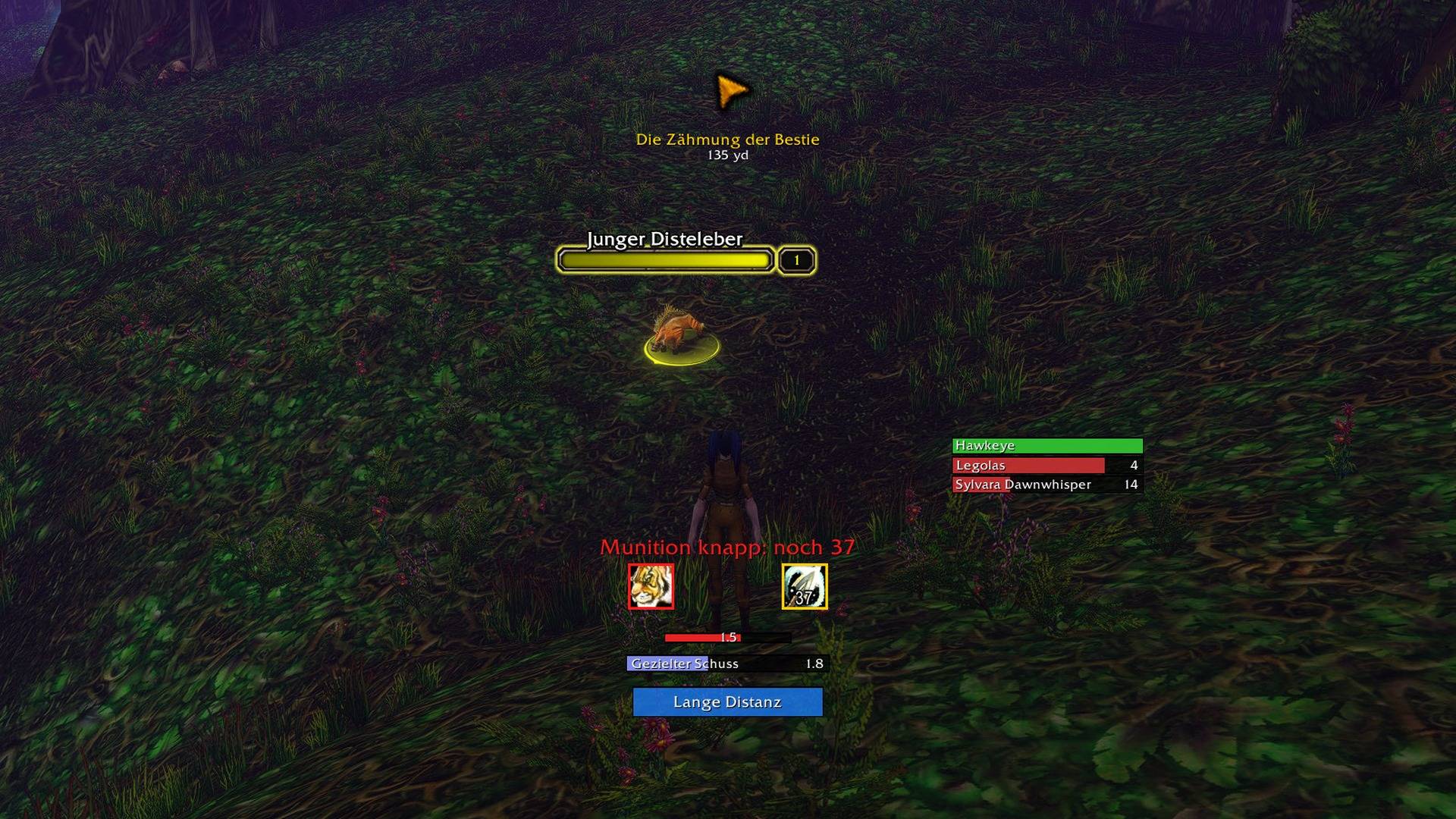
Every display at once: quest arrow, Tranq cooldowns, ammo warning, aspect and Trueshot icons, Auto Shot timer, castbar and range indicator. The rest of the interface is hidden.
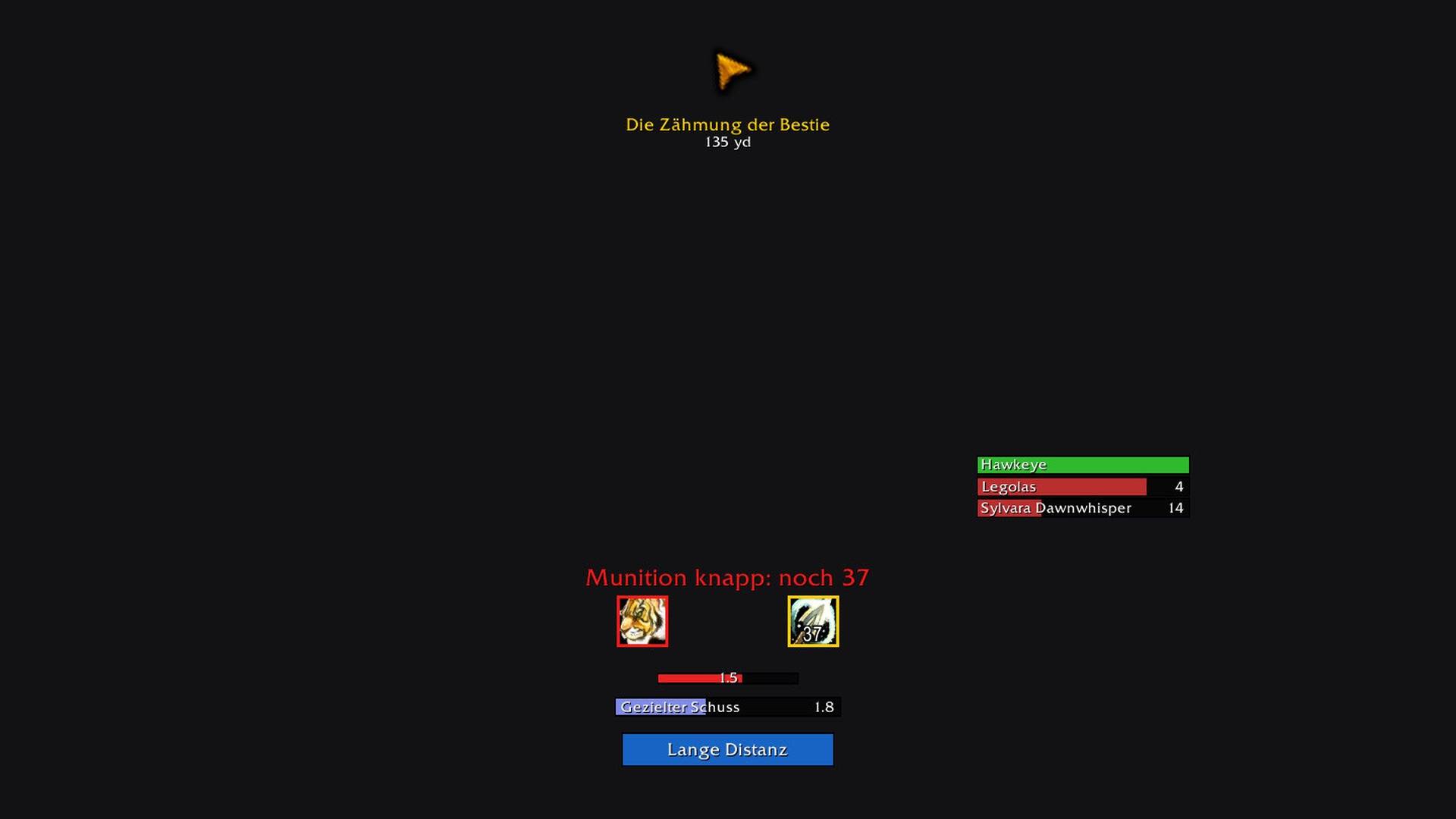
The same displays on their own. Each one can be moved, resized and switched off.
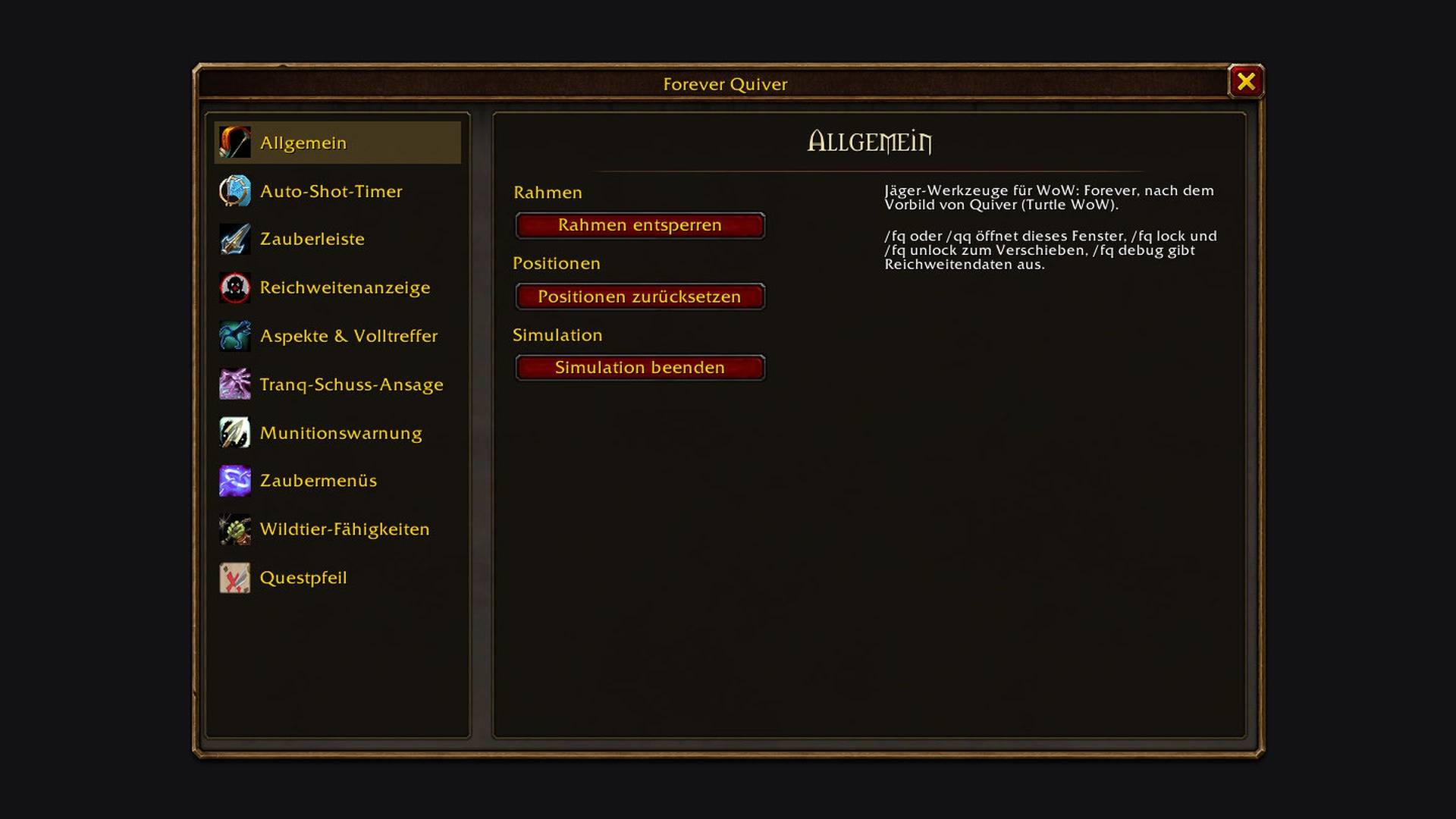
Unlock the frames to drag them, reset their positions, or start the simulation that shows every display with test data.
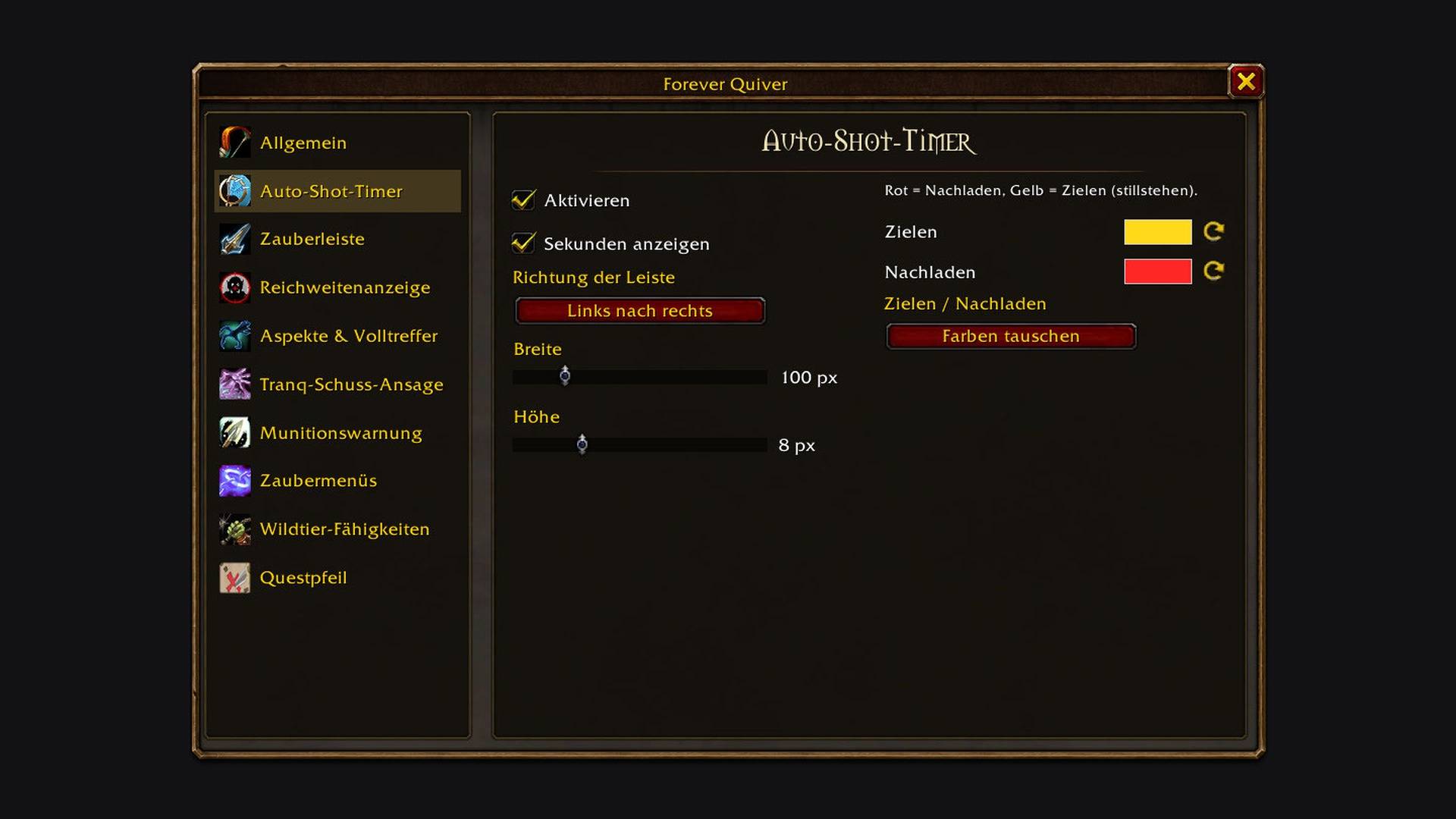
Bar direction, width and height, and the colours for aiming and reloading.
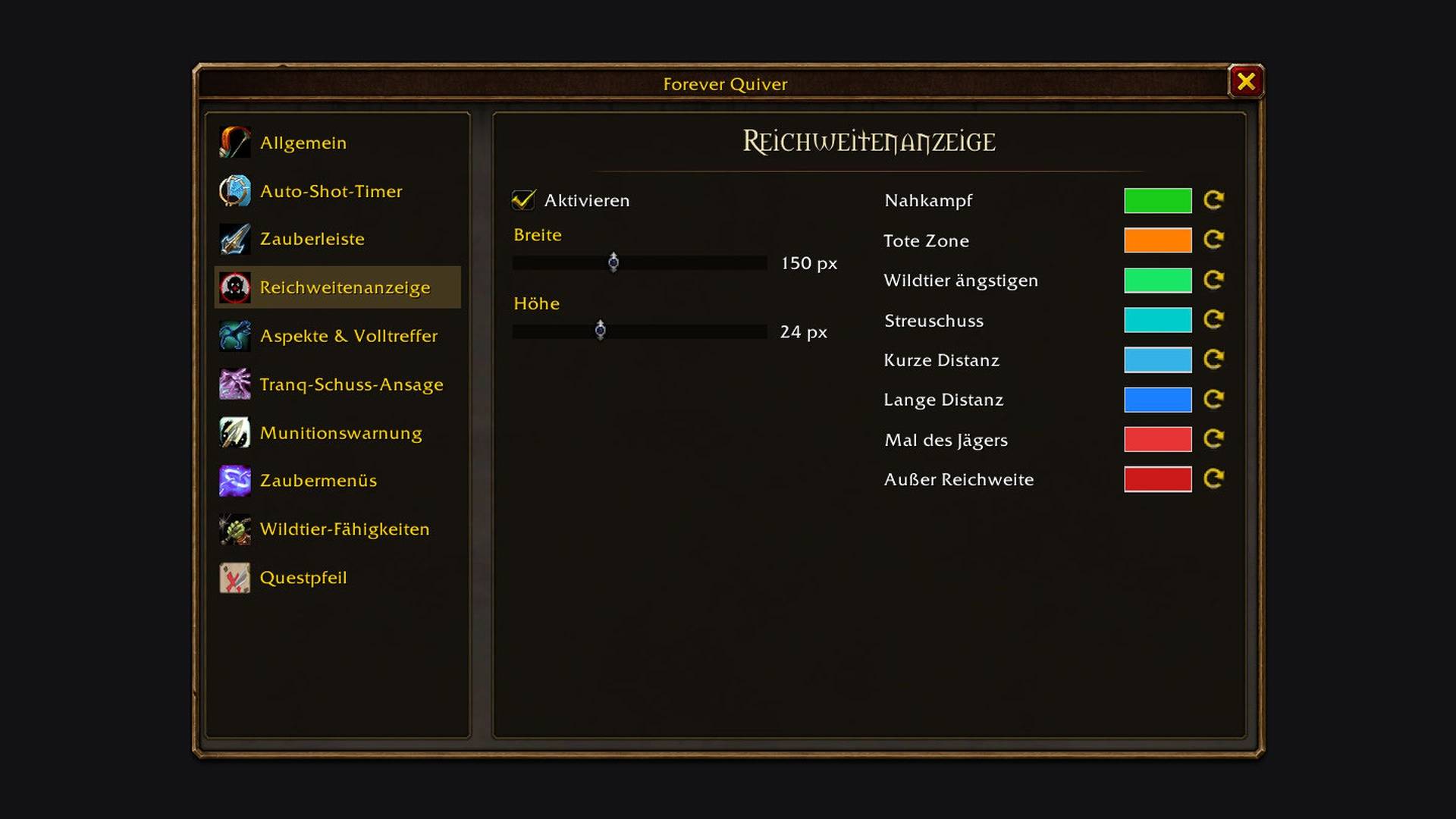
Size and a colour for every range bracket, from melee to out of range.
Description
Hunter tools for WoW: Forever, modelled on Quiver from Turtle WoW and written from scratch for the Forever client.
What you get
| Feature | What it does |
|---|---|
| Auto Shot timer | A red bar while you reload, a yellow bar while you aim. |
| Castbar | Aimed Shot, Multi-Shot and Steady Shot, or every cast. |
| Range indicator | Melee, dead zone, short and long range, Hunter's Mark, out of range. No action bar setup needed. |
| Aspect tracker | Shows your aspect, with a red border on Cheetah and Pack and a reminder when none is up. |
| Trueshot Aura alarm | Warns when the aura is missing or about to run out. |
| Tranq Shot announcer | Announces your Tranquilizing Shot and lists the Tranq cooldown of every hunter with Forever Quiver. |
| Ammo warning | A count on screen when your ammo runs low, with a sound. |
| Spell menus | Traps, Pet and Aspects on one key each. The key opens the menu, 1 to 9 cast its entries. A menu can also sit on an action bar. |
| Beast ability tooltip | Mouse over a tameable beast to see which pet ability taming it teaches, marked new or known. |
| Quest arrow | Points at the nearest open objective of your quests, from Questie's data. With TomTom installed, TomTom's arrow takes over. |
Using it
/fq opens the options. /qq and /quiver work too, as in Quiver. Colours, sizes and the Tranq channel are set there.
/fq unlock lets you drag the frames, /fq lock fixes them again and /fq reset puts them back. /fq demo shows every display with test data.
The spell menus get their keys under Key Bindings > Forever Quiver.
Good to know
- The quest arrow needs Questie.
- A missed Tranquilizing Shot is not announced: Forever doesn't give addons the combat log.
- "Known" in the beast tooltip depends on what the client reports as learned.
Credits
Quiver by SabineWren is the model; none of its code is used. The beast data comes from AllTheThings' beast training list for WoW: Forever. Distances are measured with LibRangeCheck-3.0 (mitch0 and the WoWUIDev community).
About me
I'm Sven. I've been a software developer for over 20 years, and I write and maintain my World of Warcraft addons in my free time. They are free and open source, and they will stay that way.
Found a bug or have an idea? Open an issue or send me a DM on CurseForge.
Support
The addon is free and always will be. If it made your game a bit nicer, you can buy me a coffee or send something via PayPal.
License
GPL-3.0-or-later
Forever Quiver Team

Owner