Forever Questlog
- By
A transparent quest tracker with separate Open and Completed tabs, quest-area groups and available party progress, powered by Questie.
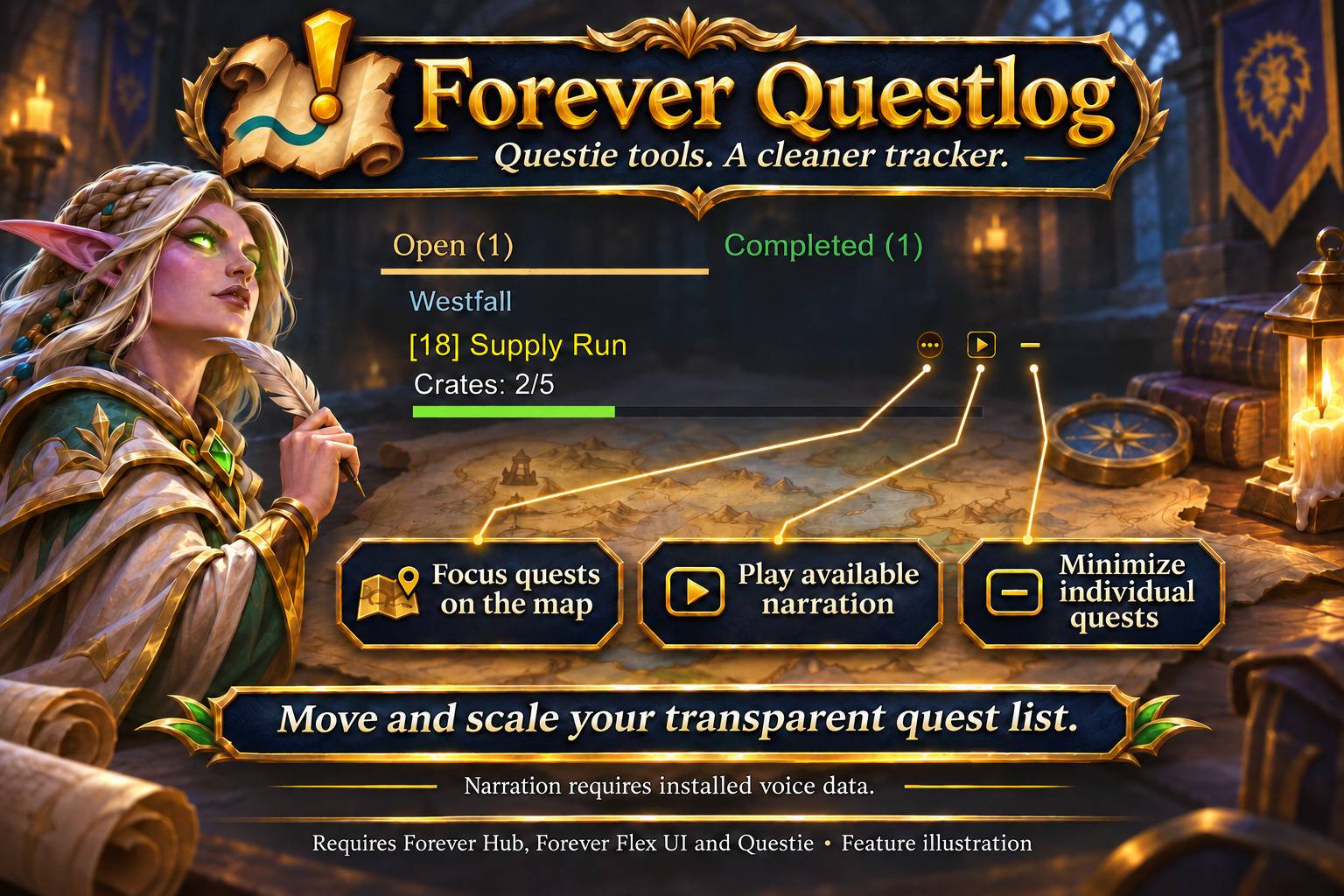
A clearer quest tracker, powered by Questie
Forever Questlog replaces the on-screen quest list with a compact, transparent tracker for WoW Forever 1.60.1. Keep Questie's map markers and quest data while separating unfinished objectives from quests ready to turn in.
Keep your adventure organized
- Open and Completed tabs: view one list at a time, with counts and a green Completed tab. Only quests you checked for tracking appear.
- Quest-area groups: organize quests by their native quest-log/Questie area, then by level. Title colors indicate quest difficulty.
- Party progress: see available progress for your group. Unknown and cached data remain clearly distinct. Group data is requested through Questie when your group changes;
/fquestlog syncrequests another update with a 15-second limit. - Questie tools on the title line: focus quests on the map, play available narration and minimize individual quests. Buttons align to the right; long names end in
...and show fully on hover. - A stable, adjustable HUD: both tabs use the taller list's height. Move and scale the tracker, adjust width, text size and maximum height, and choose four color styles.
- One on-screen quest list: replace the Questie, Blizzard and optional ForeverCore quest trackers while retaining their other features.
Plan your next adventure
Quest planning and helpers (1.1.0):
- Group catch-up: see who still needs each objective; unknown/cached stays clear.
- Optional shared session plans: select up to 20 quests, send explicitly, accept or decline incoming plans. Native quest tracking is never changed.
- Inspect known Questie chains/prerequisites; availability is not guaranteed.
- Use client-designated quest items with cooldowns through secure item buttons.
- Prioritize pins, current-area quests or your plan without changing watches.
- Review log space, ready turn-ins and unchanged objectives; no auto-abandonment.
- Prepare dungeon quests using optional Forever Dungeon Journal; inspect context, share eligible quests manually and open installed Dungeon Mates.
- Keep private quest notes, including drafts that survive progress updates.
- Review measured quest rewards in a local session/daily recap; copy an export.
- Enable optional titles-only combat view and text-based difficulty labels.
Open /fquestlog tools or the tracker menu; Alt-click a quest for context. Group-plan sharing is off by default and requires both users to opt in. Only quest IDs go to current group members after an explicit click. Notes and recap stay private. History: 30 days, up to 200 events/day. No new continuous polling.
Required addons
Install Forever Hub, Forever Flex UI and Questie. Keep Questie's QuestieDB installed. Detailed party counts depend on available Questie communication data. Narration requires compatible installed voice data; no voice engine, audio files or third-party databases are bundled.
Completed means ready to turn in, not a history of previously turned-in quests. Another player's completion never marks your own quest complete.
Getting started
Open options through the Forever Hub collection or /fquestlog. Drag the tabs to move the tracker. Click a quest for its map, right-click for details, or Shift-click to insert its link in chat. Language follows the client by default and can be overridden per addon.
No telemetry or external data upload. Feature illustrations demonstrate the functions; the tracker itself remains transparent in game.
Forever Questlog Team