Forever Cookbook
- By
Plan your cooking, combine shopping lists and find ingredient sources for learned and future recipes.
Forever Cookbook
Feature illustration: schematic example, not an in-game screenshot.
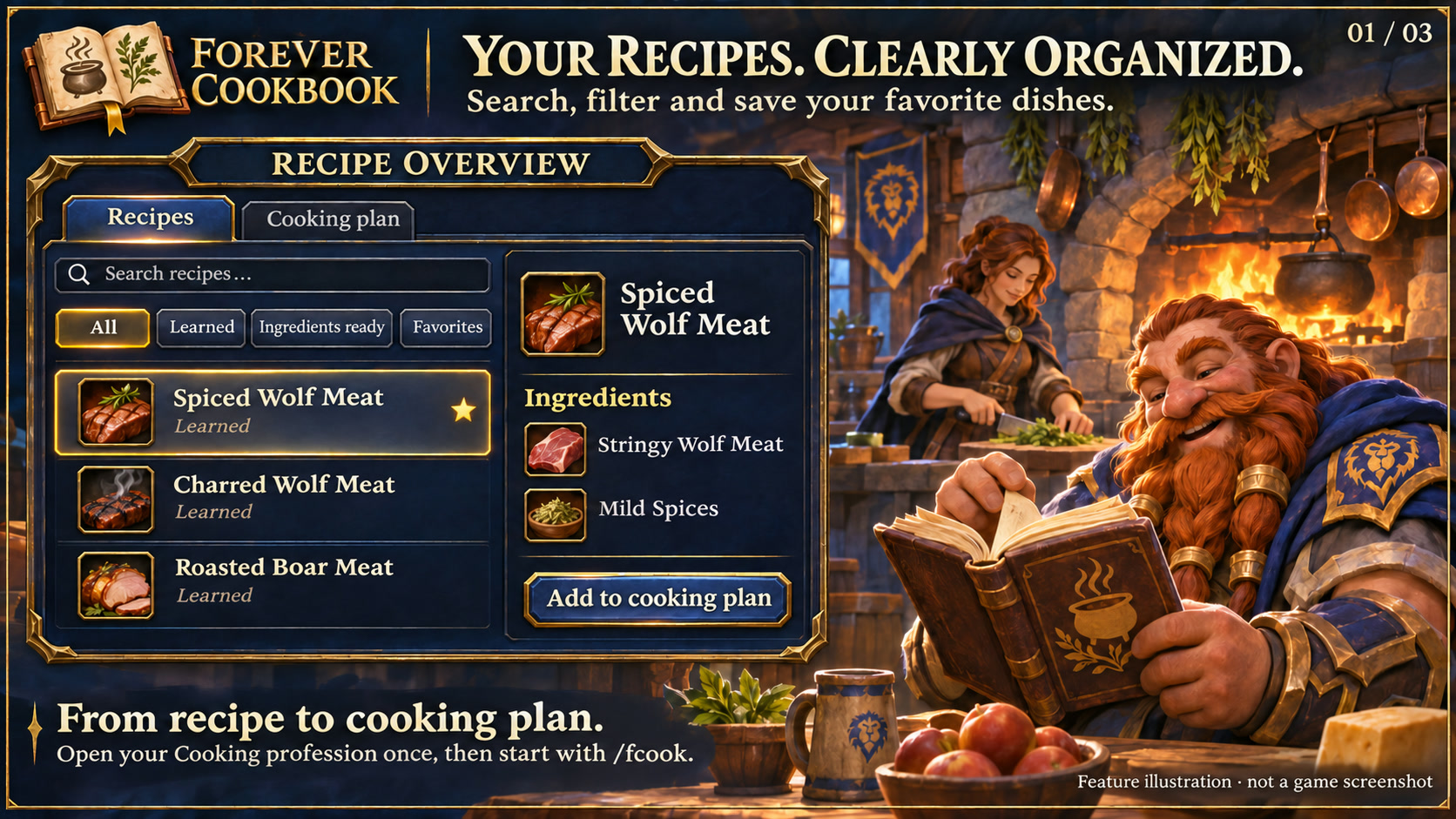
Menus use the shared Forever Hub presentation: dark textured panels, subtle metal borders and clear selection states. Compact action menus stay compact; the Forever launcher icons stay frameless. Update Forever Hub to 1.10.1 or later for this appearance.
Language (from version 1.3.4): follows the WoW client by default. Each addon has a Language dropdown; select a language and click Reload UI. Available translation coverage varies by addon and language; missing labels fall back to English. Game-provided names stay in the client language. Update Forever Hub to 1.11.0 or later.
Requires Forever Hub. Install and enable Forever Hub alongside this addon. https://www.curseforge.com/wow/addons/forever-hub
Plan several dishes together and see where their ingredients come from.
Features
- Search, filter and favorite recipes captured from your own Cooking profession, including unlearned recipes exposed by the client.
- Choose quantities and build a shared shopping list. Ingredients are combined and bag stock is deducted once.
- 113 ingredients catalogued across 132 captured client recipes; 108 have 189 source hints. 124 recipes have hints for all their ingredients.
- Vendors, creatures, clam contents, herbs, fishing areas and crafting sources are distinguished. Open the world map from a source.
- Ingredient observations from NPC vendors and visible loot can be recorded locally before you learn the corresponding recipe.
- Four designs: Runic Seal (default), Minimal, Tactical and Signal.
The cooking-plan dish and ingredient lists include the corrected row borders, so lower frame edges remain visible.
Getting started
Open your own Cooking profession once, then use /fcook. Under Recipes, choose All to include available unlearned entries. Add learned recipes and quantities to the cooking plan; click a material's source button for acquisition hints. /fcook options opens settings. Requires Forever Hub. Install and enable Forever Hub alongside this addon.
Source coverage
Historical Classic references and external Forever hints are labelled; they are not independently confirmed Forever drops. Five special ingredients still lack a sufficiently documented source: Drinkable Stratholme Holy Water, Holy Salts, Exquisite Spices, Hyjal Berries and Cleansed Felbloom. No exact coordinates are invented for area-only sources. Own observed positions are your player's position, not guaranteed spawns. No live radar or automatic online synchronization.
Scope
Recipe availability depends on what the client exposes and its profession filters. Bank stock is excluded. Crafting happens in the native profession window through your actions. The source-window layering was confirmed in game; the expanded source catalogue has automated checks and still needs further in-game source verification.
Compatibility
WoW Forever 1.60.1 / interface 16001. Please report issues with the addon version and reproduction steps. Existing character settings are preserved.
Large launcher icons and faction dock
Left-click the large launcher to open the addon. Right-click hides that launcher; use /ficons and enable its checkbox to restore it. Shift-right-click opens options where available. Alt-drag moves the launcher or the shared dock. Existing visibility and position settings are preserved.
The dock defaults to your character's faction: blue/gold for Alliance, red/gold for Horde. Use /ficons > Bar style to choose Automatic, Alliance or Horde manually; the choice is stored per character. The required Forever Hub includes a Large launcher icons manager.
Changelog and version history
Each file has its own Changelog on CurseForge. The complete version history is also available at kowarek.de – ForeverCookbook changelog. New release notes are added to that website automatically.
Deutsch
Mehrere Gerichte mit gemeinsamer Einkaufsliste planen und Zutatenquellen auf der Karte finden. /fcook öffnet das Kochbuch, /fcook options die Optionen. Eigenen Kochberuf einmal öffnen; unter Rezepte > Alle auch ungelernte Einträge ansehen. 108 von 113 Zutaten besitzen 189 Hinweise; fünf besondere Forever-Zutaten bleiben ausdrücklich offen. Classic-Hinweise sind gekennzeichnet. Keine automatische Herstellung oder externe Datenübertragung.
Starticons und Fraktionsfarben
Linksklick öffnet das Addon, Rechtsklick blendet sein großes Starticon aus. /ficons und das Häkchen beim Addon holen es zurück. Shift+Rechtsklick öffnet die verfügbaren Optionen. Die Leiste startet passend zur Charakterfraktion in Blau/Gold (Allianz) oder Rot/Gold (Horde); unter Leistenstil ist eine manuelle Auswahl möglich.
Sprache: standardmäßig automatisch nach WoW-Client. Die Sprachwahl in jedem Addon greift nach /reload; benötigt Forever Hub ab 1.11.0. Fehlende Übersetzungen erscheinen auf Englisch. Namen aus dem Spiel bleiben in der Clientsprache. Nicht alle Texte sind bereits in jede auswählbare Sprache übersetzt.
Forever Cookbook Team