Forever Loot Bag
- By
Sell a designated loot bag at vendors while retaining recognized quest items and unverified items.
Forever Loot Bag
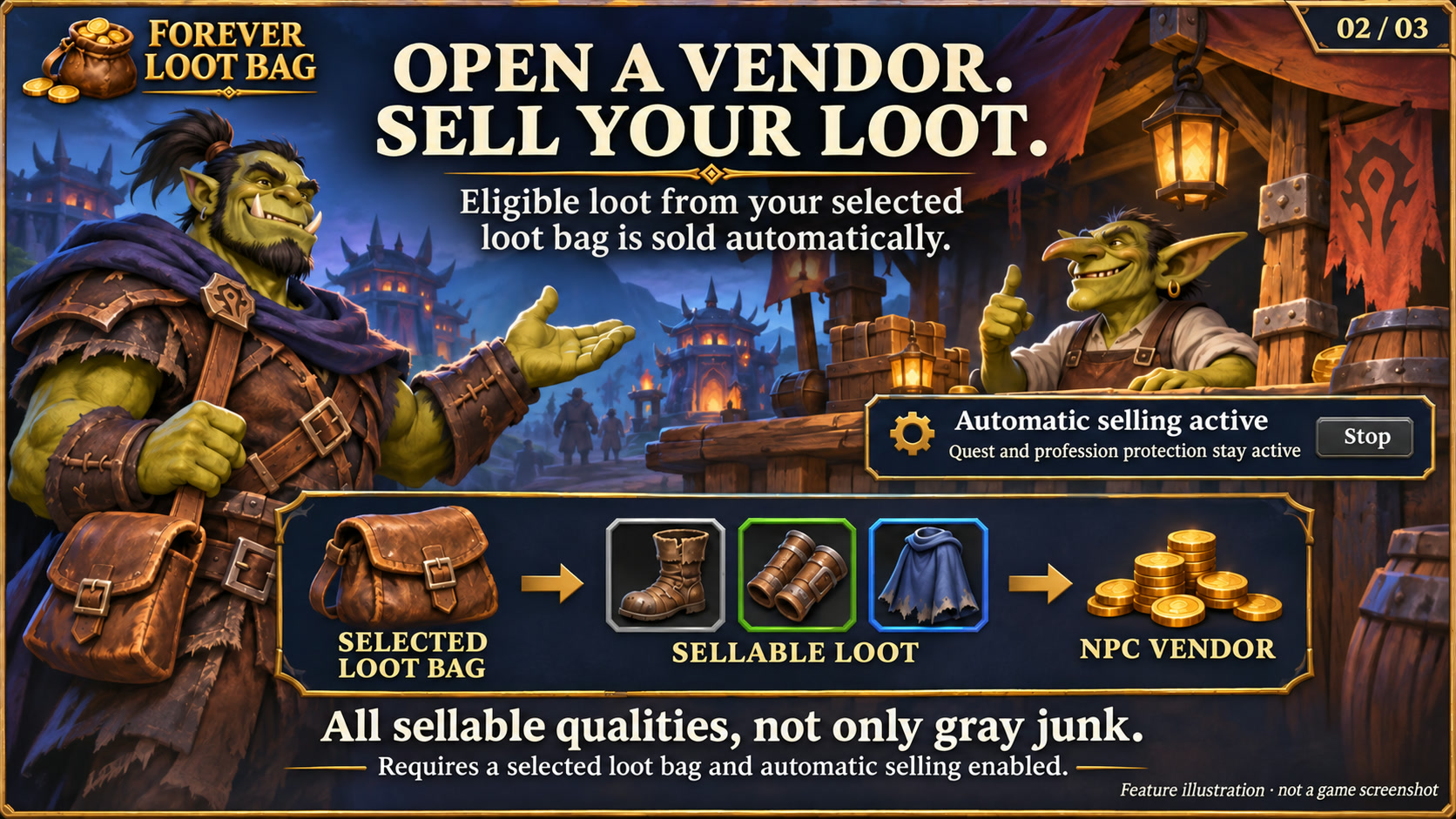
Feature illustration: schematic example, not an in-game screenshot.
Menus use the shared Forever Hub presentation: dark textured panels, subtle metal borders and clear selection states. Compact action menus stay compact; the Forever launcher icons stay frameless. Update Forever Hub to 1.10.1 or later for this appearance.
Language (from version 1.5.3): follows the WoW client by default. Each addon has a Language dropdown; select a language and click Reload UI. Available translation coverage varies by addon and language; missing labels fall back to English. Game-provided names stay in the client language. Update Forever Hub to 1.11.0 or later.
Requires Forever Hub. Install and enable Forever Hub alongside this addon.
https://www.curseforge.com/wow/addons/forever-hub
Choose one physical bag as your loot bag and sell its eligible contents when you open an NPC merchant.
Features
- Select the backpack or one equipped bag explicitly; no bag is selected by default.
- Sell vendor-sellable items of every quality from that bag, including uncommon, rare and epic items.
- An included quest scanner retains recognized quest items and uncertain data. Forever Keep is optional; its manual protections are respected when loaded.
- Inspect the Sell / Keep / Check list before using the bag.
- Sales recheck each stack, await merchant responses, and stop when the merchant closes, combat starts, the bag is replaced or inventory changes.
- Four designs: Runic Seal (default), Minimal, Tactical and Signal.
Learned profession materials
Materials used by already learned recipes are protected too. Opening your own profession window refreshes the recipe cache automatically. When Forever Keep is loaded, Loot Bag shares its profession protections and exceptions; otherwise it maintains its own captured recipe data. Incomplete profession data is retained for checking rather than cleared for sale. Gray reminders for handed-in quests alone do not protect an item from sale.
Getting started
Use /floot options to choose a bag. Put only items intended for sale there, then open a merchant. /floot opens the overview, /floot stop stops a sale and /floot sell retries. Start with inexpensive example items to verify the setup in your client. A replaced bag must be selected again.
Scope and validation
Quest protection depends on readable quest/item information; special quest mechanics may need manual protection. Other selling addons and Blizzard's sell-junk action are not controlled. Automated checks cover protected items, changing inventory and interrupted sales; the owner has confirmed the Keep/Loot Bag sale and protection workflow in game. No required libraries or external communication.
Compatibility
WoW Forever 1.60.1 / interface 16001. Please report issues with the addon version and reproduction steps. Existing character settings are preserved.
Large launcher icons and faction dock
Left-click the large launcher to open the addon. Right-click hides that launcher; use /ficons and enable its checkbox to restore it. Shift-right-click opens options where available. Alt-drag moves the launcher or the shared dock. Existing visibility and position settings are preserved.
The dock defaults to your character's faction: blue/gold for Alliance, red/gold for Horde. Use /ficons > Bar style to choose Automatic, Alliance or Horde manually; the choice is stored per character. The required Forever Hub includes a Large launcher icons manager.
Changelog and version history
Each file has its own Changelog on CurseForge. The complete version history is also available at kowarek.de – ForeverLoot changelog. New release notes are added to that website automatically.
Schützt Materialien bereits gelernter Berufsrezepte, auch in Spezial- und Reagenzientaschen. Forever Keep bleibt optional; ohne Keep wird derselbe Berufsschutz lokal geführt. Unvollständige Rezeptdaten pausieren automatische Verkäufe. Jeden eigenen Herstellungsberuf einmal öffnen.
Eigene Berufsfenster öffnen genügt: bekannte Rezepte und Materialien werden automatisch eingelesen. Bei verzögerten Daten wird weiter gewartet; der manuelle Einlesen-Button ist optional.
Completed quest reminders (1.5.0)
Observed materials of quests handed in on this character can be remembered. Forever Keep displays a gray ! (or Q) after hand-in, with completed quest names in the tooltip. Collecting all objectives is not enough: active quests stay protected until handed in. Abandoned quests are not marked completed. This is an observed history, not a complete quest-item database; old, never-observed associations cannot be reconstructed.
Gray is informational and does not prevent Forever Loot Bag from selling an item. Active quest requirements, profession materials, manual protection and uncertain data still take priority. The reminder does not know whether a particular friend needs the item. History is local to this character.
Abgegebene Quests (1.5.0)
Grau markiert Materialien bereits abgegebener, zuvor beobachteter Quests. Gold bleibt für aktive Quests, auch bei erfülltem Sammelziel. Ein Abbruch zählt nicht als Abgabe. Frühere, nie erfasste Zuordnungen können nicht rückwirkend erkannt werden. Grau allein verhindert keinen Verkauf; anderer Schutz bleibt wirksam. Im Tooltip stehen Questnamen und Herkunft des Hinweises.
Deutsch
Eine ausgewählte Tasche als Lootbeutel verkaufen, sobald ein NPC-Händler geöffnet wird. /floot options wählt die Tasche, /floot zeigt die Vorschau, /floot stop hält den Verkauf an. Alle verkäuflichen Qualitäten sind eingeschlossen. Erkannte Questgegenstände, ungeprüfte Daten und manueller Schutz aus dem geladenen Forever Keep bleiben erhalten. Der Verkauf samt Keep-Schutz wurde vom Besitzer im Spiel bestätigt. Prüfe bei einer neuen Tasche zuerst die Verkaufsvorschau.
Starticons und Fraktionsfarben
Linksklick öffnet das Addon, Rechtsklick blendet sein großes Starticon aus. /ficons und das Häkchen beim Addon holen es zurück. Shift+Rechtsklick öffnet die verfügbaren Optionen. Die Leiste startet passend zur Charakterfraktion in Blau/Gold (Allianz) oder Rot/Gold (Horde); unter Leistenstil ist eine manuelle Auswahl möglich.
Sprache: standardmäßig automatisch nach WoW-Client. Die Sprachwahl in jedem Addon greift nach /reload; benötigt Forever Hub ab 1.11.0. Fehlende Übersetzungen erscheinen auf Englisch. Namen aus dem Spiel bleiben in der Clientsprache. Nicht alle Texte sind bereits in jede auswählbare Sprache übersetzt.
Forever Loot Bag Team