Forever Keep
- By
Highlight inventory items needed for active quests, including ordinary loot and crafting materials.
Forever Keep
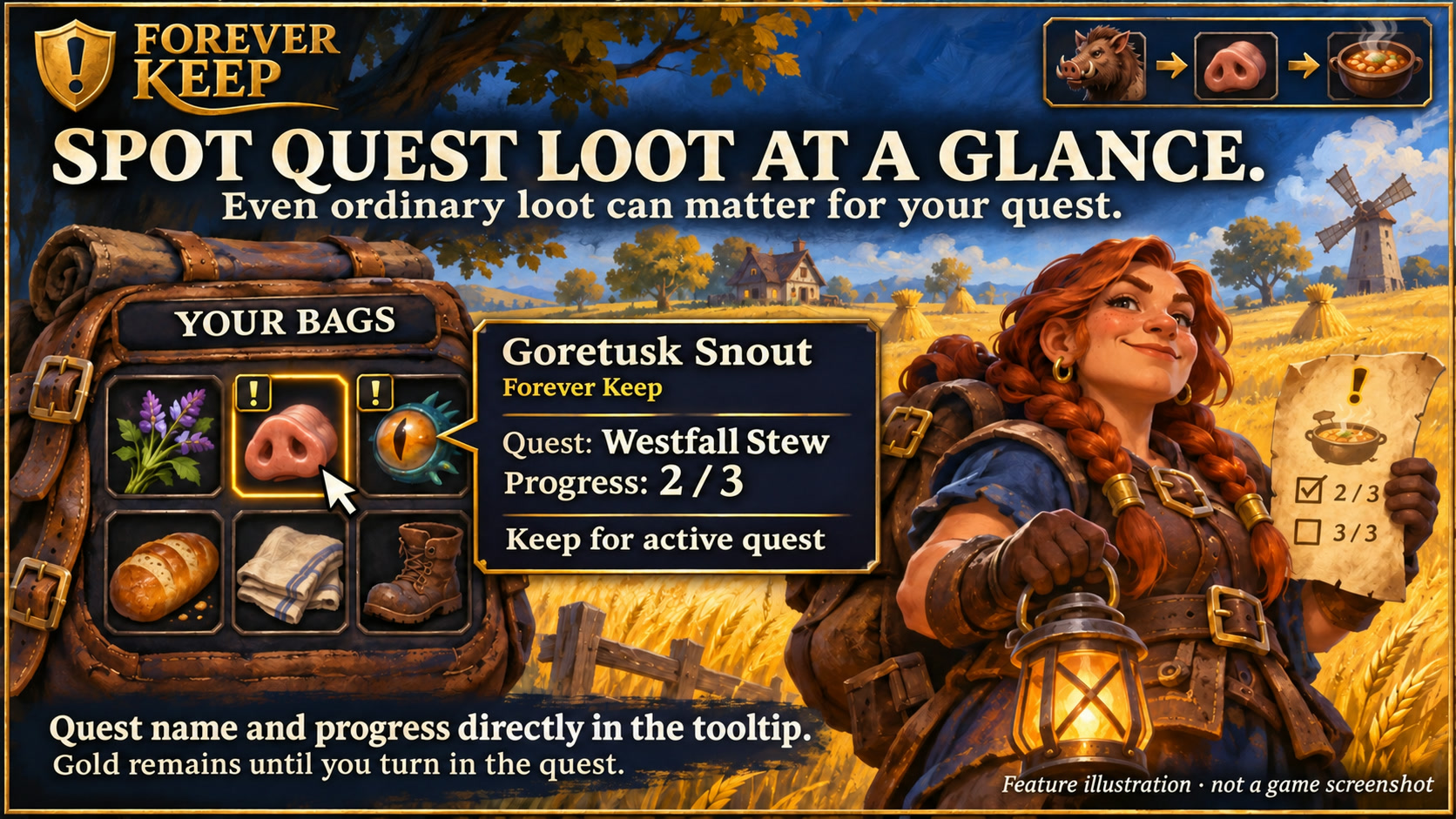
Feature illustration: schematic example, not an in-game screenshot.
Menus use the shared Forever Hub presentation: dark textured panels, subtle metal borders and clear selection states. Compact action menus stay compact; the Forever launcher icons stay frameless. Update Forever Hub to 1.10.1 or later for this appearance.
Language (from version 1.6.5): follows the WoW client by default. Each addon has a Language dropdown; select a language and click Reload UI. Available translation coverage varies by addon and language; missing labels fall back to English. Game-provided names stay in the client language. Update Forever Hub to 1.11.0 or later.
Alt + left-click in Blizzard bags toggles protection for all stacks of an item. Active quest items remain protected; profession exceptions are shared with Forever Loot Bag.
Requires Forever Hub. Install and enable Forever Hub alongside this addon. https://www.curseforge.com/wow/addons/forever-hub
See which items in your bags are still needed for your active quests.
Less background work (1.6.7)
Closed bags and bank windows no longer trigger repeated item-slot queries or unchanged Alt-click display updates. Quest and learned-recipe protection, including fresh checks before each Loot Bag sale, stays active.
Features
- A compact gold ! on a dark tile marks quest supplies; switch to Q and choose 16, 18 or 20 px.
- Recognizes ordinary loot and materials through readable active quest objectives, item links and quest annotations.
- Bag tooltips and the dedicated quest inventory show the associated quest and available progress.
- Materials remain marked after completing a collection objective until the quest is turned in or removed.
- Optional manual protection for additional items.
- The Blizzard bank in WoW Forever shows the same profession symbols, skill colors, quest and manual-protection markers as your bags, including bank-bag contents. Bank item tooltips identify Forever Keep and list the learned recipes using a material. Marks refresh when items move or bank pages change.
- Four designs: Runic Seal (default), Minimal, Tactical and Signal.
Professions and completed quests
Opening your own profession window automatically records learned recipes and their materials. Profession icons are the default; B or profession abbreviations remain selectable. Difficulty colors default to the border only, with a gold fallback when disabled. Item tooltips group learned recipe names by profession; hold Shift and hover again for the full list. Trainer/book hints are available from both profession views and are labelled as reference information where Forever differs.
Observed materials of handed-in quests can retain a gray reminder. Gray alone does not block sale; active quests, profession protection and manual protection take priority.
Getting started
Use /fkeep for the quest inventory and /fkeep options for settings. Open your bags while a collection quest is active. In the quest inventory, right-click an ordinary item to toggle additional protection.
Scope
Direct overlays support Blizzard bags and the open Blizzard bank in WoW Forever. With another bag addon, use the separate quest inventory. Bank marks use the current character's quest and learned-recipe data. The separate inventory list and vendor scans still cover carried bags; Alt-click protection toggling remains an inventory-bag shortcut. Unreadable or incomplete information remains unverified. Forever Keep does not block manual sales or other vendors' automatic selling addons. Its protection data can be used by the separately installed Forever Loot Bag; it does not require that addon.
Compatibility and testing
WoW Forever 1.60.1 / interface 16001. The owner has confirmed the addon works in the game; Lua/API and package checks have also passed. This does not mean every class, locale or addon combination has been tested. Please report issues in the project comments with the version and steps to reproduce. Requires Forever Hub. Install and enable Forever Hub alongside this addon.
Large launcher icons and faction dock
Left-click the large launcher to open the addon. Right-click hides that launcher; use /ficons and enable its checkbox to restore it. Shift-right-click opens options where available. Alt-drag moves the launcher or the shared dock. Existing visibility and position settings are preserved.
The dock defaults to your character's faction: blue/gold for Alliance, red/gold for Horde. Use /ficons > Bar style to choose Automatic, Alliance or Horde manually; the choice is stored per character. The required Forever Hub includes a Large launcher icons manager.
Changelog and version history
Each file has its own Changelog on CurseForge. The complete version history is also available at kowarek.de – Forever Keep changelog. New release notes are added to that website automatically.
Completed quest reminders (1.5.0) Observed materials of quests handed in on this character can be remembered. Forever Keep displays a gray ! (or Q) after hand-in, with completed quest names in the tooltip. Collecting all objectives is not enough: active quests stay protected until handed in. Abandoned quests are not marked completed. This is an observed history, not a complete quest-item database; old, never-observed associations cannot be reconstructed. Gray is informational and does not prevent Forever Loot Bag from selling an item. Active quest requirements, profession materials, manual protection and uncertain data still take priority. The reminder does not know whether a particular friend needs the item. History is local to this character.
Deutsch
Weniger Hintergrundarbeit (1.6.7)
Geschlossene Taschen und Bankfenster lösen keine wiederholten Slotabfragen oder unveränderten Alt-Klick-Anzeigeaktualisierungen mehr aus. Quest- und Berufsschutz einschließlich frischer Prüfung vor jedem Loot-Bag-Verkauf bleiben aktiv.
Berufsschutz: Materialien bereits gelernter Rezepte; Standard Berufsicon + Skillfarbe nur am Rahmen. B, Kürzel und Gold bleiben wählbar. Mehrfachbedarf zeigt B+. Trainer-/Bücherhinweise für beide Berufsübersichten; Classic-Referenz, Forever-Abweichungen möglich. Jeden eigenen Herstellungsberuf einmal öffnen. Kräutertaschen und zusätzliche Reagenzientaschen werden erfasst. Trainer / Bücher bleibt über den Optionen.
Item-Tooltip: nach Beruf gruppierte Namen bereits gelernter Rezepte, farbig nach Rezeptschwierigkeit. Maximal acht Namen; mit Umschalt und erneutem Hover alle anzeigen. Auch bei ausgeschaltetem Berufsschutz bleibt die Rezeptverwendung sichtbar.
Eigene Berufsfenster öffnen genügt: bekannte Rezepte und Materialien werden automatisch eingelesen. Bei verzögerten Daten wird weiter gewartet; der manuelle Einlesen-Button ist optional.
Abgegebene Quests (1.5.0) Grau markiert Materialien bereits abgegebener, zuvor beobachteter Quests. Gold bleibt für aktive Quests, auch bei erfülltem Sammelziel. Ein Abbruch zählt nicht als Abgabe. Frühere, nie erfasste Zuordnungen können nicht rückwirkend erkannt werden. Grau allein verhindert keinen Verkauf; anderer Schutz bleibt wirksam. Im Tooltip stehen Questnamen und Herkunft des Hinweises.
Auch das geöffnete Blizzard-Bankfach und die Banktaschen zeigen jetzt Berufsmarkierungen, Skillfarben sowie Quest- und manuellen Schutz. Die vorhandenen Einstellungen gelten genauso wie im Inventar. Beim Umlegen von Gegenständen und beim Wechseln der Bankseite werden die Markierungen aktualisiert. Der mit Forever Keep gekennzeichnete Tooltip zeigt die passenden bereits gelernten Rezepte deines aktuellen Charakters.
Questbedarf direkt im Inventar erkennen: auch gewöhnliche Beute wie Geiferzahnschnauzen oder Materialien, die du für eine aktive Quest brauchst. Die kleine goldene !-Kachel ist in den Optionen auf Q umstellbar. /fkeep zeigt das Questinventar mit Questnamen und verfügbarem Fortschritt. Manuelle Verkäufe und fremde Verkaufsaddons werden nicht blockiert. Der automatische Verkaufsschutz gilt bei Verwendung von Forever Loot Bag. Ohne dieses Zusatzaddon funktioniert die Kennzeichnung eigenständig.
Starticons und Fraktionsfarben
Linksklick öffnet das Addon, Rechtsklick blendet sein großes Starticon aus. /ficons und das Häkchen beim Addon holen es zurück. Shift+Rechtsklick öffnet die verfügbaren Optionen. Die Leiste startet passend zur Charakterfraktion in Blau/Gold (Allianz) oder Rot/Gold (Horde); unter Leistenstil ist eine manuelle Auswahl möglich.
Sprache: standardmäßig automatisch nach WoW-Client. Die Sprachwahl in jedem Addon greift nach /reload; benötigt Forever Hub ab 1.11.0. Fehlende Übersetzungen erscheinen auf Englisch. Namen aus dem Spiel bleiben in der Clientsprache. Nicht alle Texte sind bereits in jede auswählbare Sprache übersetzt.
Forever Keep Team