Forever Group Finder
- By
A group finder for WoW: Forever in one window — browse groups and players per dungeon, filter by role, level and playstyle, post your own listing, and invite or whisper with a click, in the Forever look.
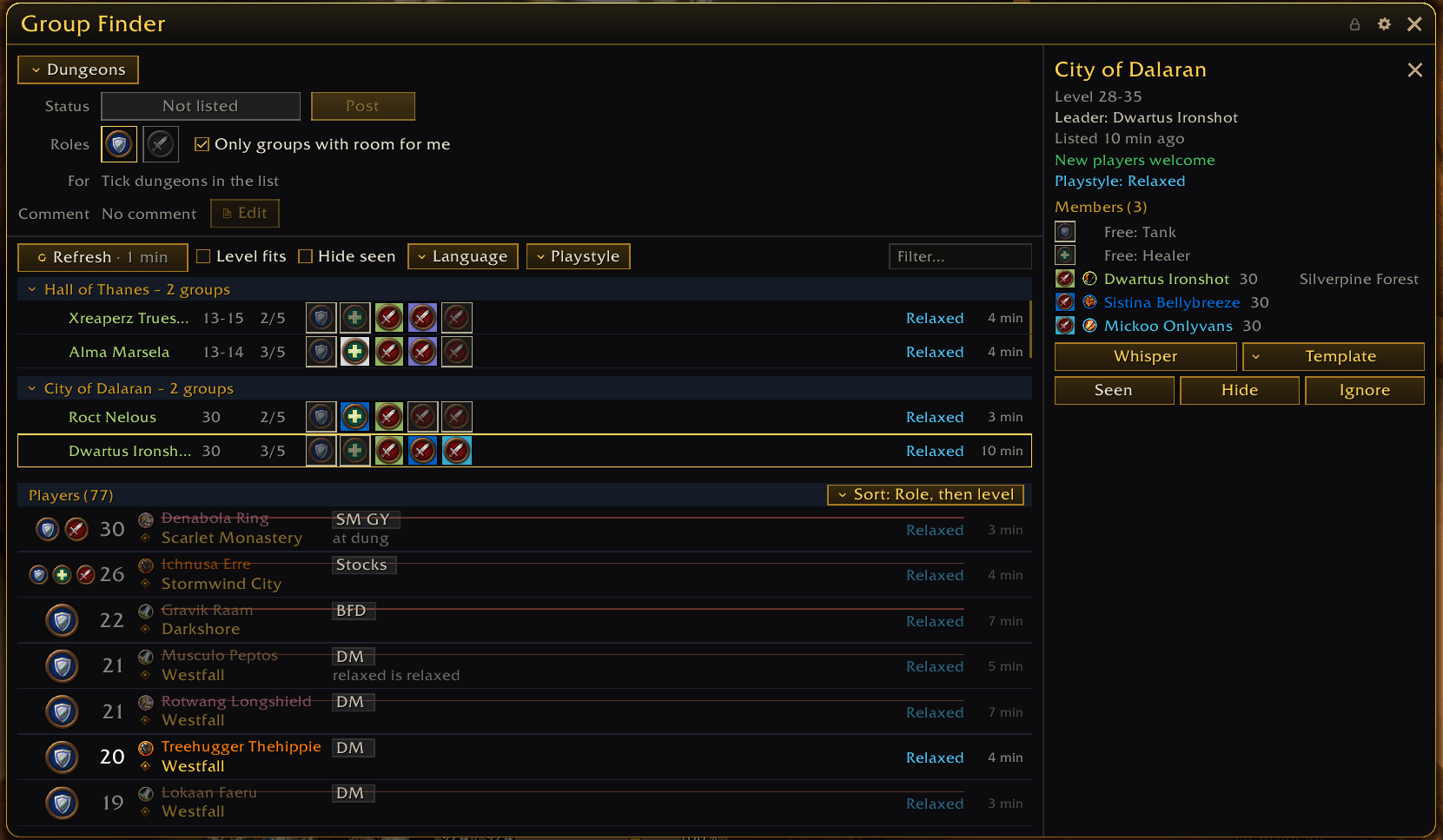
GroupFinder.png
Description
Forever Group Finder
A group finder built for WoW: Forever. One window replaces Blizzard's group finder: search groups and players, post your own listing, and get a group together without leaving it. Written from scratch, in the look of the other Forever addons. English, Deutsch, Español, Français.
Two layouts
- List and details (default): your listing and the list in one column; a details column opens when you click a group.
- Sidebar: the activity list always visible on the left; group details open as a side panel. Switch in the options.
Activities
- Pick a category with the radio buttons; every activity shows a fit colour for your level.
- Only in my level range hides the rest.
Groups
- Sectioned per dungeon, each section collapsible.
- Role icons in the order Tank, Healer, DPS — free slots included — plus leader, levels and group size.
Players
- A big role icon with level, name, location, abbreviated dungeon tags, comment and playstyle.
- Sort by role, level or newest.
Filters
- Room for my roles (on by default), level fits, hide seen, language, playstyle and a text search.
My listing
- One table for your listing: status, roles (limited to what your class can do, with icons), playstyle, what it is for and a comment.
- One button to Post, Update or Remove.
- Warns before the listing expires and lets you extend it.
- Comments on your own listing need a Blizzard account authenticator — that is a Blizzard rule, not the addon's. Without one, the rest of the listing works as usual.
Details and contact
- Members and free slots, whisper (with your own whisper templates), mark as seen, hide, ignore — with undo.
Leader help
- Shows the missing roles, lists fitting players and invites them with one click.
Searching
- A search runs on every click (the Refresh button, ticking a dungeon, a category, a filter change). The game blocks addons from searching on a timer, so the list never refreshes by itself; it tells you when it is outdated with a gentle pulse.
- Rows update live while you look at them.
Options
- Its own options window in the Forever style (
/fgf, the addon compartment, or the optional minimap button): List look with font and icon sizes, button sizes, layout, Profiles shared across characters, export and import as text.
Commands
/fgf toggle the window · /fgf options · /fgf search · /fgf lock / unlock · /fgf reset · /fgf ignore <name> · /fgf unignore <name>
Forever Group Finder Team