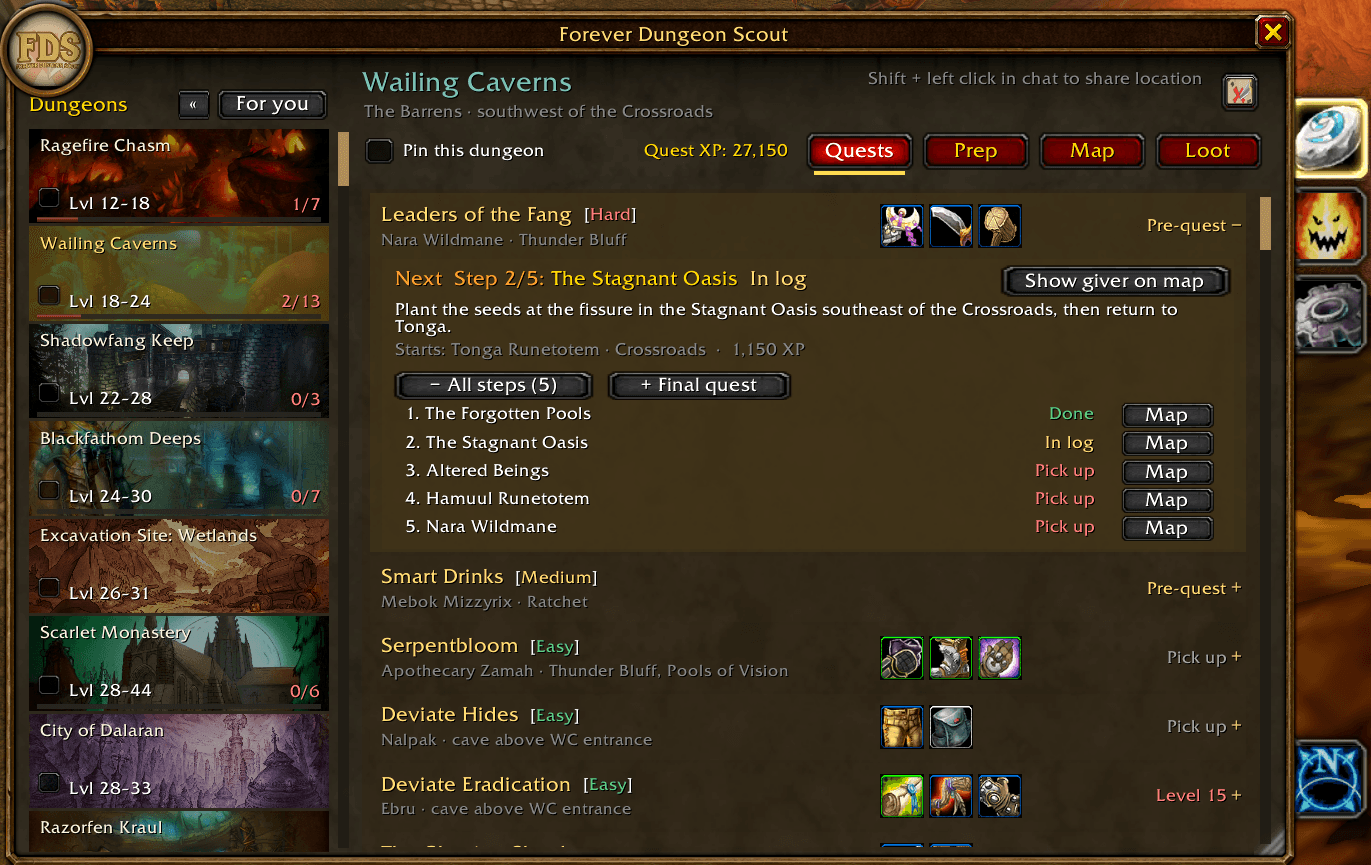
Dungeons on the left tab, center for quests with pre-quests and map pins
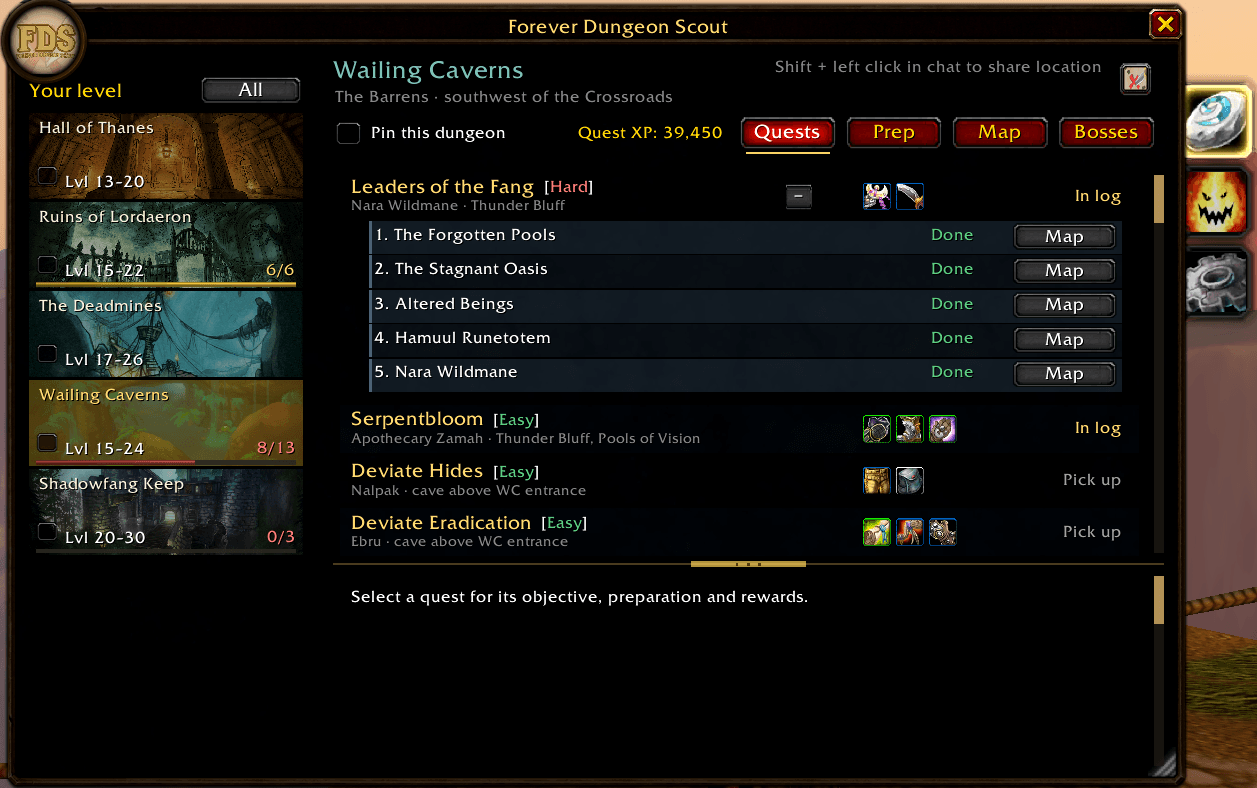
Dark mode; expandable pre-quest steps with map pins
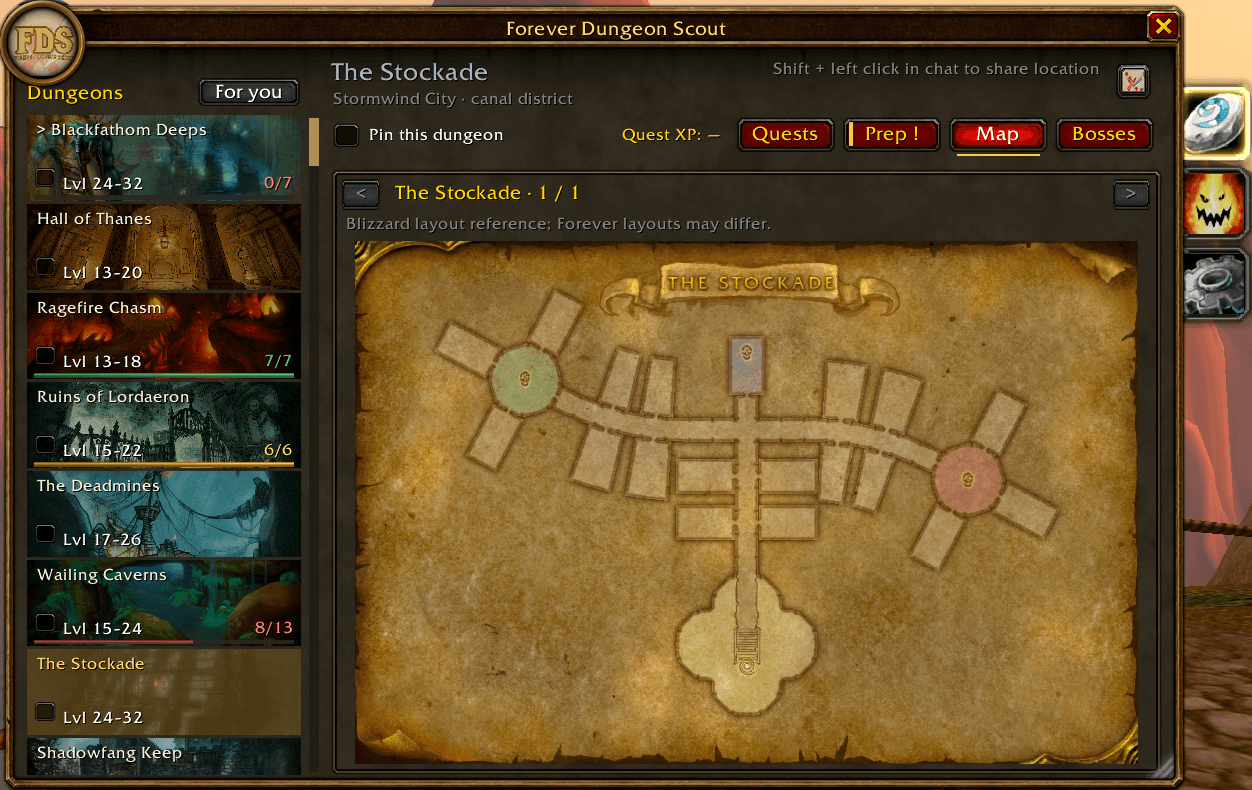
Dungeon maps with boss locations
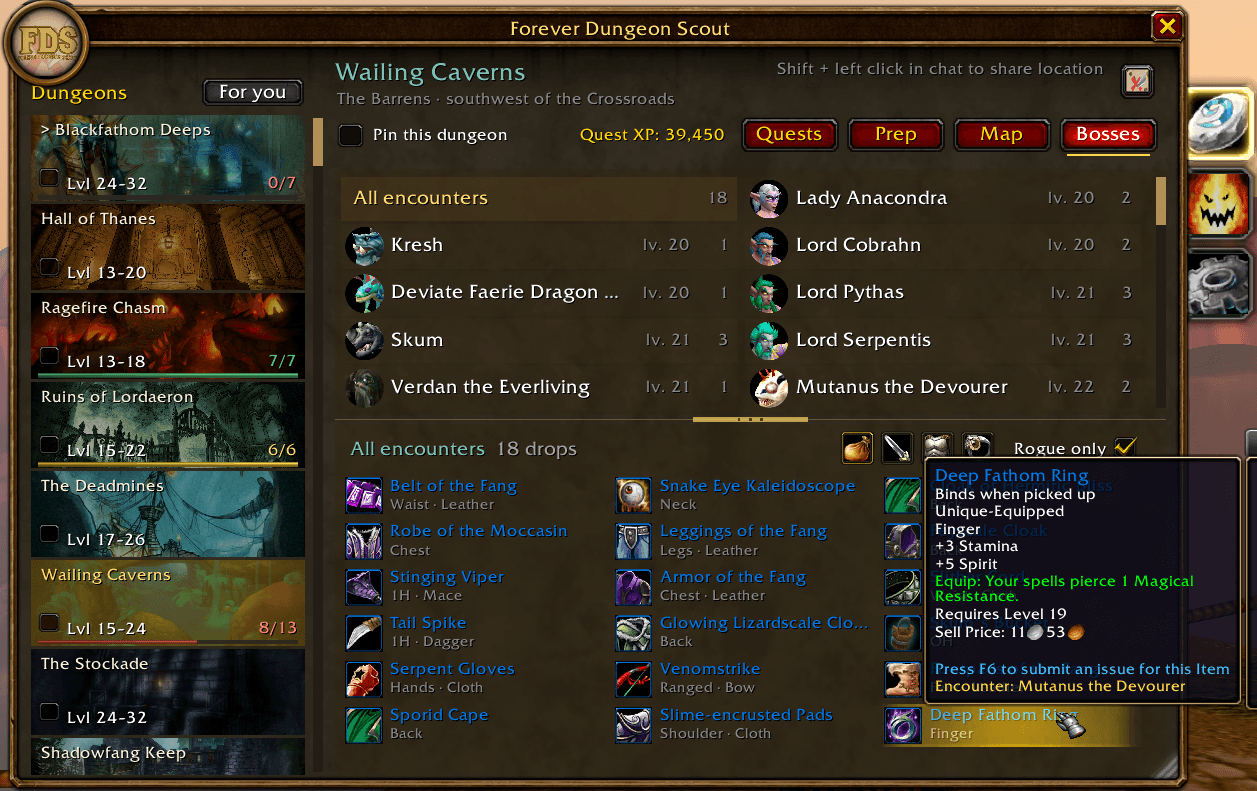
Complete boss overview and loot tables with filters
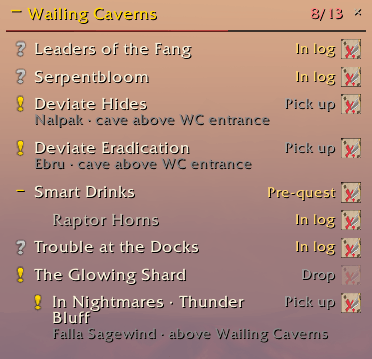
lightweight quest tracker
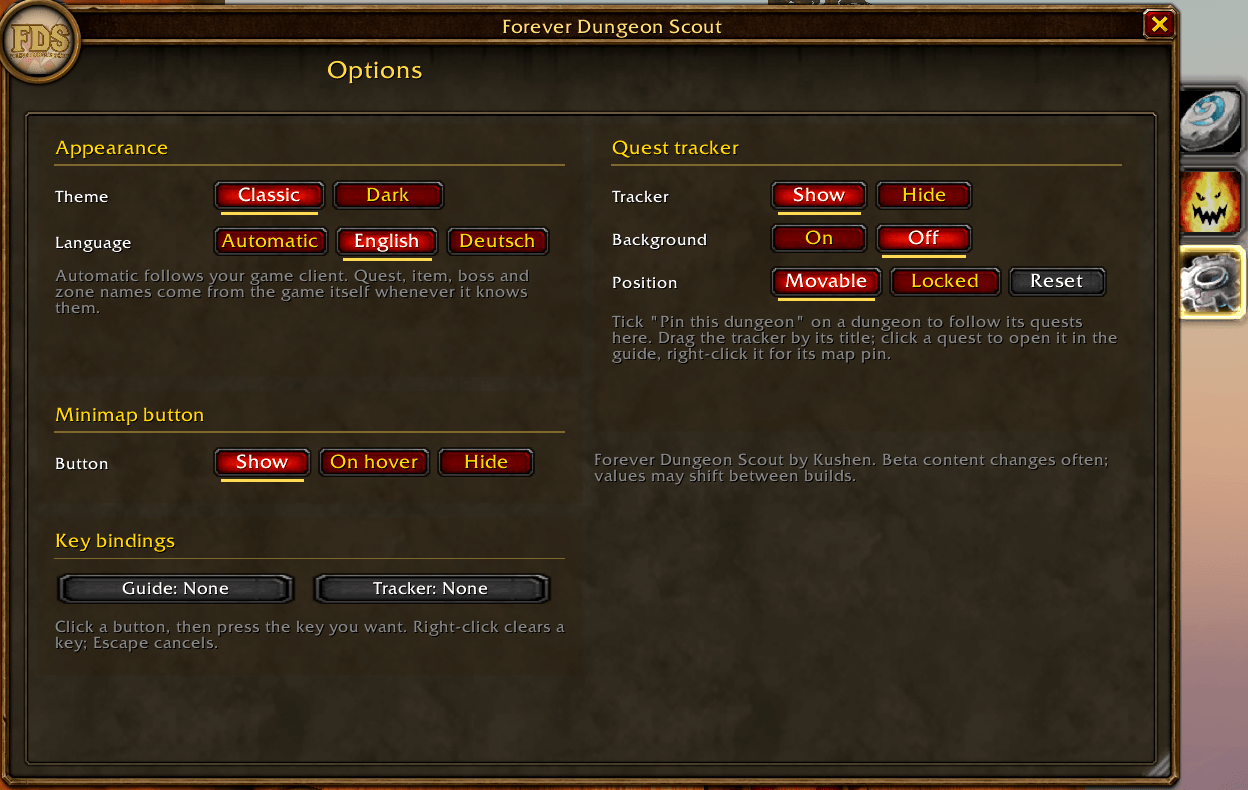
Options menu
Description
Forever Dungeon Scout
Your dungeon scout for WoW Forever. Pick a dungeon and see everything you need before you zone in: every quest, where to get it, what it asks and what it pays. No more alt-tabbing to websites halfway through Shadowfang Keep.
Never miss a pre-quest again
Many dungeon quests need a chain of earlier steps. Forever Dungeon Scout shows each chain in order: which steps you already have, which one is next, and exactly where to pick it up. Expand a quest to see all of its steps.
See the loot before you go
Browse every boss and its drops right in the game. Filter by weapons, armor or jewelry, or show only gear your class can use. Hover any item for its full tooltip.
Map pins that take you there
One click puts a pin on your map for the quest giver, the item you still need, or the dungeon entrance. Shift-click the pin to share it with your group.
A lightweight quest tracker
Pin a dungeon and a small tracker keeps its quests on screen: what to pick up, what's in your log, what's ready to turn in, and your next pre-quest step. Click a quest to open it in the guide, right-click it for its map pin, or collapse the tracker when you need the space.
Know when you're ready
Each dungeon shows your preparation progress at a glance: red while you're still preparing, yellow once the dungeon part is done, green when everything is turned in.
Also inside
- For you shows only the dungeons that fit your level.
- Quest XP and rewards for every dungeon.
- Dungeon maps, so you know the layout before you pull.
- Classic and Dark themes.
- English and German, with names shown in your game's language.
- Open it with /fds, the minimap button, or a key of your choice.
Playing with a controller
1. Turn on controller mode in WoW's settings.
2. Type /fds, go to Options › Controller and press "Create macros".
3. Open the Start menu › Game Menu › Macros and put "FDS Guide" and "FDS Tracker" on your action bar.
4. Press FDS Guide to open the guide. Move with the D-pad, select with A, go back with B, and switch tabs with LB/RB.
5. Press FDS Tracker to move through your tracked quests. A opens a quest, X sets its map pin, B exits.
WoW Forever is still in beta, so quests, rewards and values can change from build to build. The addon is updated regularly. If something looks wrong, please leave a comment!
Forever Dungeon Scout Team