Forever DataBar
- By
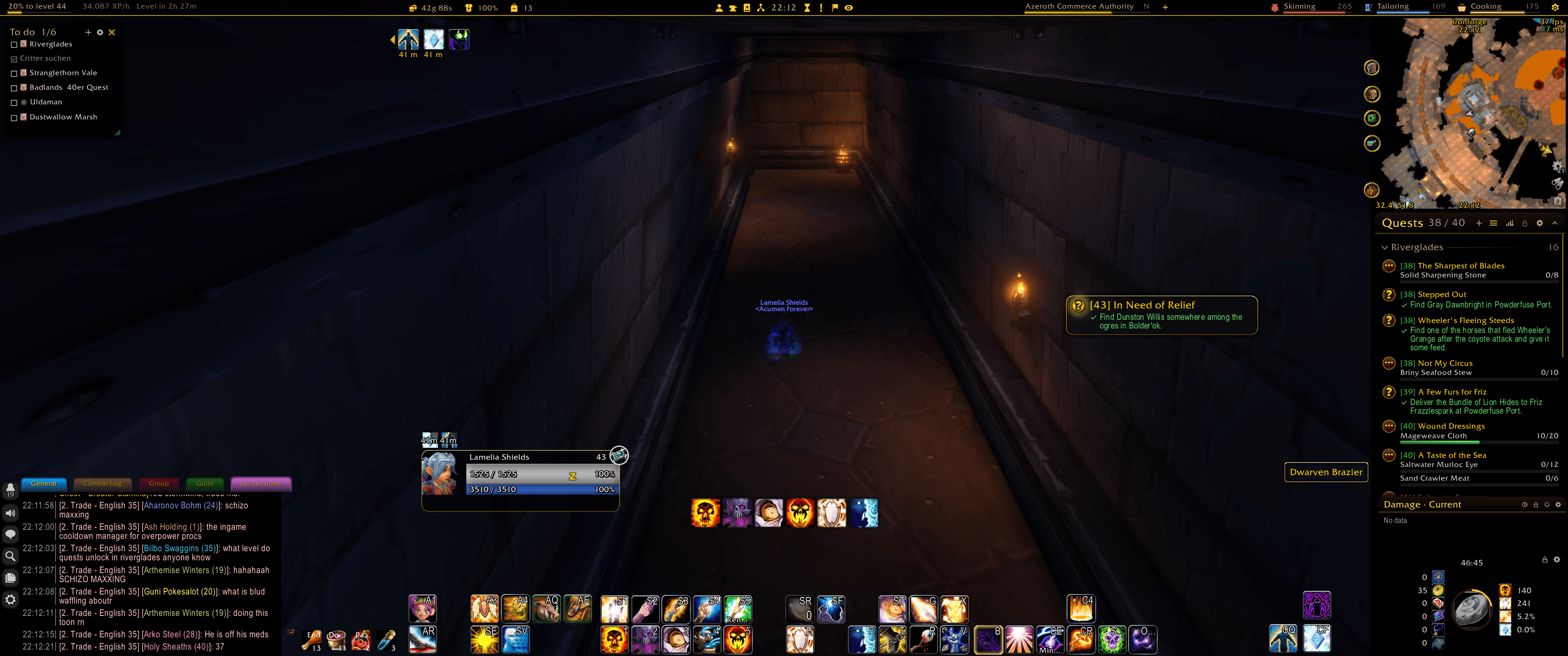
One thin strip across the top or bottom of the screen: experience, gold, durability, bags, clock, up to four professions and four reputations, in five column slots. Five designs, your own accent colour, click a part to open its window.

123.png
3333_klein.png
Description
Forever Data Bar
One thin strip across the whole width of the screen, at the top or the bottom edge, with what you check all the time, for WoW: Forever. English, Deutsch, Español, Français.
Parts
Each part can be shown or hidden, put into one of five columns (1 = left edge, 3 = middle, 5 = right edge; parts in the same column line up side by side) and nudged left or right.
- Experience: "75% to level 33" over a thin line, the rested part shown faint. If you like, XP per hour and the time to the next level, left or right of it. While you have unspent talent points, a pulsing Talents appears beside it; click it to open the talent tree.
- Gold.
- Durability: your worst equipped item in %, yellow below 50, red below 25; the tooltip names it.
- Bags: free slots. Click to open your bags.
- Clock, with the micro menu around it in its own icons, half on each side: character, professions, spellbook, talents, legacy, quest log, guild, group finder, and collections if you like. They click Blizzard's own buttons, so the windows open cleanly, in combat too.
- Professions: up to four, each with its icon, name, skill and a thin line. At the skill cap the line turns gold: time for the trainer. Click to open the profession window.
- Reputations: up to four, each with its standing as an icon, its name and a thin line. Eight icon sets from grim to beaming: faces (round, coin, features only), wolf turning dog, a little monster, weather, a heart and a growing plant; or the short standing as a letter ("F" for Friendly, "H" for Honored). Left-click to pick the faction, right-click to open the reputation tab; a + adds a faction to an empty slot.
Designs
Five looks for the lines:
- Glass (default): the fill glows.
- Hairline: one pixel; the background fades out towards the game.
- Segments: split like Blizzard's experience bar.
- Icons only: professions as icons, the values in the tooltip.
- Alchemy phial: tiny glass tubes with brass caps and bubbles.
Themes (beta)
Forever addons can now wear a shared look: Wood, Parchment, Tech, Runestone, Stained Glass, Comic, Frost, Pixel, Swiss Clean, Console and Pitwall, each with its own colour choices. Pick one in the options under Theme. It works on its own, but looks best when your other Forever addons wear the same theme — "Apply to all Forever addons" switches them in one click. Classic stays the default, and switching back to Classic always restores your previous settings exactly.
A theme gives the whole strip its backdrop, rim, ornaments, shadow, line texture and font; the five designs stay distinct under every theme. Each theme keeps all its settings of its own; the first time, it starts from your Classic settings. "Take positions from" copies the positions of another theme (with undo), "Reset theme" starts it anew from Classic. The theme fonts ship with the addon (SIL Open Font License).
Settings
- Height, background colour and opacity.
- Width of the experience line and of each profession and reputation line.
- Accent colour, by default Forever gold (#FFCA30), and if you like a line in the accent colour along the edge towards the game.
- Professions and standings in their own colours instead of the accent.
- Font: typeface, size, outline and text colour for all parts, and if you like a font of its own for each part.
- Hide in combat or in a group.
- A gear at the right edge of the strip opens the options.
Icons
Its own white silhouette icons for professions, gold, durability, bags and the options gear, tinted in your accent colour.
Commands
/fdb (options)
Notes
- Made for WoW: Forever 1.60.1.
- The translations were not written by native speakers: corrections are very welcome on the issue tracker.
- Bug reports and ideas are welcome on the project's issue tracker.
Forever DataBar Team