Forever Campfire
- By
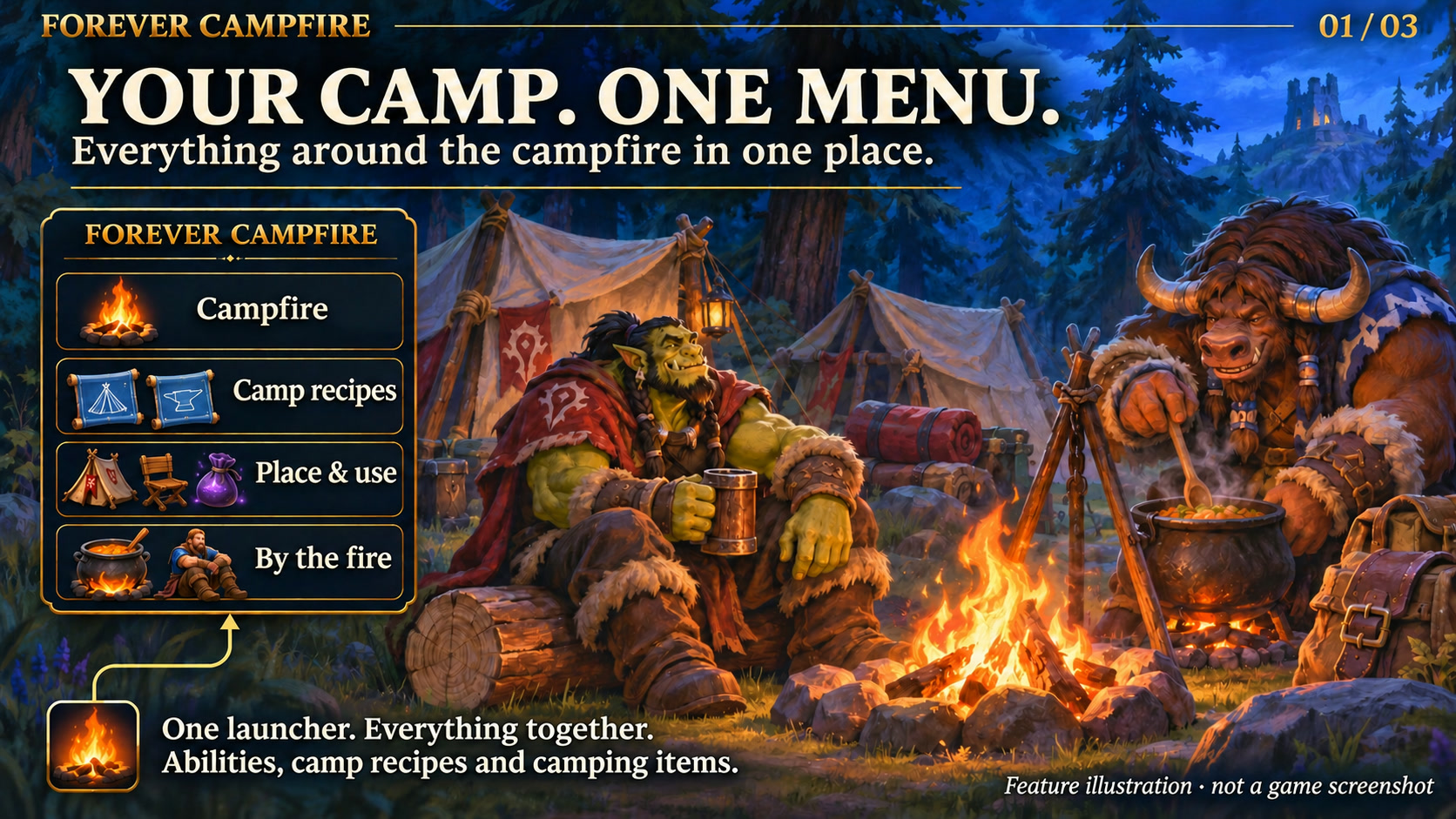
Bring campfire abilities, camping items, supported toys and learned camp recipes into one compact menu.
Forever Campfire
Feature illustration: schematic example, not an in-game screenshot.
Menus use the shared Forever Hub presentation: dark textured panels, subtle metal borders and clear selection states. Compact action menus stay compact; the Forever launcher icons stay frameless. Update Forever Hub to 1.10.1 or later for this appearance.
Language (from version 1.3.6): follows the WoW client by default. Each addon has a Language dropdown; select a language and click Reload UI. Available translation coverage varies by addon and language; missing labels fall back to English. Game-provided names stay in the client language. Update Forever Hub to 1.11.0 or later.
Requires Forever Hub. Install and enable Forever Hub alongside this addon. https://www.curseforge.com/wow/addons/forever-hub
Keep your campfire activities together in a small, configurable flyout.
Optional Doctor diagnostics
Forever Doctor 1.2.0 can record Campfire recipe, menu and update functions for five minutes. This is opt-in; inactive probes perform no timing work. Menu behavior and artwork stay unchanged.
Features
- Learned campfire abilities, owned camping items, sitting and cooking access.
- The owned Pouch of Violet Dust toy is detected from the toy collection without requiring a bag item.
- Learned camp recipes open in the native profession window when clicked.
- Choose the opening direction, labels and number of icons per row.
- Drag the launcher onto an action bar to create a launcher macro; Alt-drag moves it or docks it with compatible Forever launchers.
- Four designs: Runic Seal (default), Minimal, Tactical and Signal.
Getting started
Left-click the launcher or use /fcamp. Shift-right-click on the large launcher opens options; right-click hides it. Open your own professions once to discover learned camp recipes. Custom actions can be added with /fcamp add spell ID or /fcamp add item ID.
Scope
This is a camp menu rather than a general profession list. Automatic name matching supports German and English; unmatched actions can be added manually. Recipes are opened, not crafted automatically. Items, spells and toys still obey the game's ownership, placement, event and cooldown requirements. Open and configure the menu outside combat; layout updates wait until combat ends.
Compatibility and testing
WoW Forever 1.60.1 / interface 16001. The owner has confirmed the addon works in the game; Lua/API and package checks have also passed. This does not mean every class, locale or addon combination has been tested. Please report issues in the project comments with the version and steps to reproduce. Requires Forever Hub. Install and enable Forever Hub alongside this addon.
Large launcher icons and faction dock
Left-click the large launcher to open the addon. Right-click hides that launcher; use /ficons and enable its checkbox to restore it. Shift-right-click opens options where available. Alt-drag moves the launcher or the shared dock. Existing visibility and position settings are preserved.
The dock defaults to your character's faction: blue/gold for Alliance, red/gold for Horde. Use /ficons > Bar style to choose Automatic, Alliance or Horde manually; the choice is stored per character. The required Forever Hub includes a Large launcher icons manager.
Changelog and version history
Each file has its own Changelog on CurseForge. The complete version history is also available at kowarek.de – ForeverCampfire changelog. New release notes are added to that website automatically.
Deutsch
Forever Doctor 1.2.0 kann Rezept-, Menü- und Aktualisierungsfunktionen fünf Minuten lang messen. Die Messung startet nur auf Wunsch; inaktive Proben messen nichts. Menüverhalten und Grafik bleiben erhalten.
Lagerfeuer, Camp-Gegenstände, Hinsetzen und Kochzugriff in einem Menü. Der Beutel mit violettem Staub wird bei Besitz direkt aus der Spielzeugsammlung erkannt. /fcamp oder Linksklick öffnet das Menü; Shift+Rechtsklick die Optionen; Rechtsklick blendet das große Icon aus. Eigene Berufe einmal öffnen, damit gelernte Camp-Rezepte erfasst werden. Starticon normal auf eine Aktionsleiste ziehen oder mit Alt verschieben und anheften. Vier Designs, Öffnungsrichtung und Icons pro Reihe sind einstellbar.
Starticons und Fraktionsfarben
Linksklick öffnet das Addon, Rechtsklick blendet sein großes Starticon aus. /ficons und das Häkchen beim Addon holen es zurück. Shift+Rechtsklick öffnet die verfügbaren Optionen. Die Leiste startet passend zur Charakterfraktion in Blau/Gold (Allianz) oder Rot/Gold (Horde); unter Leistenstil ist eine manuelle Auswahl möglich.
Sprache: standardmäßig automatisch nach WoW-Client. Die Sprachwahl in jedem Addon greift nach /reload; benötigt Forever Hub ab 1.11.0. Fehlende Übersetzungen erscheinen auf Englisch. Namen aus dem Spiel bleiben in der Clientsprache. Nicht alle Texte sind bereits in jede auswählbare Sprache übersetzt.
Forever Campfire Team