FlightETA - Forever
- By
Learn flight times as you fly in WoW Forever. Preview flight ETAs, plan recorded routes, and choose a dungeon for suggested departure and landing flight points with a rough approach map.
flight 1.PNG
flight 2.PNG
flight 3.PNG
fp2.PNG
fp3.PNG
Description
Flight ETA Forever
Learn your flight times and plan flights toward dungeons in WoW Forever.
A readable flight timer, destination hover estimates and a minimap planner
help you decide where to fly and how much flight time to allow.
NEW! Plan a dungeon flight
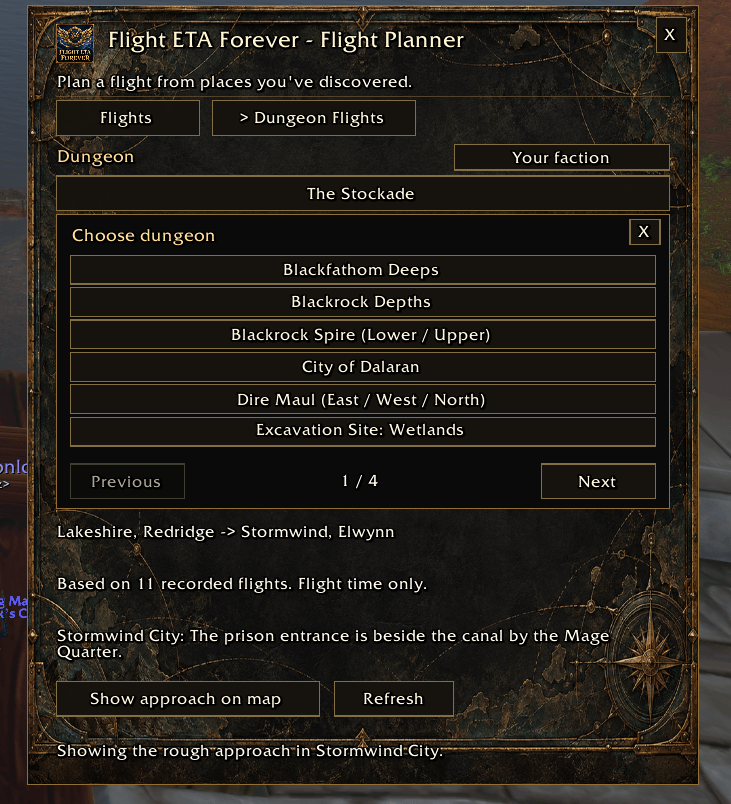
Click the logo beside the minimap and open Dungeon Flights. Choose a
dungeon to fill departure and landing suggestions and open its rough approach
map. Close the map to see your flight estimate; Show approach on map
reopens it. You can change either flight point manually.
Existing discovered points are located from native map pins when the planner
opens, including older saves with no stored coordinates. A new character
without discovery records still needs a flight-master visit. Automatic departure uses the closest located discovered
point by map position. Landing suggestions depend on your faction and recorded
discoveries. Missing position information explains the gap and allows manual
selection. History-only choices say unverified because another character's
saved route does not prove your current unlocks.
The tab shows flight time only, using the recorded average for the exact
direction. An unknown direction says No recorded flight time yet. There
is no personal ground timer, running-time estimate or combined trip total.
The directory groups 23 named dungeons/complexes and offers five separately
labeled announced locations under All dungeons. Shared wings use a common
exterior approach. Beta availability and entrance markers are not all verified.
Markers indicate rough approaches; cave instance portals can be deeper inside.
An entrance without a verified point opens the region without an invented pin.
The planner does not provide road navigation or combine boats, portals and
zeppelin travel. Different flight networks require another travel method.
Learn flights automatically
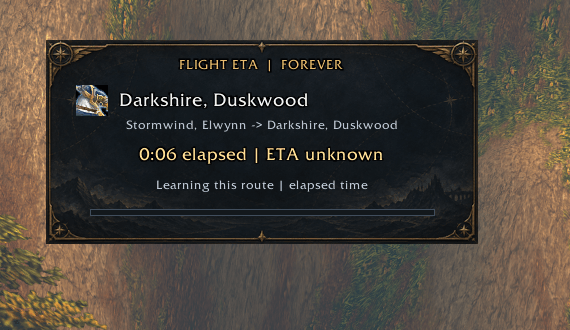
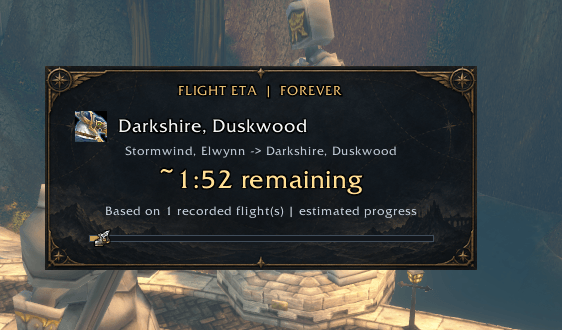
Choose a destination at a flight master. A learned route shows an approximate
countdown during flight. New routes show elapsed time and ETA unknown;
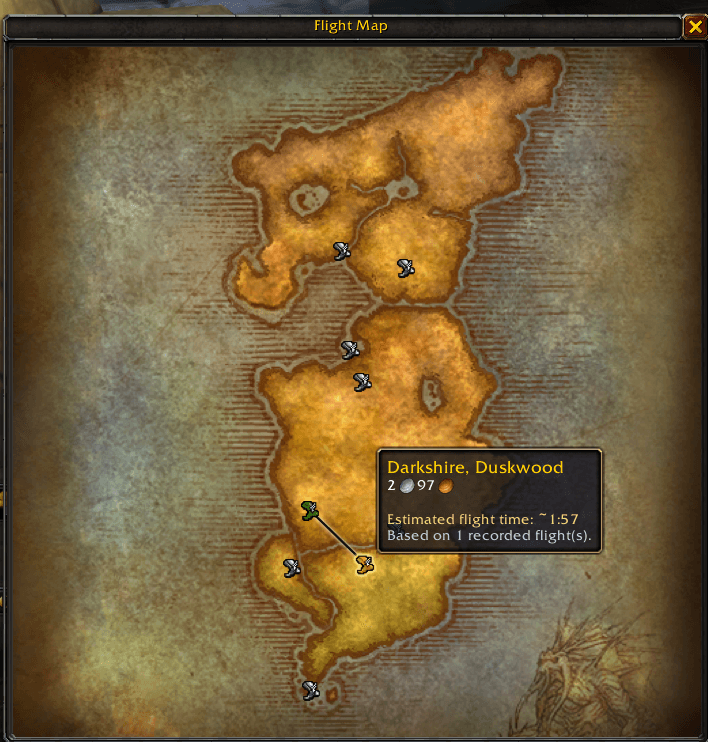
full confirmed flights teach the addon for next time. Hover destinations at a
flight master to see learned estimates before spending the fare.
The Flights tab compares saved endpoints and lets you reverse the route.
Each direction is separate; there is no preloaded flight-time database.
Planning never starts a flight. Drag the minimap logo to reposition it.
The neutral chart artwork works for both factions.
The ~ symbol marks an estimate. Paths and speed bonuses can change flight
times. Frequent Flier is not automatically detected or separated; account
averages can mix different speed settings. Reloads during a flight do not
record a misleading partial duration. If automatic arrival confirmation is
unavailable, open the destination flight master within two minutes.
Useful commands
- /flighteta — Help.
- /flighteta status — Version, storage and flight state.
- /flighteta show / hide — Show or hide the flight timer.
- /flighteta lock / unlock — Lock or unlock dragging.
- /flighteta reset — Reset timer position while retaining history.
- /flighteta routes — Saved routes and averages.
- /flighteta route / flight / storage — Diagnostics.
- /flighteta debug — Toggle extra diagnostic messages.
Compatibility
Made for World of Warcraft: Forever 1.60.1, interface 16001.
The last locally observed installed client was build 70425. Fresh saved
storage requires build 70009 or later. Other WoW editions are not claimed
supported. The dungeon directory currently matches English names.
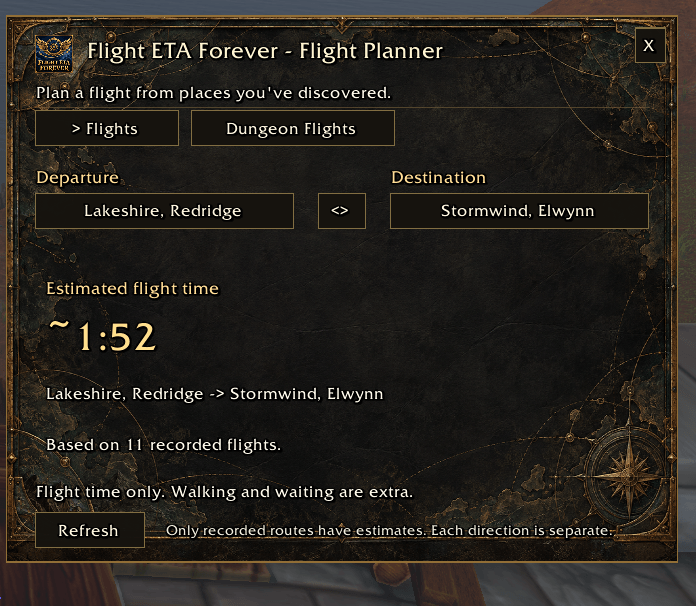
Version 1.3.1 passes automated checks and local layout review. A native
screenshot confirms automatic Lakeshire departure from Redridge, Stormwind
landing for The Stockade, its learned flight estimate and rough approach map.
Other factions/expanded marker coverage are not all native verified.
The core Stormwind -> Booty Bay flight was previously verified at 244.3 seconds
and retained after reload. Optional API/interrupt safeguards are mocked; some
native interruption paths still need coverage. See the packaged validation
notes for the current limits.
To update, close WoW and replace the FlightETAForever addon folder from the
ZIP. Keep SavedVariables to retain existing flight history and preferences.
FlightETA - Forever Team