Fallen's Modifier Keys and Action Bar Pages
- By
Turn any key or mouse button into a modifier: hold or tap it and your keys press another action bar, or a bar switches to another bar's abilities in place. Works in combat.
Fallen's Modifier Keys and Action Bar Pages


Turn any key or mouse button into a modifier. Hold it, or tap it, and the keys you already press abilities with press a different action bar. It works in combat, with as many modifier keys as you like. Made for WoW Forever.
Your bars and keybinds are never changed: turn the addon off and everything is as it was.
How to use it
- Type /fmk. The setup opens by itself the first time.
- Your action keys: the keys of one of your bars, or your own, set in twelve boxes. Click a box and press its key.
- Add a modifier key: press the key or mouse button, pick Hold or Tap, and pick the bar it goes to. That key now only serves as a modifier; take it off the list and it does what it did before.
While a modifier is on, its bar lights up and the buttons show the keys that press them now.
Change your setup any time with /fmk, the minimap button, or the addon's page in the game's options. Profiles let a character, a class or every character share one.
Hold or tap
Each modifier key works one of two ways.
- Hold: the other bar is in use while the key is down.
- Tap: tap the key, then press one key. The modifier key itself counts, so 1 then 1 is that bar's first button and 1 then 2 its second.
Action bar pages
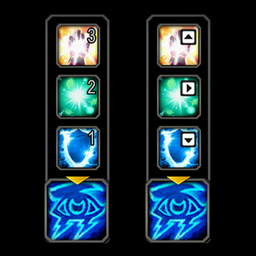
A modifier key can also make a bar show another bar's abilities in place, while your keys stay where they are. This works on any action bar, not only the main one, and one key can switch several bars at once.
With Fallen's Flyouts
A key sent to a button that has a Fallen's Flyouts flyout opens that flyout.
Commands
/fmkor/modkeys: open the setup.
Feedback
Bug reports and ideas are always welcome on GitHub.
From the author of ClassicUI Forever and EasyFind, 4th place in the CurseForge 2026 World of Warcraft addon contest.
Fallen's Modifier Keys and Action Bar Pages Team
Owner