Ekran görüntüsü 2026-10-12 132008.png
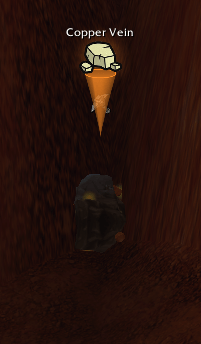
Ekran görüntüsü 2026-10-12 132019.png
Ekran görüntüsü 2026-10-12 132036.png
Ekran görüntüsü 2026-10-12 132049.png
Ekran görüntüsü 2026-10-12 132108.png
Description
FallenGlow
Never walk past a herb, ore vein or treasure chest again.
FallenGlow puts a clean, colour-coded marker right above gatherable objects in the game world, so herbs, mining nodes, chests and quest objects stand out at a glance. It also remembers where you found them and shows them on your minimap and world map.
Made for WoW: Forever by FallenSkullCorp.
Features
Markers above objects
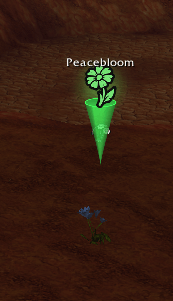
- A translucent cone points down at the object, with a floating icon on top and the object's name.
- Colour-coded by type:
- 🟢 Herb
- 🟠 Ore
- 🔵 Chest
- 🟡 Quest object
- Herb icons change by type: flowers, mushrooms (Ghost Mushroom, Glowcap…) and leafy herbs (Felweed, Stranglekelp…) each get their own icon.
- Works in every direction – you don't need to face the object.
- A soft "ping" sound when a new object is picked up (optional).
Node memory
- Every herb, ore and chest you gather or spot is saved automatically.
- Positions are refined to the exact spot when you actually gather the node.
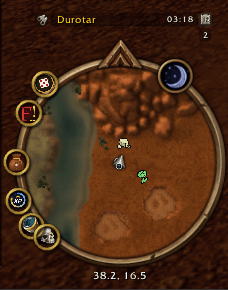
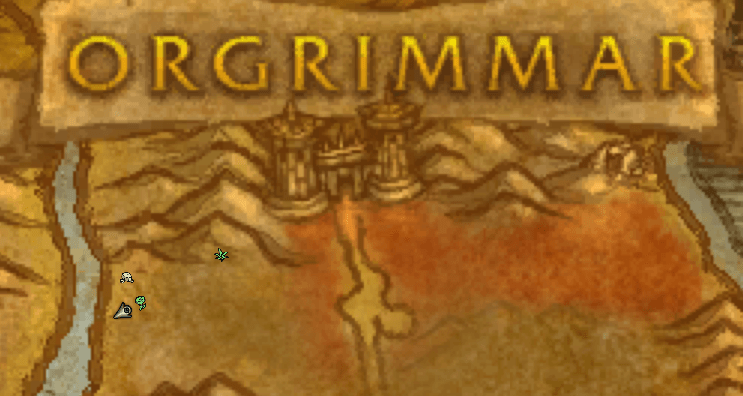
- Saved nodes appear as icons on the minimap and the world map.
- Nodes you just gathered, or that turned out to be empty when you got there, are hidden for a few minutes.
- Node data is shared across all your characters.
Quest objects
- Objects matching your active, unfinished quest objectives are detected and marked as quest objects.
Fully configurable
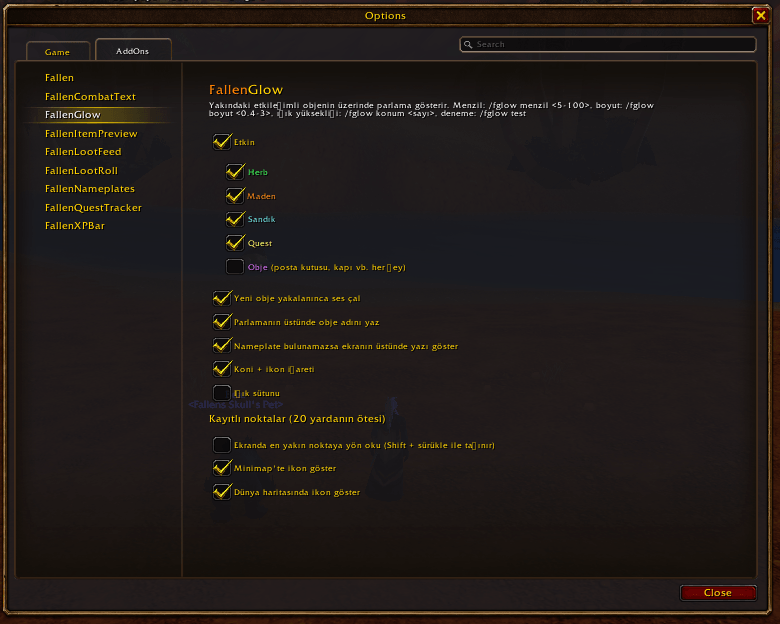
- Settings panel under Options → AddOns → FallenGlow.
- Toggle each category (herb / ore / chest / quest / other) on or off.
- Adjust marker size and height.
- An optional light pillar and direction arrow are included (off by default).
How it works
FallenGlow uses the game's built-in soft-interact system to find the nearest interactable object, then attaches its marker to that object.
The game engine only detects objects within roughly 20 yards. Beyond that range, use the minimap and world map icons from your saved nodes.
Commands
| Command | What it does |
|---|---|
/fglow |
Open settings |
/fglow on / off |
Enable / disable (restores your original game settings) |
/fglow test |
Preview the markers |
/fglow herb · ore · chest · quest · other |
Toggle a category |
/fglow isaret |
Toggle cone marker |
/fglow yukseklik <0-300> |
Marker height above the object |
/fglow boyut <0.4-3> |
Marker size |
/fglow minimap · harita |
Toggle minimap / world map icons |
/fglow kayit |
Number of saved nodes |
/fglow temizle evet |
Clear saved nodes in the current zone |
/fglow sutun · ok |
Toggle light pillar / direction arrow (off by default) |
/fglow debug |
Diagnostics |
Türkçe
FallenGlow, herb, maden, sandık ve quest objelerinin üzerinde renkli bir işaret gösterir. Objeyi gösteren yarı saydam bir koni ve onun üstünde ikon ile isim çıkar.
- Yön şartı yok: obje arkanda ya da yanında olsa da yakalanır.
- Konum kaydı: topladığın ya da gördüğün noktalar kaydedilir, minimap'te ve dünya haritasında ikonla gösterilir. Boş olduğu anlaşılan noktalar birkaç dakika gizlenir.
- Menzil: oyun motoru objeleri yaklaşık 20 yarda içinde yakalar. Daha uzaktaki noktalar için minimap ve harita ikonlarını kullanabilirsin.
- Ayarlar: Arayüz → AddOns → FallenGlow veya
/fglow.
Feedback and bug reports are welcome – join the FallenSkullCorp Discord!
FallenGlow Team