FallenBlackUI
- By
Black Blizzard UI with a parchment fade: windows, bars, minimap, tooltips, buffs and debuffs turn black, while icons and item colors stay intact.
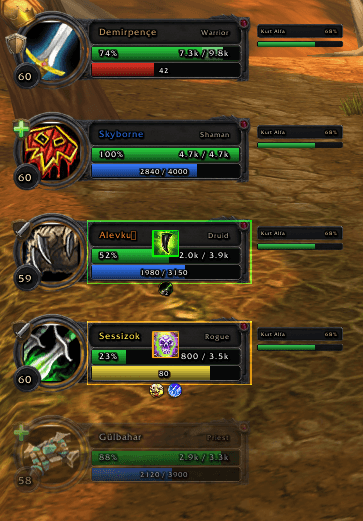
03-party-frames.png
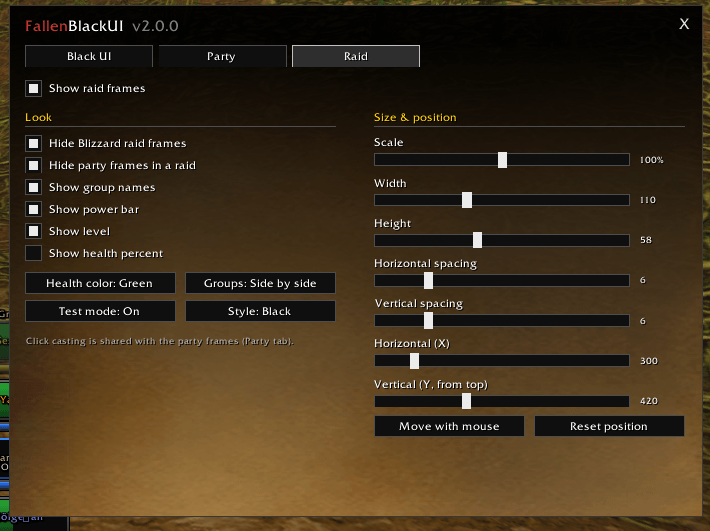
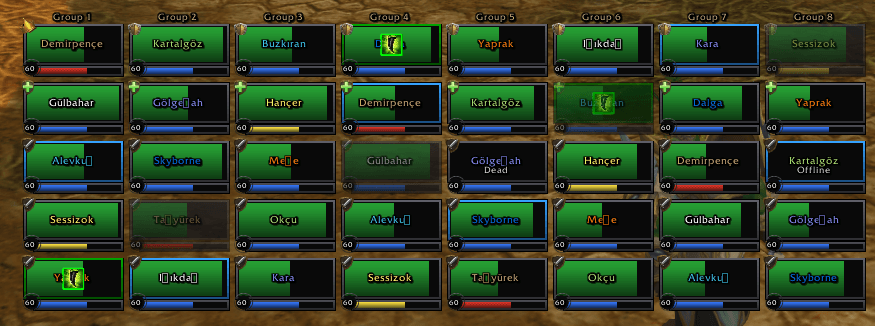
05-raid-frames.png
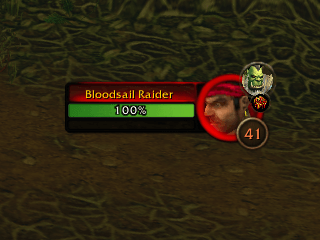
06-target-of-target.png
Description
# FallenBlackUI
**A clean, dark Blizzard UI for WoW Forever – with a complete healer toolkit built in.**
FallenBlackUI repaints the inside of the default interface black and fades every window into WoW's own parchment. Blizzard's frames, icons, item colors and health bars stay exactly as they are – nothing is replaced, it just looks better. On top of that it brings click-casting party and raid frames made for healers.
> **New in 2.1.0 – The Healer Toolkit:** incoming heals, HoT tracking, aggro and low health warnings, tank boxes, mouseover keys, a spell picker and four new languages.
---
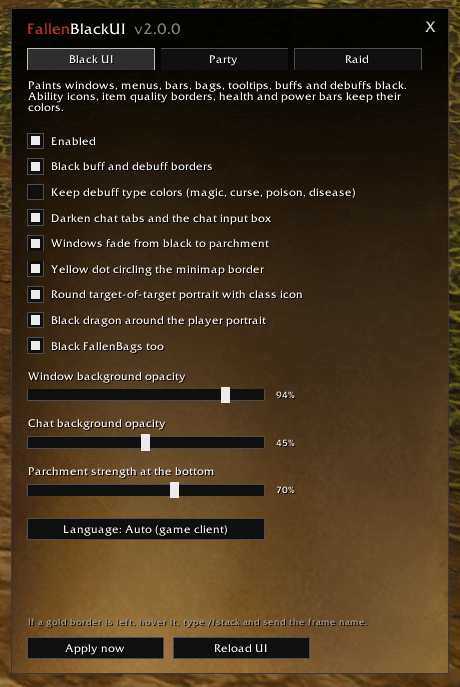
## ✦ Black UI
- **Dark windows** – character, bags, quest log, map, mail, merchants, group finder, PvP, game menu and options
- **Parchment fade** – every window fades from black into parchment; strength adjustable
- **Blizzard frames kept** – metal edges, corners and portrait rings stay untouched
- **Dark tooltips, chat, minimap and unit frames**, black buff/debuff borders
- **Round target of target** – a small round portrait with class icon next to your target
- **Player dragon** and an optional gold dot circling the minimap
## ✦ Healer Toolkit
- **Incoming heals** – heals on the way shown on every health bar
- **Your HoTs and shields** – time left and charges on each frame
- **Dispel icon** – when you can remove a debuff, the spell to use lights up on the frame
- **Aggro warning** – red border on whoever has threat
- **Low health warning** – red pulse below 30%, optional sound in combat
- **Healer mana list** – every healer's mana in one small movable list
- **Raid target icons and ready check** on every frame
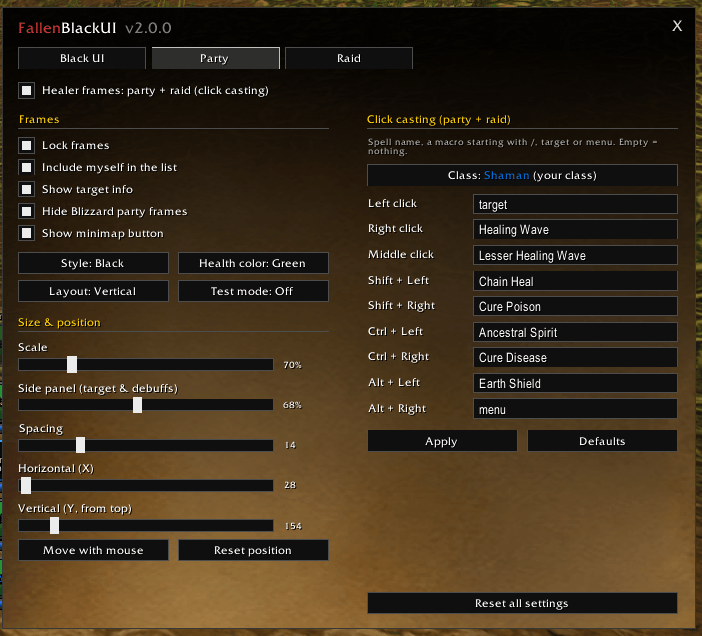
## ✦ Party Frames
- Round portraits, level, role badge and leader crown
- Health, power and debuffs under each frame
- **Round target portrait** next to each member (class icon, red ring for enemies)
- **Free layout** – drag the tank, healer and damage frames one by one
- Vertical, horizontal or free; black steel or classic gold style
## ✦ Raid Frames
- Compact tiles for 40 players, one column per group or stacked
- **Tank boxes** – one extra box per tank, placed and sized on its own
- **Sort by role** inside each group
- Adjustable width, height, spacing and scale
## ✦ Click Casting & Keys
- **Spells tab** – nine click combinations per class, always your current class
- **Spell picker** – click a box and pick from your spellbook (icons and tooltips)
- **Mouseover keys** – up to six keys that cast on the frame under the mouse, in combat too
- Works on party frames, raid frames and tank boxes alike
## ✦ Settings
Open with **/fbui** – four tabs: **Black UI · Party · Raid · Spells**. All sliders apply live.
| Command | What it does |
|---|---|
| `/fbui` | Settings window |
| `/fbui on` · `/fbui off` | Turn the black UI on / off |
| `/fhf test` | Test party frames |
| `/fhf raid` | Test 40-player raid |
| `/fhf unlock` · `/fhf lock` | Move the frames |
## ✦ Languages
English, Türkçe, Deutsch, Français, Español and Русский – picked from your game client or set in the settings, switched instantly.
## ✦ Works With
**FallenBags** (black and parchment look) and **FallenXPBar** (matching black bar).
## ✦ Clean and Safe
No hooks into Blizzard's own functions: all painting runs on game events, so Edit Mode, auras and action bars stay untainted.
---
*Made by FallenSkullCorp. Found something that is not painted, or have an idea? Leave a comment.*
FallenBlackUI Team