EnjoyChatCopy
- By
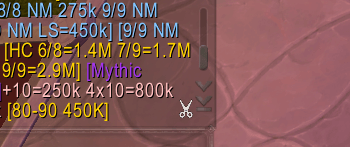
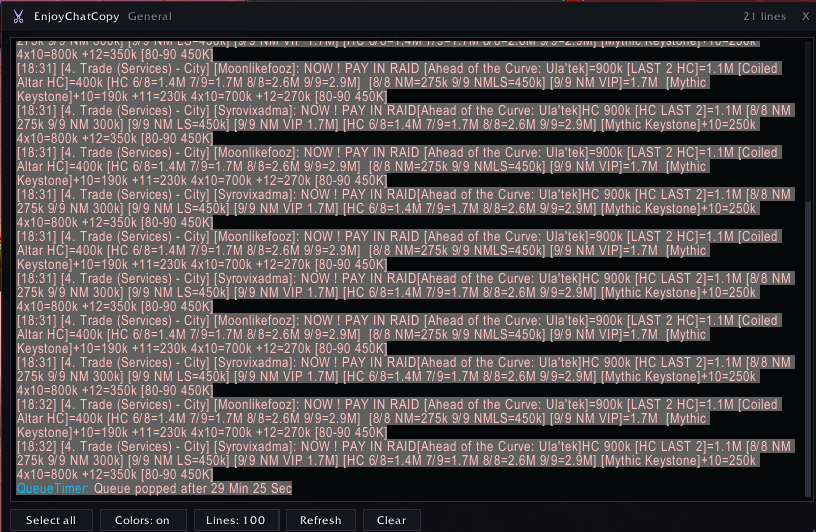
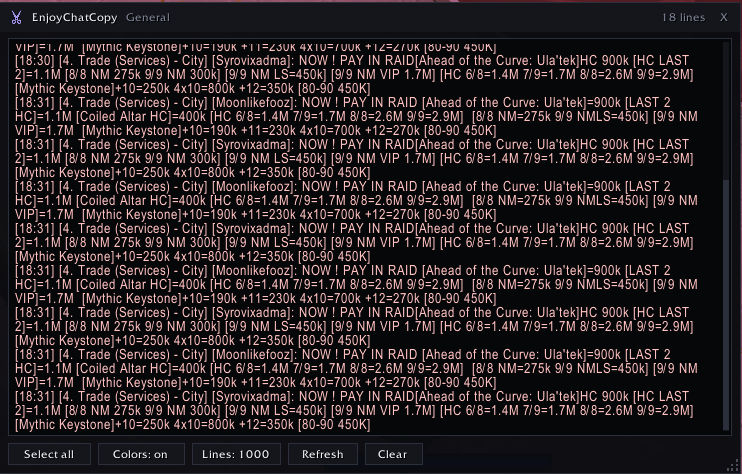
One click on the scissors in any chat tab opens a copy window with that tab's chat as clean, selectable text - ready to Ctrl+C straight into Discord.
Screenshot 2026-09-03 183208.png
Screenshot 2026-09-03 183226.png
Screenshot 2026-09-03 183215.png
Screenshot 2026-09-03 183233.png
Description
EnjoyChatCopy
A scissors button on every chat tab. Click it, and that tab's chat opens as clean selectable text — colour codes and item link markup stripped, Battle.net names resolved, ready for Ctrl+C.
Someone links a price, a strat, a name you need in ten minutes. The game gives you no way to get it out of the window. Every workaround is a screenshot or retyping it by hand.
It gives you the chat, not the escape sequences
What the client stores is not what you read on screen. Most copy windows hand you the first one:
|cffffff00[2. Trade]|r |Hplayer:Tester-Aegwynn|h[Tester]|h: wts
|cffa335ee|Hitem:19019::::::::70:::::|h[Thunderfury]|h|r pst
EnjoyChatCopy gives you this:
[2. Trade] [Tester]: wts [Thunderfury, Blessed Blade of the Windseeker] pstColour codes, textures, atlas markup and hyperlink wrappers come out. The item keeps its name. Paste that into Discord and it reads like chat instead of a wall of |cff00ff00|Hitem: garbage.
Battle.net whispers come out readable too — |KBNplayer|k resolves against your friends list to the name you know:
To [Buddy]: yoWant the colours instead? Right-click the scissors, or hit Colors: on in the window. Dark colours get lifted on the way out, so nothing lands as black text on a black panel.
The tab you are looking at, not the default window
Whispers, guild, trade, your own custom tabs — the scissors sits on all of them and copies the one you clicked.
EnjoyChatCopy   Trade                              412 lines   X

[2. Trade] [Tester]: wts [Thunderfury, Blessed Blade of the Windseeker] pst
To [Buddy]: yo
Guild Message of the Day: raid at 8

Select all    Colors: off    Lines: 500    Refresh    Clear
Drag it, resize it, scroll it with the wheel. Escape closes it. Position and size survive a reload.
The real reason "copy chat" never has the line you wanted
WoW keeps 128 lines per chat window by default. That is small. Everything older is gone from the client before any addon can reach it — nothing to copy, and no way to get it back afterwards.
/ecc buffer 4000Your chat windows now keep 4,000 lines instead of 128. Set it once, forget it. Next time someone asks what that guy said an hour ago, it is still there.
Features
Out of the way — the button fades in when you hover the chat frame or its tab, and fades out again when you leave. Nothing sits on top of your chat while you play. /ecc always makes it permanent if you would rather see it.
Any corner — pin it where it does not collide with your UI, and set its size.
Clear — empties the tab you are looking at on the first click. It goes red on hover so it is not mistaken for the buttons next to it.
Select all — one button, or turn on /ecc select and everything is selected the moment the window opens. Ctrl+C and you are done.
Line limit — cycle between 100 and 2,000 lines per grab, so a quick whisper does not come with an hour of trade chat attached.
Your chat font — the copy window uses the font your chat already uses, at whatever size you set.
Keybinding under Key Bindings > EnjoyChatCopy. No dependencies, no libraries, one saved variable.
Commands
| Command | Effect |
|---|---|
/ecc |
Open the copy window for the active chat tab |
/ecc colors |
Keep the chat colours instead of plain text |
/ecc lines <n> |
Set how many lines to grab |
/ecc buffer <n> |
Set how many lines the chat windows themselves keep |
/ecc button |
Toggle the scissors button |
/ecc always |
Keep the button visible instead of showing it on hover |
/ecc corner |
Move the button around the chat frame |
/ecc size <n> |
Set button size |
/ecc font <n> |
Set font size in the copy window |
/ecc select |
Select everything as soon as the window opens |
/ecc reset |
Reset window position and size |
/ecc debug <n> |
Print the raw data the client returns for the active tab |
/chatcopy and /copychat do the same as /ecc.
Two limitations worth knowing
The 128 lines are gone before the addon loads
/ecc buffer raises what the client keeps from that point on. It cannot bring back what the client already threw away — no addon can. Set it now, not on the day you need it.
Some lines the client will not hand over
On Midnight, part of what reaches addons comes through as protected values that no addon can read, whatever it does.
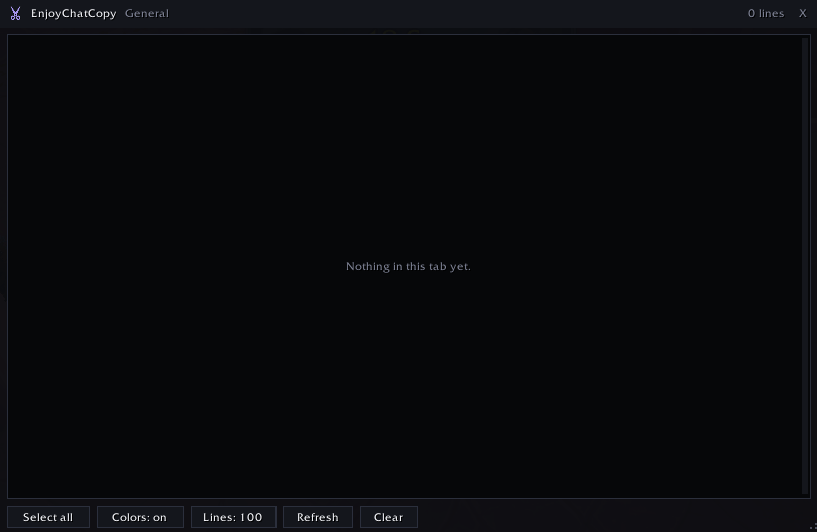
Those lines are counted in the window header rather than dropped silently or turned into blank rows, and a tab with nothing readable in it says so instead of showing you an empty box.
If a tab looks wrong, /ecc debug 10 prints exactly what the client returned for it — escape sequences and all.
Feedback
Bug reports and feature requests are very welcome in the comments.
If a tab comes out empty or a line looks mangled, run /ecc debug 10 on that tab and paste the output. That is everything I need to see what your client handed over.
If you like it, my other addons are EnjoyPvPTracker, EnjoyPvPIcons, EnjoyArenaFrames, EnjoyLoseControl and EnjoyAttunement.
Support
This addon is free and always will be. I build and maintain it in my spare time.
If it helps you, consider buying me a coffee. Every contribution — no matter how small — buys more time for updates, new features and keeping things working after each patch.
Links
- Twitch: twitch.tv/peterdigitalgg
- GitHub: github.com/valuecoding
EnjoyChatCopy Team