
EnhancedTooltips
- By
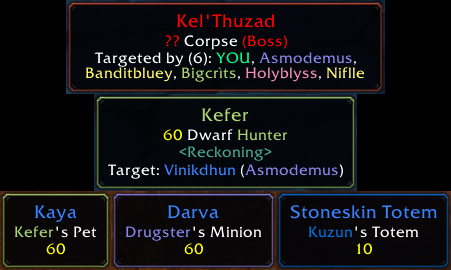
Target and Targeted by lines, with class-colored names. Pets, minions and totems show their owner's name in class color, and the border takes the owner's class color too.
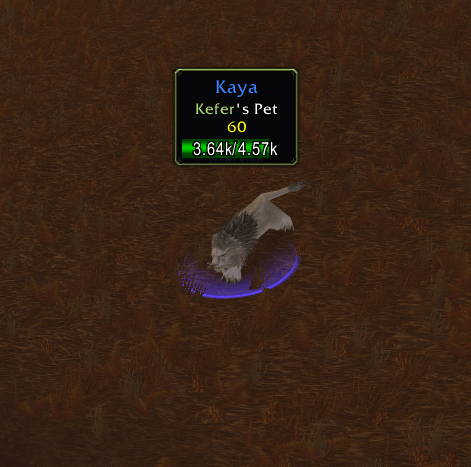
The tooltip opens right above what you hover (Position Above, Distance 50) and flips near screen edges. The health bar sits inside it with the health as text. Unflagged pet in blue; owner name and border in the owner's class color.
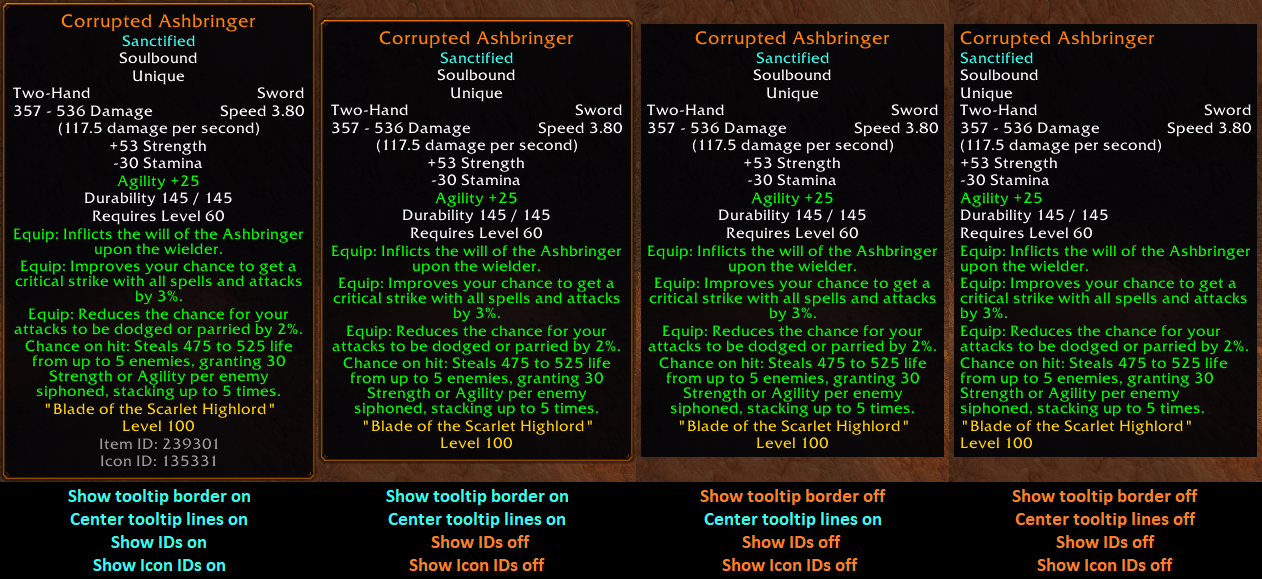
Some of the different ways you can customize the tooltip display.
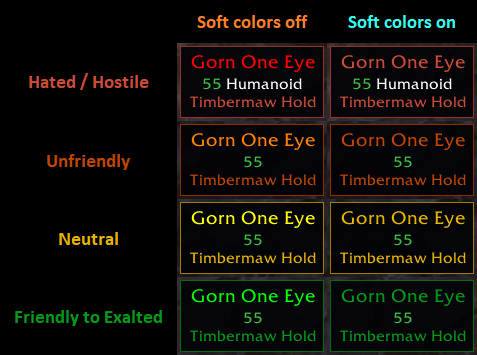
The name, faction line and border follow your reputation with the NPC's faction. Soft name colors swaps the fully saturated red, orange, yellow and green for softer shades (names only). Creature type is only shown on attackable units.
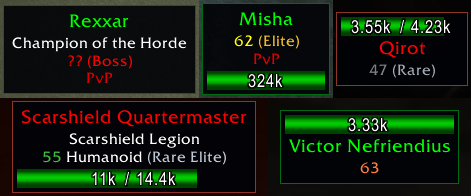
Boss, Elite, Rare Elite and Rare tags and difficulty-colored levels, all from the game’s own data. The health bar shows health as text, at the bottom (default) or on top, or can be turned off. Creature type only shows on attackable units; Qirot has none.
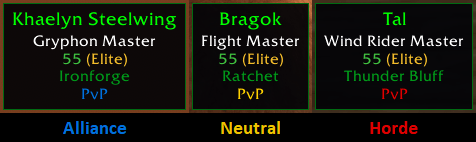
The PvP line shows whose side a unit is on: blue for Alliance, red for Horde, yellow for neutral factions like the Steamwheedle goblins.

Buff and debuff tooltips show who cast them, with the caster's name in their class color. Optional Spell ID and Icon ID lines can be turned on with /et ids and /et iconids.
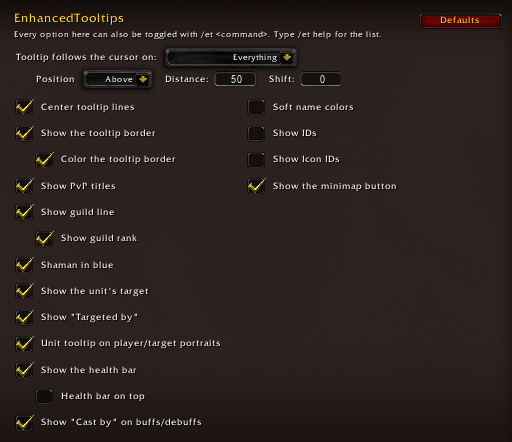
EnhancedTooltips options menu showing the default settings.
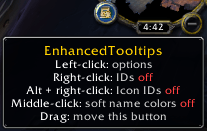
ET minimap button