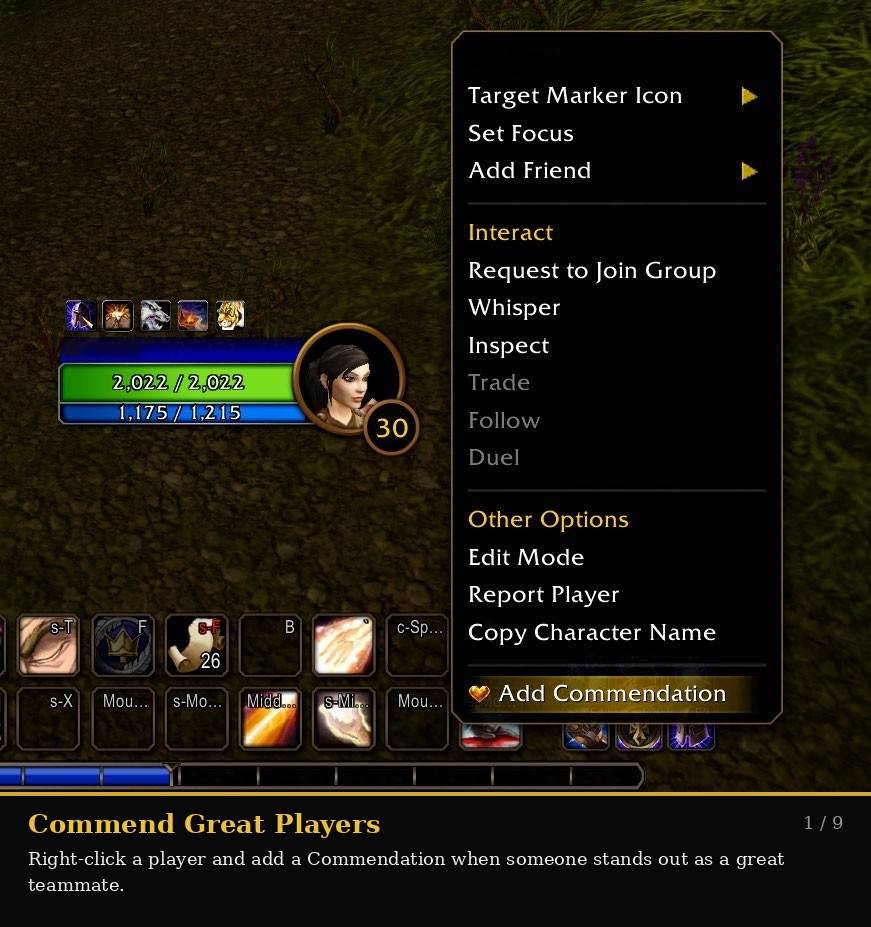
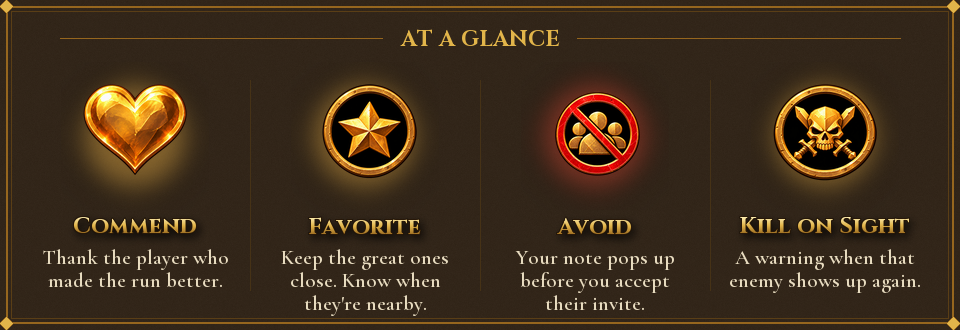
Right-click a player and give them a Commendation when they stand out as a great teammate. Encountered makes it easy to recognize helpful, skilled, or memorable players without needing to add them as a friend.
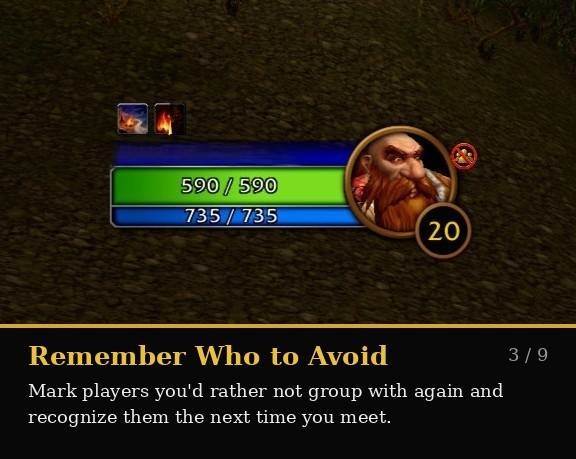
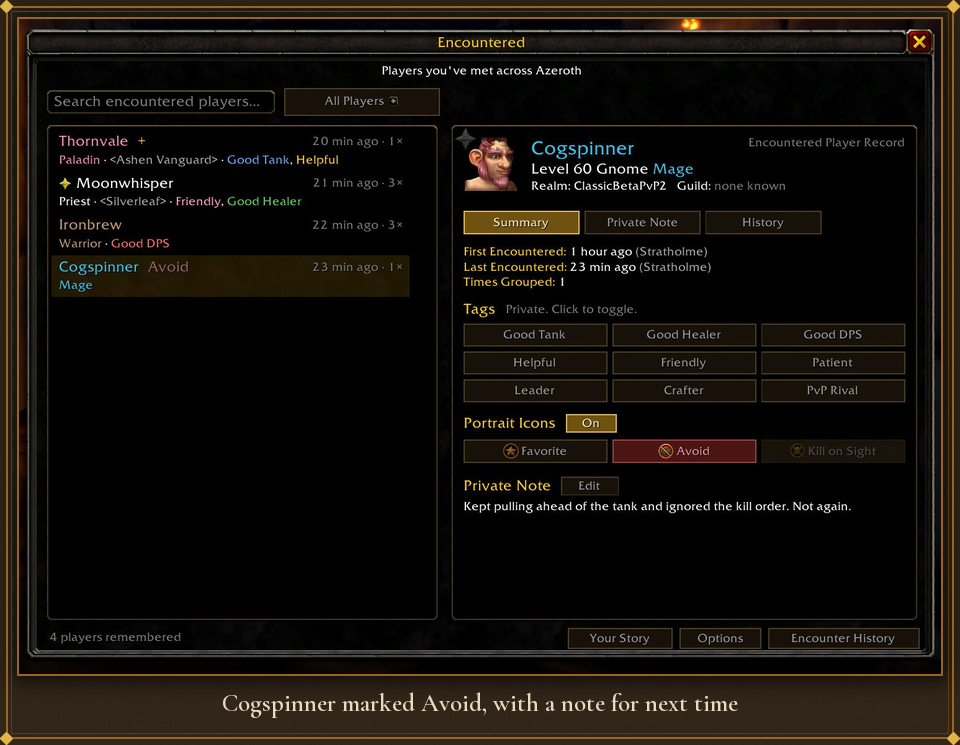
Not every encounter is a good one. Mark players as Avoid and Encountered can display a warning icon on their portrait, helping you quickly recognize someone you may not want to group with again.
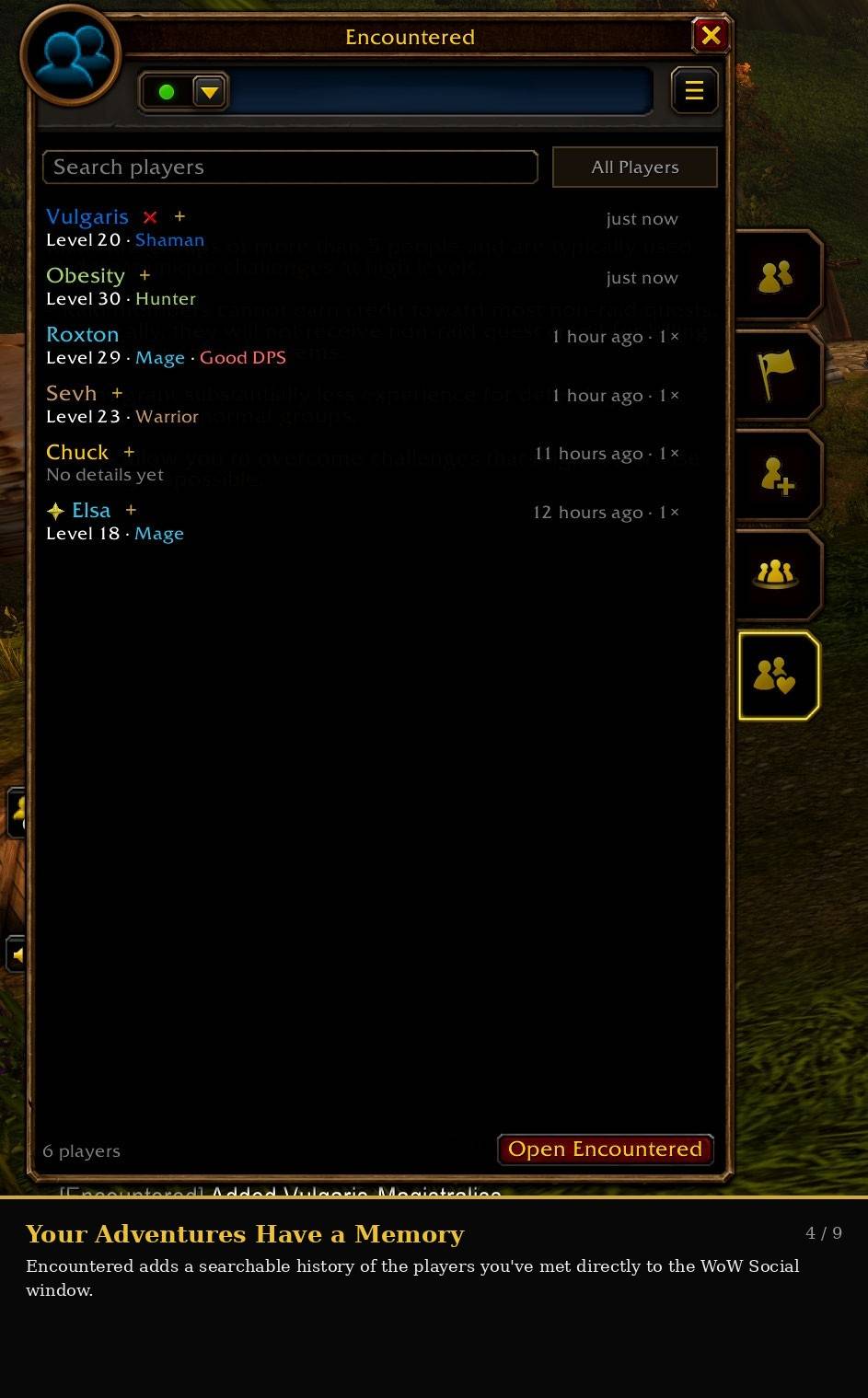
Encountered integrates into the WoW Social window and keeps a searchable list of the players you’ve met. Quickly see recent encounters, class information, notes, tags, and the people you’ve saved along the way.
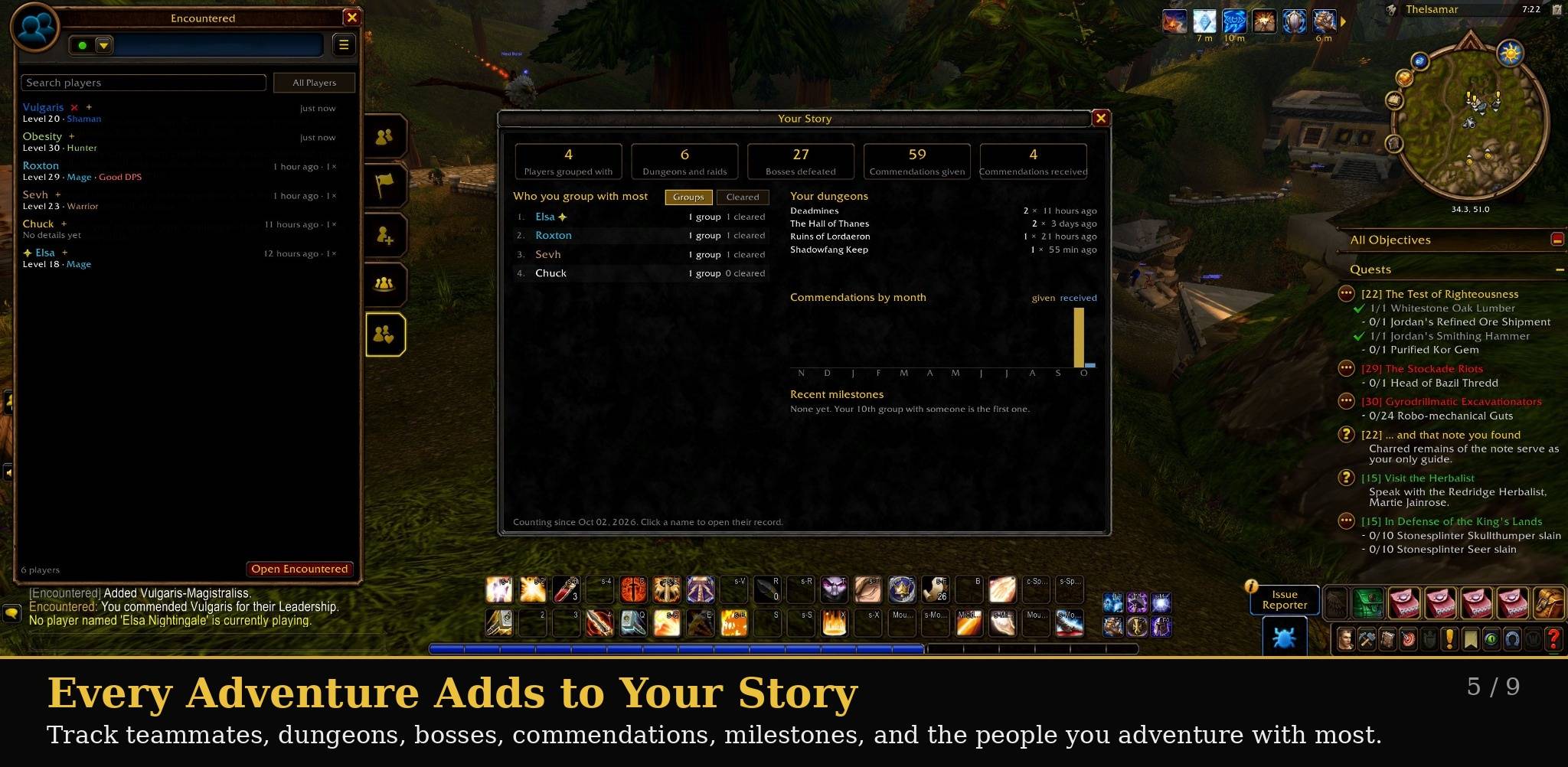
Your Story gives you a broader look at your journey. Track players grouped with, dungeons and raids completed, bosses defeated, Commendations given and received, frequent teammates, milestones, and more.
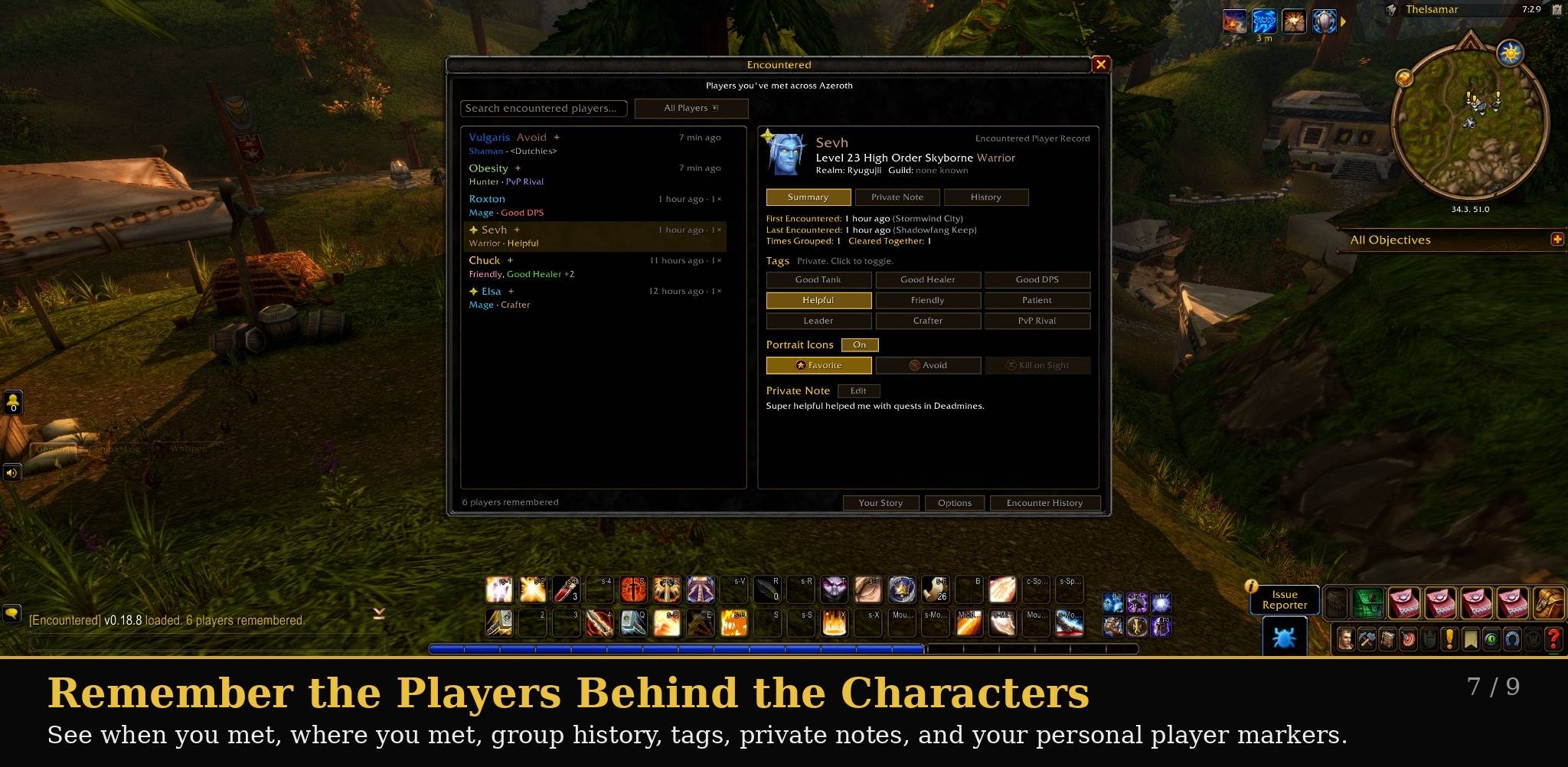
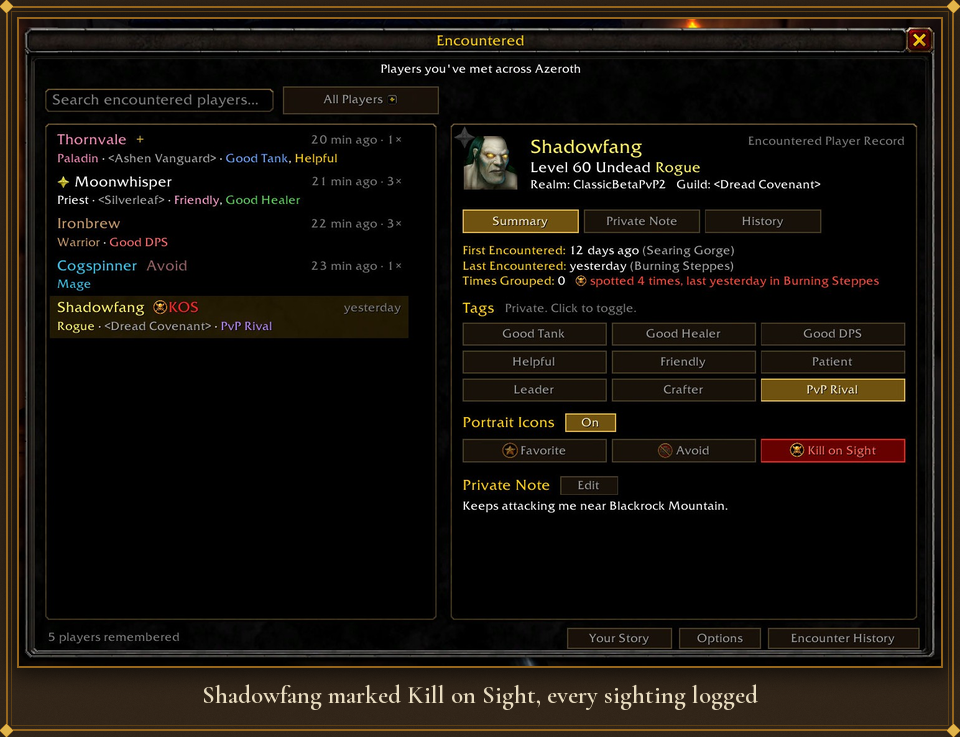
Open a player’s Encountered record to see when you first met, where you last encountered them, how many times you’ve grouped together, your tags, private notes, and personal markers like Favorite, Avoid, or Kill on Sight.
Description
 You finish a great dungeon run, the group breaks up, and a week later you can't remember the tank's name. Encountered remembers for you: who you grouped with, where, how often, and what you thought of them. It also lets you thank the players who made a run better.
Built for WoW: Forever.
You finish a great dungeon run, the group breaks up, and a week later you can't remember the tank's name. Encountered remembers for you: who you grouped with, where, how often, and what you thought of them. It also lets you thank the players who made a run better.
Built for WoW: Forever.
 Everyone in your party or raid is remembered automatically, with class, race, level and guild. When a dungeon run ends, Encounter Complete lists everyone who was there at the end.
- Detects the end of a run from the final boss, the Dungeon Finder reward, or a built-in list of classic final bosses (Edwin VanCleef to Kel'Thuzad).
- Missed it? Leaving a dungeon group after 10+ minutes offers to open it, and
/enc completealways works.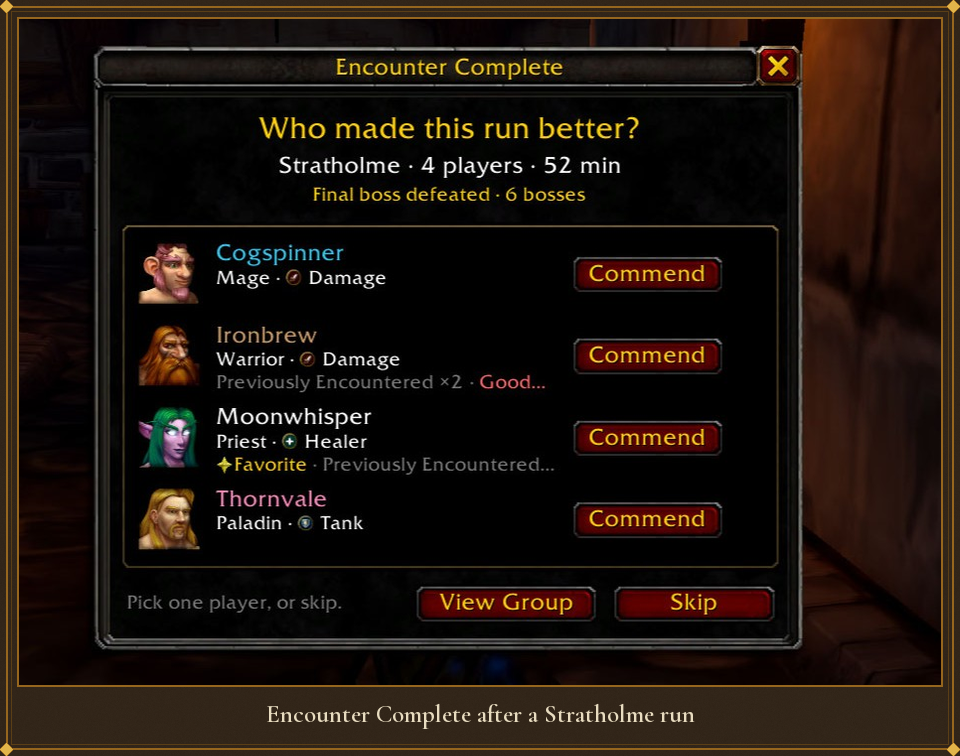

/encopens everyone you've grouped with, most recent first. - Search by name, realm, guild, note text or tag as you type.
- Filter by Favorites, Avoid, Recently Encountered, Previously Commended, Would Group Again, or any tag.
- Players you don't save (no note, tag, mark or commendation) are removed 10 minutes after the group ends, so your list stays full of people who mattered. You can switch this off.
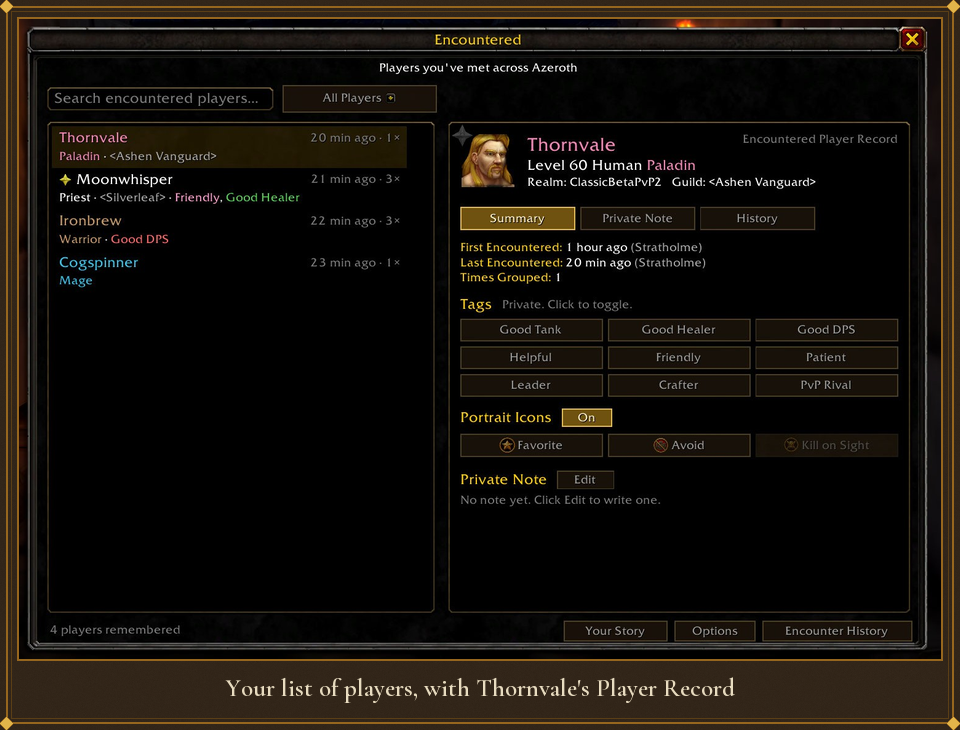
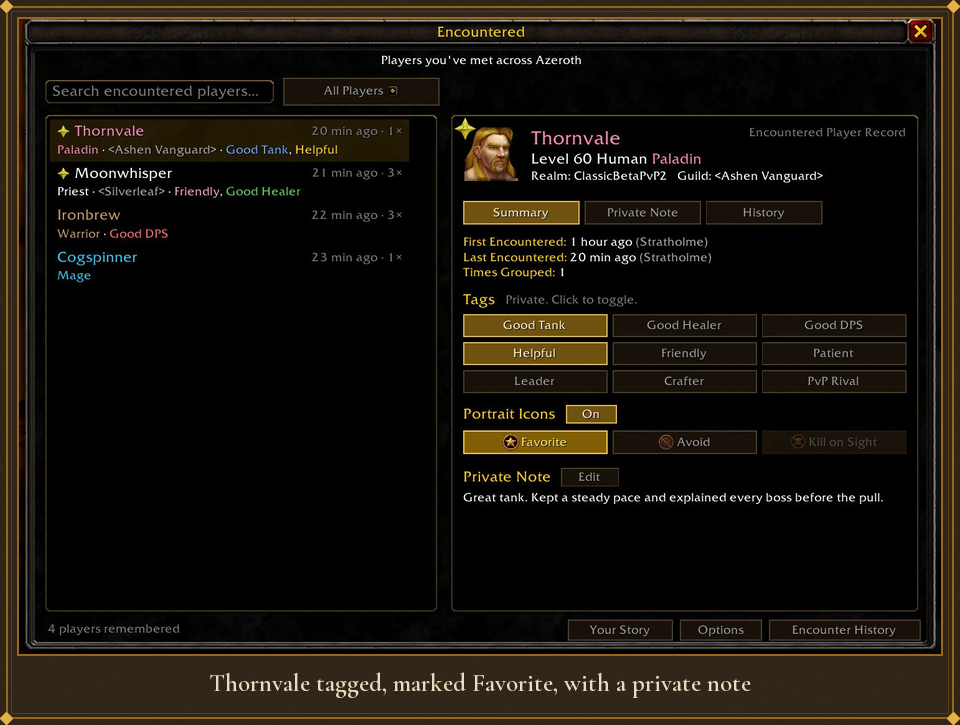
 Every player gets a Player Record: First and Last Encountered, Times Grouped, Cleared Together, your tags, your private note and their group history.
 - Tags like Good Tank, Good Healer, Helpful, Patient or PvP Rival, color-coded at a glance.
- Quick Note (
/enc note) for your current target, without opening the full window. - Shows their face when they're nearby, and the portrait for their race and gender when they're not.
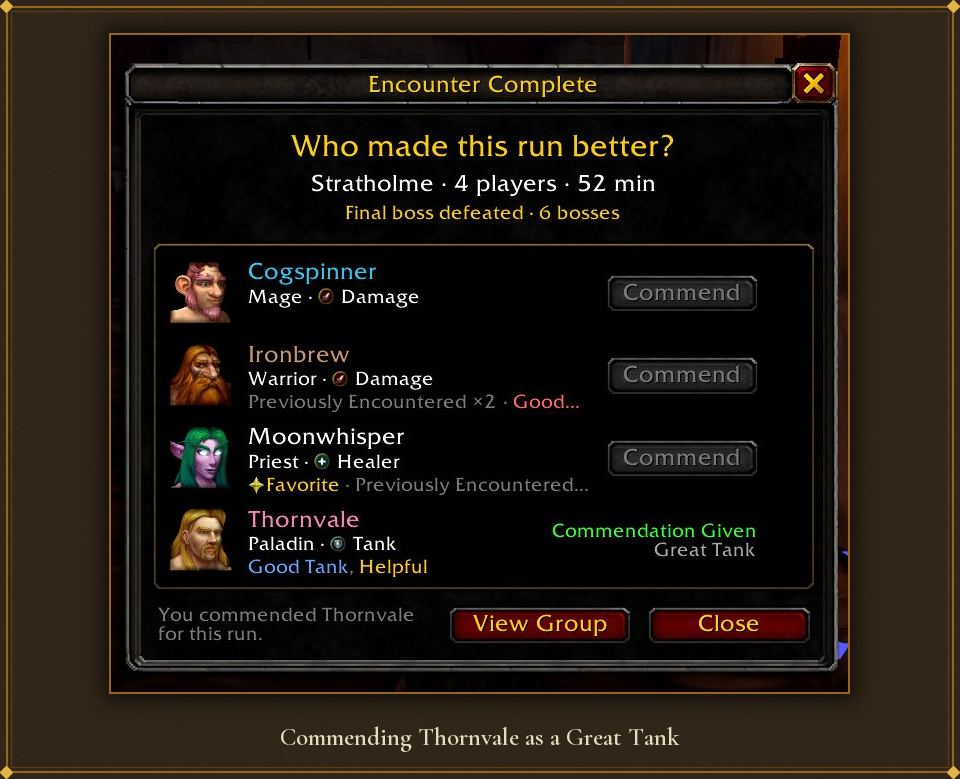
 Would Group Again · Helpful · Leadership · Friendly · Clutch · Great Tank · Great Healer · Great DPS · Crowd Control · Patient · Mentor
 - Only positive. No star ratings, scores or averages. Skip is always fine.
- Right-click any player for Add Commendation, in a dungeon or out in the world.
- If they run Encountered too, they're told, and a Player Commendation medal on their character panel counts every one they've received. Hover another Encountered user to see their total, top categories and motto on their Player Card.
 Mark a player Avoid and write down why.
 - Before you accept their invite, a red-edged panel under the invite popup shows your note. If the inviter runs Encountered, it also checks who else is in the group.
- When they join your group, you get a chat warning with your note, a mid-screen message and a warning sound.
- Share your Avoid list with a friend as a copy-paste string. You decide whether your notes go with it.
 For players of the opposite faction. When someone you marked shows up as your target, focus, mouseover or on a nameplate, you get a chat line, a mid-screen warning and a sound. A gold skull marks their portrait, and every sighting is logged: how many times, when and where.

- "You've adventured with Thornvale before." When someone you know joins your group, one chat line shows your tags, how often you've grouped and where you last met.
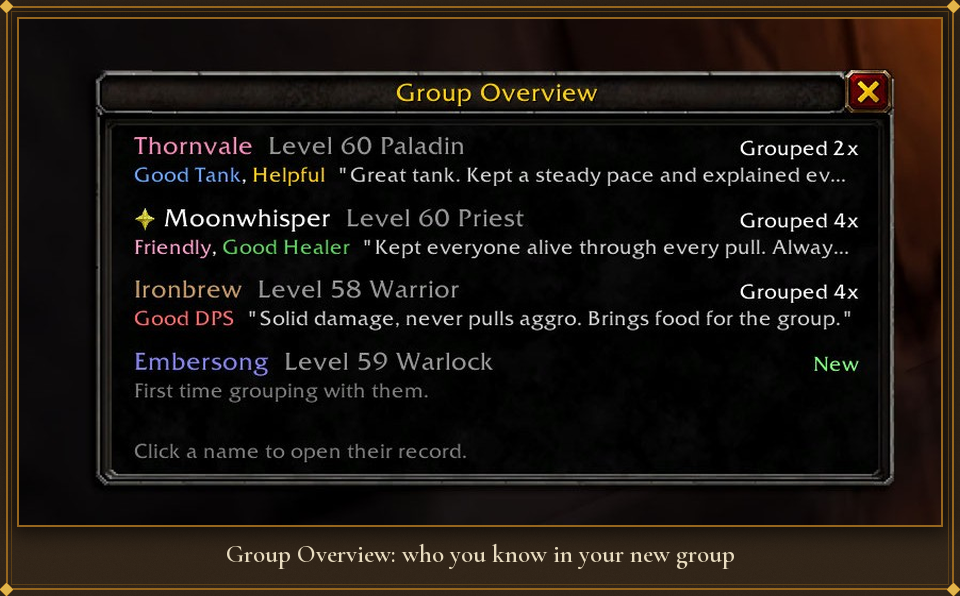
- Group Overview opens by itself when someone you saved is in the group.
- Player tooltips get a short Encountered section with your marks, tags, history and the start of your note.
- Chat markers put a skull, red X or star in front of messages from players you marked.
Also included
- Your Story (
/enc story): who you group with most, dungeons cleared, commendations by month, and milestones like "Your 10th dungeon cleared with Moonwhisper!" - Encounter History (
/enc history): your last 200 group sessions with bosses, players and your commendation. - Social window tab: your Encountered list inside the game's Social window, with who's online.
- Backup and import: your whole database as one copy-paste string. Importing previews the changes and never deletes anything.
- Minimap button, an options window, and subtle sounds and animations you can turn off.
 Encountered only sends small things to other players who also run it, and each has its own switch in Options:
 - When you commend someone: the category and the zone.
- When they ask: your Player Card (points, top categories, motto).
- When you invite them and their addon asks: who's in your group.
- When someone in your records asks if you're online: your zone and level. Players you marked Avoid or Kill on Sight never get an answer.
Commands
| Command | What it does |
|---|---|
/enc |
Open or close Encountered |
/enc note |
Quick Note for your target |
/enc group |
Group Overview |
/enc history |
Encounter History |
/enc story |
Your Story |
/enc kos |
Mark your target Kill on Sight |
/enc card |
Your Player Card and motto |
/enc backup / /enc import |
Back up, share an Avoid list, or import |
/enc options |
Options |
/enc help |
Every command |
Installation
Install with the CurseForge app, or put the Encountered folder in your WoW Forever Interface\AddOns folder and restart the game.
Found a bug or have an idea? Leave a comment. /enc diag prints details that help track problems down.
Encountered Team