EasyXPBar - Liquid XP Bar
- By
Track leveling progress, quest rewards and rested XP in five animated liquid displays.
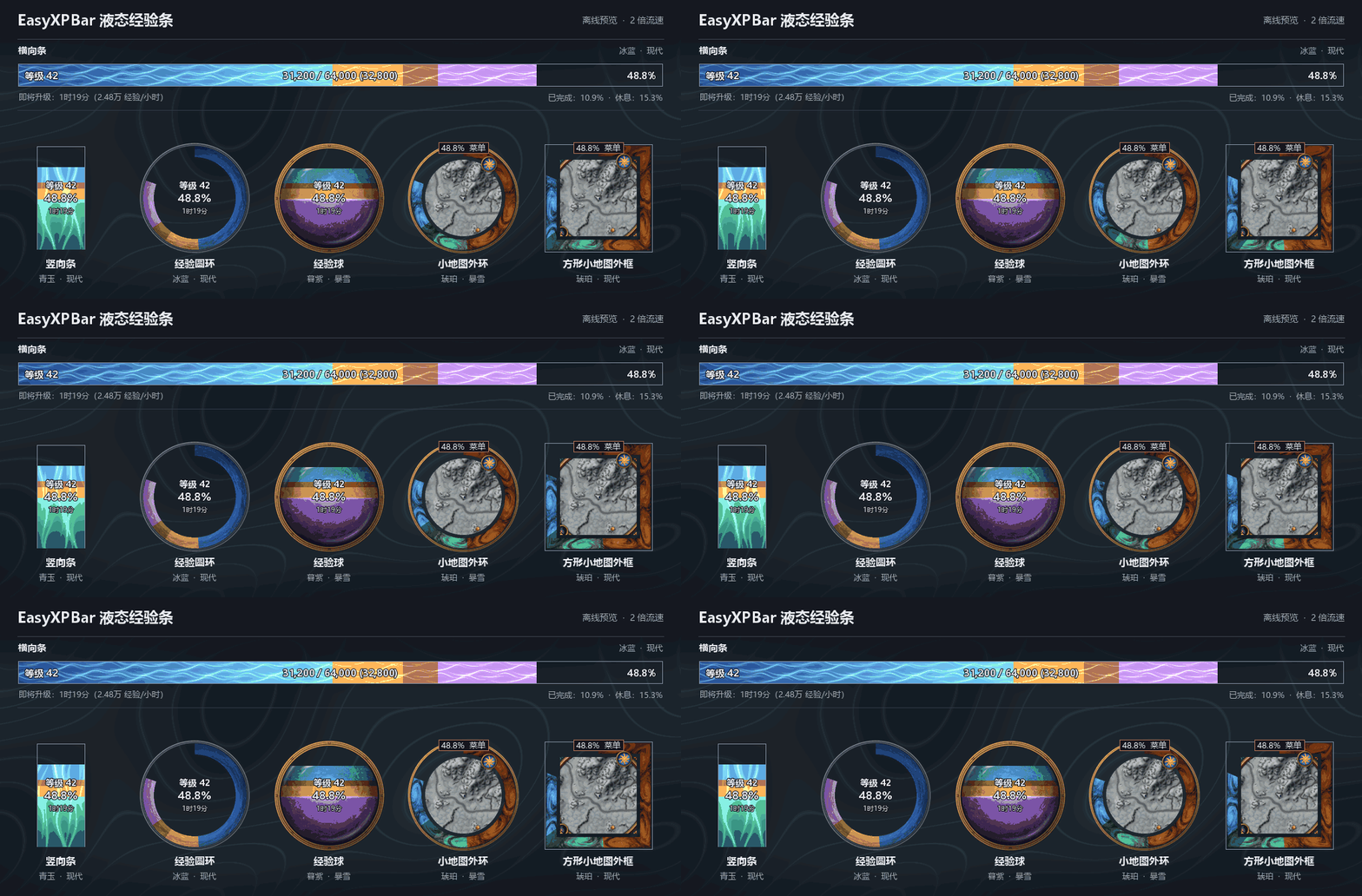
EasyXPBar 液æç»éªæ¡-2MB.gif
Description
Choose a horizontal bar, vertical bar, circular ring, glass orb or ring around the minimap. Each style remembers its size and position. Unfilled areas stay transparent. The bar can show how much XP you need for the next level, how much you could earn by turning in quests, your XP per hour and your estimated time to level.
- Right-click the display to change style, colors, border or flow speed. For the minimap ring, right-click the percentage label at the top.
- Shift-drag a free-standing display to move it. Use the minimap ring menu to change its offset, thickness and distance from the map edge.
- Type
/easyxpfor full settings or/easyxp recoverto bring the horizontal bar back into view.
The interface follows the game language. English, Simplified Chinese and Traditional Chinese are available. Other locales use English. Target clients are World of Warcraft Retail 12.1.5 and WoW Forever 1.60.1. No additional addons are required.
EasyXPBar - Liquid XP Bar Team