EasyCL - Lightweight Combat Meter
- By
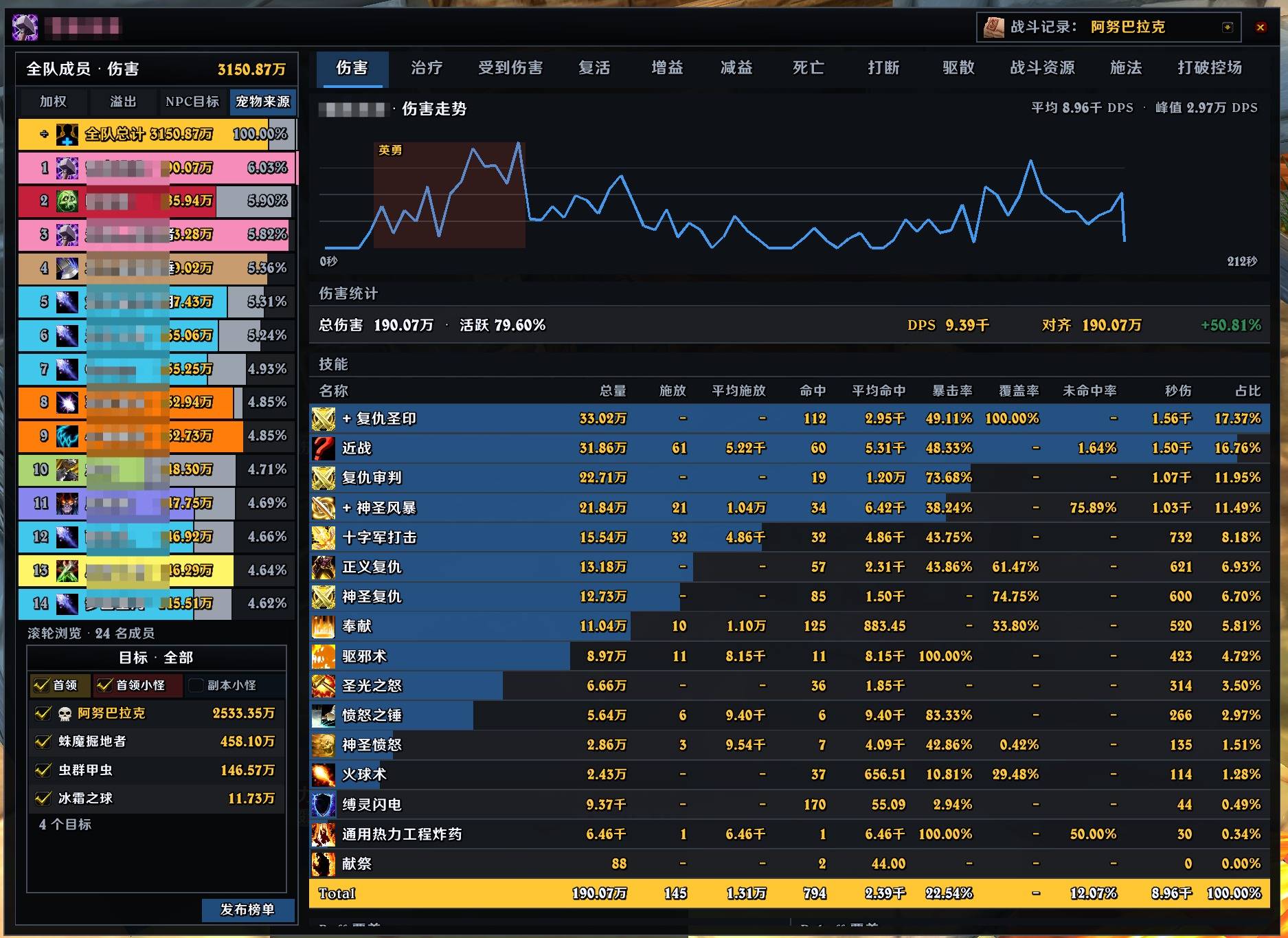
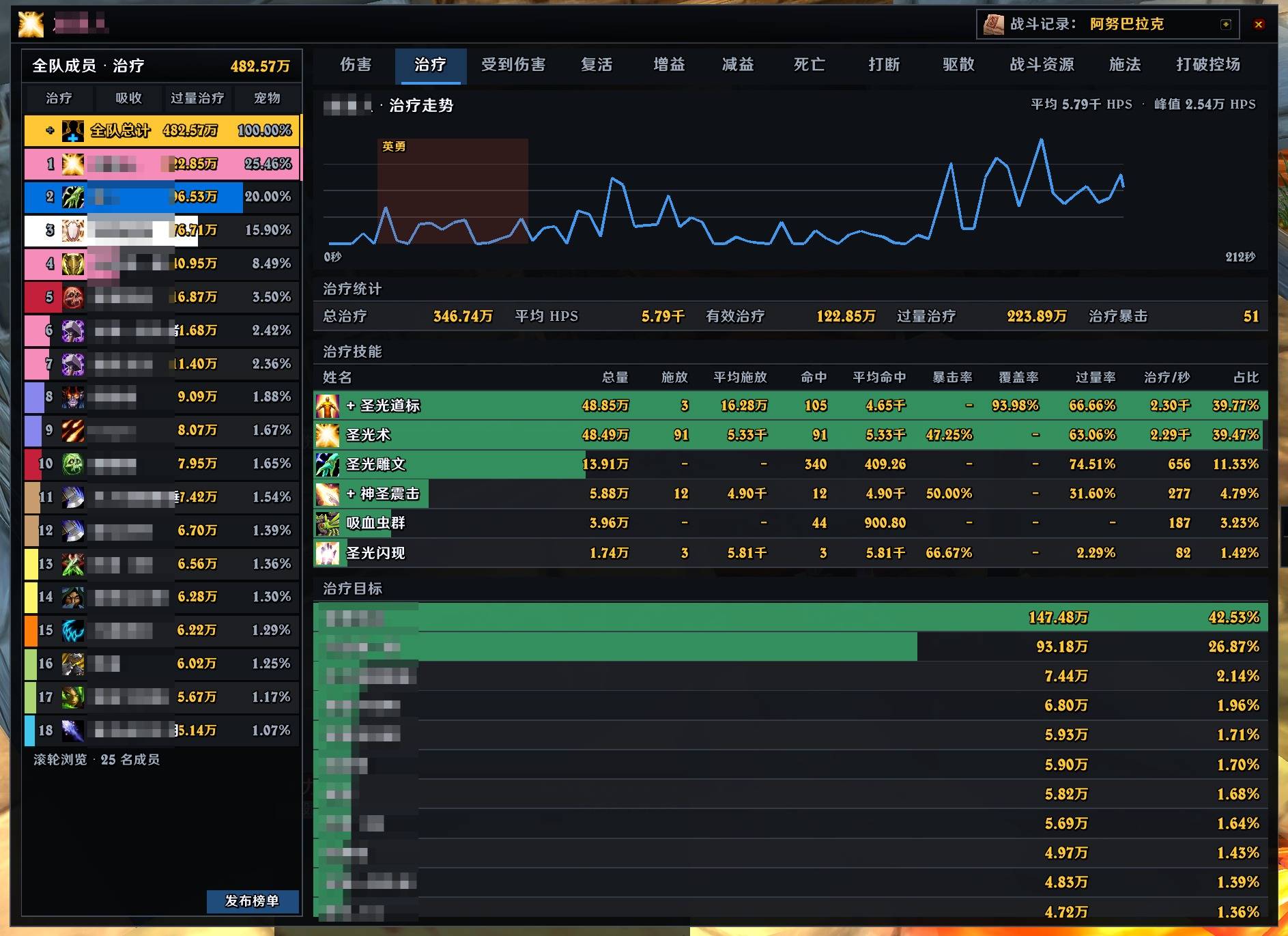
EasyCL is a combat meter for World of Warcraft Classic client 3.80.2. It shows group combat data in real time and provides in-game drill-down analysis, ranking reports, and configurable raid-performance settlement.
QQ20260729-114449.jpg
QQ20260729-114606.jpg
QQ20260801-194445.jpg
QQ20260801-194514.jpg
QQ20260801-194621.jpg
QQ20260802-094832.jpg
Description
Features
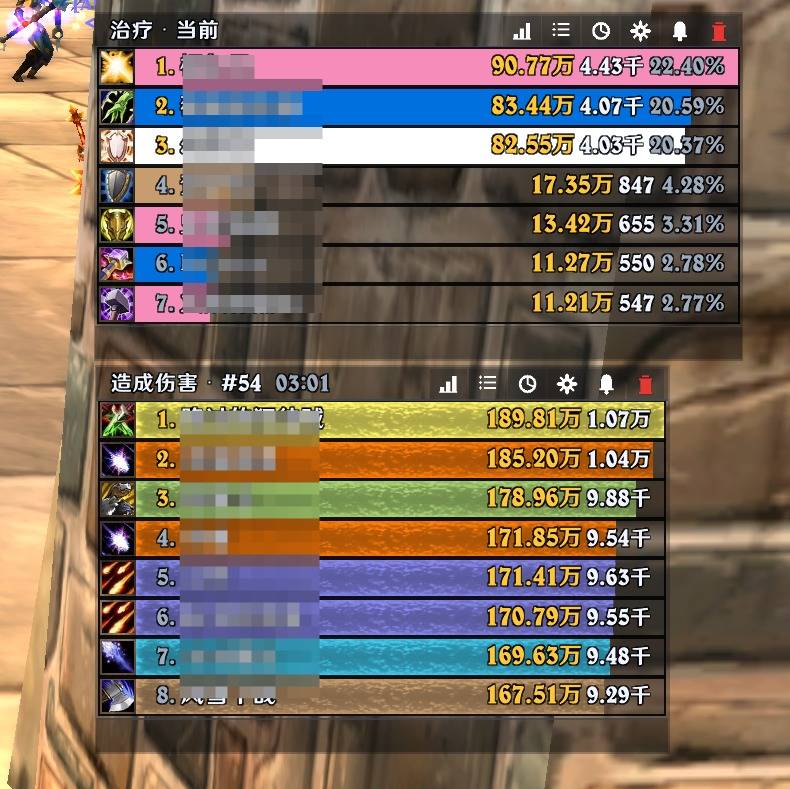
- Track damage, healing, damage taken, resources, deaths, interrupts, crowd-control breaks, dispels, combat resurrections, casts, aura uptime, and threat on your current target.
- Choose between Full Duration, Active Time, and Effective calculation modes.
- Automatically include pets, guardians, and summoned units, and identify player specializations from talents and combat abilities.
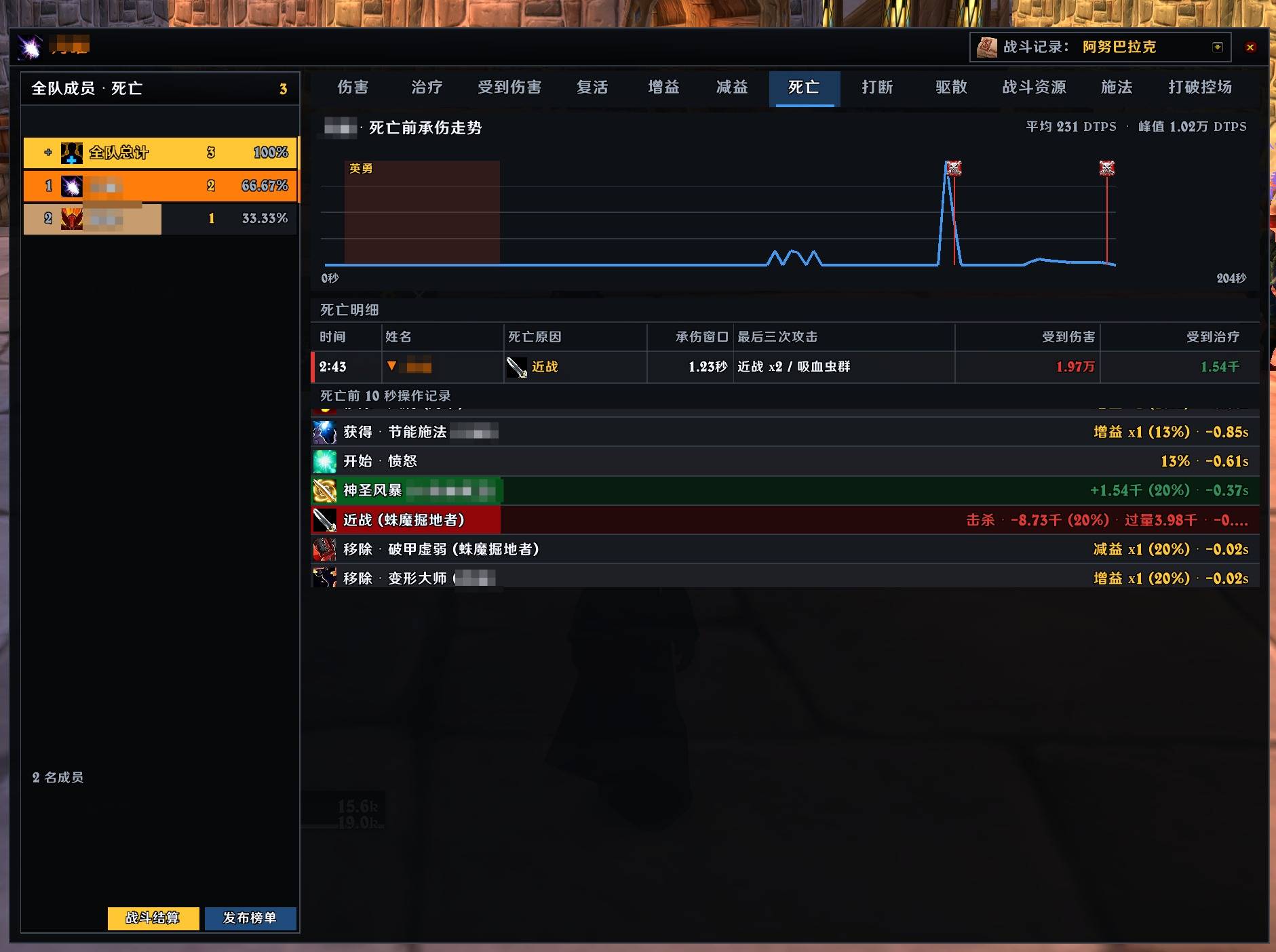
- Click a player to inspect abilities, targets, criticals, uptime, and combat trends. Hover over damage or healing abilities for target breakdowns.
- Filter damage details by boss, boss add, dungeon trash, or individual target, then post the filtered ranking.
- Replay damage, healing, absorbs, abilities, and the killing event from the final 10 seconds before a death.
- View current, overall, boss-overall, trash-overall, and saved fights, or compare two fights.
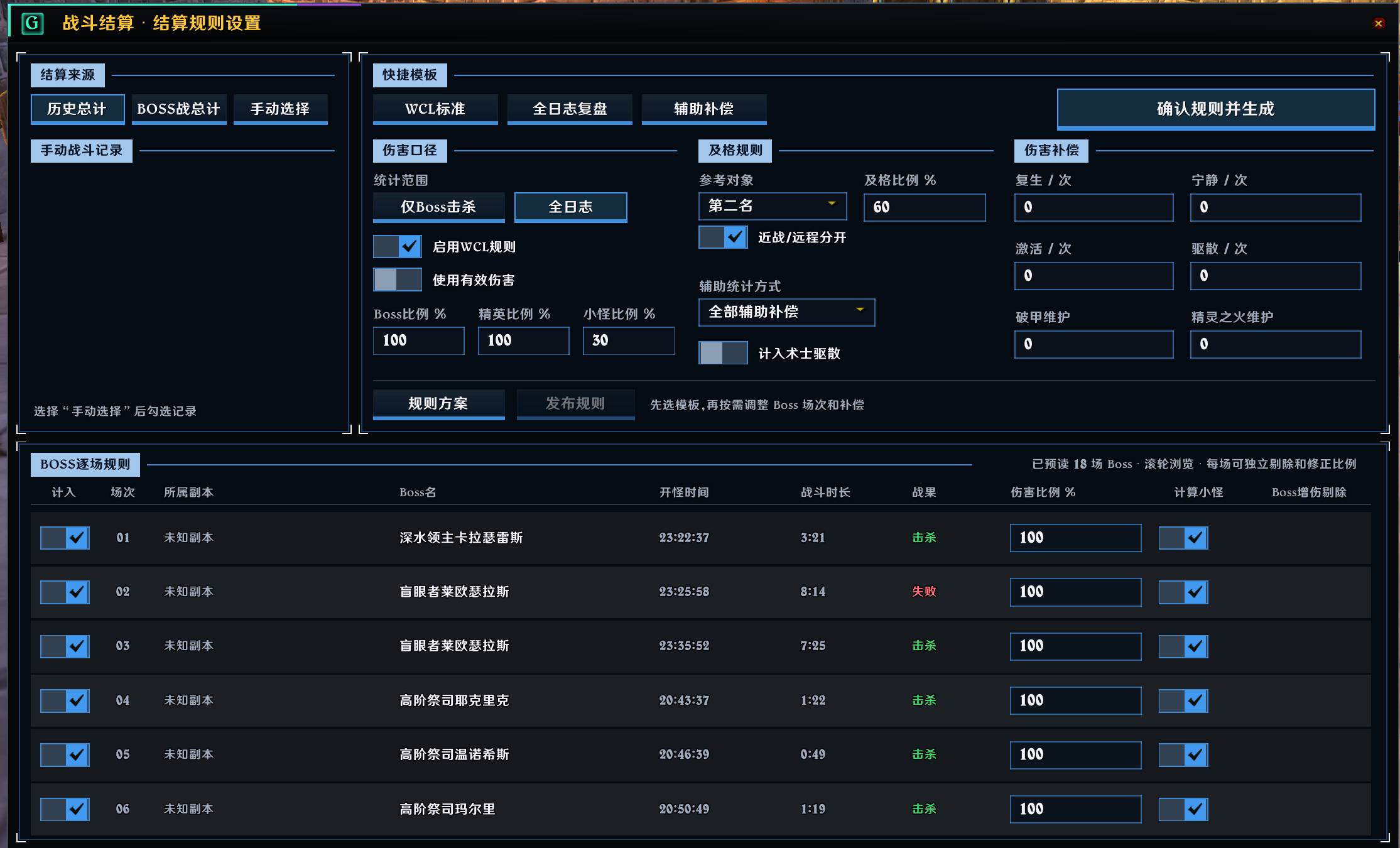
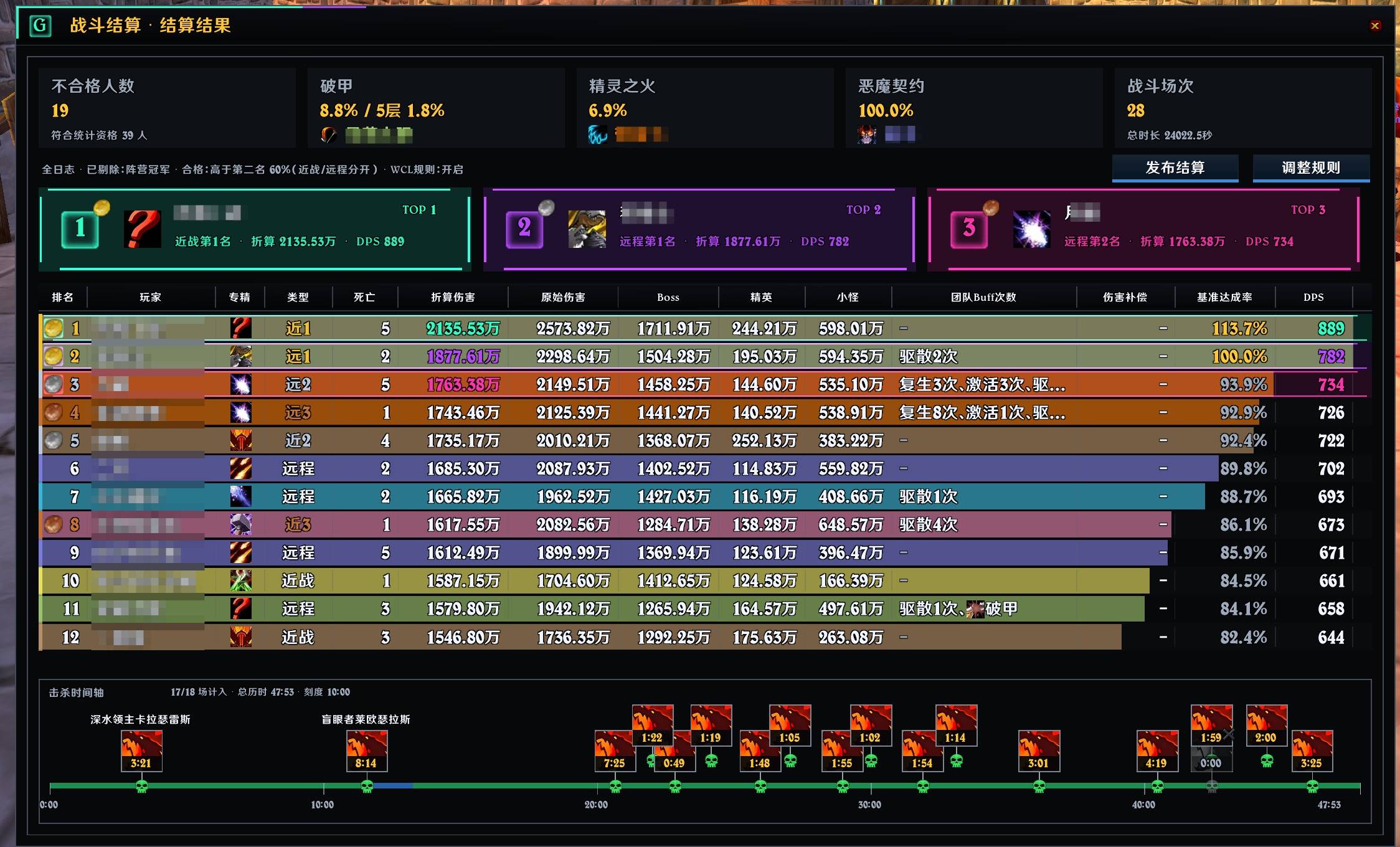
- Generate configurable raid-performance settlements from overall history, boss history, or manually selected fights. Built-in WCL Standard, Full Log Review, and Support Compensation templates cover per-fight rules, qualification thresholds, damage weighting, combat resurrection, dispel, Sunder Armor, Faerie Fire, and other support actions.
- Review settlement results by melee, ranged, tank, and healer groups. Saved rule profiles can be exchanged with safe
ECLR1:strings. - Create up to five windows with vertical or horizontal layouts, per-window or shared styling, scaling, locking, transparent chrome, and edge collapse.
- Export the complete configuration as a safe
ECL1:string without including combat history. - Post rankings to party, raid, instance, guild, or custom chat channels, and publish settlement rules and results while in a raid.
Installation And Use
Place the
EasyCLfolder in:World of Warcraft\_classic_titan_\Interface\AddOns\Enable EasyCL in the AddOns list on the character-selection screen, then log in.
EasyCL starts recording and displaying data automatically when combat begins.
Use the window menus to change the data type, calculation mode, or fight.
Click a player for details. Select Team Total to view the group ranking and trend.
Click Combat Settlement at the bottom of the details window, choose a fight source and rules template, then generate the result.
Left-click the minimap button to show or hide windows, right-click it for settings, or drag it to move it.
Commands
/easycl: Show command help/easycl show: Show all windows/easycl hide: Hide all windows/easycl config: Open settings/easycl reset: Clear all combat history
Notes
- Effective mode uses EasyCL's own calculations, so results may differ from other addons or log websites.
- Boss data sync only works with group members who also have EasyCL installed and enabled.
- Settlement output depends on local records and the selected rules. Verify included fights, exclusions, weights, and support compensation before publishing.
/easycl resetimmediately clears all saved combat history.
The EasyCL - Lightweight Combat Meter Team