Description
DungeonWat
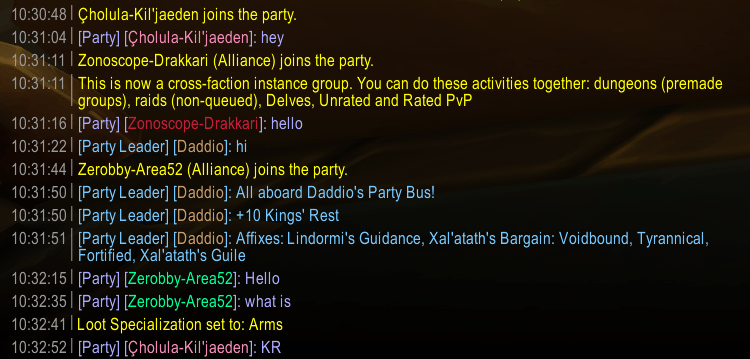
List or join a Mythic+ group, fill it, and the key goes out in party chat without you typing it.
What It Does
- You listed the group. When it fills, one party message built from Group Finder: listing title, dungeon, and key level. No bag scan, no clickable keystone link. If the listing isn't the key you own, a second leader template is used (default: the listing title).
- You joined someone else's Mythic+ listing. At 5/5, DungeonWat waits (default 10 seconds) for the leader — or another DungeonWat — to post the key. If nobody does, it posts a fixed backup line.
One message per fill; if someone leaves and a replacement joins, it announces again. As a member you'll see Watching listed group: … while the listing is tracked (works best if the leader also runs DungeonWat).
Example Party Lines
Here's the key: +12 Dawnbreaker             (your key, default)
Joe's +12 Dawnbreaker                       (you listed someone else's key)
Joe's +12 Relaxed — Dawnbreaker             (join backup, fixed format)
Tokens
For the two leader templates only. Custom templates are sent only if you are group leader.
| Token | Becomes |
|---|---|
{title} |
Premade listing name from Group Finder |
{key} / {link} |
+12 Dawnbreaker — plain text, not an item link |
{plus} / {level} |
+12 / 12 |
{dungeon} |
Dawnbreaker (from the listing activity) |
{affixes} |
Current weekly affixes, comma-separated |
A template with no tokens gets {title}/{key} appended. The join backup line is always {title} — {dungeon}.
Commands
| Command | What it does |
|---|---|
/wat or /dungeonwat |
Help and current status |
/wat toggle |
Auto-announce on or off |
/wat join |
Toggle the 5/5 join backup (not "speak the moment you join") |
/wat msg <text> |
Leader message for your key |
/wat listing <text> |
Leader message when the listing is not your key |
/wat test |
Preview lines locally (/wat test join send sends the join line) |
/wat send |
Send your key message now (leader only) |
/wat config |
Settings panel |
/wat status |
Dump fill-detection state |
Settings
Game Menu > Options > AddOns > DungeonWat, or /wat config: both announce toggles (on by default), custom leader text (off; built-in is Here's the key: +12 Dungeon), send delay (1s, 0–3), wait-for-leader before a backup line (10s, 1–15), and the two leader templates. Test buttons on the panel.
Midnight (12.0+)
Hidden Group Finder titles show as ??? — dungeon and level still come from the listing activity. Locked chat is never spammed; you get the line in your own chat frame.
Installation
Drop the DungeonWat folder in World of Warcraft/_retail_/Interface/AddOns/, then restart WoW or /reload.
Author
DADD10
DungeonWat Team