Strata Manager
- By
Take control of which frames render on top. Stop letting important UI elements get buried under other frames.
RuneFrame.png
sct bad.png
warlockpowerframe.png
options.png
Description
Strata Manager
Beware adventurer, here be dragons. The game's strata is a delicate balance of nonsense, foot traps, and interconnected gotchas. I wish you luck.
Take control of which frames render on top. Stop letting important UI elements get buried under other frames.
What It Does
Strata Manager lets you override the frame strata and level of any named frame in WoW's UI. Changes are saved and automatically reapplied on login. Parent frames are automatically raised so child frames aren't clamped by their parent's strata. On-demand frames (like PVEFrame) are configured automatically when first opened.
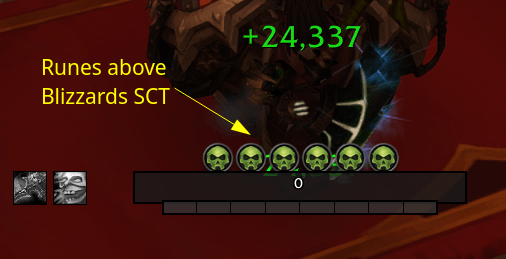
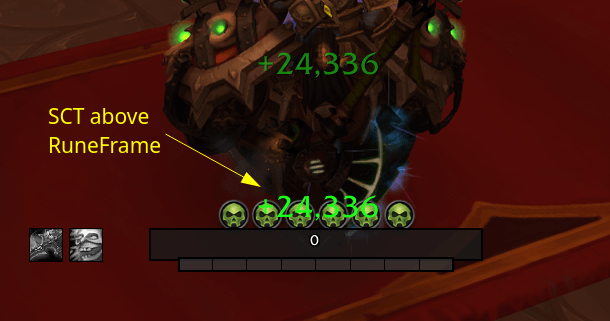
Comes with RuneFrame pre-configured to HIGH strata so your Death Knight runes stay visible above other UI elements.
How Strata and Levels Work
- Strata is the primary draw order: BACKGROUND < LOW < MEDIUM < HIGH < DIALOG < FULLSCREEN < TOOLTIP. A frame at HIGH always renders above MEDIUM regardless of level.
- Level (0-10000) controls order within the same strata — higher level draws on top, but only between frames that share the same parent. Frames in different parent hierarchies are not affected by each other's levels.
- Child frames inherit their parent's strata as a ceiling. If a parent is at MEDIUM, its children can't render above MEDIUM even if set to HIGH. Strata Manager handles this automatically by raising parent frames to match.
Features
- Standalone options window - Draggable dialog with title bar, close button, and ESC support
- Minimap button - Left-click toggles options, right-click opens frame picker, drag to reposition
- Hierarchy view - Each managed frame shows its full parent chain with per-frame level controls
- Frame picker - Eye dropper tool that lets you mouseover any frame to see its full hierarchy, then click to select it
- Smart merging - Entries sharing parent frames are automatically combined to avoid conflicts
- Reset to original - Each entry has a reset button that restores the frame's original strata and levels
- On-demand support - Frames that load lazily (PVEFrame, PlayerSpellsFrame) are configured when first opened
- Persistent overrides - Saved per-character and reapplied on login
- Slash commands - Full CLI for quick changes without opening the window
Installation
- Drop the
StrataManagerfolder inWorld of Warcraft/_retail_/Interface/AddOns/ - Restart WoW or
/reload
Commands
| Command | What It Does |
|---|---|
/strata or /sm |
Toggle options window |
/strata set <Frame> <Strata> |
Set a frame's strata |
/strata remove <Frame> |
Stop managing a frame (restores original) |
/strata list |
Show all managed frames |
/strata get |
Open frame picker, click to inspect and add |
/strata get <Frame> |
Show a frame's current strata and level |
/strata values |
List valid strata levels |
/strata debug |
Dump full DB and frame state |
Tip: Use /strata get from chat to inspect frames that are hidden behind the options window.
Strata Levels
From lowest (back) to highest (front):
| Strata | Typical Use |
|---|---|
| BACKGROUND | World frame, backgrounds |
| LOW | Low-priority UI |
| MEDIUM | Default for most frames |
| HIGH | Important UI elements |
| DIALOG | Popups and dialogs |
| FULLSCREEN | Fullscreen overlays |
| FULLSCREEN_DIALOG | Fullscreen dialogs |
| TOOLTIP | Tooltips (topmost) |
Settings
Open with /strata, the minimap button, or /sm.
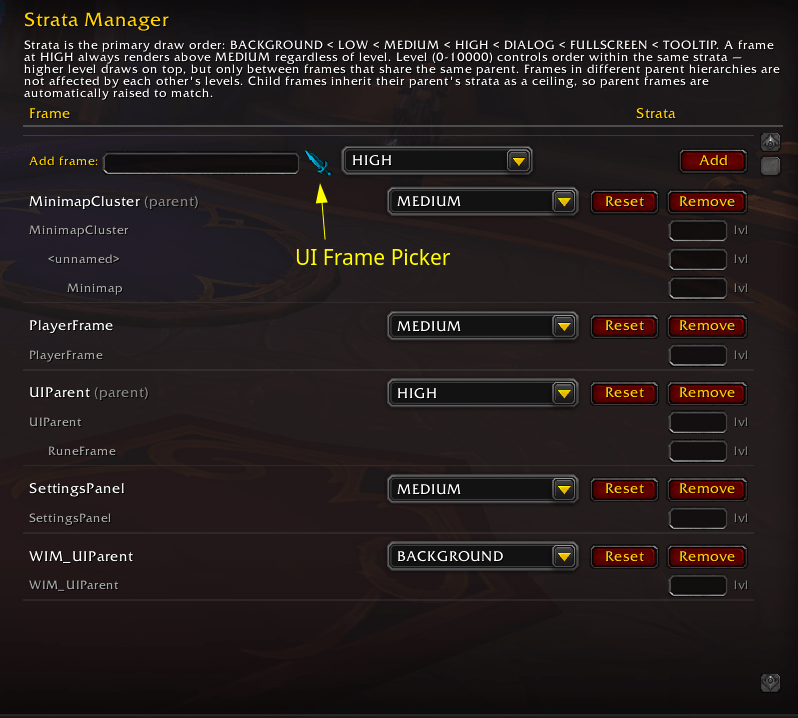
The options window shows:
- Add section at the top with frame name input, eye dropper picker, strata dropdown, level box, and add button
- Managed frames in a hierarchical tree view with strata dropdown, reset, and remove buttons per entry
- Per-frame level controls for each frame in the parent chain
- Show minimap button checkbox
Default Settings
- RuneFrame: HIGH
- Minimap button: shown
Author
DADD10
The Strata Manager Team