Dungeons Directions
- By
Brann Bronzebeard mapped every dungeon so you never take a wrong turn again. Follow the way step by step, read each boss fight before you pull, and race the clock: every finished run is timed and your best one is kept.
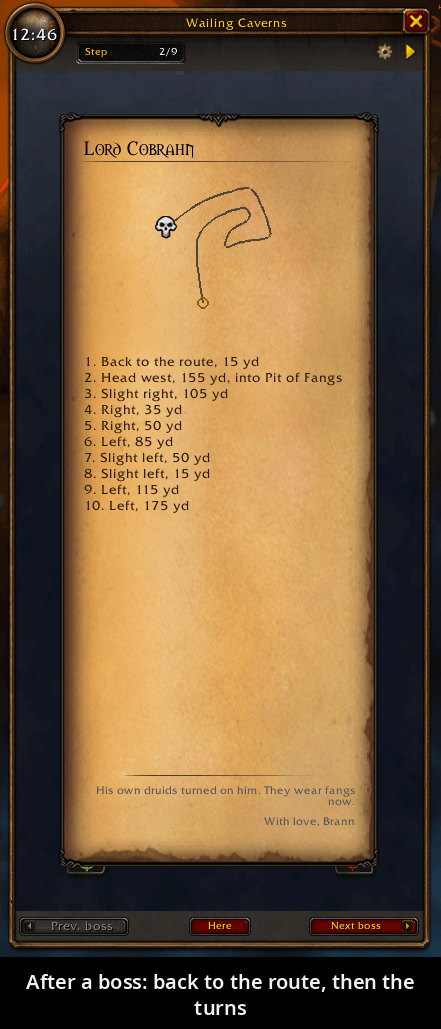
03_after-a-boss.png
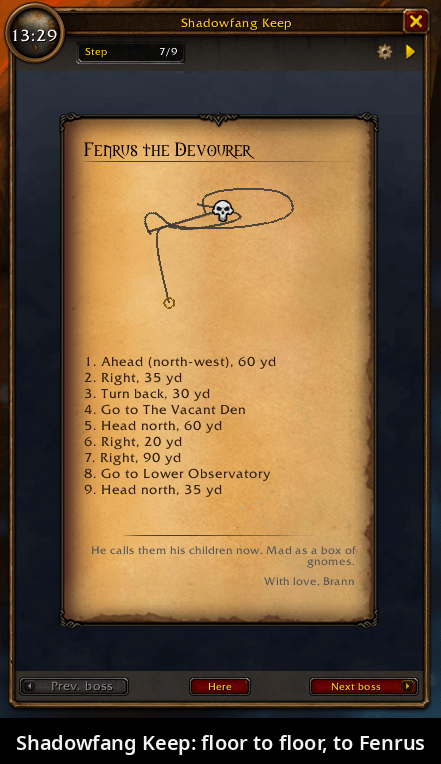
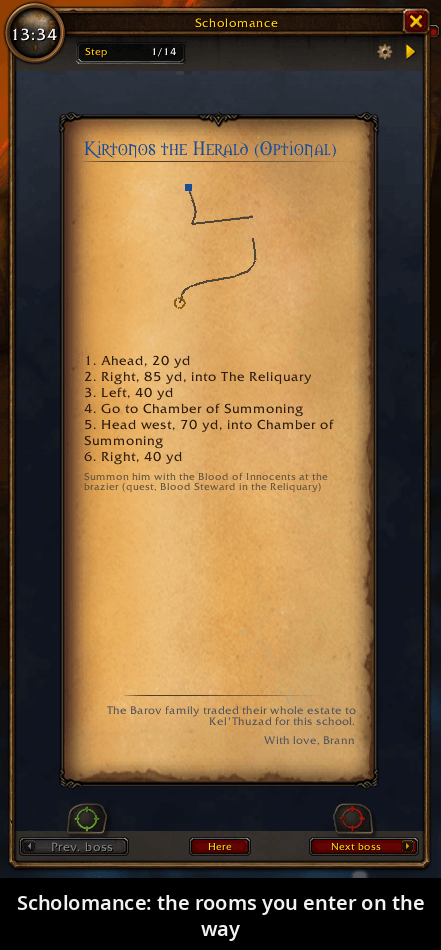
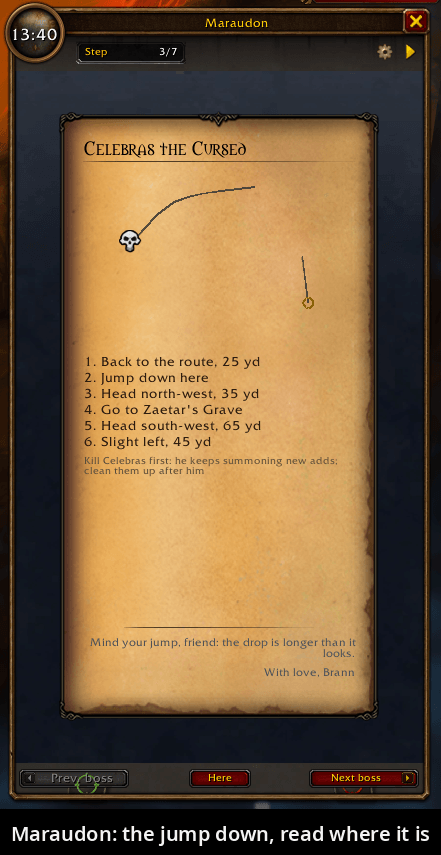
07_maraudon.png
Description
Experimental. These maps came back from the deep with Brann Bronzebeard and the Explorers' League, sketched by torchlight between one cave-in and the next. Some turns may be off by a few yards, and a tunnel or two may have shifted since he passed through. Trust your eyes over the parchment, tell us where the map lies, and bring it back in one piece: he is not drawing another.
The dungeons of Azeroth were built to swallow adventurers whole. The Deadmines tunnel deep under Moonbrook, Maraudon winds through caverns that all look the same, and Blackrock Depths is a whole dwarven city buried in the mountain. Groups lose more time to wrong turns than to bosses, and the one who knows the way is never there when you need them.
Now they are. When you enter a dungeon, a small window opens that tells you the way to the next stop of the route, as you would tell a friend:
- Ahead, 40 yd
- Right, 25 yd, into the Mast Room
- Down to Maximum Security
It works on its own: a route for every dungeon comes built in, with its rooms and boss notes. When a boss dies, the window moves on to the next stop by itself, starting from where the boss stood. The first line after a boss also names the compass way, for when you turned around during the fight.

None of this would exist without Forever Dungeon Routes by Checkov23. Its hand-made routes, rooms and boss notes for every dungeon are the ones built into Dungeons Directions (MIT licence). Go install it too: its full dungeon maps, routes you can edit and share, and bosses that tick themselves off are amazing. With it installed, you are guided along the route you picked there, built-in or your own, and the Map button opens its map.
Made for speedruns
- A run clock in the round portrait: from entering the dungeon to the last boss, still counting while you run back after a death. Right-click it, or press Y on it with a controller
- Every finished run saved with each boss kill, timed by the realm clock, not the clock of your computer
- Sealed: a time edited by hand no longer counts
- Your best time for each dungeon in the clock tooltip
- Kept on your computer, ready for what comes next
- Boss tips to read ahead, so nobody stops to ask what the next boss does
Turns closer together than 50 yards read as one general way, so the window stays short. A turn back, and a jump, stairs or a drop named in the route notes, are always read where they are.
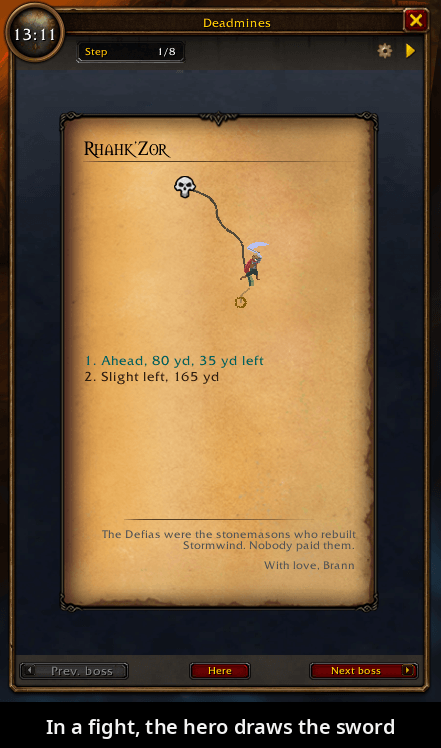
The window shows:
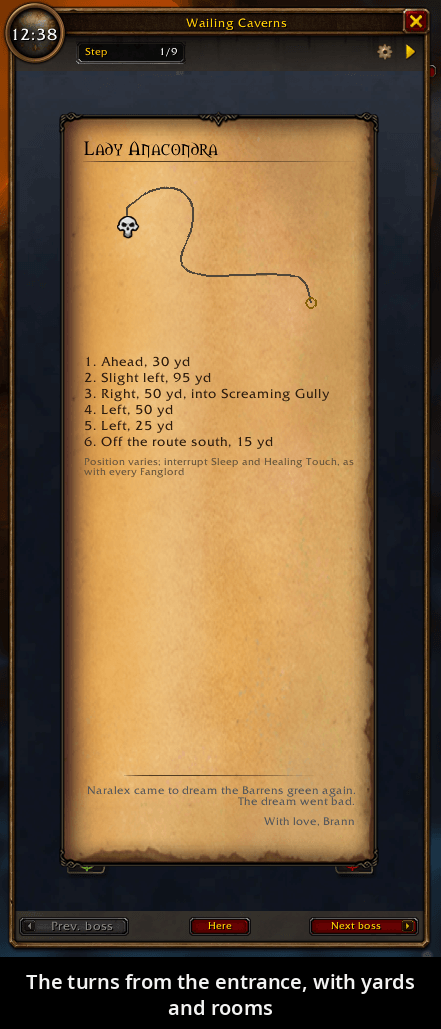
- The dungeon and the step, such as 3/8
- The next stop and the room you are in
- A drawing of the way in pencil, seen from above: up is the way you face at the start of the step
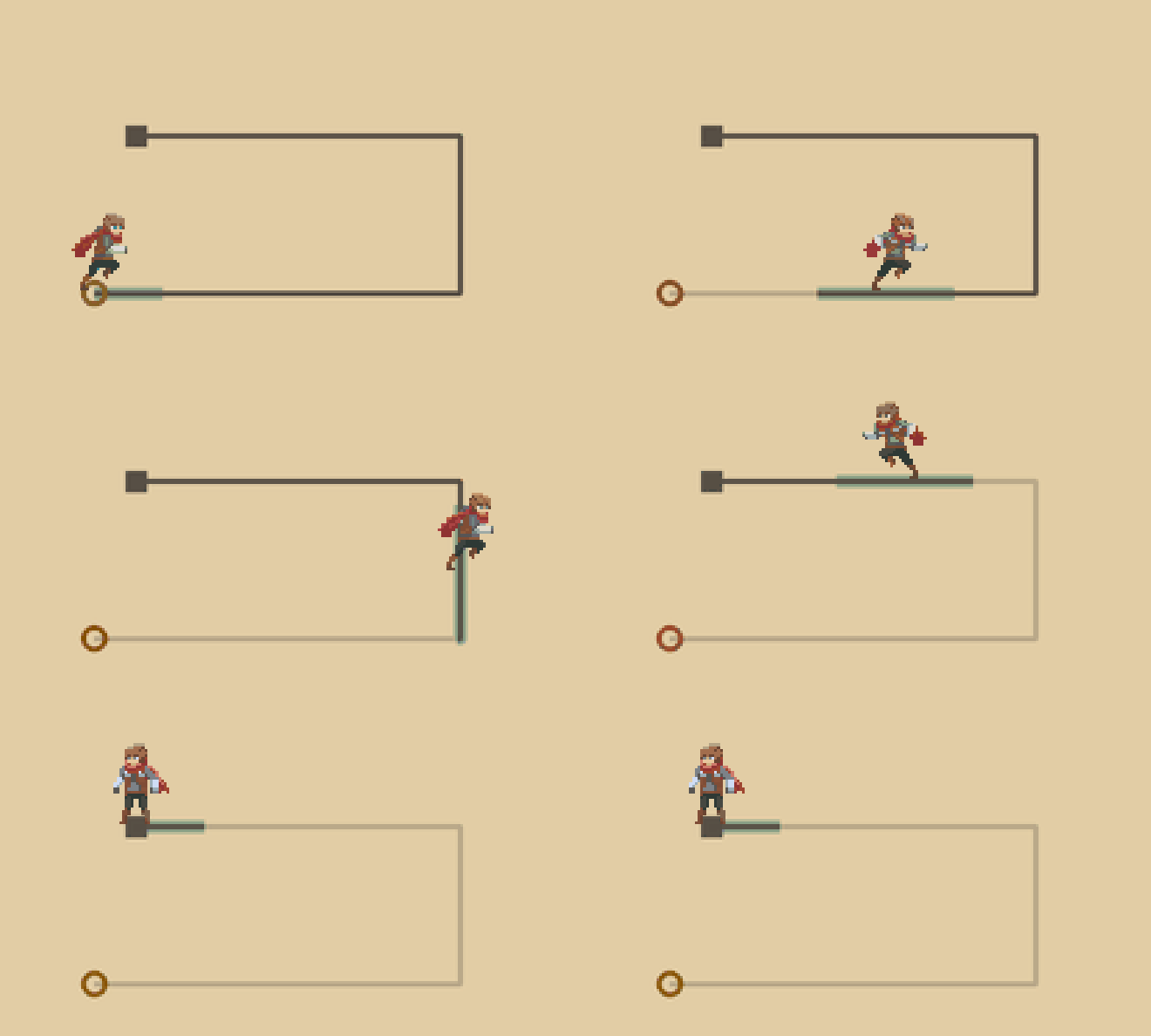
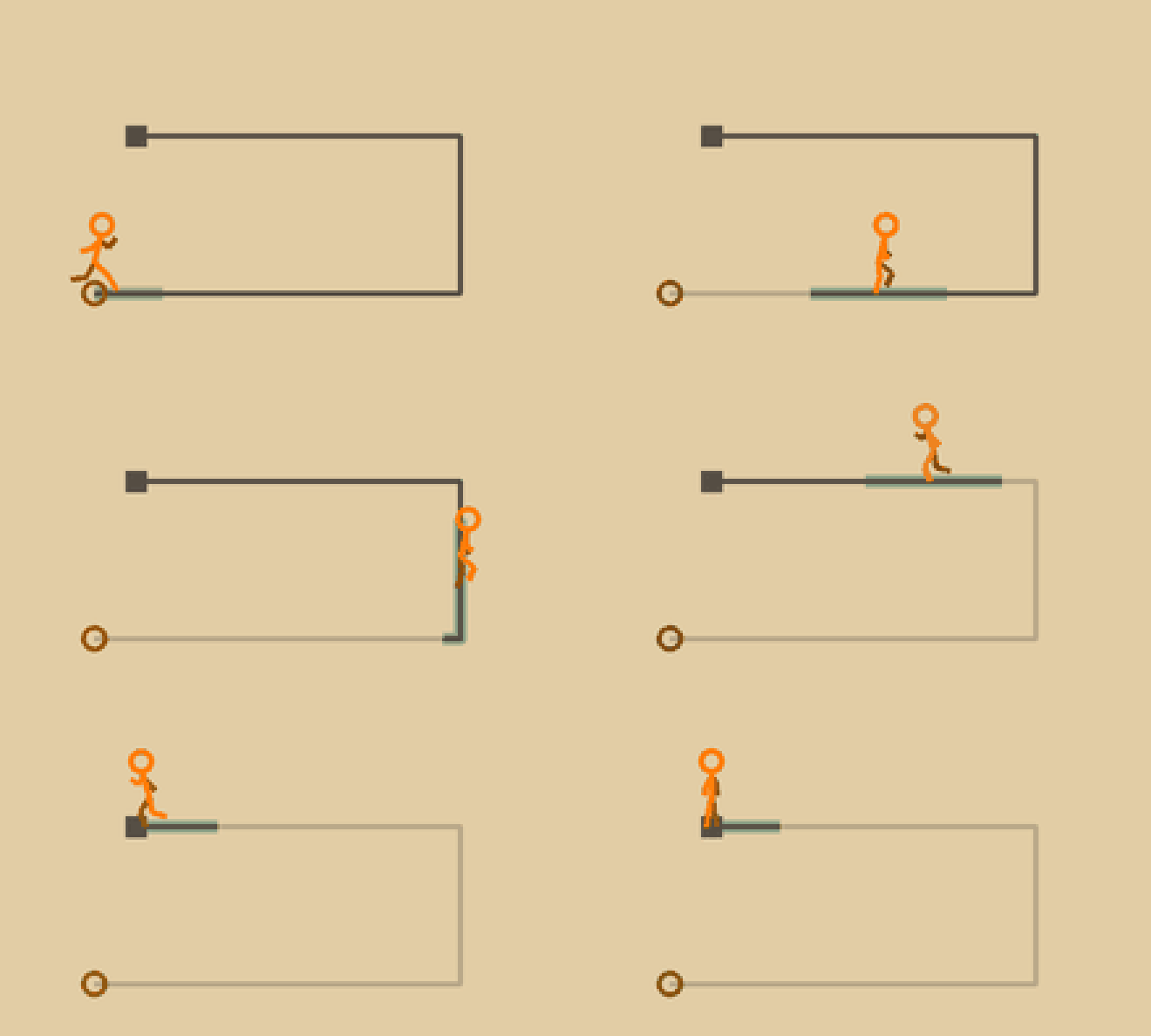
- A pixel-art hero, or a stick figure, running along the drawn way as you walk: it swings a sword while you fight and drinks while you drink or eat
- A dungeon list on its side: every dungeon by level, or only those of your level, to read any route ahead
- A clock: the time of day, or the time in this run
- The turns, with yards and the rooms you enter
- A note from Brann Bronzebeard at the bottom of the page, with a line of lore about the dungeon, signed With love, Brann
- One page size for the whole dungeon, so the window doesn't jump from step to step
- The stop note from the route
- Prev. boss and Next boss: what to do in each boss fight of the route, to read before you get there
- After a death: the way back from the entrance to the next boss
- Prev. boss, Here, Map and Next boss at the bottom, and a gear for Options; a controller moves between them with the D-pad
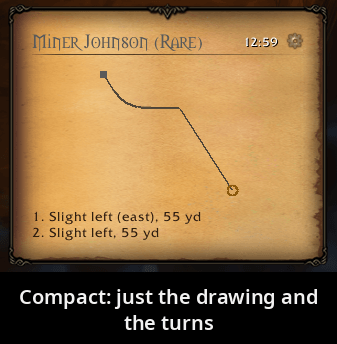
- Compact: just the stop, the clock and the gear on one line, the drawing and the turns, on parchment
At a boss, the window shows what to do in its fight in place of the turns: the boss note from the route, its first point larger. It shows when the fight starts, or with Guess where you are on once you may be within 35 yards, and stays until the boss dies. Caveman boss tips (Options, off by default) cut it to a few short words, in English: "Tank away from lava / Uppercut knocks back".
Guess where you are (Options, on by default) counts the yards you walk as if along the route. The drawing then marks where you probably are, and the line you are probably on shows in teal and, while the guess is close, counts down its yards. Walking backwards (Move Backward, or the controller stick pulled back) counts as going back. In a fight the game hides your speed, so the guess grows wider instead. Turning around and jumps down make the guess wider; a boss kill or a named room sets it right again. Dungeons with many named rooms, such as Scholomance or the Sunken Temple, keep it closest. The walked part of the drawing and of the list of turns fades and the drawing zooms in on the rest of the way, and the guess stays where it was over a /reload. When it is off, set it yourself: a click on the drawing puts it there, and a boss fight at the stop puts it at the stop.
Yours to pick in Options, with a preview beside them:
- The colors of the way, the start and where you are
- The boss icon (boss, dungeon, skull or cross) and its size
- The Delver, the mark where you are on the drawing, and its size: a dot, a dot in your class color, a stick figure in your class color, a running stick figure, or Hero, an animated pixel-art hero. The running ones run along the drawn way as you walk, swing a sword while you fight, and drink while you drink or eat
- With the JiberishUI Icons addon: your class icon in six of its Fabled styles
- The text size, and the font of the boss tips and of the note from Brann: Friz Quadrata, Morpheus, Arial Narrow or Skurri
- The note from Brann: on or off, dungeon lore, one of his lines, or a line of your own
- Compact, with or without the turns
The hero is from Animated Pixel Adventurer by rvros.
Inside dungeons the game tells addons neither where you stand nor which way you face. So the directions and the drawing follow the route itself: at the start you face along the route, after a boss you face the way you came in. No line can be drawn on the floor, and the drawing doesn't move with you. If the step looks wrong, /ddir reset goes back to the step after the last boss down.
Ways to open it:
- By itself on entering a dungeon
- /ddir, or the AddOns menu
- Key bindings, under AddOns: Show directions, Next stop, Previous stop, Next boss, Previous boss
- With Forever Dungeon Routes: its map, and the map icon in its window and small map
Dungeons Directions Team