Dungeons and Raids Loot WishList
- By
Save your loot wish list and track It just as any quest or profession item in the default game UI.
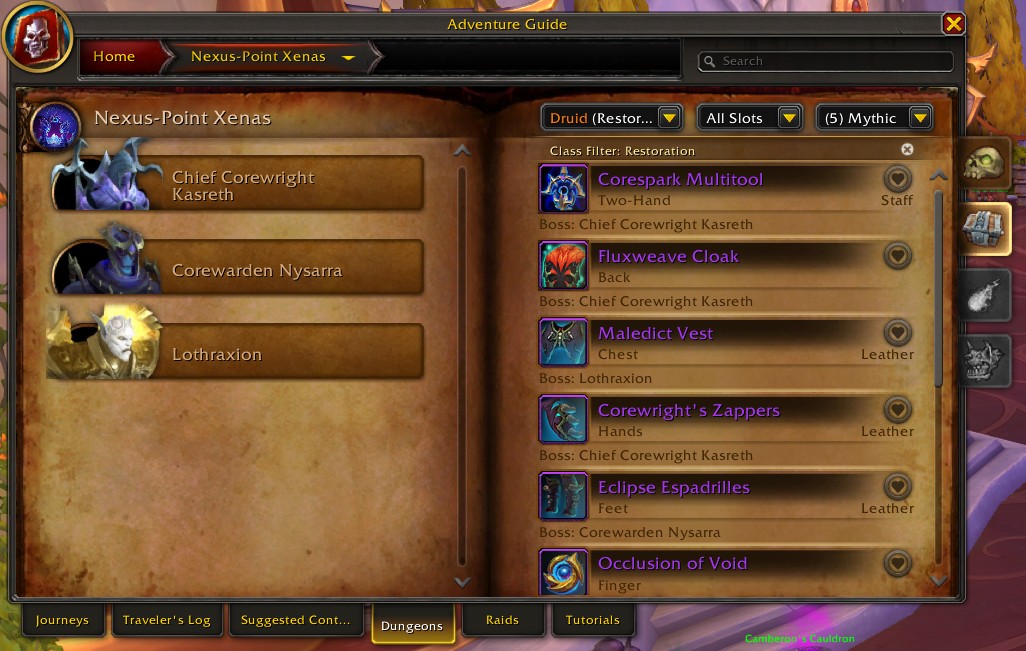
From the adventure guide a new favorite icon appears for loot items.
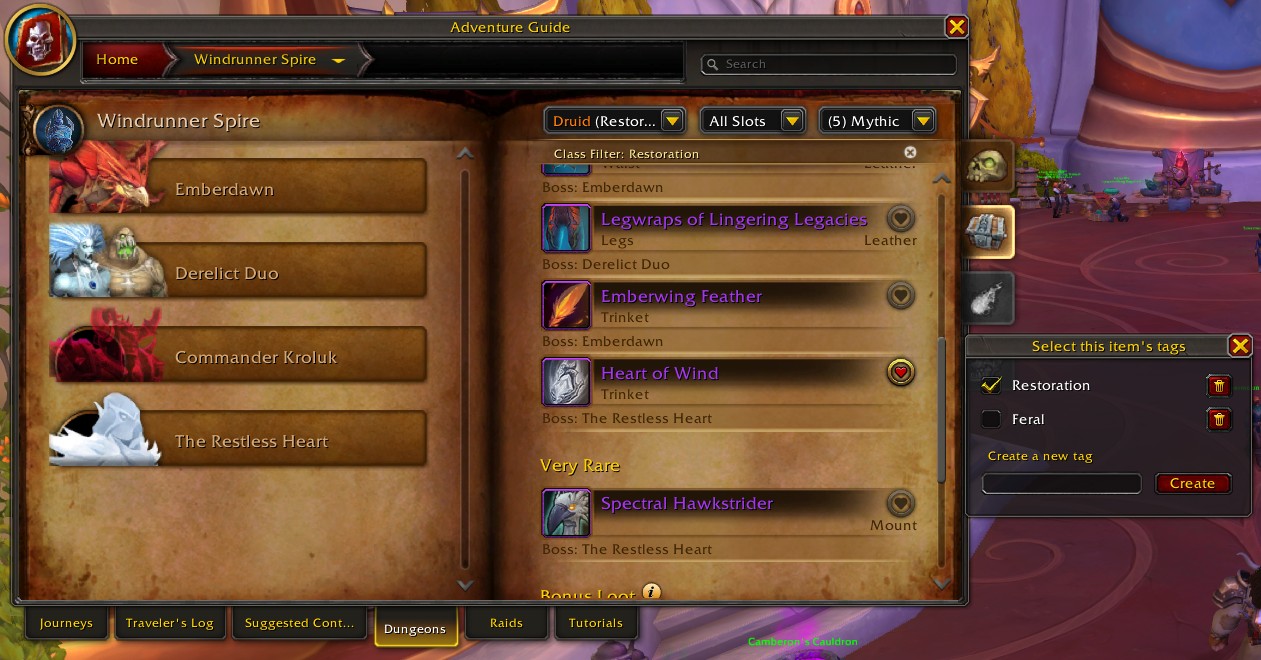
Clicking on the icon, you can add the item to your wishlist with tags
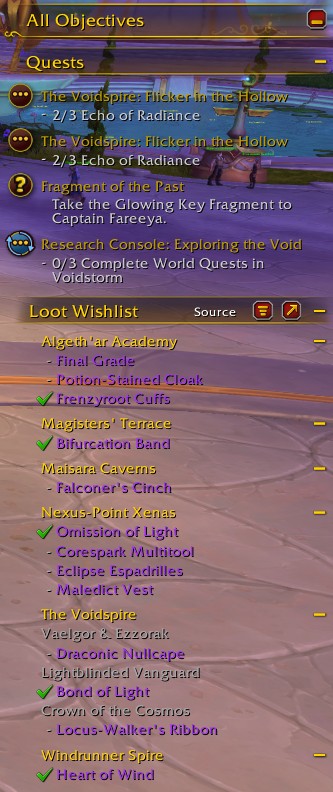
Once added to your wishlist, the item displays on the Objectives Tracker Frame in your game.
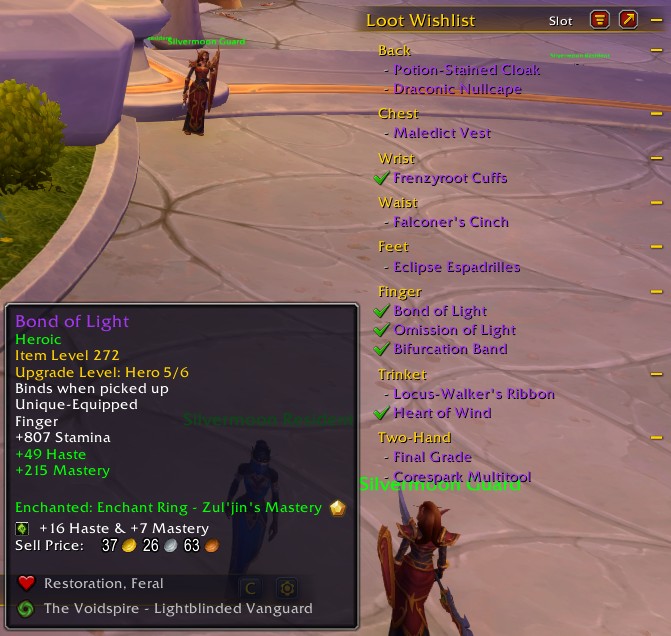
Hovering the items in the Wishlist, you can see the tags they are assigned to and in Slot mode, you can also see where they drop from.
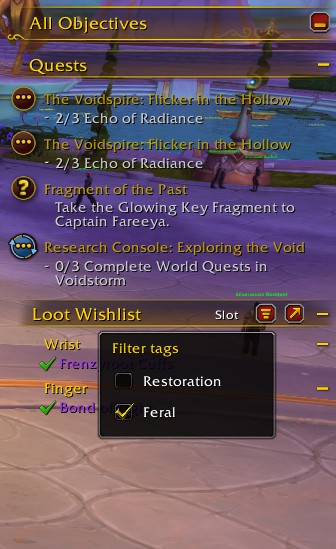
The wishlist tracker can be filtered based on the tags you assigned to items. If only one tag has items in It, the filter remains disabled.
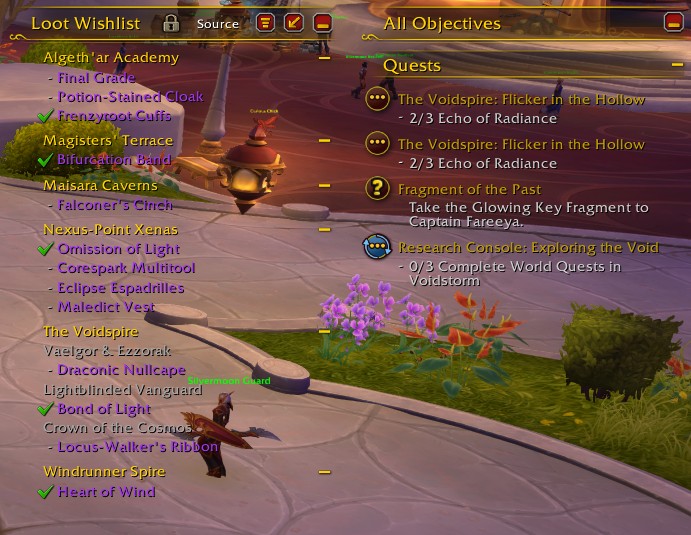
You can also use the arrow button to detach the Wishlist from the Objective tracker and move It freely on your screen
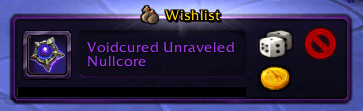
A "Wishlist" badge is displayed for item rolls that are in your wishlist.
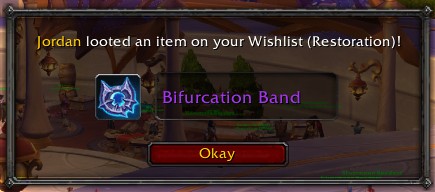
When someone loots an item that is in your wishlist, you get alerted so you can ask this person to pass the loot to you. :)
Description
This is a Zero-Configuration addon.
Once installed, you will be able to open Dungeon and Raid Adventure Guides in-game and select loot to track as a Wish List.
When adding a loot from a dungeon and/or Raid, the items list will appear at the "All Objectives" frame, where Quests, World Quests, Achievements and Profession items are tracked under a new Section "Loot Wishlist", grouped by the Source of the loot. Optionally you can detach the wishlist from the Objective Tracking frame.
SHIFT + Click stops tracking an item. Alternatively, Right-clicking the item label also opens a menu with the "Remove" option.
Click on each dungeon/raid group +/- button to expand/collapse that group.
When an Item is looted by you, It is marked as complete and the Item level of that Item is displayed on the list, to allow you to chase for the next upgraded version of the same item.
If another player loots an item you are tracking, you will receive an alert message so you can check with them whether they need It or not.
Loot roll UIs (the dice popup) now show a "WISHLIST" tag for items that you have in your Wishlist.
Hover the Items in the Wishlist to see the details in a tooltip.
As you add items to the wishlist, you assign tags to them, which can be filtered in the Objective tracker frame. Filtering the Tracker UI does not supress alerts for other tags in your wishlist. You will still be notified if someone loots a "Sidegrade" item even though you filtered the tracker to show "Best in slot" items.
Dungeons and Raids Loot WishList Team

Owner