


Dungeons and Raids Loot WishList
- By


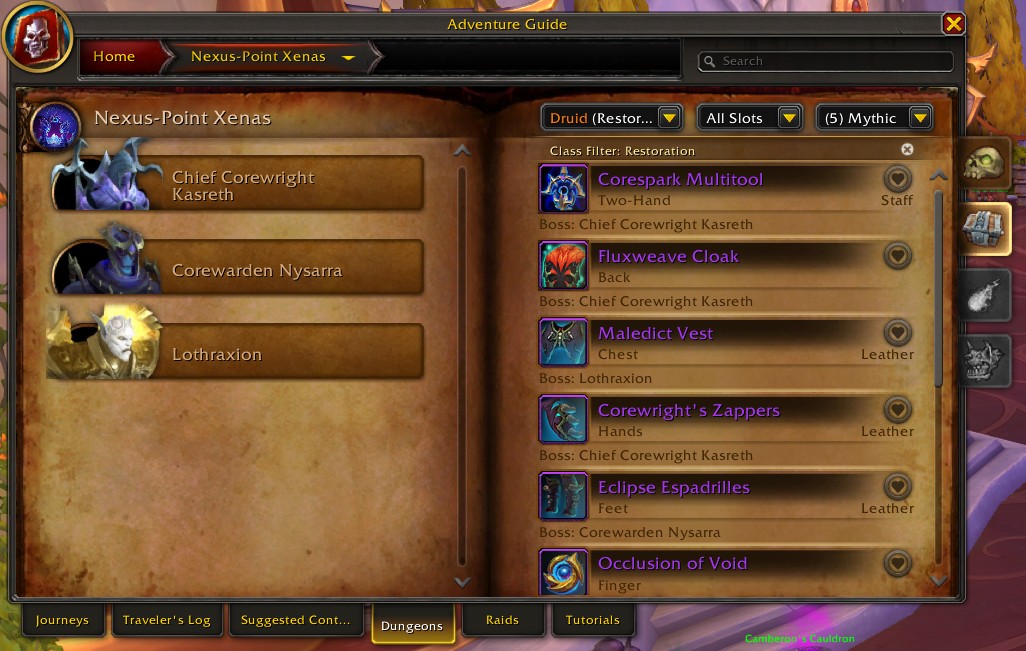
From the adventure guide a new favorite icon appears for loot items.
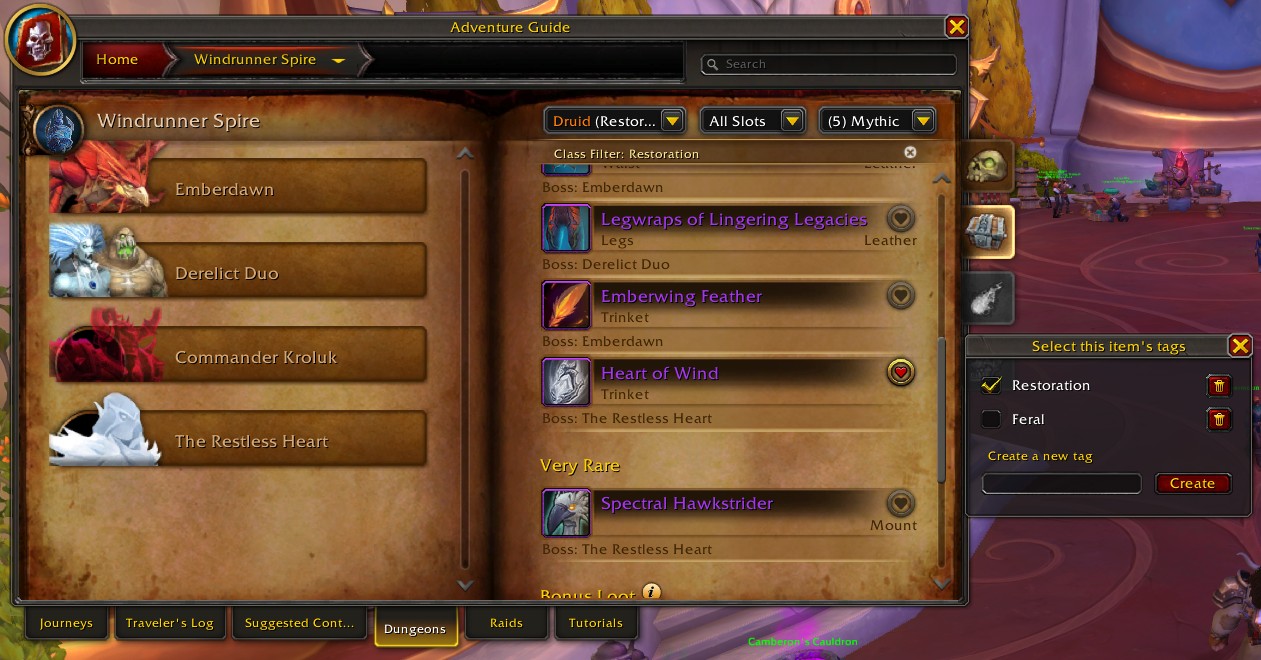
Clicking on the icon, you can add the item to your wishlist with tags
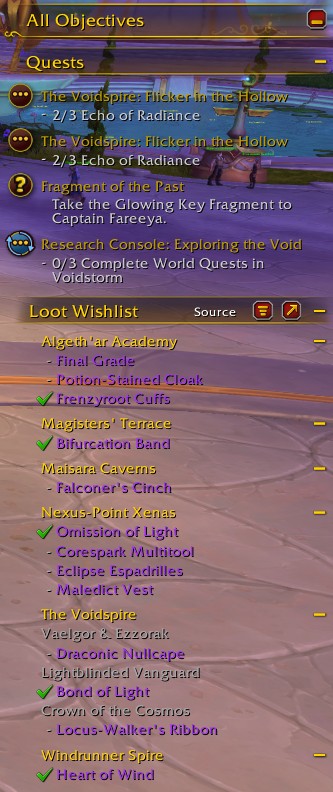
Once added to your wishlist, the item displays on the Objectives Tracker Frame in your game.
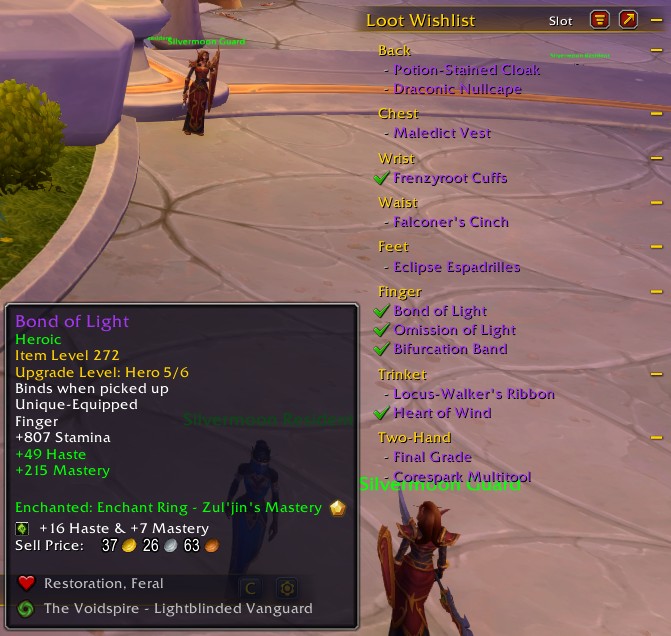
Hovering the items in the Wishlist, you can see the tags they are assigned to and in Slot mode, you can also see where they drop from.
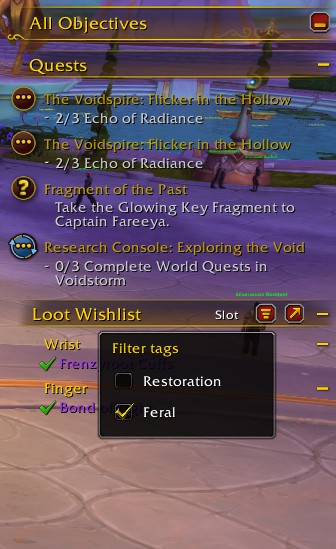
The wishlist tracker can be filtered based on the tags you assigned to items. If only one tag has items in It, the filter remains disabled.
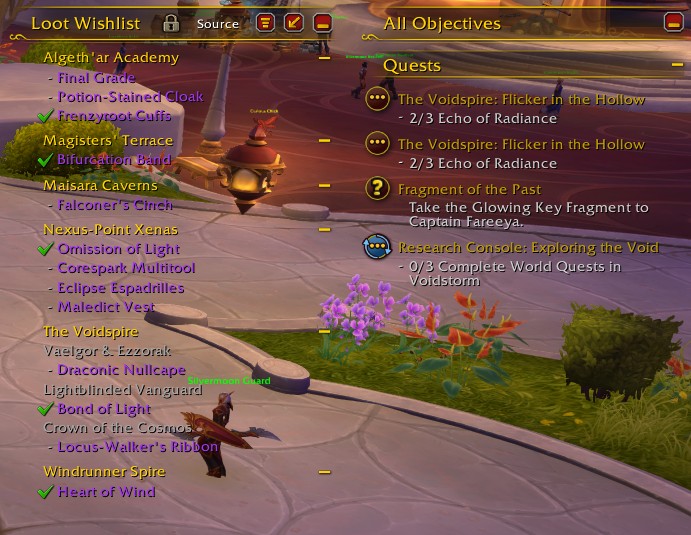
You can also use the arrow button to detach the Wishlist from the Objective tracker and move It freely on your screen
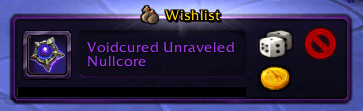
A "Wishlist" badge is displayed for item rolls that are in your wishlist.
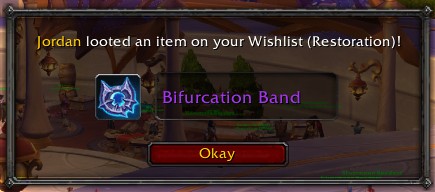
When someone loots an item that is in your wishlist, you get alerted so you can ask this person to pass the loot to you. :)