Does It Die Advanced
- By
See if your DoTs will kill your target: a marker on its health bar shows the damage they still have to deal, with a skull when it's lethal.
3-multi-dot-a-pack.png
4-every-dot-its-own-colour.png
5-pvp.png
6-make-it-yours.png
7-everything-it-does.png
Description
Does It Die Advanced
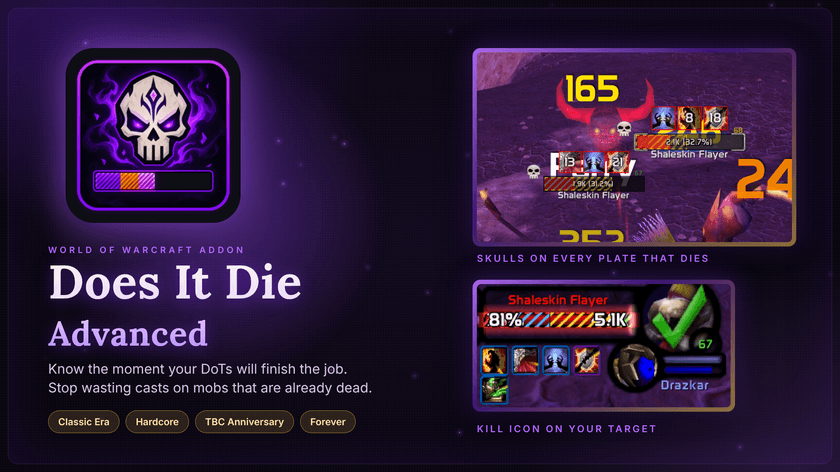
Know the moment your DoTs will finish the job.
Stop wasting casts on mobs that are already dead. Does It Die Advanced shows, right on your target frame and nameplates, how much damage your DoTs still have to deal, and puts a skull on anything they'll finish off. Dot it, see the skull, move on.
One download for Classic Era, Hardcore, TBC Anniversary and WoW: Forever.
How it works
- The striped marker on the health bar is the damage your DoTs still have left. If the health ends inside the marker, it dies.
- The skull appears on the portrait and nameplate the moment your DoTs are enough. No maths, no guessing.
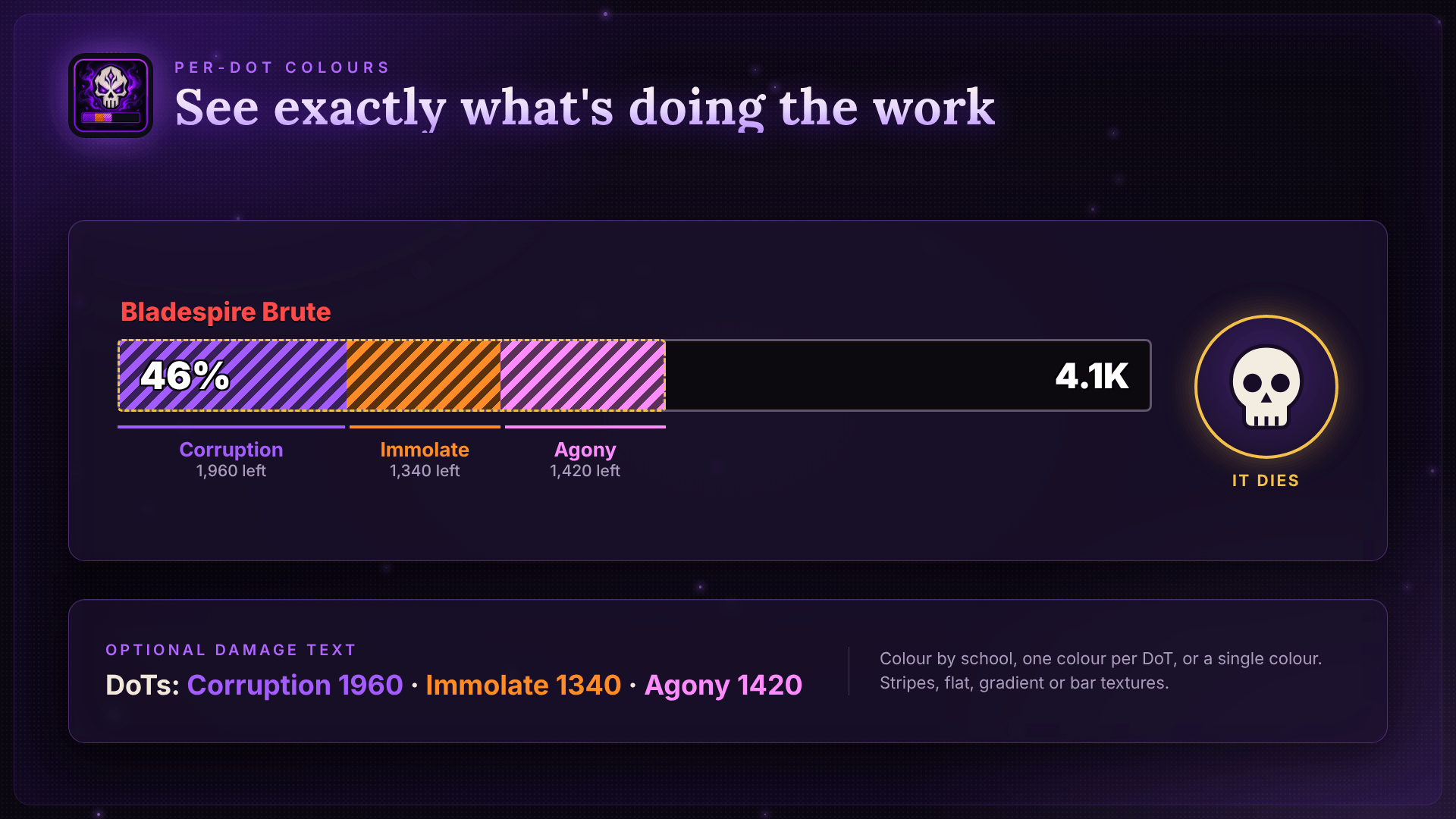
- Every DoT gets its own colour, so you can see Corruption, Immolate and Agony doing their share.
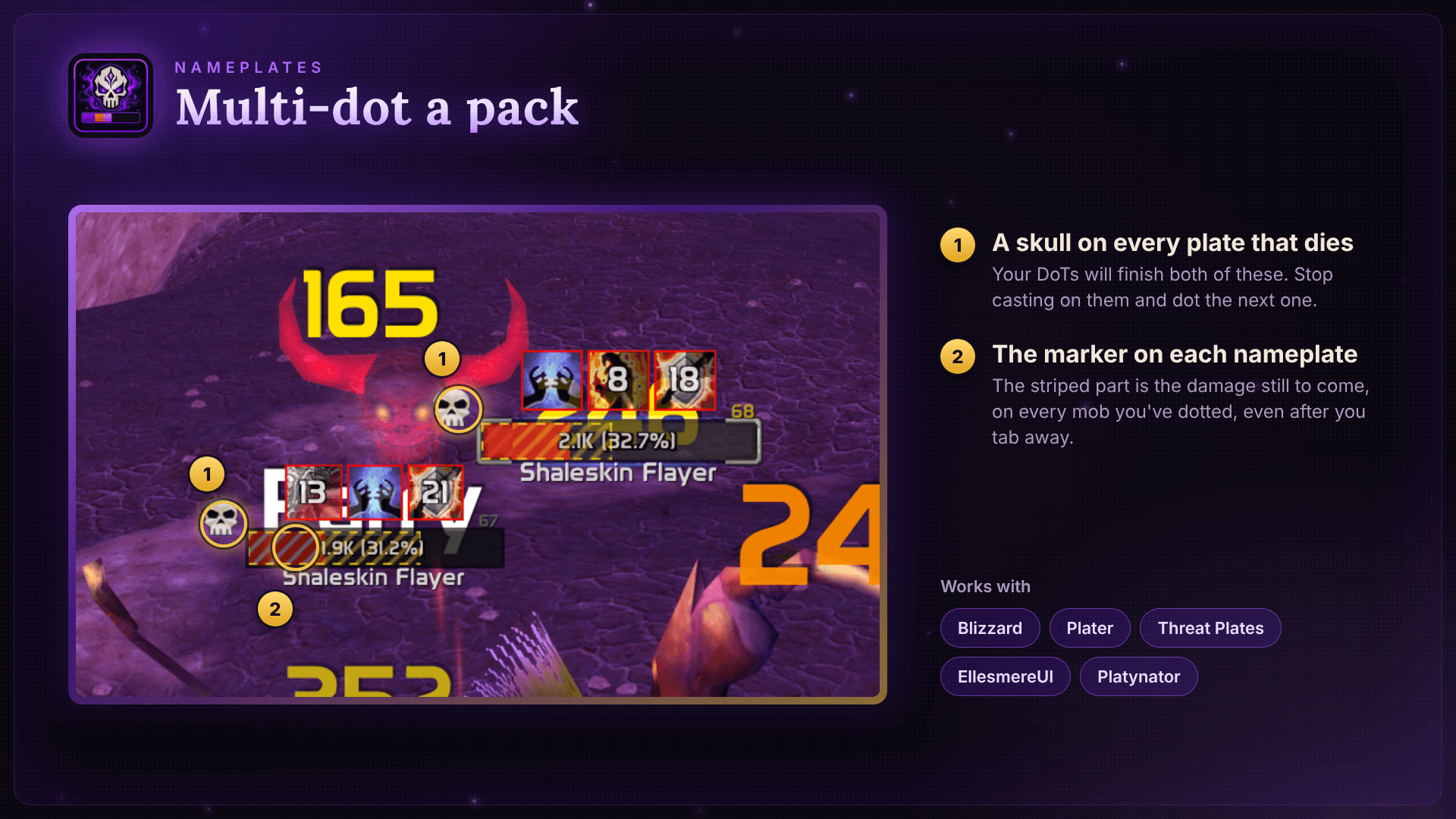
- On every nameplate you've dotted, ideal for multi-dotting packs and tab-dotting.
- Mobs and enemy players alike, for levelling, farming, dungeons and PvP.
Made for warlocks, shadow priests and every class with a DoT.
Why "Advanced"?
Does It Die Advanced is built on JoeGG's excellent Does It Die, made for WoW: Forever. Advanced takes it further:
| Original | Advanced | |
|---|---|---|
| WoW: Forever | ✔ | ✔ |
| Classic Era & Hardcore | – | ✔ |
| TBC Anniversary | – | ✔ |
| PvP on Forever | ✔ | ✔ |
| PvP on Classic Era & TBC | – | ✔ ² |
| Exact tick tracking from the combat log | – | ✔ ¹ |
| Drain Life, Drain Soul & Mind Flay count | – | ✔ |
| Health numbers drawn on top of the marker | – | ✔ |
| Cautious first estimate: no false skulls | – | ✔ |
| Accuracy report (predicted vs real) | – | ✔ ¹ |
| No skull while a shield is up | – | ✔ ¹ |
| NeatPlates support | – | ✔ |
| Marker height & position for any frame | – | ✔ |
¹ Classic Era and TBC. Forever blocks the combat log and hides these values from addons. ² Enemy players' real health is worked out from the damage they take.
Compared with the original's v0.8.2. Advanced installs alongside the original without clashing.
What Advanced adds
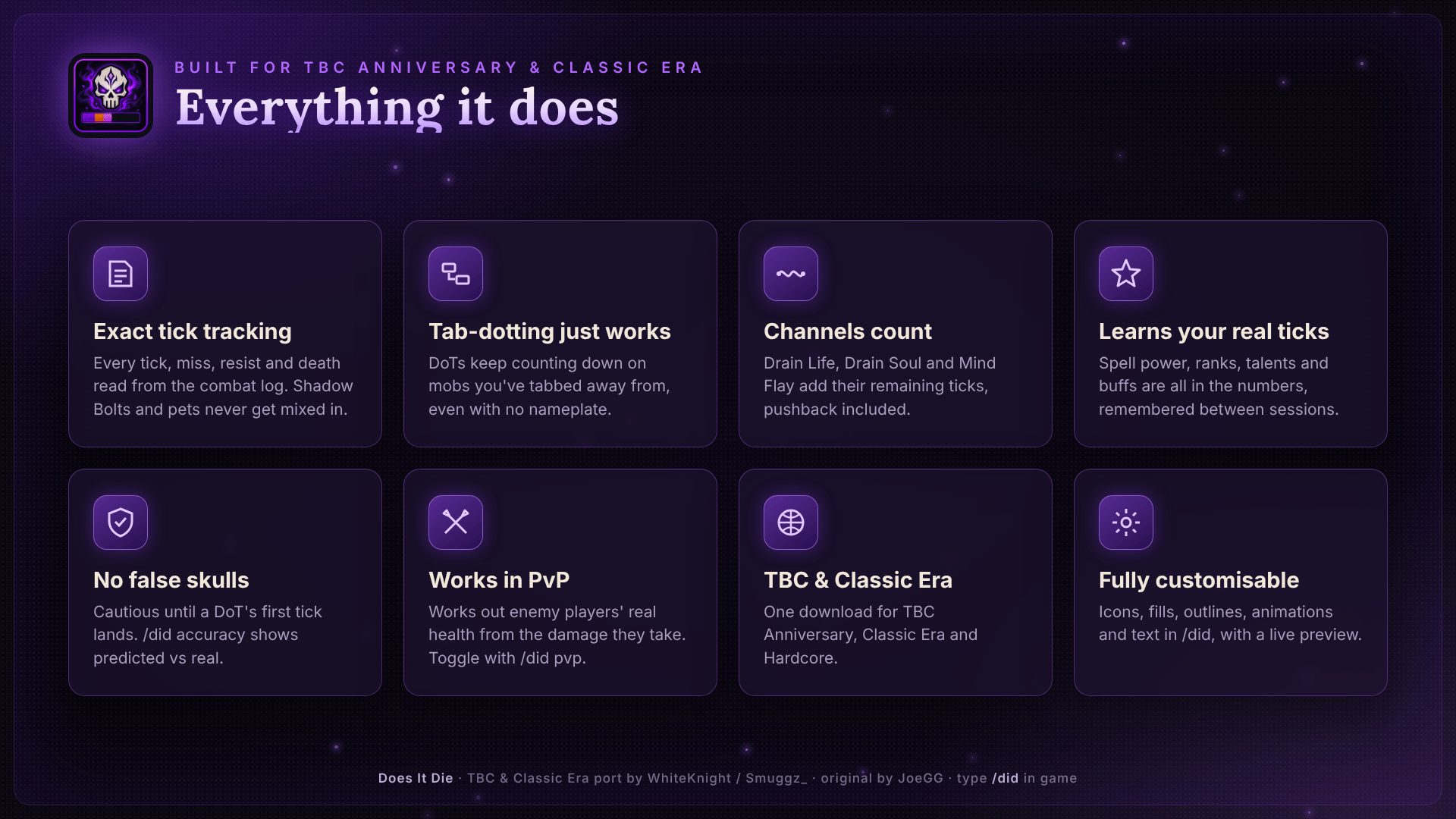
Exact tracking (Classic Era & TBC). Every tick, miss, resist, dispel and death is read straight from the combat log by spell name: no guesswork. Your Shadow Bolts, pet and other players' DoTs are never mistaken for your ticks, and tab-dotting works even on mobs with no nameplate showing.
Learns your real damage (Classic Era & TBC). Your spell power, ranks, talents and buffs are all in the numbers, learned from your real ticks and remembered between sessions. When a trinket procs or you use a flask, the estimate follows your power at the moment you cast.
No false skulls. Before a DoT's first tick, Advanced estimates cautiously, so you never get a skull too early, on any game.
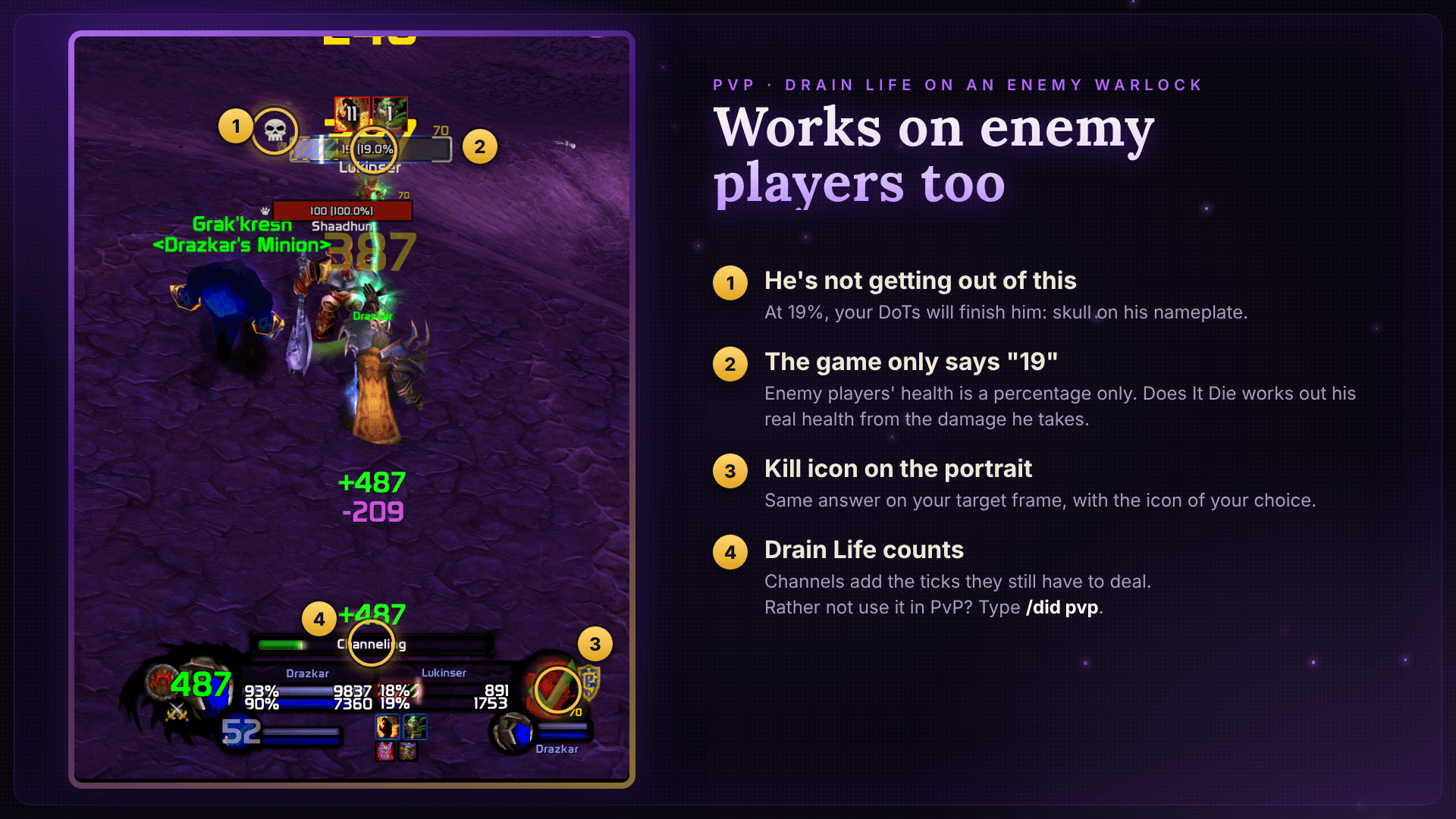
Channels count. Drain Life, Drain Soul and Mind Flay add the ticks they still have to deal while you channel, pushback included.
Readable health. Your target frame's health numbers are drawn on top of the stripes, so you can always see them.
PvP ready. The marker and skull work on enemy players on every game. On Forever the game passes their real health straight to the bars. On Classic Era and TBC it only shows enemy players' health as a percentage, so Advanced works out their real health from the damage they take, and remembers each player for next time. Turn it off with /dida pvp.
Respects shields (Classic Era & TBC). No skull while your target has Power Word: Shield, Ice Barrier, Mana Shield, Ice Block or similar up. It comes back the moment the shield drops.
Works with your UI. Plater, Threat Plates, NeatPlates, EllesmereUI, Platynator, BetterBlizzFrames and more are detected automatically, and marker height, position and edge settings fit it to any frame.
Check it yourself (Classic Era & TBC). /dida accuracy shows what each DoT was predicted to deal against what it really dealt.
On WoW: Forever
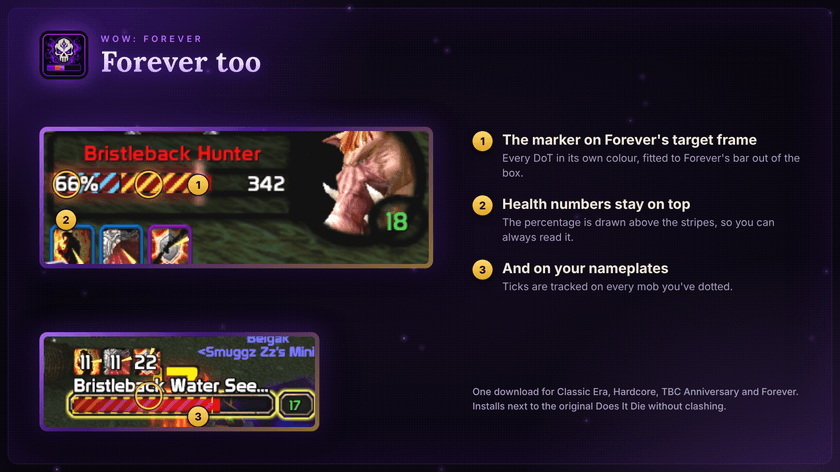
Forever blocks the combat log and hides target health, auras and each tick's damage from addons. Advanced still tracks your DoTs tick by tick there, by their school and timing, on mobs and enemy players, and comes fitted to Forever's target frame out of the box. Its estimate comes from spell tooltips, which leave out spell power, so it errs on the safe side: the skull may come a moment late, but never too early.
Supported DoTs
- Warlock: Corruption, Immolate, Curse of Agony, Unstable Affliction*, Siphon Life, Seed of Corruption*, Drain Life and Drain Soul (while channelling)
- Priest: Shadow Word: Pain, Vampiric Touch*, Devouring Plague, Holy Fire, Starshards*, Mind Flay (while channelling)
- Druid: Moonfire, Insect Swarm, Entangling Roots, Rake, Rip, Pounce, Lacerate*
- Hunter: Serpent Sting, Immolation Trap
- Mage: Fireball and Pyroblast (their damage-over-time part)
- Rogue: Rupture, Garrote
- Shaman: Flame Shock
- Warrior: Rend
* TBC only. Finishers (Rip, Rupture) use the combo points you actually spent.
Make it yours
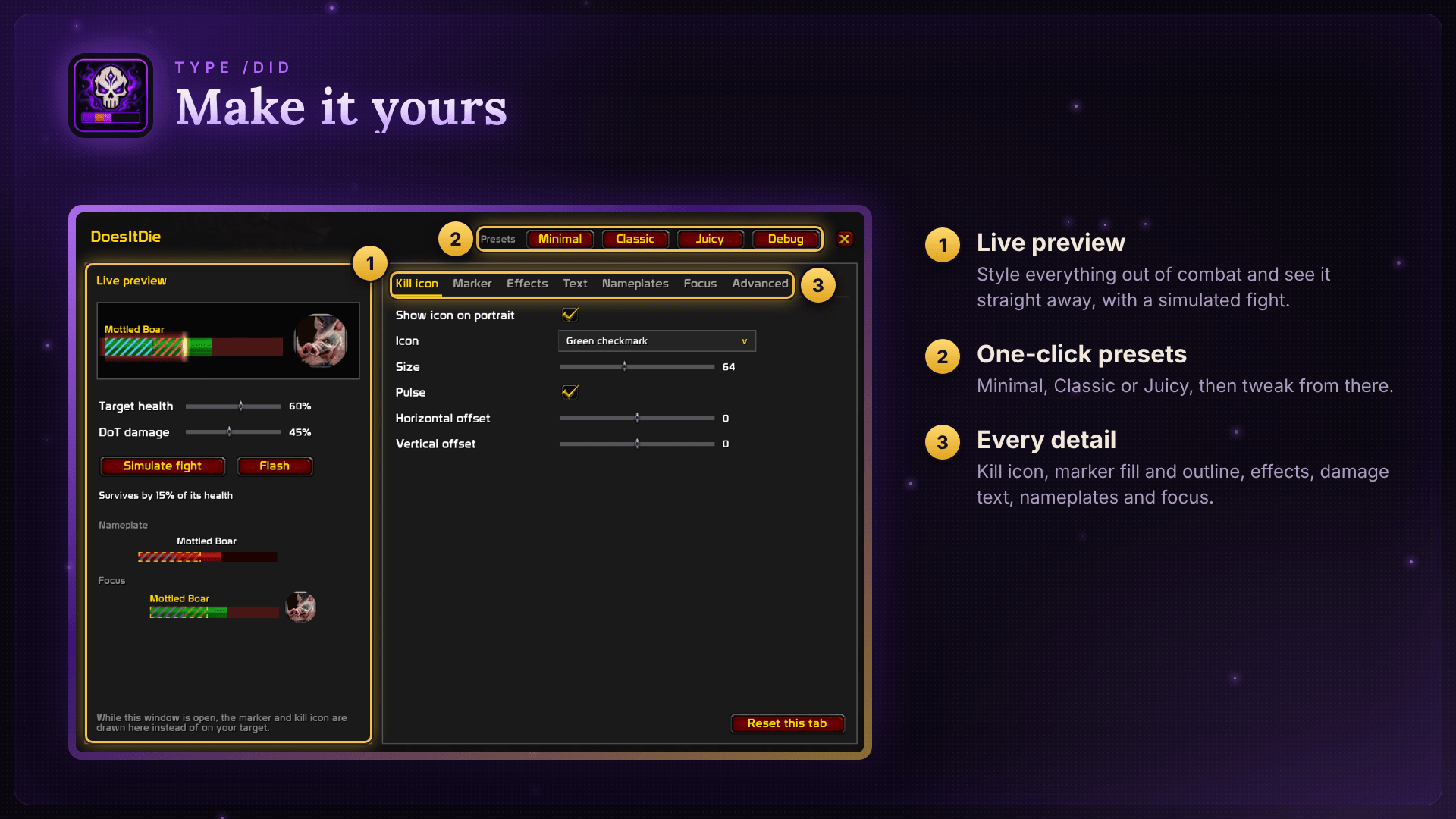
Type /dida to open the options window, with a live preview and one-click presets (Minimal, Classic, Juicy):
- Kill icon: raid skull, boss skull, red X, tick or sunglasses; size, position, pulse
- Marker: stripes, flat, gradient or bar textures; colours, opacity, outline, height and position
- Animations: smooth motion, flash when a DoT lands, pulsing outline, spark, glow and shine
- Nameplates and focus: their own look, since enemy plates are red
Commands
/didaopens the options (/didworks too, unless the original Does It Die is installed)/dida channelsturns Drain Life / Drain Soul / Mind Flay prediction on or off/dida pvpshows or hides the marker and skull on enemy players/dida texttoggles the health numbers on top of the marker/dida ticksshows what each DoT really ticks for/dida accuracyshows predicted vs real damage for your last DoTs (Classic Era & TBC)/dida skullshows the kill icon for 5 seconds, to check its position/dida plateschecks your nameplates, with a copyable report/dida resetforgets learned tick sizes/dida debugechoes the tracking log to chat, for bug reports
Installing and updating
- Install with the CurseForge app, or drop the
DoesItDieAdvancedfolder into your game'sInterface\AddOnsfolder. - Updating from Does It Die (Classic & TBC): delete the old
DoesItDiefolder. Your settings start fresh. - If it shows as out of date, tick Load out of date AddOns on the character screen.
Compatibility
- Games: Classic Era & Hardcore (1.15.x), TBC Anniversary (2.5.5 / 2.5.6), WoW: Forever
- Nameplates: Blizzard, Plater, Threat Plates, NeatPlates, EllesmereUI, Platynator and most others
- Unit frames: Blizzard's, BetterBlizzFrames, EllesmereUI, or any other via Advanced → custom frame path
Known limitations
- Only your own DoTs are tracked, not party members'.
- Proc DoTs with no cast (Deep Wounds, Ignite, poisons) aren't tracked.
- Healing on the target isn't accounted for.
- Curse of Doom isn't a DoT (one big hit after a minute), so it isn't shown.
Bugs and feedback
Found something tracked wrong, or a DoT that's missing? Leave a comment with your game (Classic Era, TBC or Forever), your class, the spell, and if you can, a screenshot of /dida debug from the fight, and I'll look into it.
Does It Die Advanced by WhiteKnight / Smuggz_. Based on Does It Die by JoeGG (GitHub), used under the terms of its MIT licence, which is included in the download. Thanks, JoeGG!
Does It Die Advanced Team