DFL Dungeon Journal
Dungeon journal for WoW Forever: every dungeon quest with rewards and a tracker, boss loot with a side by side compare, painted dungeon maps, entrance pins and search. Every dungeon and raid in one book.
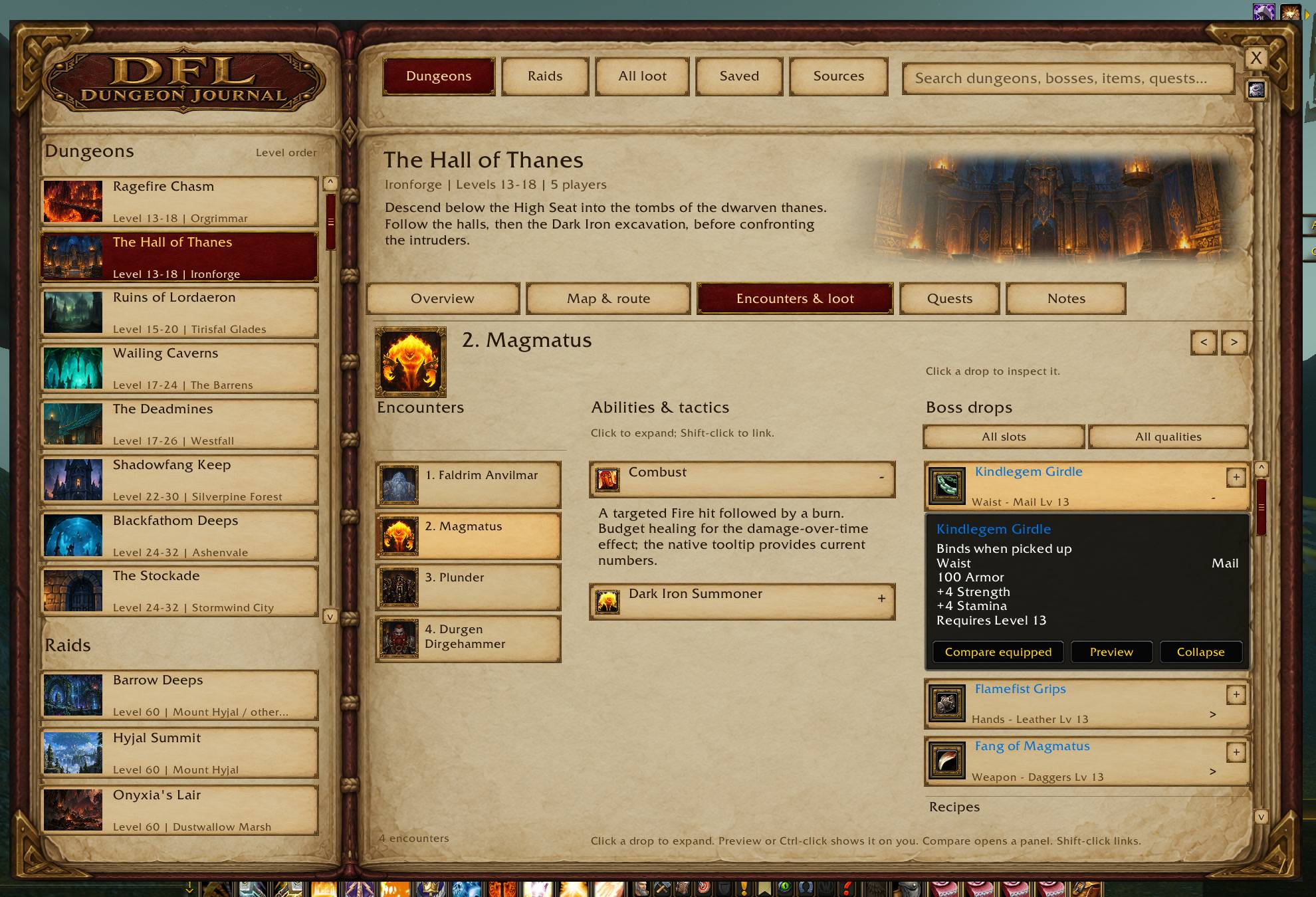
Every boss with abilities, tactics and recorded drops, filtered by slot and quality. Click a drop for the full tooltip.
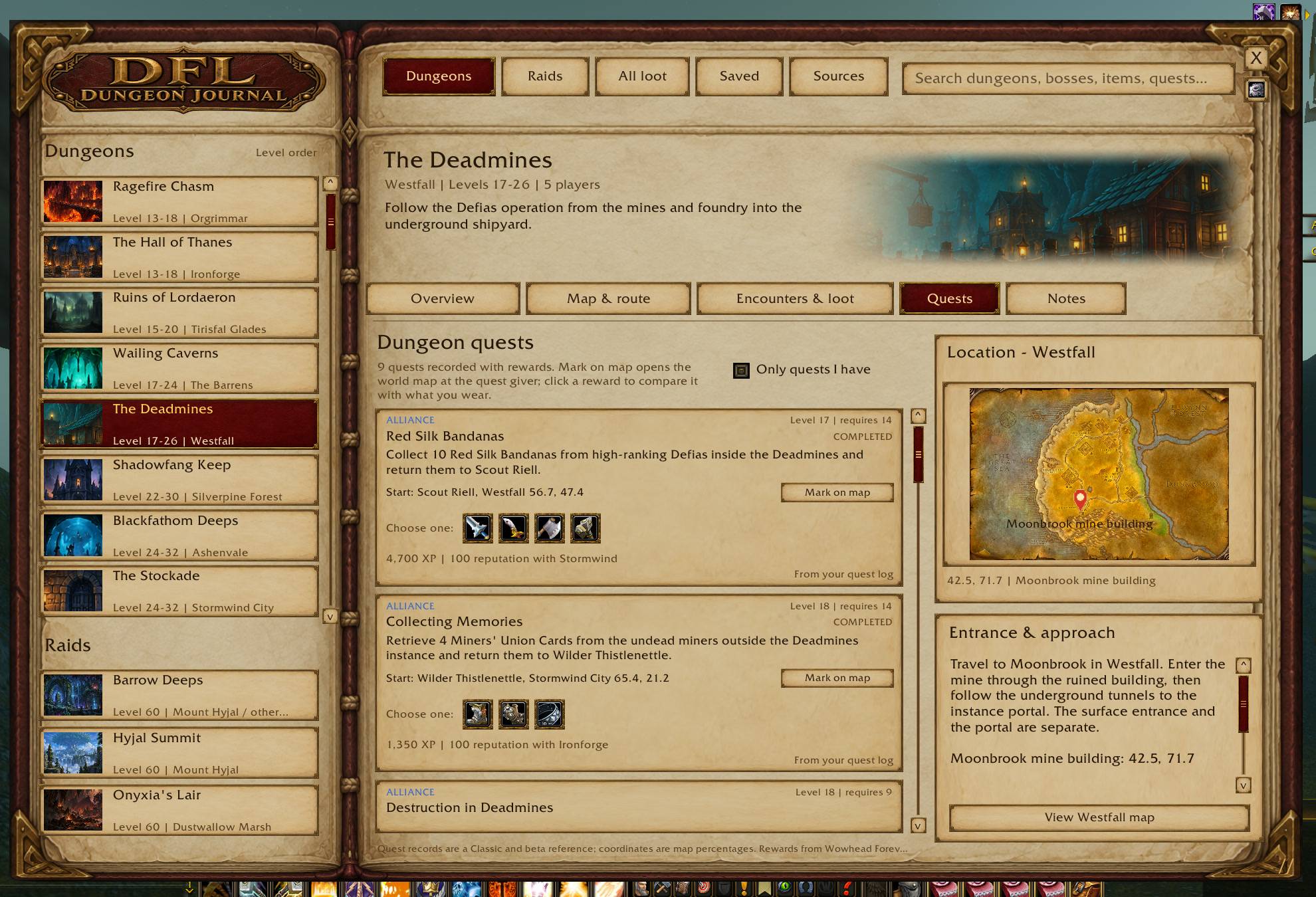
Every quest with its giver, turn-in and rewards as icons you can hover and compare against what you wear. The tracker reads your quest log.
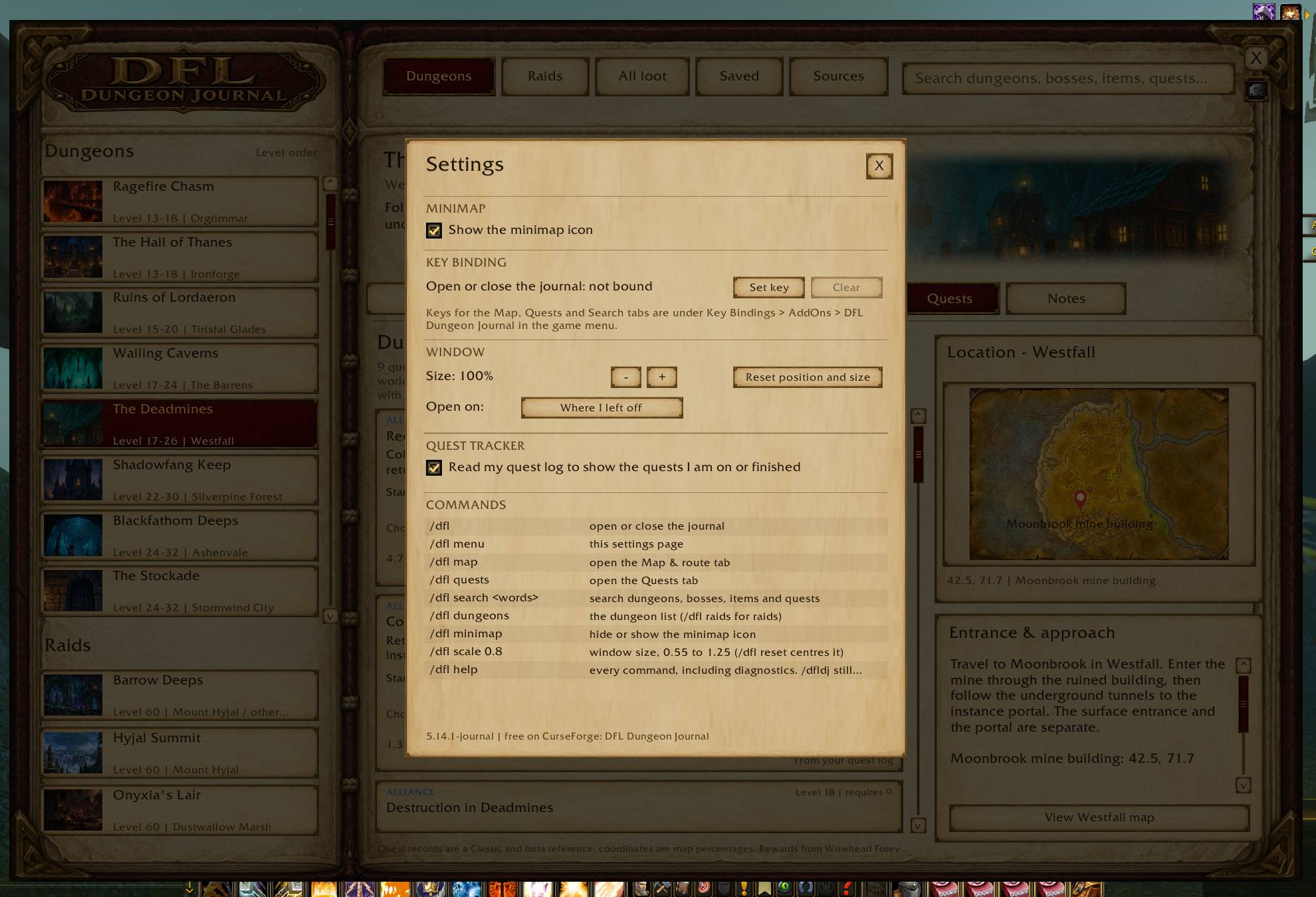
The gear under the close button: hide the minimap icon, bind a key, set the window size and the tab it opens on, and read every command.
Description
DFL Dungeon Journal
Every dungeon and raid in WoW Forever, in one book. Open it with /dfl, the minimap crest, or a key you bind.
What you get
- Every instance on one page. Level range, entrance and approach, the zone map with the entrance marked, and a View map button that pins the way in on your world map.
- Map and route. Painted floor maps with numbered boss markers and labels. Enlarge for the big view, flip between floors.
- Encounters and loot. Every boss with abilities, tactics and recorded drops, filtered by slot and quality. Click a drop for the full tooltip.
- Compare and preview. Hover a drop and the piece you have equipped appears beside it. Compare equipped puts both side by side. Preview (or Ctrl-click) puts the item on your character in the dressing room.
- Quests, with rewards. Every quest recorded for the instance: who gives it, where they stand, who to turn in to, where the chain starts, and the rewards (choice items, fixed items, XP, money, reputation) as icons you can hover and compare. Mark on map drops a marker on the quest giver.
- Quest tracker. Quests in your log say IN YOUR LOG, ones you can hand in say READY TO TURN IN, finished ones say COMPLETED. Mark any other quest with "I have this quest" and filter the list to yours.
- Recipes. The patterns, plans and schematics a boss drops sit under their own heading with the profession and the recorded drop rate. The slot filter has a Recipes option.
- Search. Type a boss, an item, a quest giver or a recipe and one click opens its page. All loot and Saved keep the pieces you are chasing one tab away.
- Settings. The gear under the close button: hide the minimap icon, bind any key or combination (Ctrl-A works) to open the journal, set the size and the tab it opens on, and read every command.
Commands
- /dfl opens or closes the journal
- /dfl menu opens the settings page
- /dfl map, /dfl quests, /dfl overview open that tab
- /dfl search followed by words searches dungeons, bosses, items and quests
- /dfl dungeons and /dfl raids open the lists
- /dfl minimap hides or shows the minimap icon
- /dfl scale 0.8 sets the window size (0.55 to 1.25), /dfl reset centres it
- /dfl help lists every command. /dfldj still works.
Key bindings
Key Bindings > AddOns > DFL Dungeon Journal has a binding for the journal, the Map tab, the Quests tab and the search, so any key or modifier combination works. Set key on the settings page writes the same binding without leaving the journal.
Coverage
The Forever dungeons (Hall of Thanes, Ruins of Lordaeron) and every classic dungeon and raid, with the Sources tab citing every record. Beta content changes between builds; the Notes tab of each instance says what is verified and what is a Classic reference.
No live-unit discovery. The journal never scans units, the combat log or the encounter journal. It is a reference book.
Feedback goes in the comments. The minimap toggle, the shorter command, the quest rewards and the tracker all came from there.
DFL Dungeon Journal Team