Daylight Fishing
- By
Fishing Mode for DaylightUI: one-key cast and hook, bait menu, catch counter and a quiet screen.
fish1png.png

fish2.png
Wow_CxuJ6l1e1Z.png
Wow_tMPoAfvCOK.png
Description
Daylight Fishing
Fishing Mode for Daylight UI on WoW: Forever: everything set up for fishing with one click, and put back as it was when you're done.
Requires Daylight UI.
Turn on Fishing Mode
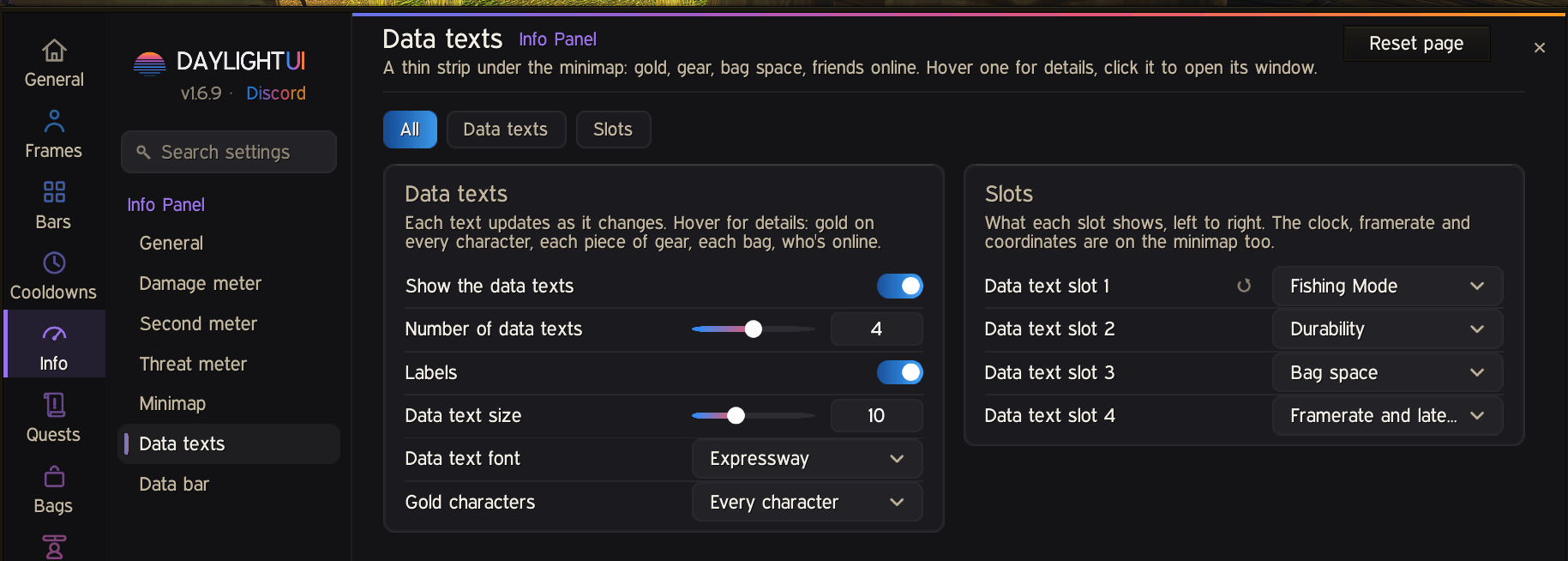
- click the Fishing Mode data text on your Daylight UI data bars;
- type
/dui fish; - use the Fishing Mode macro (make it with Make a Fishing Mode Macro in the settings and drag it to an action bar);
- or just put on a fishing pole: Fishing Mode turns on by itself, and off when you take the pole off.
While it's on
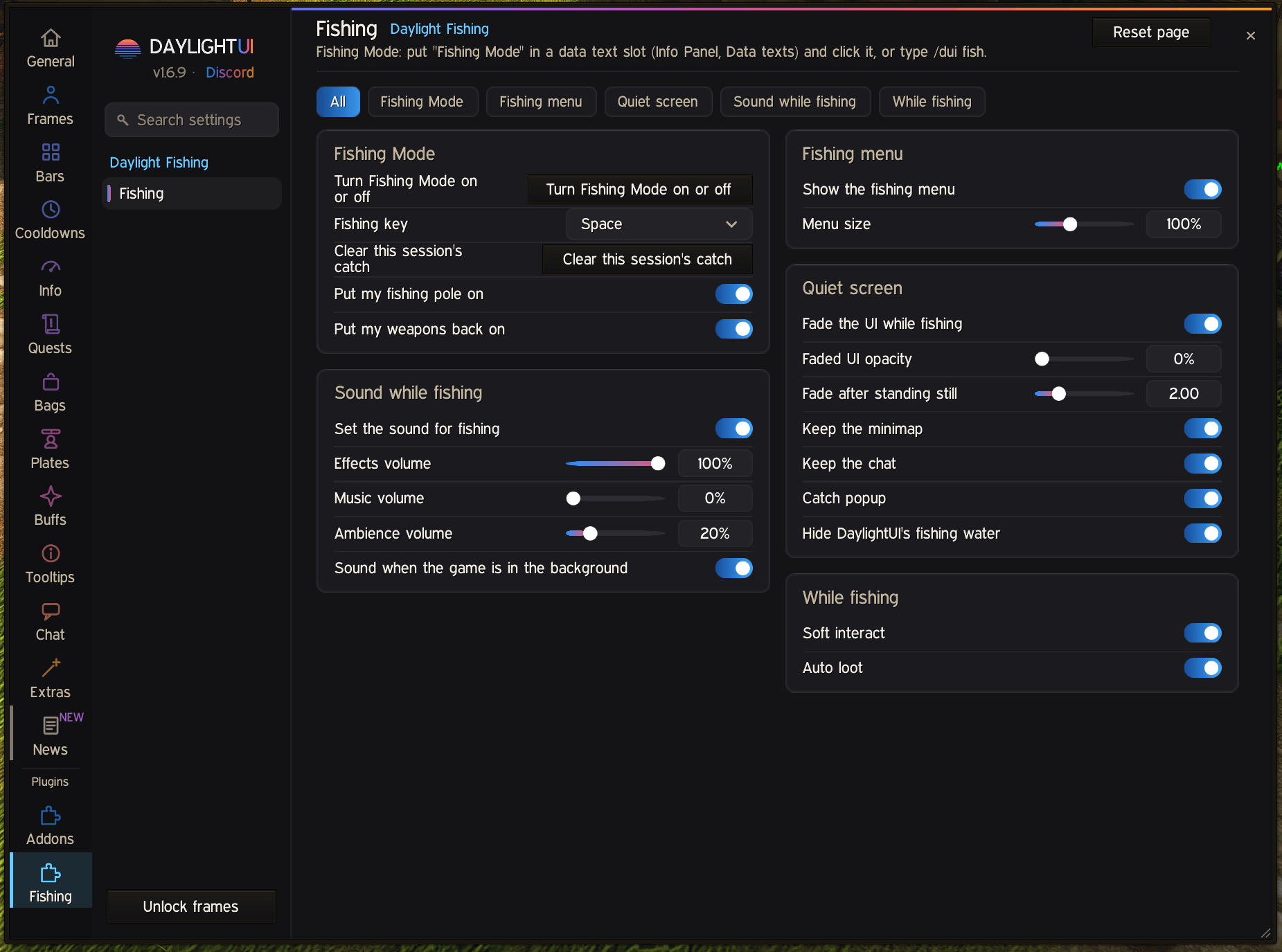
- Your best fishing pole goes on, and the sound is set up for fishing (effects up, music and ambience down).
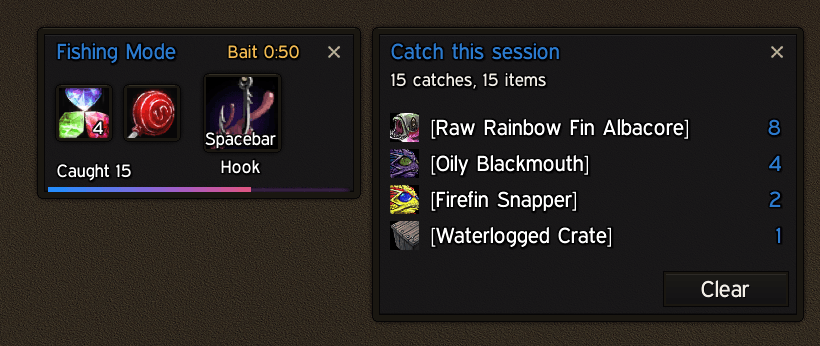
- A fishing menu under your character: your bait (click to put it on), the bait timer, the cast button and the weapons that go back on afterwards.
- One key casts, and hooks the fish once the bobber is out: Space by default, or any key or mouse button you like (Set Fishing Key).
- The rest of the UI fades away while you stand and fish, keeping the menu, minimap, chat and bags.
- A catch counter for the session (hover it for the totals, click it for the list).
- Fishing skill: the bar at the top of the menu shows your skill against your rank's cap. Click it to see where to learn your next rank, and click a place for a waypoint.
Pulled into a fight? Fishing Mode ends ("Combat Detected, Exiting Fishing Mode") and stays off. Your main hand and off hand (a one-hand and shield too) go back on at once, and your weapons always come back however Fishing Mode ends. First start: you pick your fishing key before the welcome (with Forever Fishing loaded, it tells you which key that one uses). With Mastercraft installed, Daylight Fishing handles fights by default (asked once), and Mastercraft's "Hide the game's interface" waits while our UI fade is on, so the UI never stays faded.
Everything goes back as it was when Fishing Mode ends.
New in 1.8.0
- Controller support: the catch list, trainer box, tours and Set Fishing Key work with a controller.
- For controller players: Catch List Always On and Trainer Box Always On keep them open while you fish, without taking the cursor.
New in 1.7.1
- Fix: Shift-clicking an item in the catch list links it in chat without a Lua error.
New in 1.7.0
- Weapon Swap on the fishing menu: the weapons that go back on when Fishing Mode ends.
- Stay Faded While Moving (on to start): walk about and the UI stays faded.
- A cleaner faded screen: Polestar's target faces, Daylight UI's 3D portraits and the tooltips of windows out of sight no longer show through.
New in 1.6.12
- A welcome on first launch that says what Fishing Mode takes over while it's on. Start Tour shows you around: the menu, baits, your fishing key (try a cast), skill and catch, fights and settings.
- What's new: a short note after each update.
- Help in the settings: Retake Tour, What's New, and Revert to Mastercraft when Mastercraft is installed.
- Update alert: a chat line when a newer version is out (once a session; switch it off under Updates).
New in 1.6.11
- One-hand and shield both go back on together when a fight ends Fishing Mode, right as it starts.
In your language
Daylight Fishing speaks German, French, Spanish, Russian, Korean and Simplified Chinese (machine drafts, corrections welcome; words the game already translates use the game's own wording), and finds trainers, places and keys on every game client.
Settings
Daylight UI options > Plugins > Fishing. Window opacity follows Daylight UI's, or set your own there.
Copyright (c) 2026 Glowey. All rights reserved. Free to download and play with.
Daylight Fishing Team