CursorAura
- By
High-visibility rotating cursor aura & emergency spotlight pulse. Keep track of your mouse in dense raids, mythic+ & PvP. Zero latency, 4 thematic auras & 10 client languages.
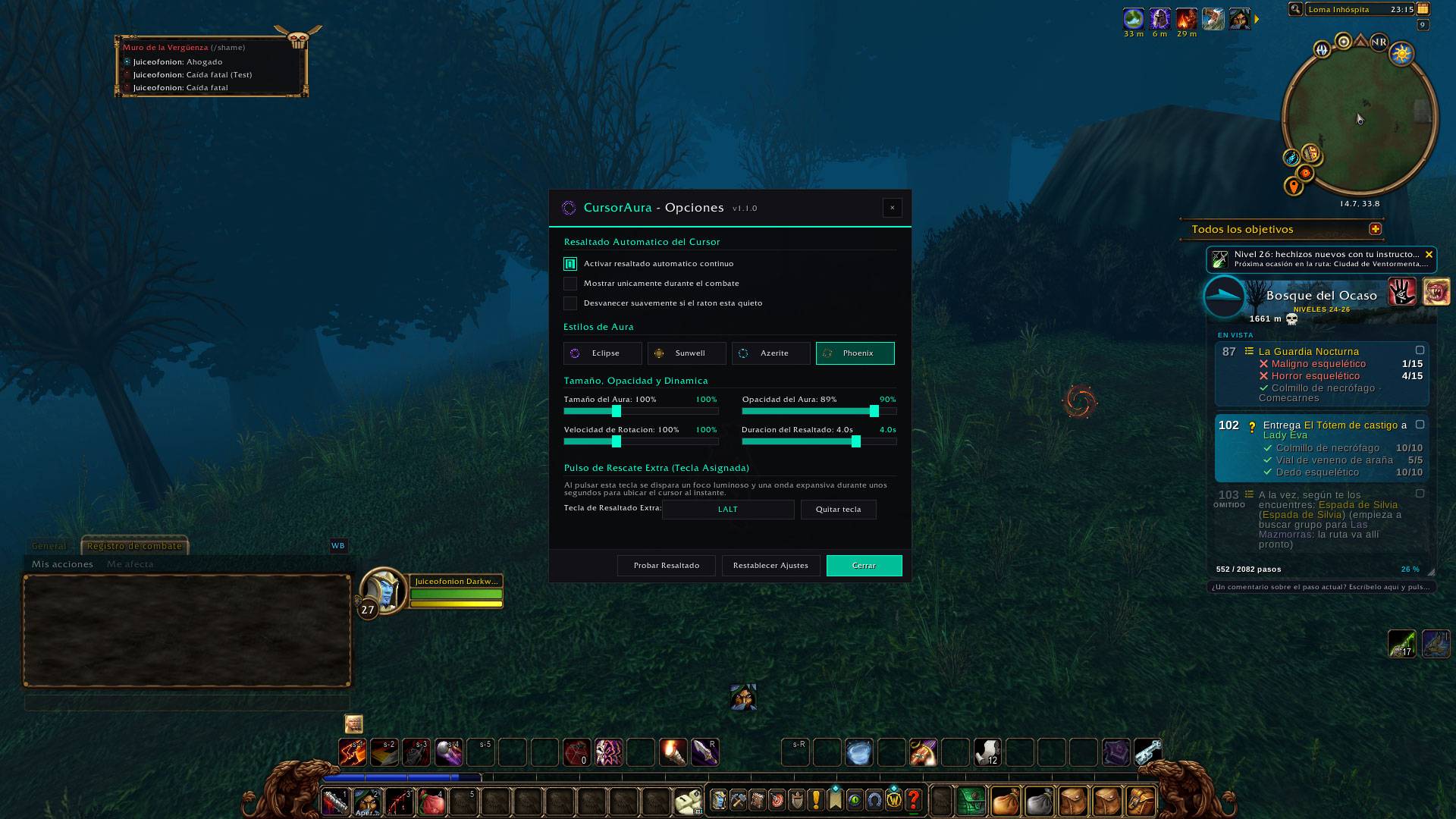
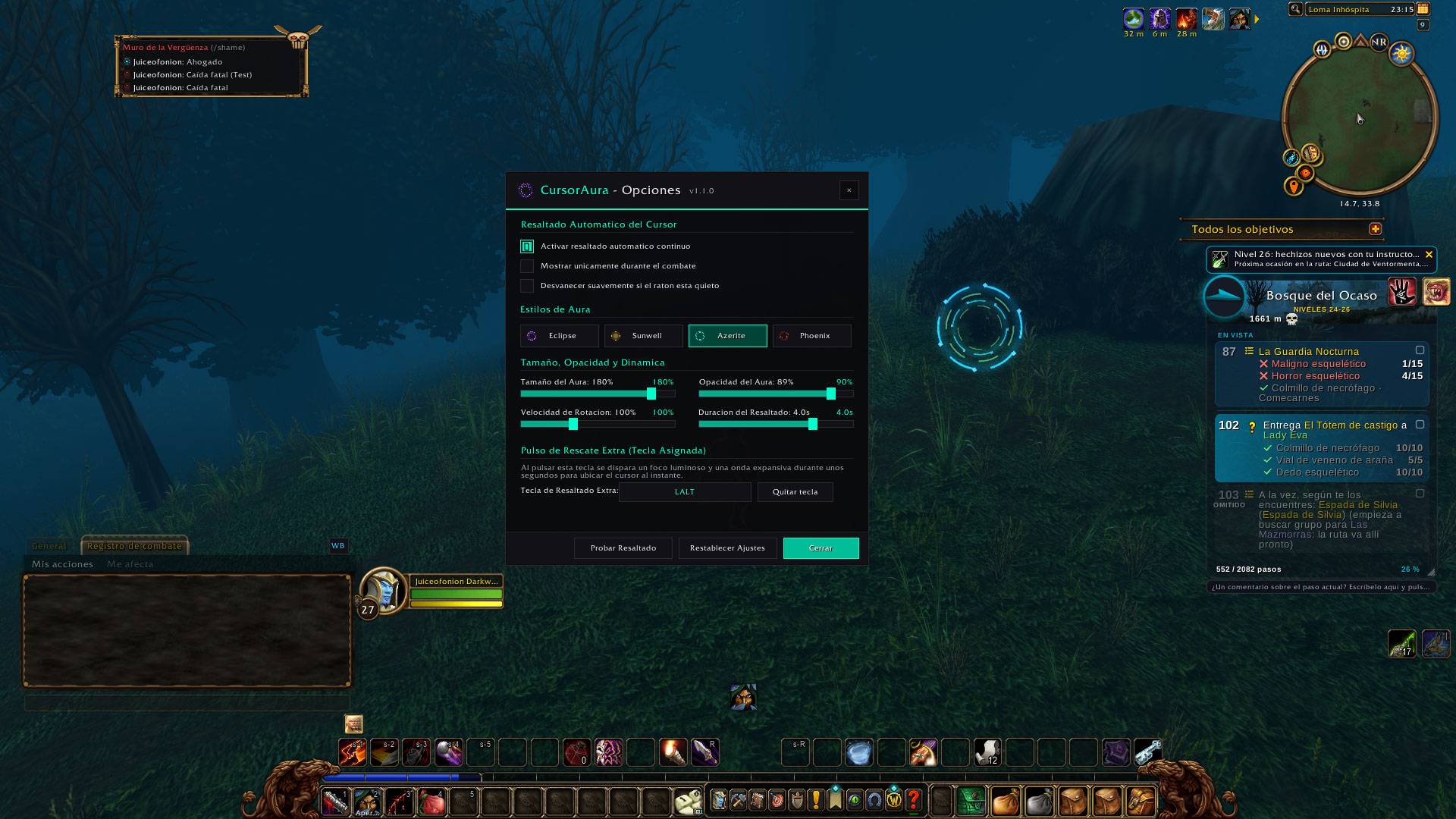
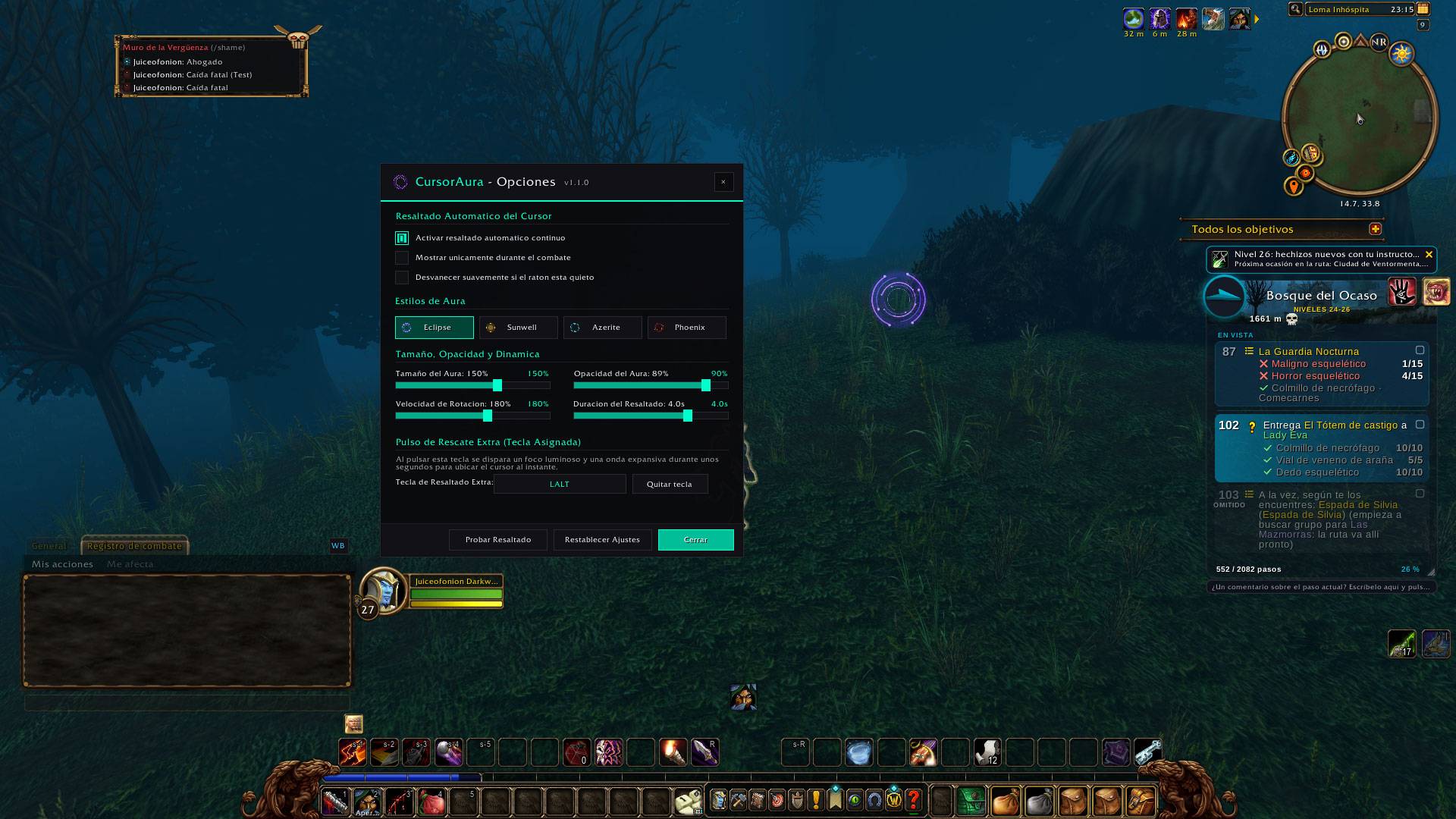
Description
🌟 CursorAura — High-Visibility Cursor Aura & Spotlight Pulse
Exclusivity Notice: Designed, built, and tested exclusively for World of Warcraft: Forever 1.60.1 (Interface 16001). Does not support standard Classic or Retail clients.
CursorAura is a lightweight, zero-latency cursor aura highlighter and emergency spotlight pulse for WoW Forever. Never lose track of your mouse cursor again during chaotic encounters, heavy spell particle effects, or fast-paced PvP arenas!
✨ Key Features
1. 🌌 Rotating Additive Auras (Zero Hardware Conflict)
- Uses lightweight UI blend-mode layering (
ADD) that stays crystal clear and readable over any terrain, dark dungeon floor, or bright boss mechanic without altering your OS or Blizzard hardware cursor. - 4 Handcrafted Thematic Styles:
- 🌌 Void Eclipse: Deep cosmic void core with brilliant violet coronal corona.
- ☀️ Sunwell Wave: Radiant holy gold and warm solar luminescence.
- ⚡ Azerite Pulse: Concentrated arcane cyan crystalline pulse.
- 🔥 Crimson Phoenix: Blazing solar fire flare of Quel'Thalas.
2. 🚨 Emergency Spotlight Pulse (Custom Keybind)
- Assign any key (e.g.
LALT,F,G,MiddleMouseButton) directly inside the options menu or via Blizzard's Keybinding panel. - Pressing the key instantly casts an expanding sonar shockwave and locks the aura into maximum brightness for a few seconds (configurable duration from 1.0s to 5.0s), then smoothly returns to normal.
3. 🎯 Combat & Motion Intelligence
- Combat Only: Option to only display the aura while actively engaged in combat.
- Fade When Stationary: Smoothly fades out when the mouse stops moving (perfect for reading quest logs or cinematic immersion), instantly reappearing upon the slightest movement.
4. ⚙️ Zero-Latency High-FPS Engine & Native AddOns Menu
- Accessible via Options → AddOns → CursorAura (one-click launcher button) or via
/cursoraura,/aura, and/caura. - Independent ticker loop and 1:1 pixel-accurate anchor engine that automatically hides during camera mouselook and never stutters or lags behind your cursor (< 100 KB memory usage).
💻 Slash Commands
| Command | Action |
|---|---|
/cursoraura, /aura or /caura |
Opens the graphical configuration panel |
/cursoraura ping |
Triggers the emergency spotlight pulse |
/cursoraura toggle |
Quickly enables or disables the aura |
/cursoraura reset |
Restores all settings to defaults |
/cursoraura help |
Displays available commands in chat |
🌐 Global Localization (All 10 Client Locales)
Auto-detects and natively adapts UI, options, and alerts to your active client language:
🇬🇧 English • 🇪🇸 Español • 🇩🇪 Deutsch • 🇫🇷 Français • 🇮🇹 Italiano • 🇵🇹 Português • 🇷🇺 Русский • 🇰🇷 한국어 • 🇨🇳 简体中文 • 🇹🇼 繁體中文
📦 Installation
- Download
CursorAura.zip. - Extract the
CursorAurafolder into your WoW Forever directory:
World of Warcraft\_forever_\Interface\AddOns\ - Ensure the folder is named exactly
CursorAuraand containsCursorAura.toc. - Launch the game and type
/cursoraura!
☕ Support & Donations
If you enjoy my work and would like to support future updates and new features, consider buying me a coffee:

CursorAura Team