Crit My Pants
- By
Track, alert, and celebrate your biggest crits — because nobody remembers the ones that don't matter.
Screenshot 2026-08-08 082912.png
Screenshot 2026-08-08 082931.png
Description
Commands: /cmp or /critmypants — opens the settings panel.
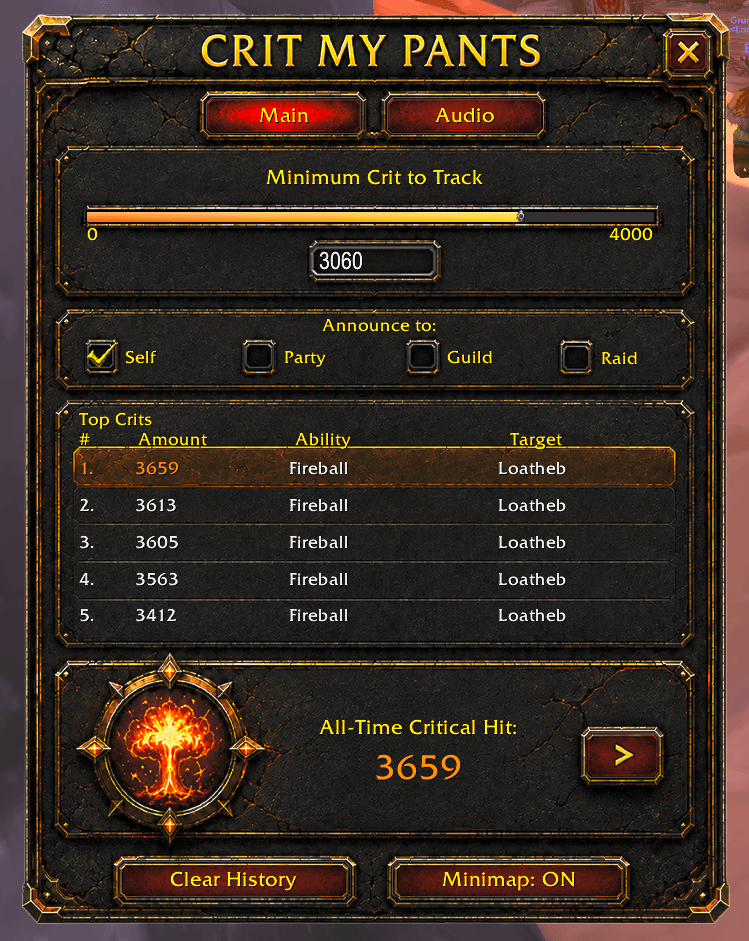
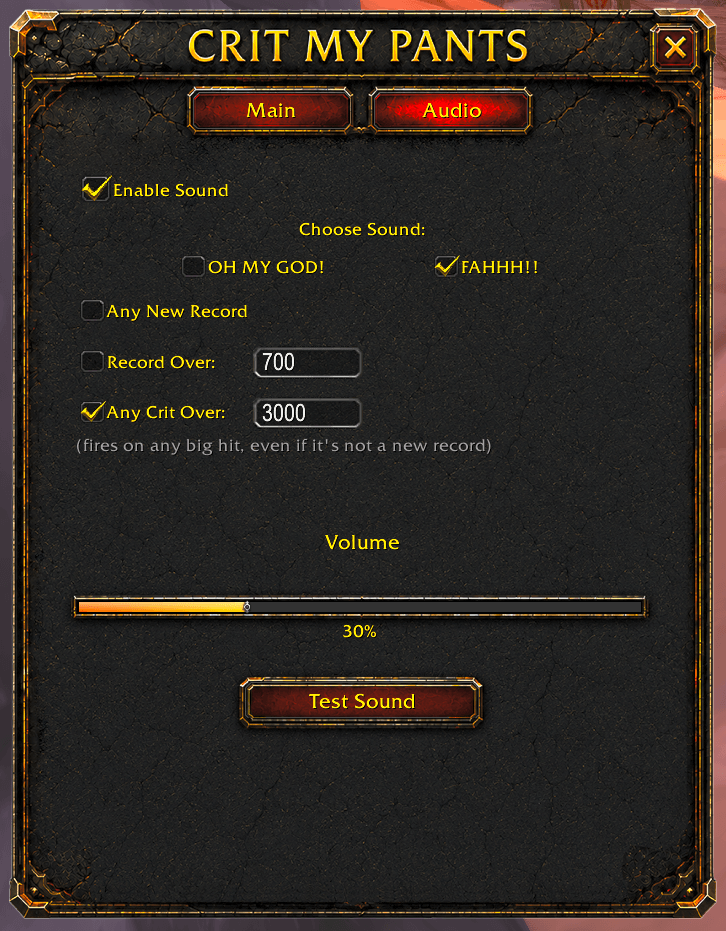
Crit My Pants tracks the single highest critical hit you've ever landed and lets you know the moment you beat it — without flooding your chat over every big number along the way. Set a minimum crit threshold to filter out hits that aren't worth caring about, and choose which channels hear about it (Self, Party, Guild, Raid). A permanent All-Time Critical Hit record survives resets and updates alike (unless you manually reset this), backed by a freely-clearable Top 5 leaderboard for day-to-day bragging rights, and a Share button to rebroadcast your best Crit whenever you want. Hover over any spell in your spellbook or action bars to see that spell classes personal-best crit, tracked silently in the background — and if your true record came from a different rank, the tooltip tells you so instead of hiding or misrepresenting it (Highest rank, lets be real). Want an audio cue too? Choose from three independent sound modes — any new record, records over a size you set, or any big hit at all regardless of record status — with your own volume and a one-click test. Fully isolated per character, so your eight alts never see each other's data.
What's new
Data safety & correctness
- Switched to per-character saved data — each character now has completely separate settings, records, and history
- Fixed a stale-save bug where the Top 5 list size could get stuck at an old value from early testing
- Fixed a data-loss bug where an accidental slider drag could permanently wipe list entries with no way to recover them — dragging is now 100% non-destructive
- Fixed tooltip records showing a number a weaker spell rank could never actually achieve — now shows your true best across all ranks, clearly labeled with which rank earned it (e.g. "Rank 11")
- Fixed the underlying Classic API call that made rank labels silently fail to appear at all
New features
- Added a permanent All-Time Critical Hit record, separate from the clearable Top 5 list, with a manual Share button to rebroadcast it on demand
- Added a third sound mode, "Any Crit Over," that dings on any sufficiently big hit regardless of record status — independent of chat announcements
- Added a volume slider and Test Sound button for the record-alert sound
- Added
/cmp status,/cmp test(now a safe dry-run), and/cmp resetalltimediagnostic/recovery commands
Fixes
- Fixed edit boxes not saving a typed value unless you specifically pressed Enter
- Fixed a silent error in spec detection that could quietly break all crit tracking without any visible warning — now fully error-protected
NOTE: "Sound is not playing when "Minimum Crit to Track is OVER the "Any Crit Over"
>>> EXAMPLE:
Minimum Crit to Track on the Main tab to 2000 or below (matching or under your "Any Crit Over" number). Once that gate is open wide enough to let 2000+ crits through, the BIGCRIT sound check downstream will actually get to run on them.
Quick rule of thumb going forward: Minimum Crit to Track should always be set at or below whatever your smallest Audio tab threshold is, otherwise crits in that gap between the two numbers get silently dropped before sound (or the list, or anything else) ever sees them.
Crit My Pants Team