CheckMark
- By
CheckMark is a compact, click-to-apply marker grid for two-to-five-player World of Warcraft parties.
CheckMark

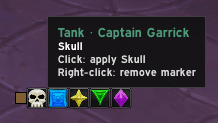
CheckMark makes the small bit of marker admin before a pull quick and clear. Set a marker for each role, then click each party member's compact cell to apply it. It is deliberately a preparation tool: no automatic marking, no combat operation, and no guessing what another player may already have done.
How it works
- Form a party of two to five players.
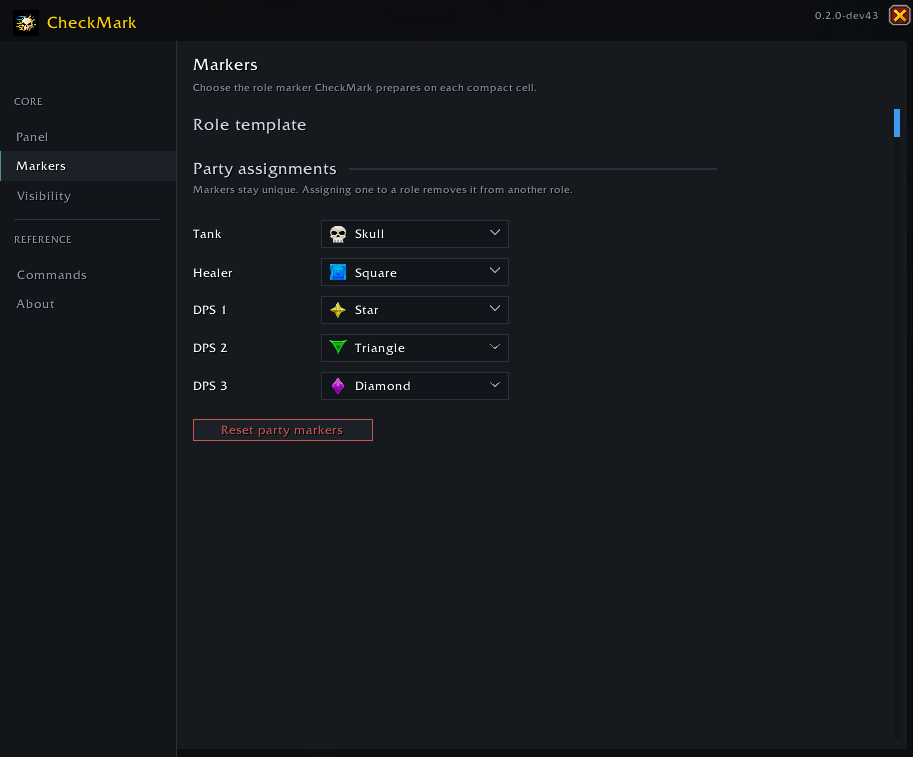
- Open CheckMark settings and choose role markers, such as Tank = Skull and Healer = Diamond.
- Use
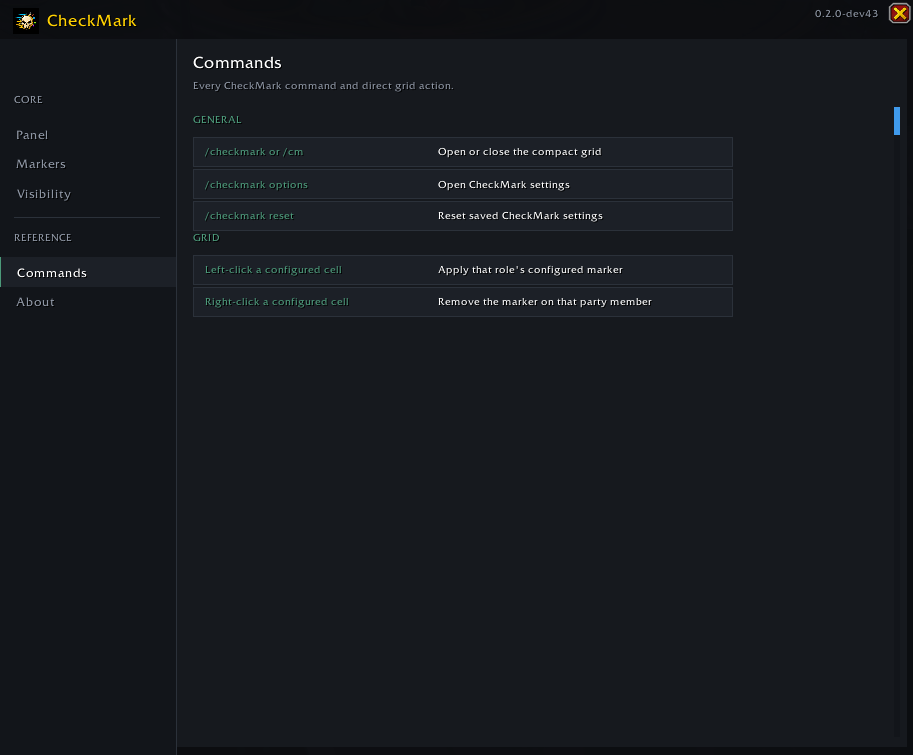
/checkmark(or the minimap button) to show the compact grid. - Left-click a configured cell to apply that member's marker. Right-click a configured cell to remove their current marker.
Markers remain unique in the role template. If you choose an icon already allocated to another role, CheckMark moves that allocation for you.
Built for pre-pull setup
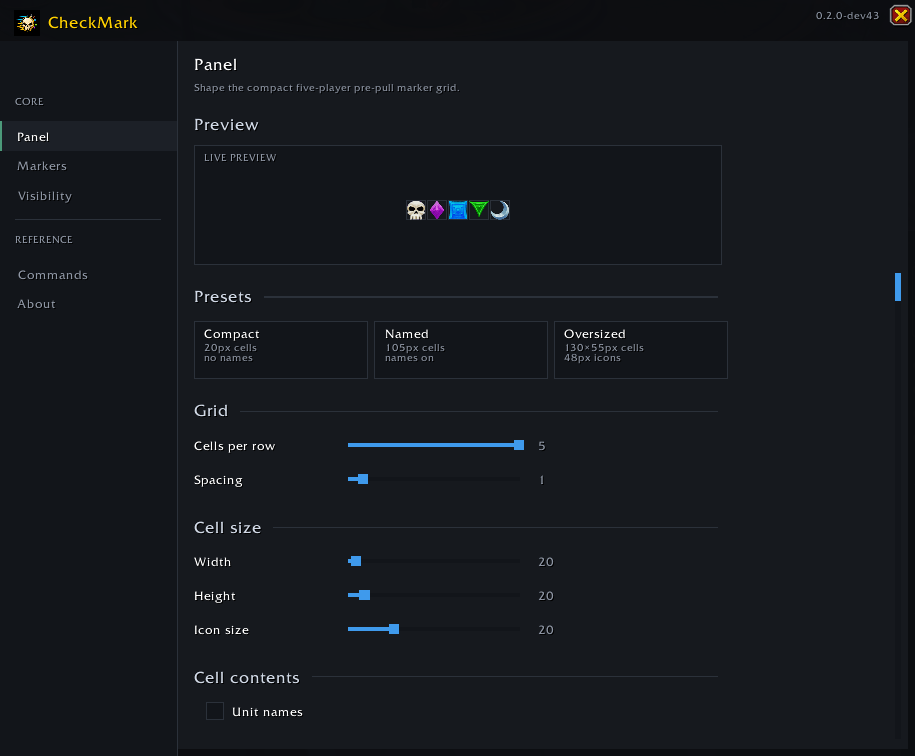
- Compact Salve-style cells, with Compact, Named, and Oversized display presets.
- Role-template settings for Tank, Healer, and three DPS slots.
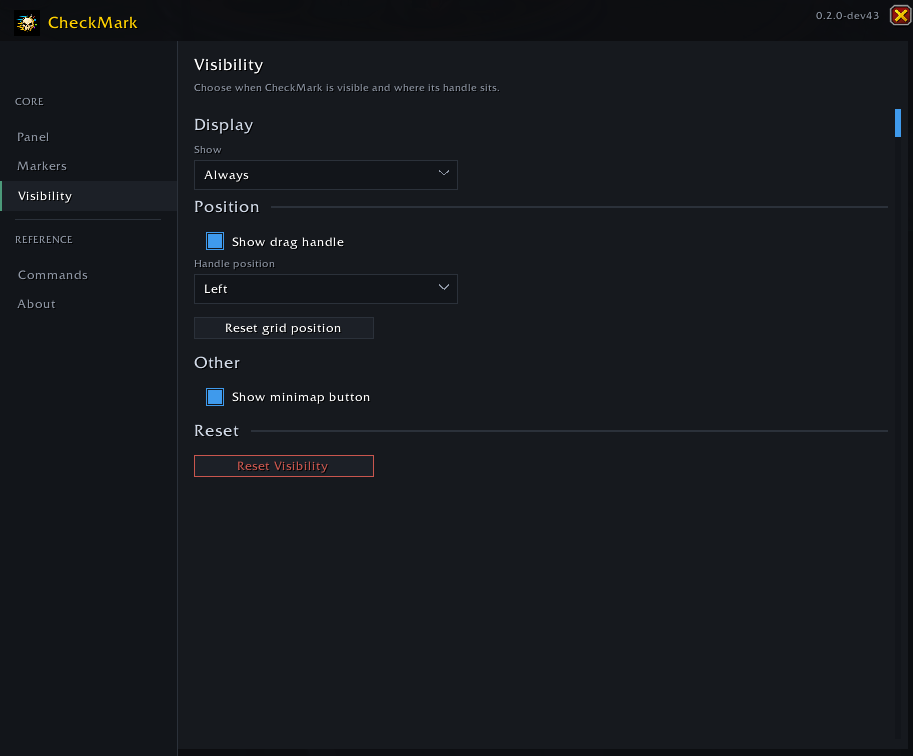
- A movable grid and optional minimap launcher.
- Visibility controls for showing the grid outside combat or keeping it hidden.
- Works in ordinary parties, follower dungeons, dungeons, and delves.
Important limits
- Applying a target marker needs your click and the normal in-game marker permission.
- CheckMark does not inspect, compare, or infer a member's current marker. It shows your configured plan, not a claimed readback.
- It is unavailable in combat and does not react by automatically marking a group when the roster changes.
- It is intentionally for two-to-five-player parties; raids are out of scope.
Commands
/checkmarkor/cm— show or hide the grid./checkmark options— open settings./checkmark reset— reset saved CheckMark settings.
 />/>
/>/>
 />/>
/>/>
 />/>
/>/>
 />/>
/>/>
CheckMark Team