Checklist
- By
Shows a configurable checklist popup on key events (login, death, etc.) and lets you keep per-list checkboxes between sessions.
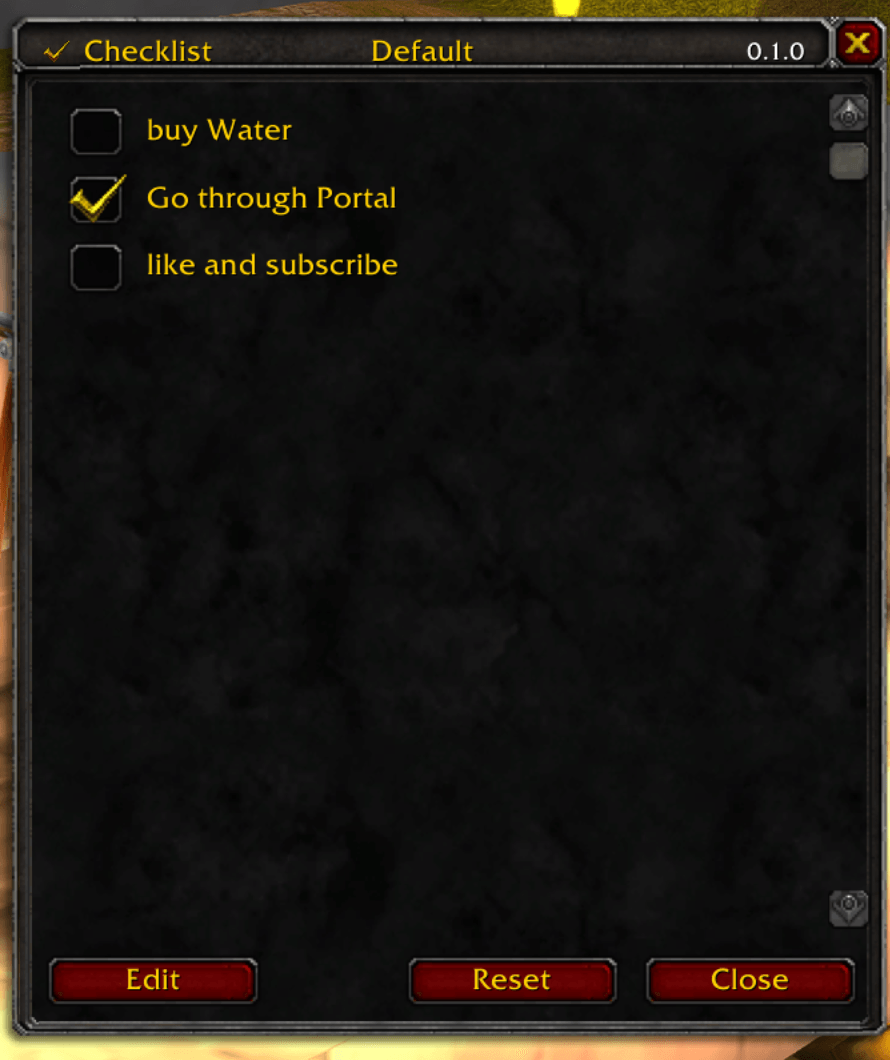
Bildschirmfoto 2026-01-07 um 15.03.52.png
Description
I am unhappy with the current state of developement. I took the files offline for now. I will come back with a more solid approach.
# Checklist (WoW Classic Era AddOn)
Shows a configurable checklist popup on key events (login, death, etc.) and lets you keep per-list checkboxes between sessions.
## Features
- Popup checklist window with per-item checkboxes
- Triggers supported out of the box:
- `login` (shown on `PLAYER_LOGIN`)
- `death` (shown on `PLAYER_DEAD`)
- `manual` (shown via `/checklist` or minimap button)
- Multiple named lists, each assignable to a trigger
- Minimap button (left-click opens checklist, right-click opens options, drag to reposition)
- Reset checks button in the popup
- SavedVariables:
- `ChecklistDB` (account-wide)
- Legacy migration from `ChecklistCharDB` (per-character) on first load
## Installation
1. Copy this folder to:
- `_classic_era_/Interface/AddOns/Checklist`
2. Restart WoW (or `/reload`).
3. Enable **Checklist** on the character selection AddOns screen.
## Usage
### Commands
- `/checklist` or `/checklist show` — open the checklist (manual trigger)
- `/checklist options` (or `opt`) — open the options UI
- `/checklist on` — enable the addon
- `/checklist off` — disable the addon
- `/checklist reset` — clear all saved checkmarks
- `/checklist minimap` — toggle the minimap button
### Configure lists and triggers
Open options via `/checklist options` or right-click the minimap button:
1. Create one or more lists.
2. Add items to each list.
3. Assign a list to a trigger (like `login` or `death`) from the dropdown in the list row.
4. Disable a list (per-trigger) if you want it to stop popping up.
## Files
- `Checklist.lua` — core logic, events, slash commands, SavedVariables/migrations
- `ChecklistUI.lua` — popup checklist window
- `ChecklistOptions.lua` — options UI for lists/items/triggers
- `ChecklistMinimap.lua` — minimap button
Checklist Team