RestedXP AnchorFix
- By
RestedXP AnchorFixApplies the Current Step Frame anchor setting on login.
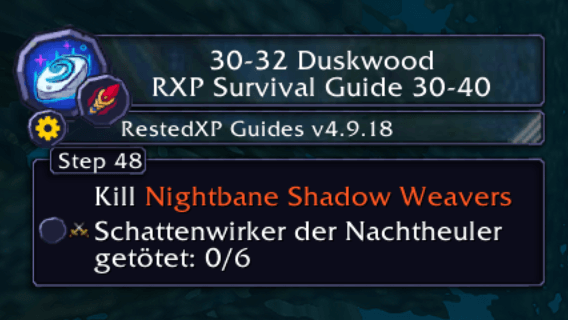
Bildschirmfoto 2026-01-22 um 22.17.10.png
Description
Small companion addon for RestedXP Guides that reapplies the “Current Step Frame” anchor on login / reload.

Some players occasionally see the Current Step Frame revert to its default position after logging in, reloading the UI, or entering the world. This addon listens for early login/load events and calls RestedXP’s `RXPFrame:SetStepFrameAnchor()` so the frame snaps back to the anchor you previously set in the RestedXP options.
## What It Does
- Waits for `RXPGuides` to be available, then attempts to apply the anchor
- Retries shortly after load to handle timing/order-of-loading issues
- Runs once per session (it won’t keep moving the frame after it succeeds)
## Requirements
- World of Warcraft Classic Era (interface `11508`)
- `RXPGuides` (RestedXP Guides) installed and enabled
## Installation
1. Download or clone this folder into your WoW addons directory:
`World of Warcraft/_classic_era_/Interface/AddOns/RXPGuides_AnchorFix`
2. Ensure `RXPGuides` and `RXPGuides_AnchorFix` are enabled on the character select AddOns button.
3. Log in. The Current Step Frame should apply your saved anchor automatically.
## Notes / Troubleshooting
- If the frame still resets, double-check your anchor setting inside the RestedXP Guides UI, then `/reload`.
- If RestedXP changes internal APIs in a future update (e.g. renames `SetStepFrameAnchor`), this addon may need an update.
RestedXP AnchorFix Team